
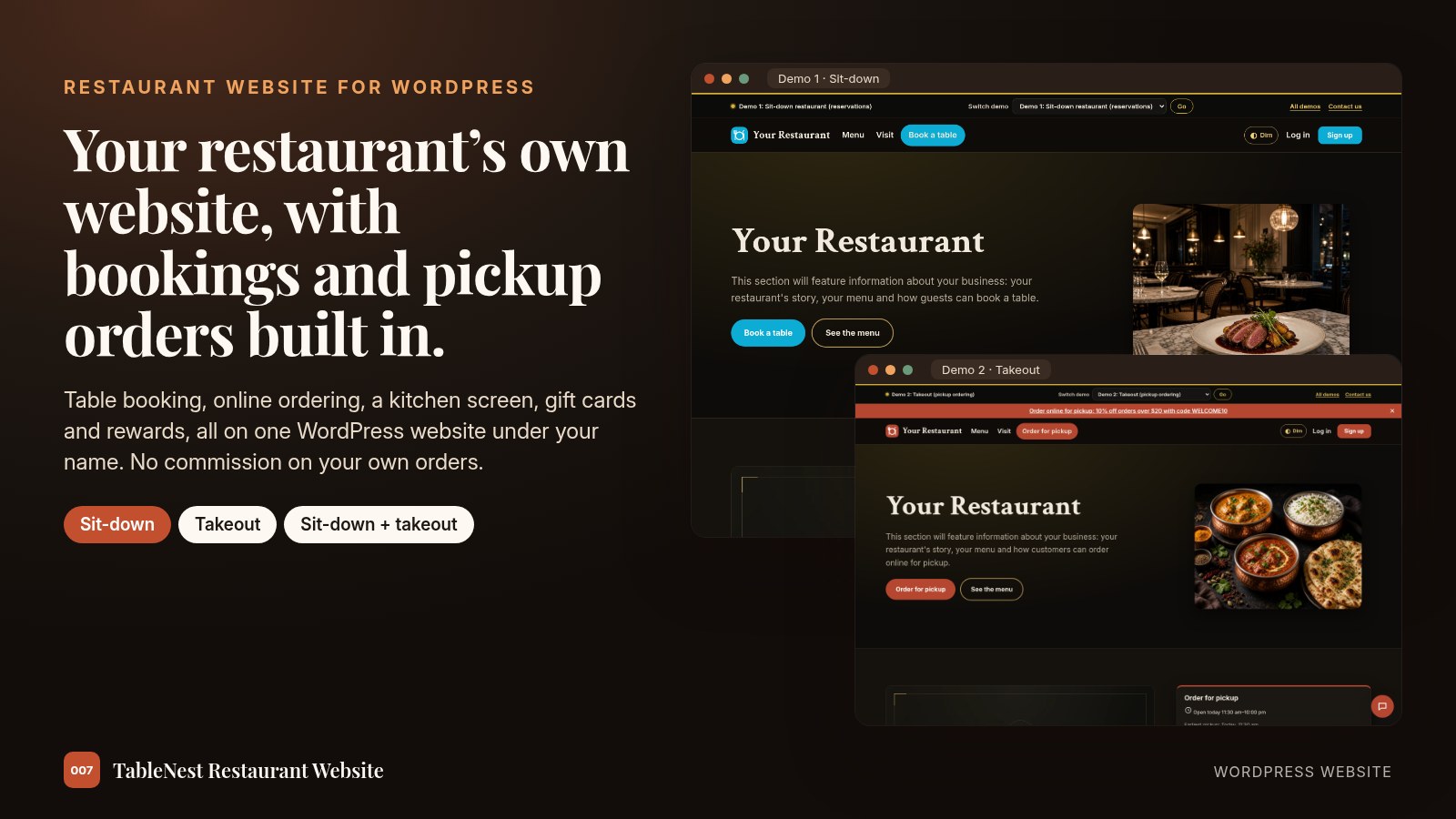
We’ll build your restaurant’s own website, with bookings and pickup orders built in.
Sit-down, takeout, or both. Done for you, on your hosting and your domain, under your restaurant’s name.
This is a complete restaurant website on WordPress: online table booking, pickup ordering with card payments, a kitchen screen, gift cards, rewards, live chat and the site tools a new website usually needs, all built in with no extra plugins. We set it up for you, put in your menu, photos and hours, connect your email and payments, test a booking and an order, and show you how to run it day to day.
Open Demo 1 · Sit-down
Open Demo 2 · Takeout
See both demos
Own it, don’t rent it
Most restaurant ordering and booking platforms are rented month to month, and many take a cut of every order or charge per guest. Your own website keeps those orders and guests with you.
A rented platform
- A fee every month, for as long as you use it
- Marketplace apps take a share of every order
- Per-order or per-guest fees on top of the plan
- Your guest list and menu live on someone else’s system
Your own restaurant website
- Runs on your own WordPress hosting, under your own domain
- No commission taken by the website on your orders or bookings
- Card payments go straight to your own Stripe account
- Your menu, guests, subscribers and stats stay with you
Everything at a glance
Built for one restaurant. Every tool below is already inside the website.
For your guests
- Book a table by date, time and party size
- Join a waitlist when you are full
- Order pickup with sizes and extras
- Pay by card or at pickup
- Gift cards, rewards points and promo codes
- Catering requests and live chat
For you and your staff
- One dashboard for bookings, orders and menus
- Full-screen kitchen board and 80mm tickets
- Curbside “I’m here” alerts
- Deposits, prepaid experiences and no-show tracking
- Weekly report and spreadsheet exports
- Email, text and on-screen order alerts
For getting found
- Restaurant details for search results
- SEO, sitemap and social sharing cards
- Review requests after each visit
- Business profile checklist
- Newsletter with a free diner ebook
- Fast, phone-first pages
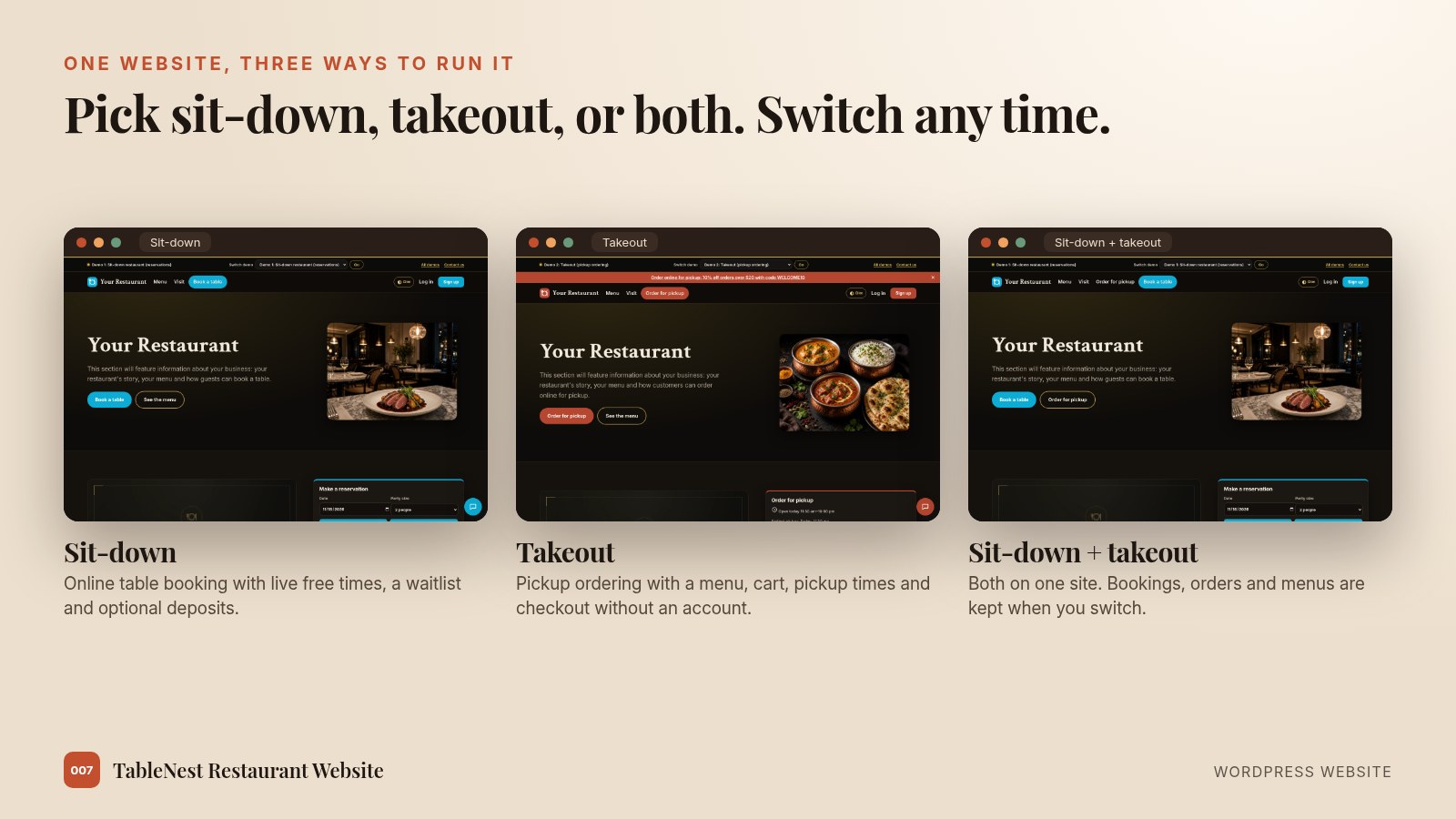
One website, three ways to run it
Choose Sit-down, Takeout or Sit-down + takeout in settings. The buttons, pages and wording follow, and switching keeps all of your bookings, orders and menus.
Reservations that fill tables
Guests see only times that are really free for their party size, and get an instant confirmation.
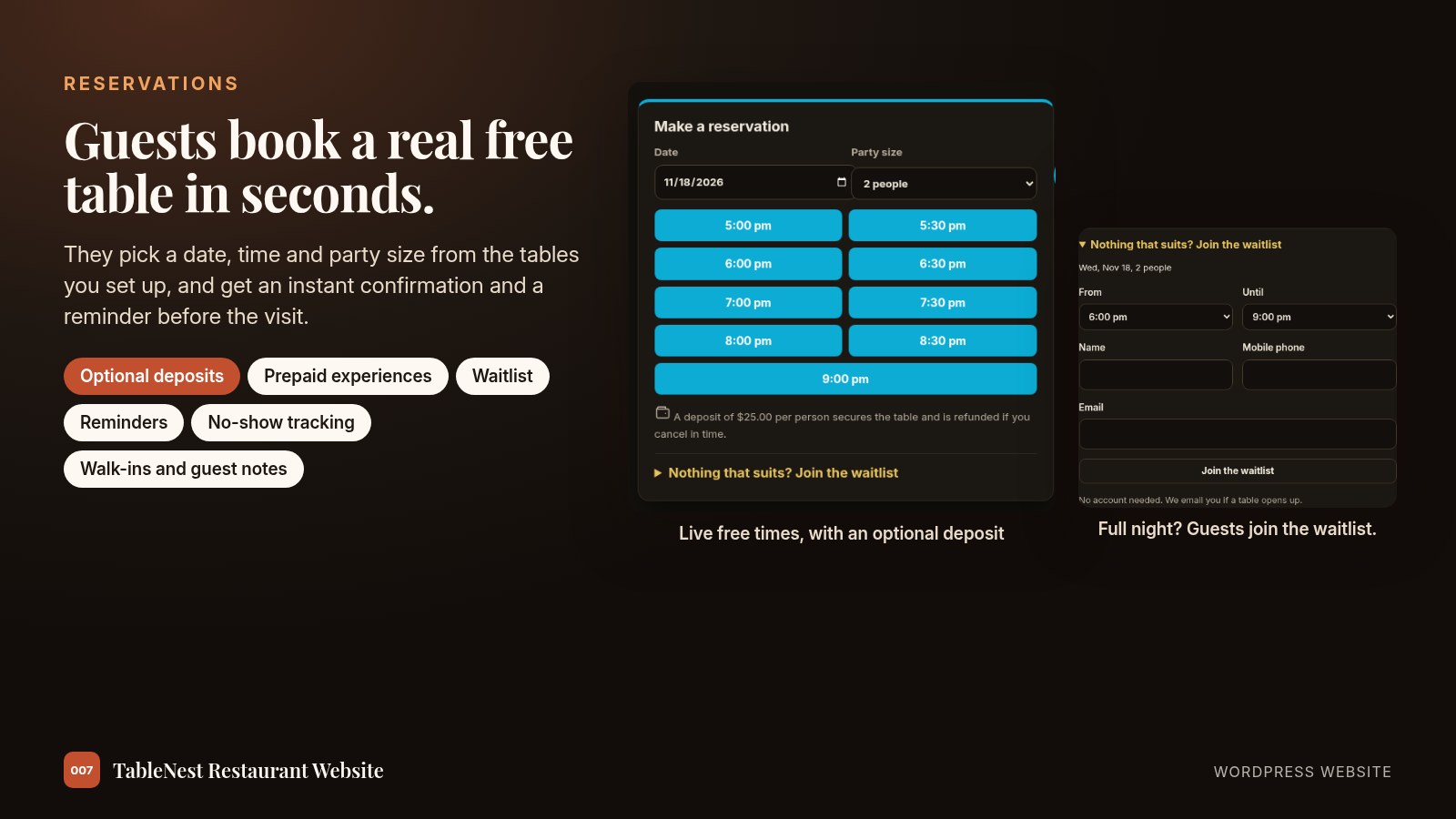
What’s built in for bookings
- Live availability by date, time and party size, from the tables you set up
- Instant confirmation with a cancellation link, and a reminder before the visit
- Optional deposit per person, refunded automatically when a guest cancels in time
- Prepaid experiences, such as a tasting menu, paid when the guest books
- A waitlist when you are full: no account needed, and the guest is emailed when a matching table opens
- Your day on one screen: seat guests, mark no-shows, add walk-ins and phone bookings, keep private guest notes
- Opening hours, closed dates and a cancellation window you set
Online ordering for pickup
A clear menu, a cart and a checkout that works without an account. Customers choose a pickup time and get an email to view or cancel their order.
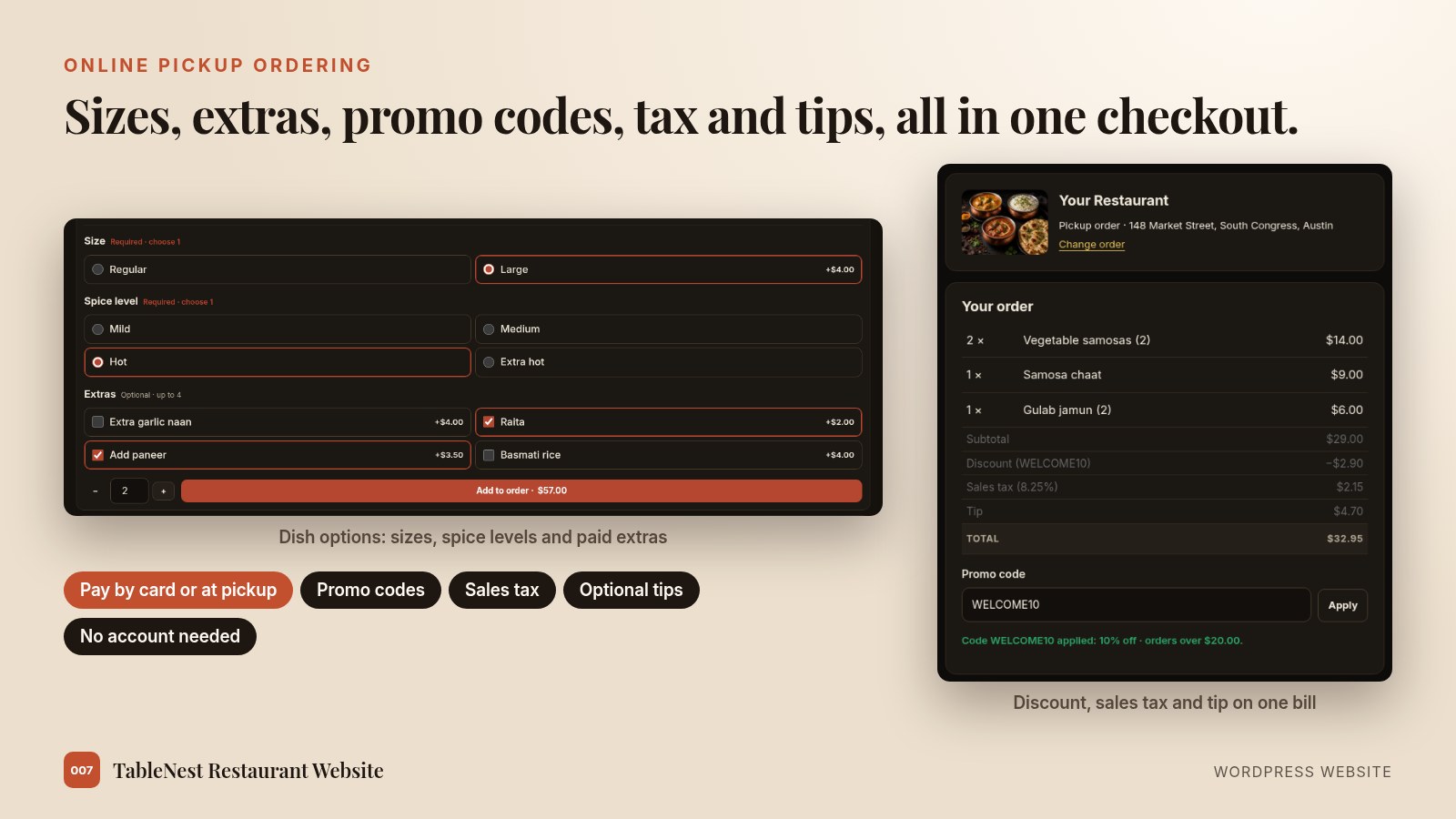
What’s built in for orders
- Your own menu categories, with Veg, Vegan and GF badges, and sold-out dishes hidden in one click
- Dish options: sizes, spice levels, toppings and paid extras, with required choices and limits
- Pickup time slots that respect your preparation time and opening hours
- Promo codes (percent or fixed, minimum order, dates, usage limit) and a specials banner
- Sales tax with your own label, and optional tips with preset percentages or a custom amount
- Pay at pickup, pay online by card, or let the customer choose
- Card payments through your own Stripe account, with refunds from your orders screen
- New-order alerts by email, with an optional text and an on-screen alert with sound
Payments that go to you
Card payments run through your own Stripe account, so money from orders, deposits and gift cards lands with you, not with a platform. PayPal is available in addition to Stripe.
Payment options
- Pickup orders: pay at pickup, pay online by card, or let the customer choose
- Booking deposits and prepaid experiences are paid by card when the guest books
- An order is marked paid only after Stripe confirms it; unpaid online orders are released automatically
- Refund a paid order from your orders screen; cancelling a paid order refunds it
- Test mode first, then switch to live when you are ready
- Pay at pickup works even before any card payments are switched on
A kitchen screen and curbside pickup
Open the kitchen board on any screen in the kitchen. Orders move from New to Preparing to Ready with big buttons.
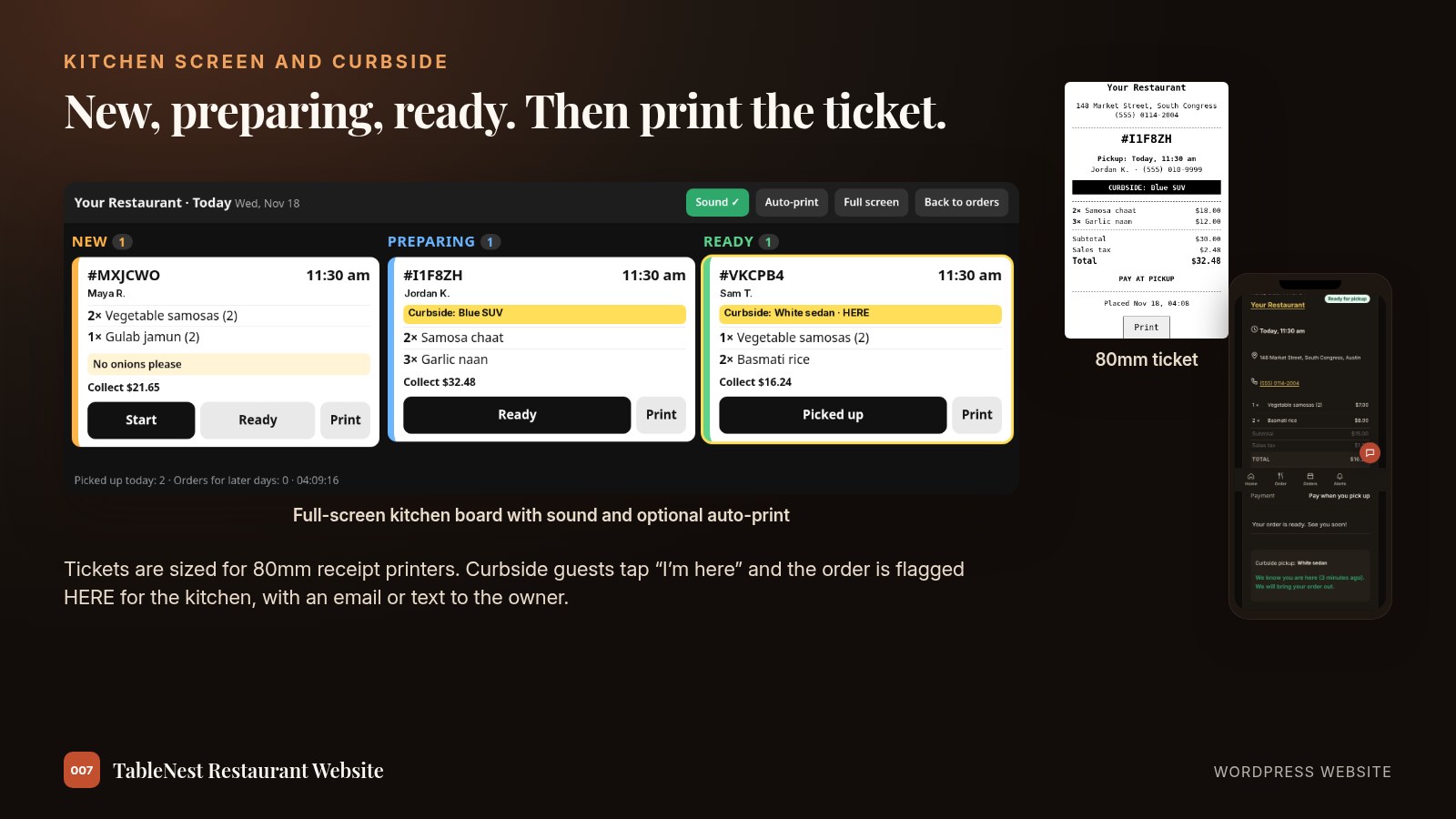
Kitchen and curbside
- Full-screen board that refreshes itself, with a sound for new orders
- Tickets sized for 80mm receipt printers, with optional auto-print
- Curbside pickup: guests add their car, then tap “I’m here” on their order page
- The order is flagged HERE on the kitchen screen, and you get an email or text
Your restaurant dashboard
Everything for the day is on tabs: Today, Bookings, Orders, Menu, Promotions, Tables, Experiences, Waitlist, Guests and Reviews. It works from a laptop, a tablet at the host stand or a phone.
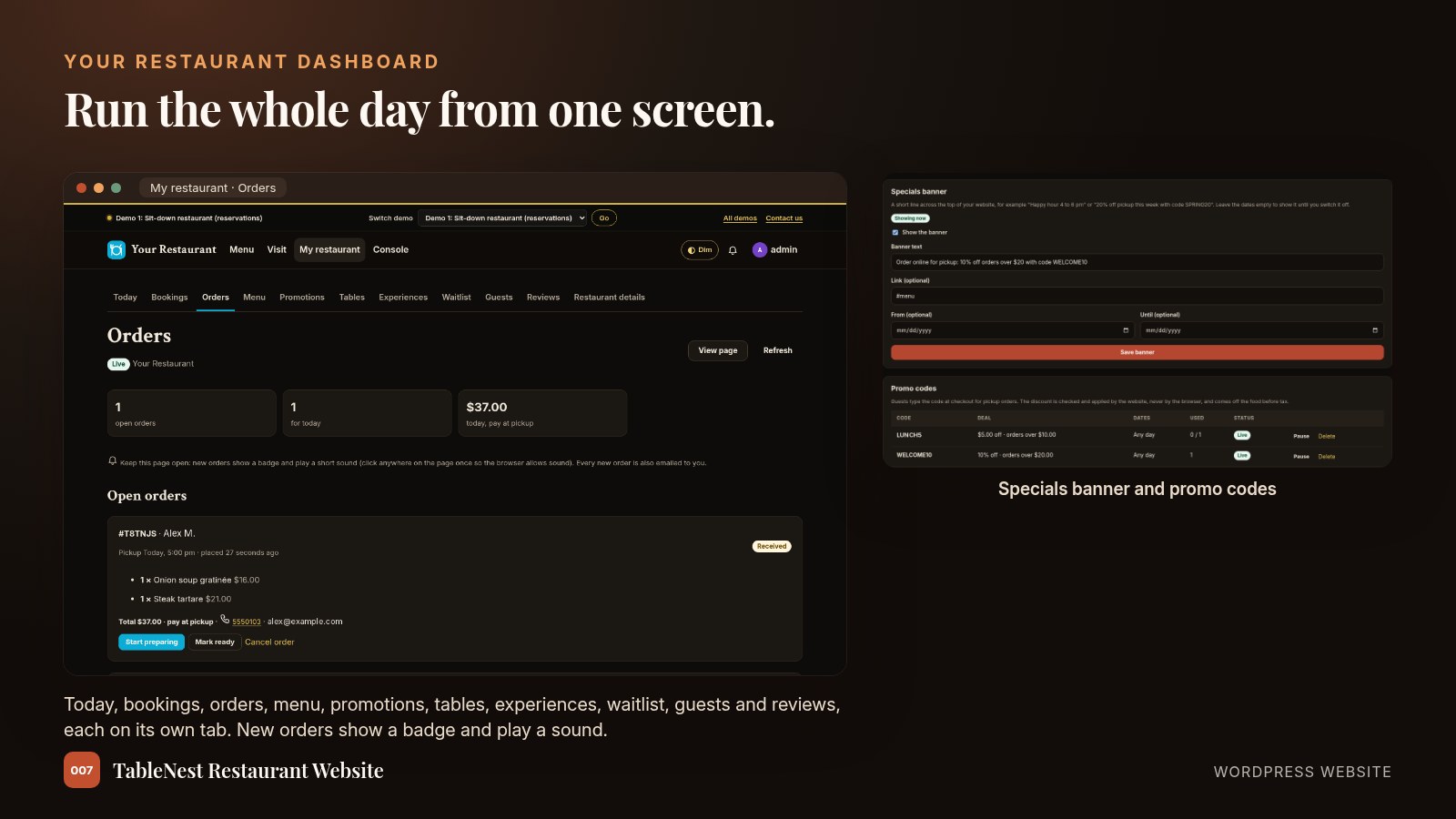
On the dashboard
- Open orders with Start preparing, Mark ready and Cancel, and a badge and sound for each new order
- Today’s bookings: seat guests, mark completed or no-show, add walk-ins and phone bookings
- Menu editor with categories, prices, dish badges, dish options and a show or hide switch
- Specials banner across the top of your site, with optional start and end dates
- Promo codes with percent or fixed discounts, minimum order, dates and usage limits, checked by the website at checkout
- Guest list with private notes, and guest reviews
- Every new booking and order is also emailed to you
Catering and large orders
A catering request form on your website for parties, offices and events.
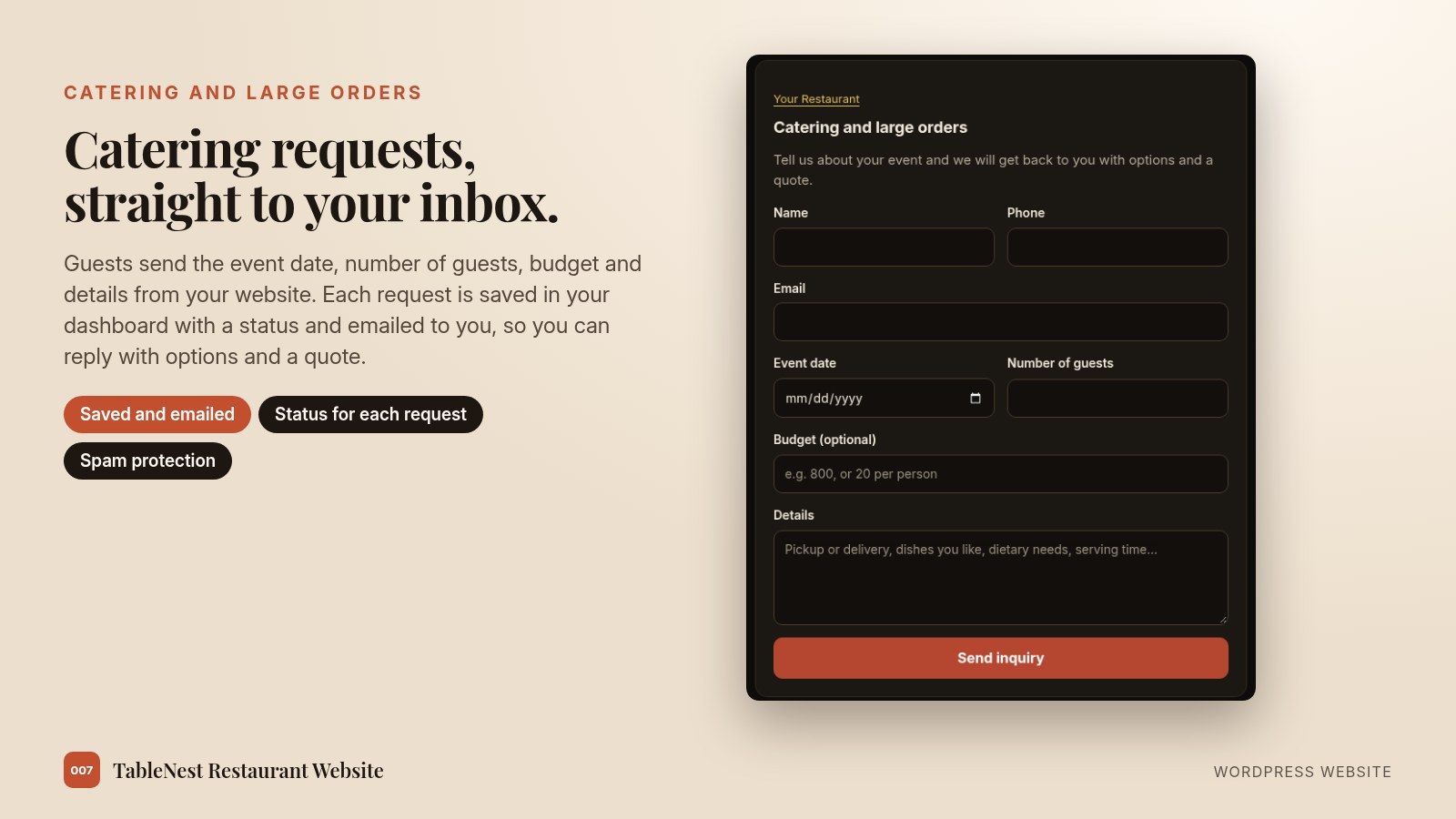
Catering requests
- Name, phone, email, event date, number of guests, an optional budget and details
- Each request is saved in your dashboard with a status and emailed to you
- A link to the form sits next to your opening hours
- Built-in spam protection
Growth tools to bring guests back
Each one is off until you switch it on, so you only run what you need.
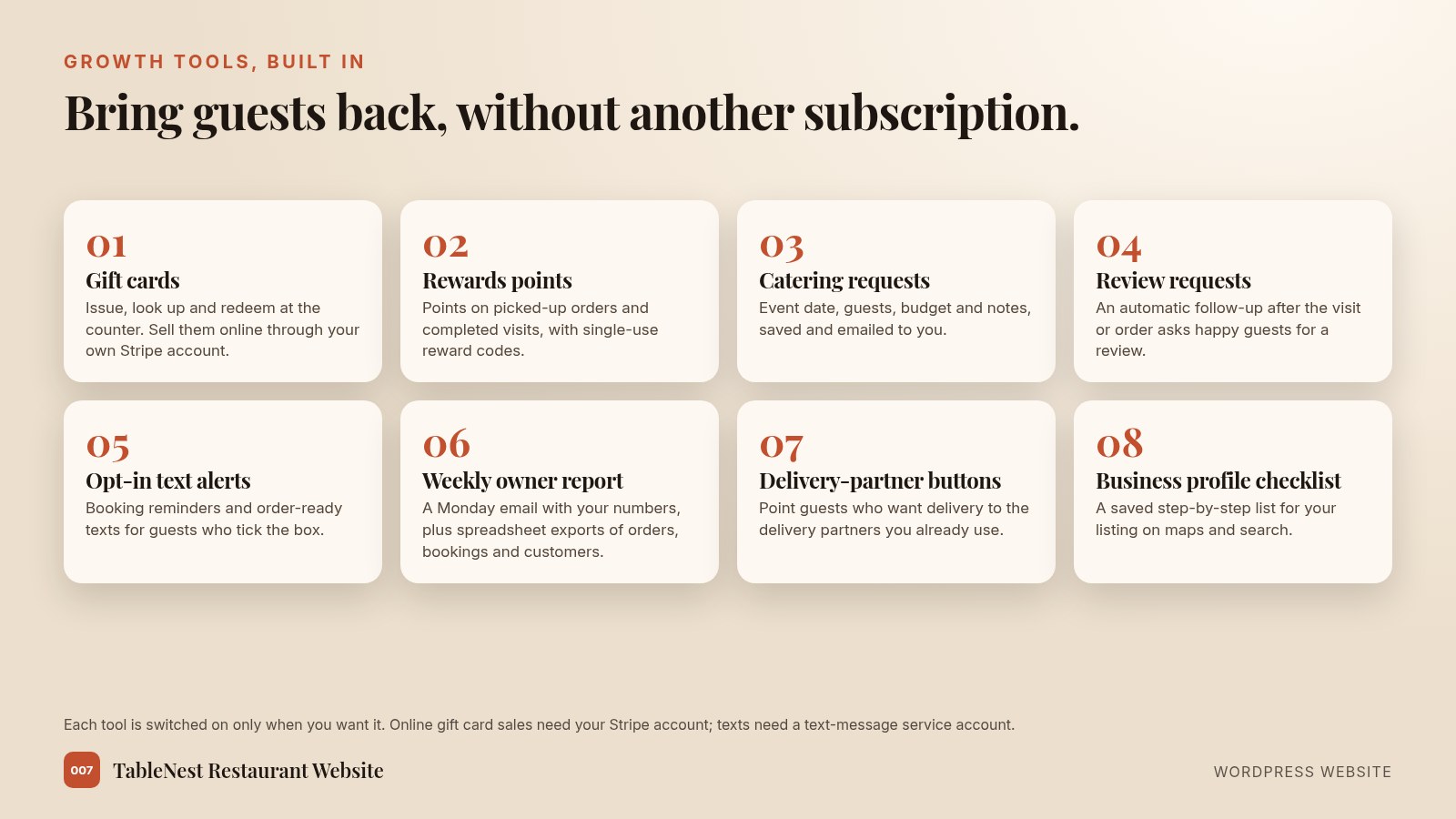
Included growth tools
- Gift cards: issue, void, look up and redeem them at the counter, or sell them online through your Stripe account; codes and balances are emailed, and partial use at checkout is supported
- Rewards points on picked-up orders and completed visits, with single-use reward codes and a private balance link
- A catering and large-order request form (date, guests, budget and notes), saved and emailed to you
- Review requests sent after a visit or order, at most once per guest in the period you choose, with one-click unsubscribe
- Opt-in text alerts for booking confirmations, reminders and order-ready messages (needs your own text-message service account)
- A weekly owner report by email, plus spreadsheet exports of orders, bookings and customers
- Delivery-partner buttons under your menu that send guests to the delivery partners you already use
- A saved checklist for your business profile on maps and search: name, hours, menu link and more
Live chat, with an optional AI helper
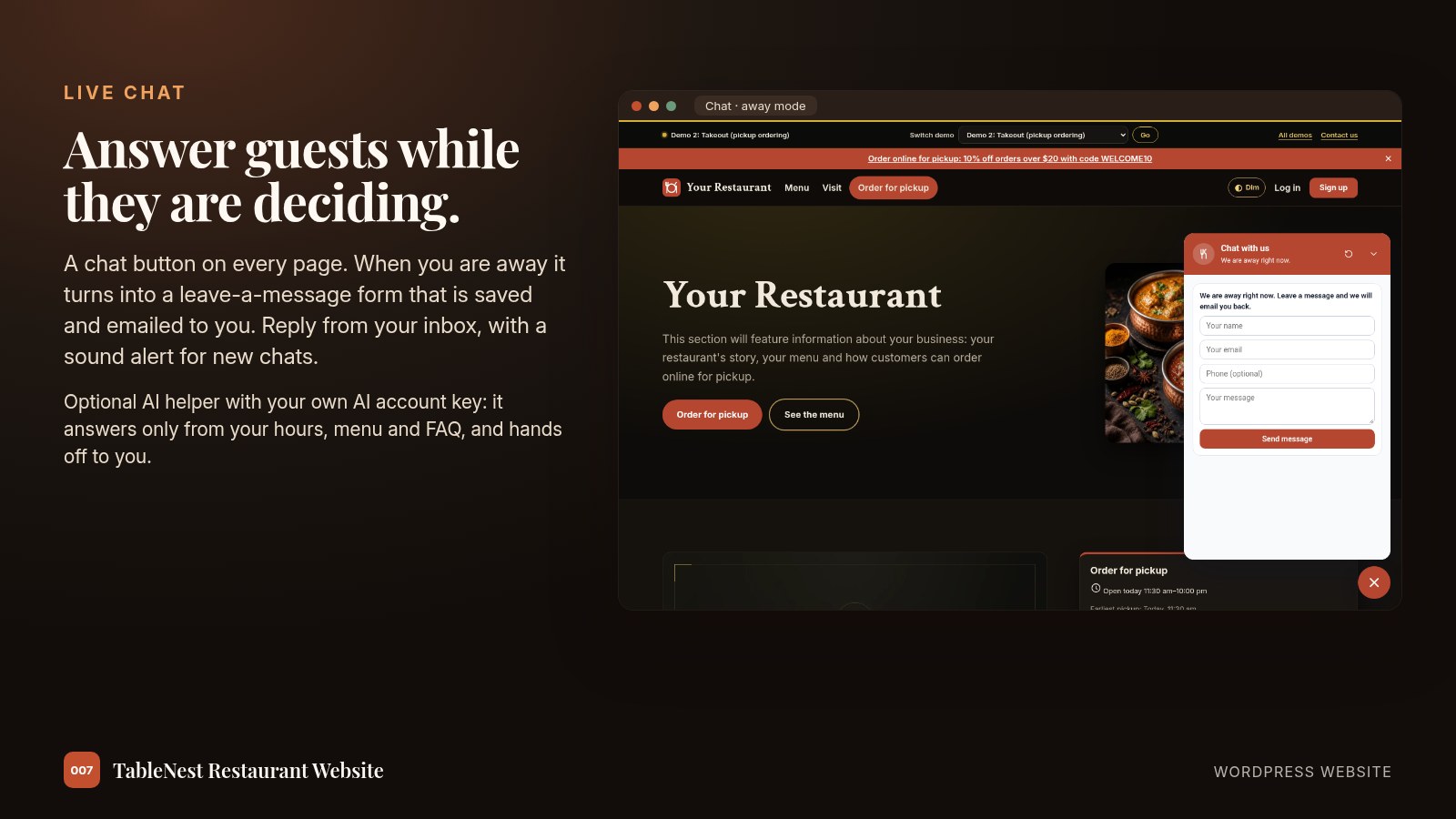
A chat button on every page. When you are away it becomes a leave-a-message form, saved and emailed to you.
Chat features
- Online and away switch, or automatic by your opening hours
- An owner inbox with a sound for new chats
- Optional AI helper, using your own AI account key, that answers only from your hours, address, menu, prices and FAQ, and hands off to you
- Spam checks, rate limits and a daily cap on AI replies
Built in, nothing extra to install
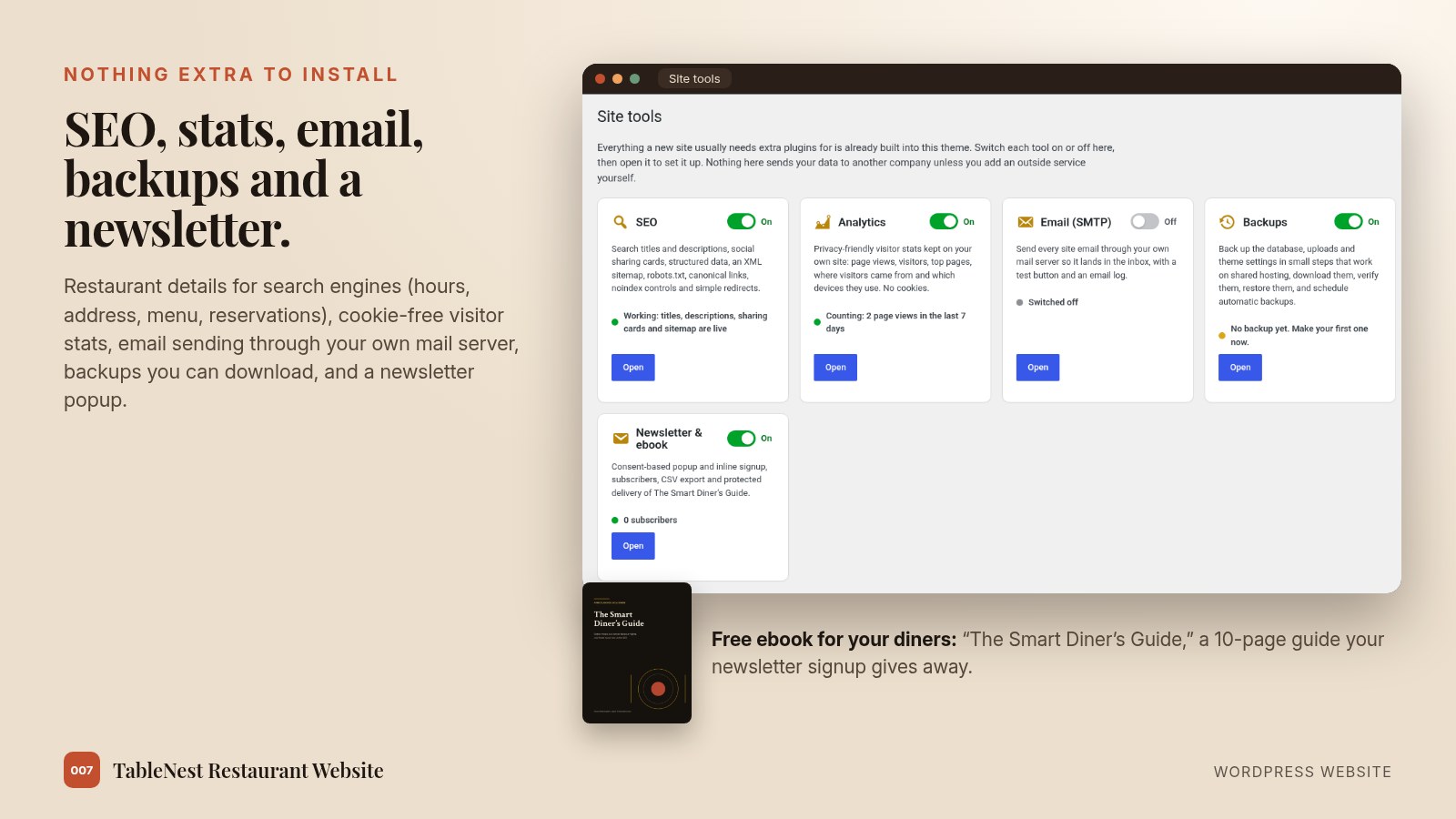
SEO, visitor stats, email sending, backups and a newsletter ship inside the website. Each tool can be switched on or off.
Site tools
- SEO: titles, descriptions, social sharing cards, a sitemap and simple redirects
- Restaurant details for search results: name, address, phone, hours, cuisine, menu and reservations
- Private, cookie-free visitor stats kept on your own website, or add your own measurement ID
- Email sending through your own mail server, with a test button and a delivery log
- Backups of the database and uploads that you can download, verify and restore
- Newsletter popup and signup form with consent, optional double opt-in and a subscriber export
- A free 10-page ebook for your diners, “The Smart Diner’s Guide,” delivered when they join
Make it yours
Change the restaurant name once in settings and it updates the header, homepage and footer.
Your details
- Restaurant name, logo mark, photos and your story
- Menu, prices and dish badges
- Opening hours, closed dates and a map with directions
- Tables and party sizes, or pickup times and preparation time
- Dark, Dim and Light color modes
Built for phones first
Every page is designed for a phone first, because that is where most guests will find you.
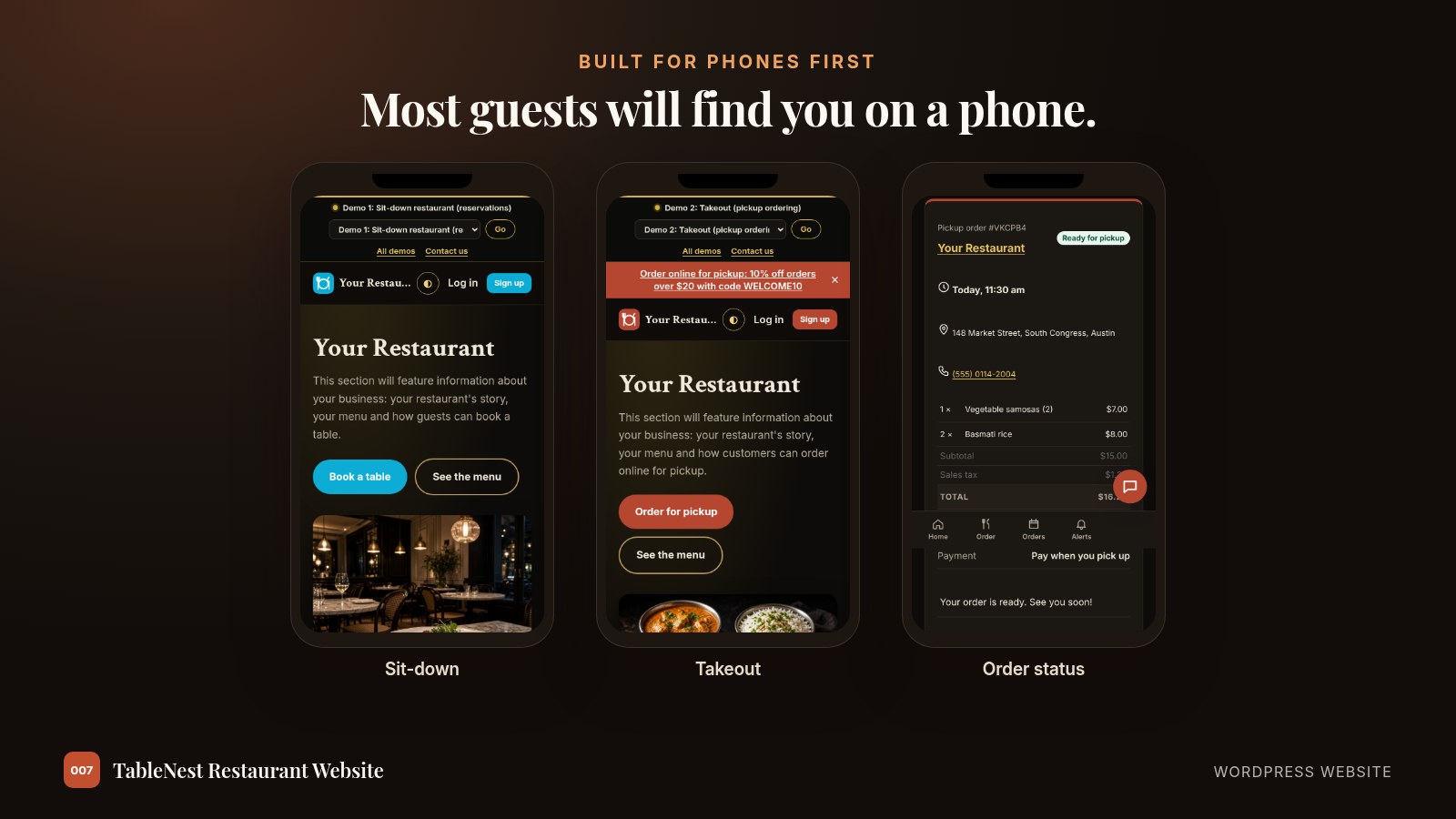
Try both demos as a guest would
Demo 1 is a sit-down restaurant with table booking. Demo 2 is a takeout restaurant with pickup ordering. Both use the placeholder name “Your Restaurant” and a placeholder story panel to show where your details go. Menus, photos, bookings and orders are made up, and payments stay in test mode.
Done for you, from start to launch
For local restaurants we offer a hands-on, done-for-you launch. We set the site up on your hosting and domain, add your branding, and walk you through running it yourself.
1. Tell us about your restaurant
Your name, logo, menu, hours, photos, and whether you take bookings, pickup orders or both.
2. We build and set it up
We install it on your hosting and domain, load your menu and photos, set your tables or pickup times, and connect your email and Stripe payments.
3. We test it and hand it over
We place a test booking and a test order, then show you the dashboard, the kitchen screen and how to update your menu.
You keep your own hosting, domain and Stripe account. Text alerts and the AI chat helper are optional and use your own accounts.
This is that done-for-you launch. Email admin@007aj.dev to get started.
Support: admin@007aj.dev · Built and supported in-house by our team
Restaurant websites by city
We build and set up restaurant websites remotely, by email and video call, for restaurants in Belleville, Kingston, Ottawa, Toronto, Whitby and Durham Region, Vancouver, New York City, Los Angeles and Las Vegas.