
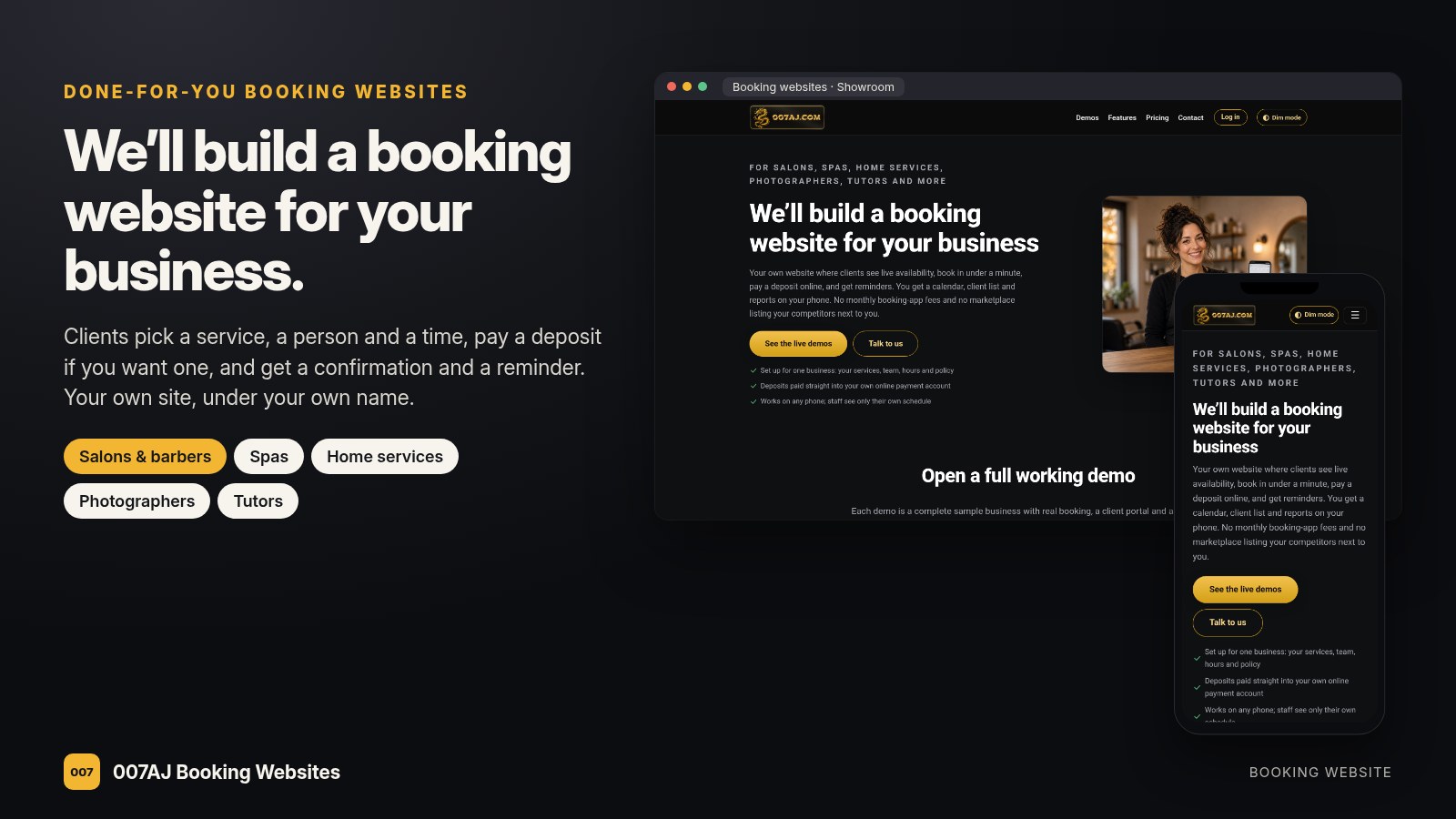
We’ll build a booking website for your business.
For salons, barbers, spas, home services, photographers, tutors, coaches and any business that books appointments.
Your own website where clients see live availability, book in under a minute, pay a deposit online and get reminders. You get a calendar, a client list and reports that work on your phone. We set it all up for you: your services, team, hours, policy, logo, colours and photos, with your Stripe or PayPal account connected and tested.
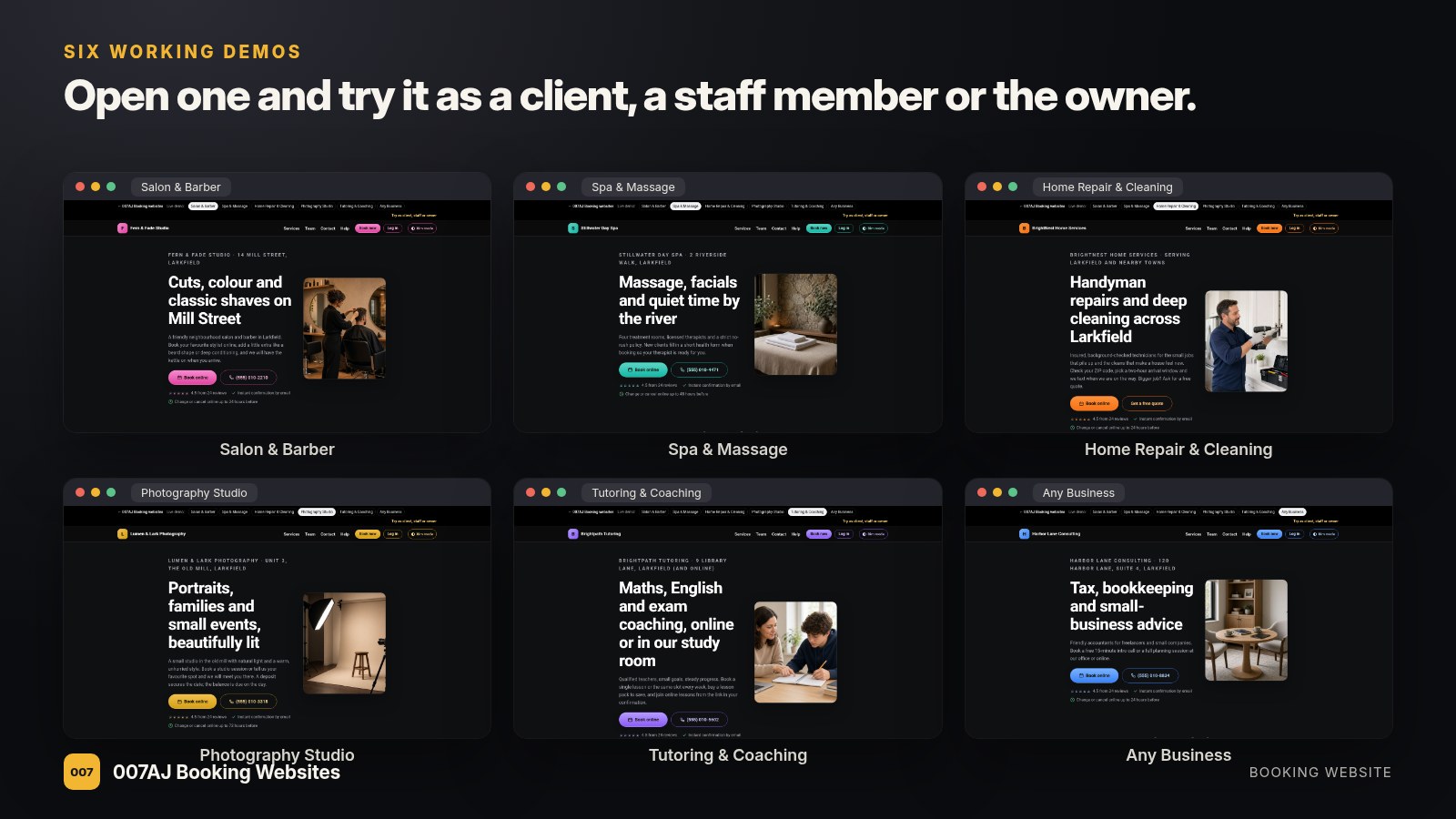
Salon & Barber
Spa & Massage
Home Repair & Cleaning
Photography Studio
Tutoring & Coaching
Any Business
See all six demos
Try it as client, staff or owner
Your own booking site, not a rented app
Booking apps are rented month to month, often charge per staff member, and some take a cut of new clients they send you, right next to your competitors.
A booking app
- A monthly fee for as long as you use it
- Extra monthly fees per staff calendar on many plans
- Marketplace listings show nearby competitors
- Your client list lives on someone else’s system
Your own booking website
- No monthly booking-app fee: it runs on your own hosting
- Your name, your domain, your clients
- Deposits go straight to your own Stripe or PayPal account
- No per-staff monthly fees for the website
Everything at a glance
Set up for one business. Every tool below is already part of the website.
For your clients
- Book in four steps, day or night
- Pick a person or “anyone available”
- Pay a deposit or the full price online
- Confirmation email with a calendar file
- Reminders, plus a link to move or cancel
- Gift cards, packages and promo codes
For you and your team
- Today view with check-in and no-show
- Day and week calendar
- Manual bookings for phone calls
- Client list with notes and tags
- Reports with CSV export and print
- Staff see only their own schedule
For getting found
- SEO tags and sitemap
- Simple visitor stats
- Verified reviews from real visits
- Newsletter sign-up with a free client guide
- Installable phone app with push alerts
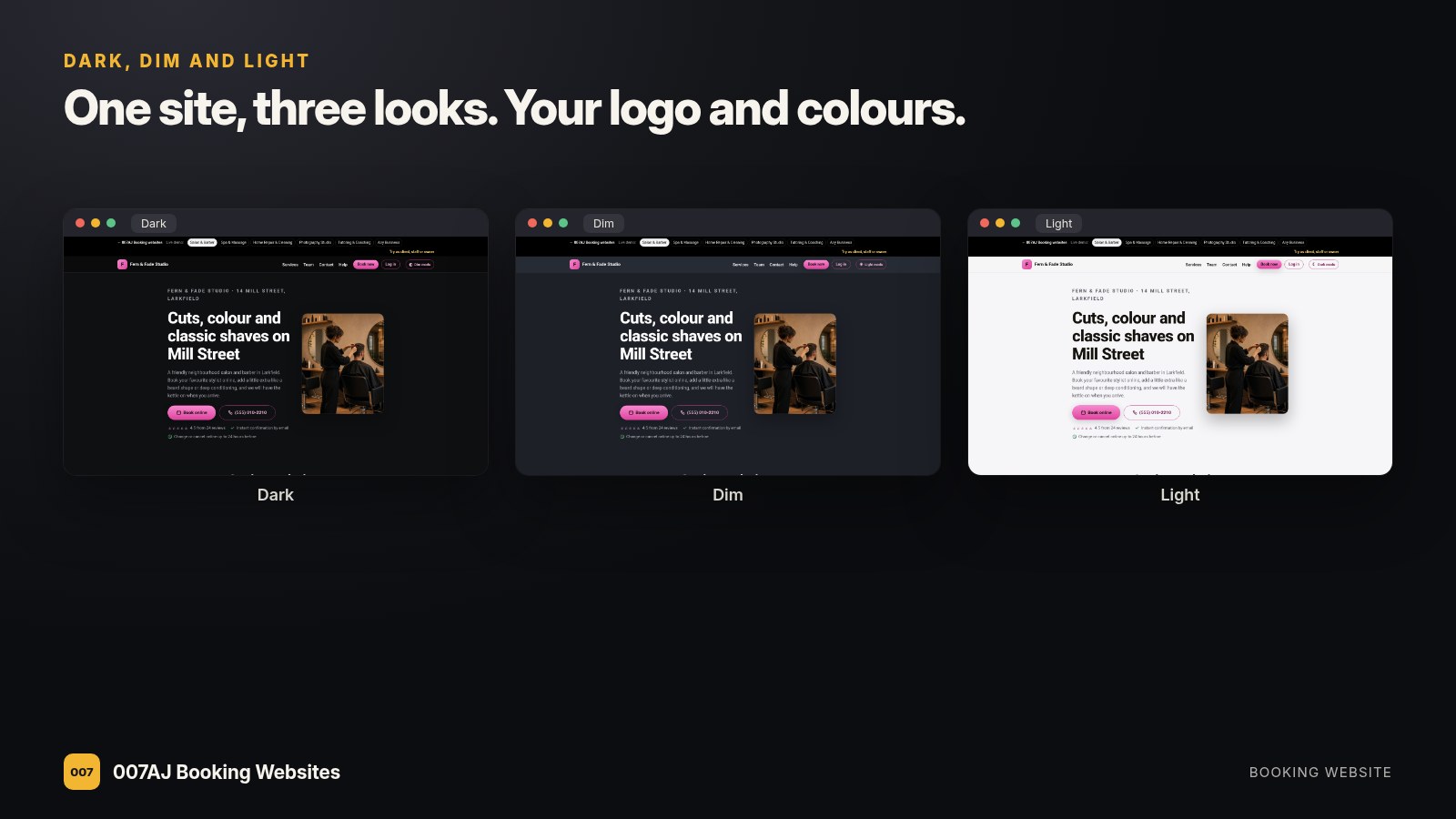
- Dark, Dim and Light looks
Six working demos you can try right now
Each demo is a complete sample business with real booking, a client area and an owner dashboard. Booking in a demo uses a demo payment, so no money is taken.
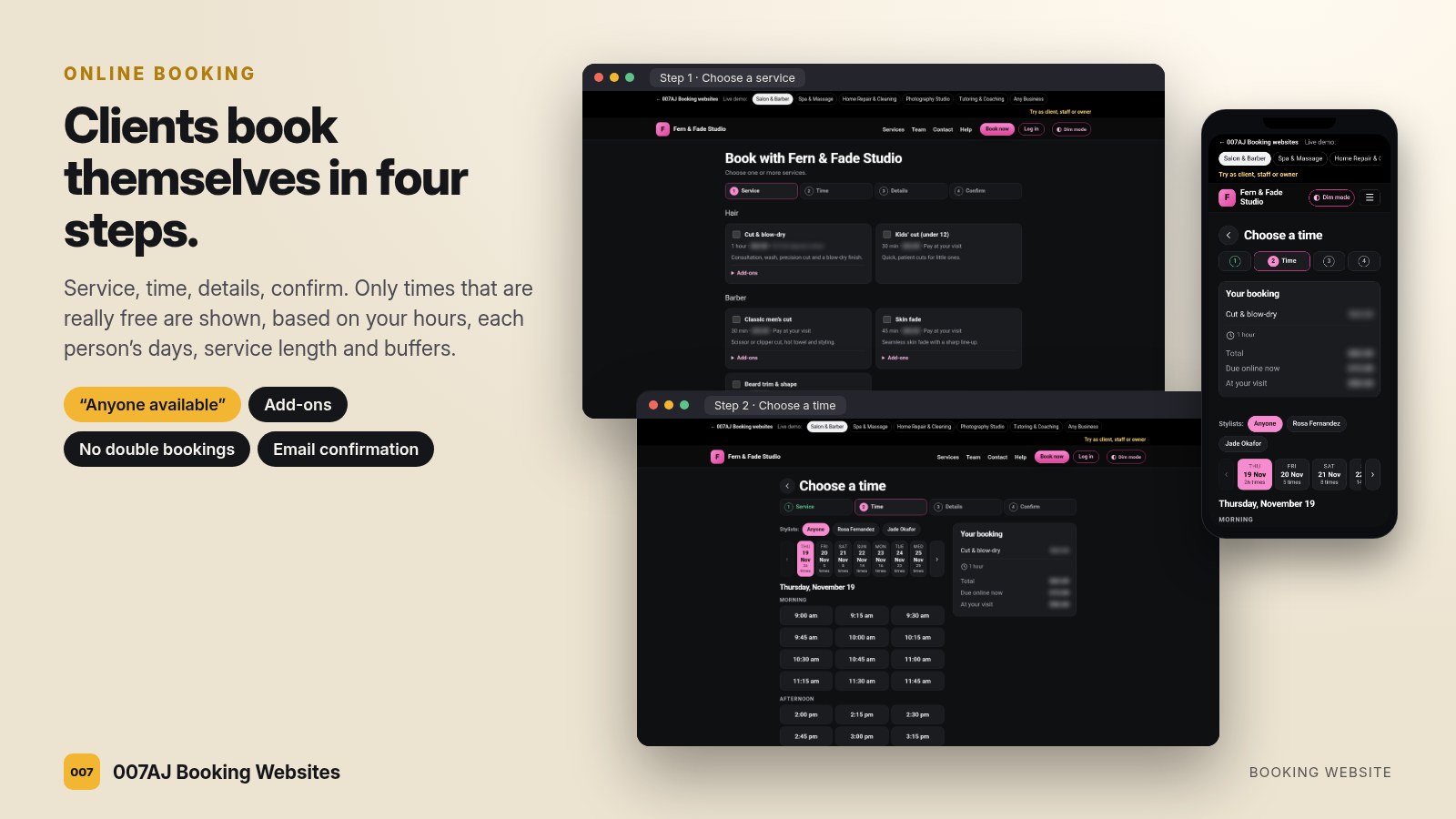
Clients book themselves in four steps
Service, time, details, confirm. Only times that are really free are shown, worked out from your hours, each person’s days off, holidays, service length and clean-up buffers. Two clients can never grab the same slot.
Booking that fits how you work
- Clients choose a stylist, therapist or tutor, or the first free person
- Several services in one visit, with add-ons
- Rooms and equipment, so two visits never need the same room
- Minimum notice and how far ahead clients can book
- Closed days and holidays
Fewer no-shows, with deposits paid at booking
Per service: pay at the visit, a deposit, or full prepayment online. Payments go through your own Stripe or PayPal account, and a slot is held while the client pays.
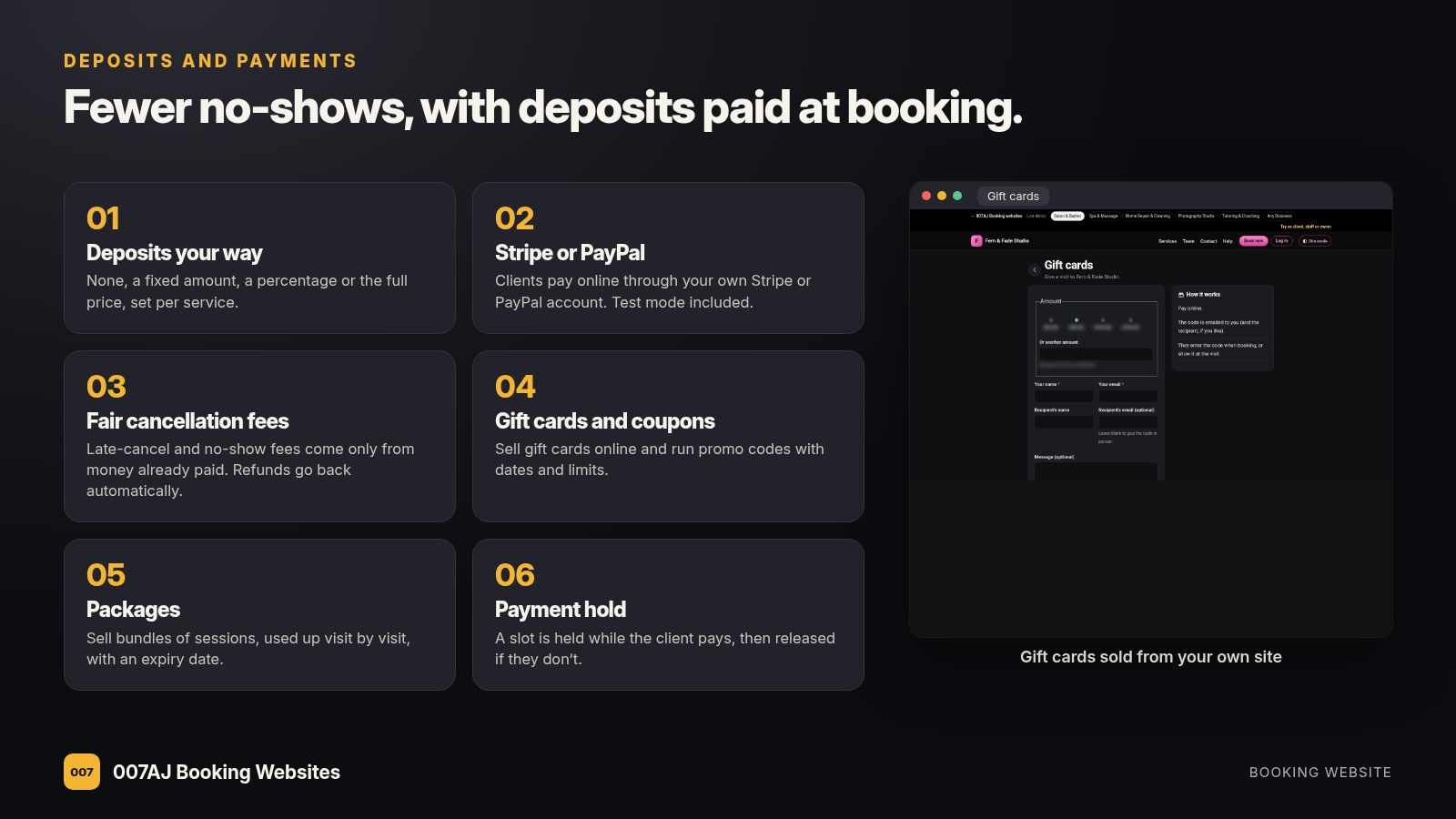
Payments and extras
- Deposit as a fixed amount, a percentage or the full price
- Late-cancellation fees come only from money already paid; refunds go back automatically
- Gift cards emailed with a personal message
- Session packages and simple memberships (no auto-renewal)
- Promo codes with start and end dates, limits and minimums
- Test mode first, so we can try it before you go live
Run the day from one screen
Today’s visits, the calendar and every client, on a computer or a phone. Staff log in and see only their own schedule.
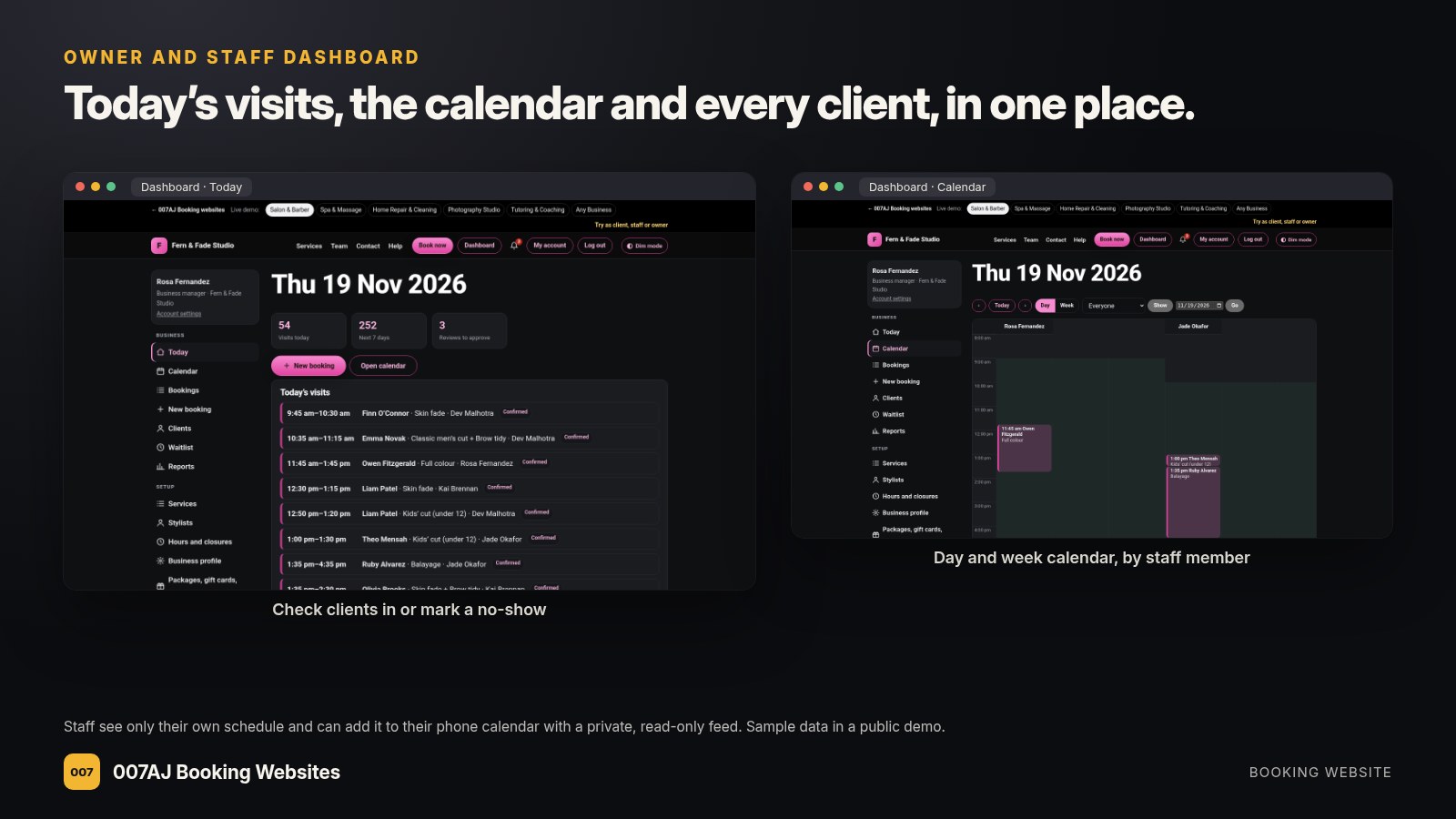
Your dashboard
- Check clients in, or mark a no-show
- Day and week calendar by staff member
- Add bookings for phone calls and walk-ins
- Client notes, tags and visit history
- Staff calendar feed for their phone (one-way, read-only)
- Waitlist for full days
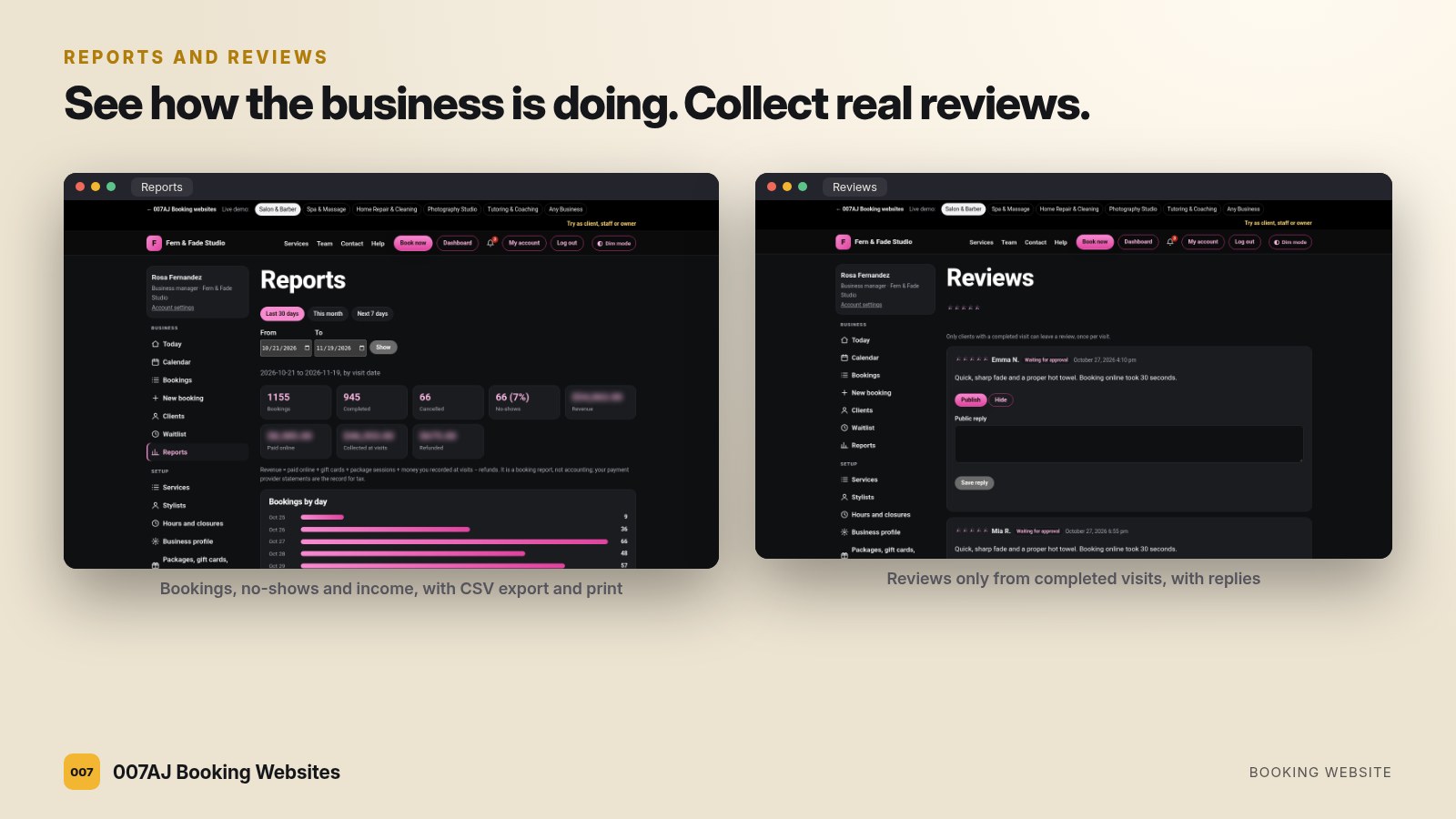
See how you’re doing, and collect real reviews
Reports show bookings, completed visits, no-shows and income, with CSV export and print. After a completed visit, clients are invited to leave a review. Only real clients can review, and you can reply.
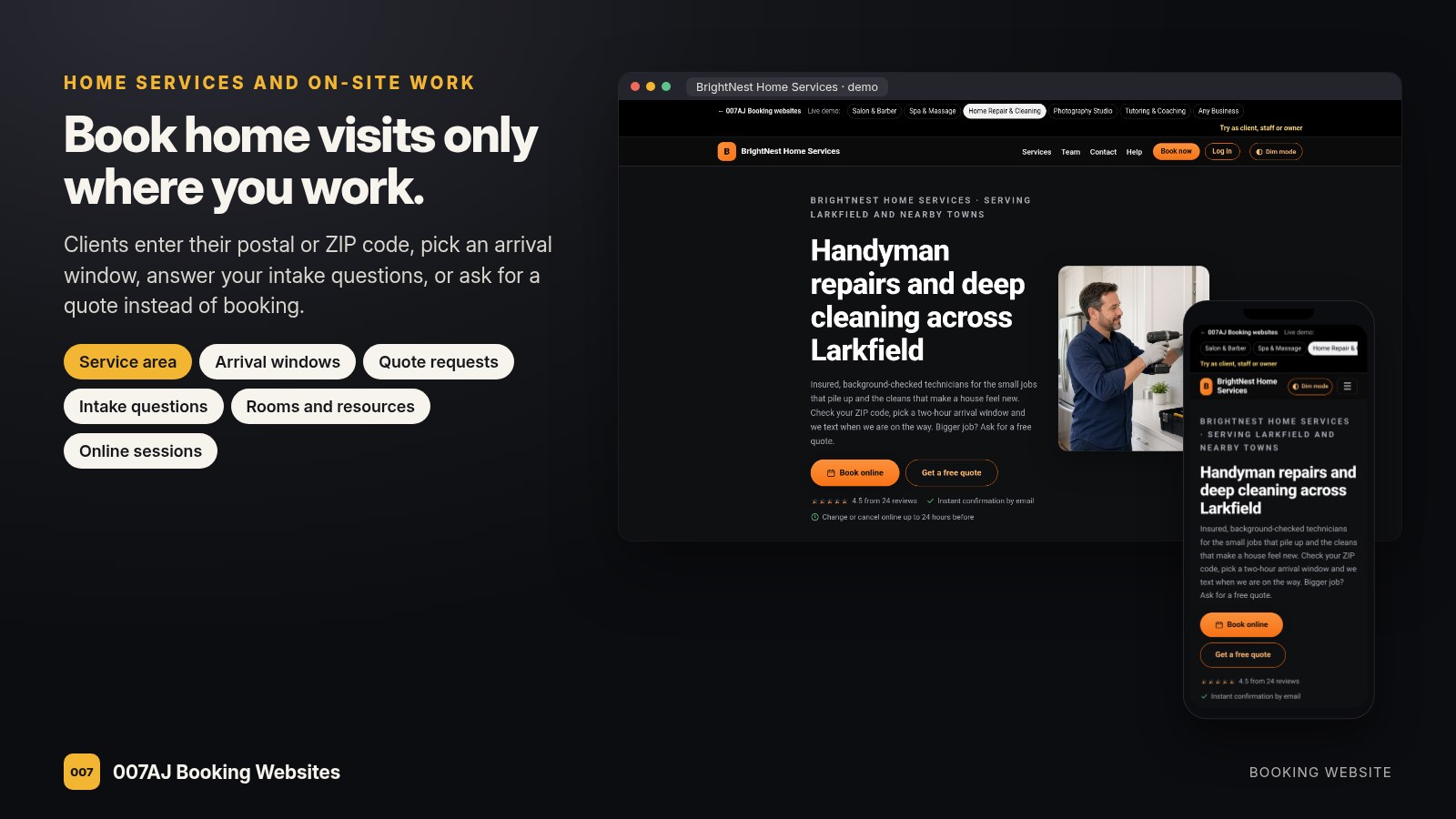
Home services and on-site work
For cleaners, handymen, mobile groomers and anyone who goes to the client: a service-area check by postal or ZIP code, visits at the client’s address, arrival windows and quote requests for bigger jobs.
Also built in
- Intake questions before the visit
- Portfolio pages for photographers
- Recurring sessions for tutors and coaches
- Online sessions with your own meeting link
Everything a busy front desk needs
Already part of the website, with nothing extra to buy for these.
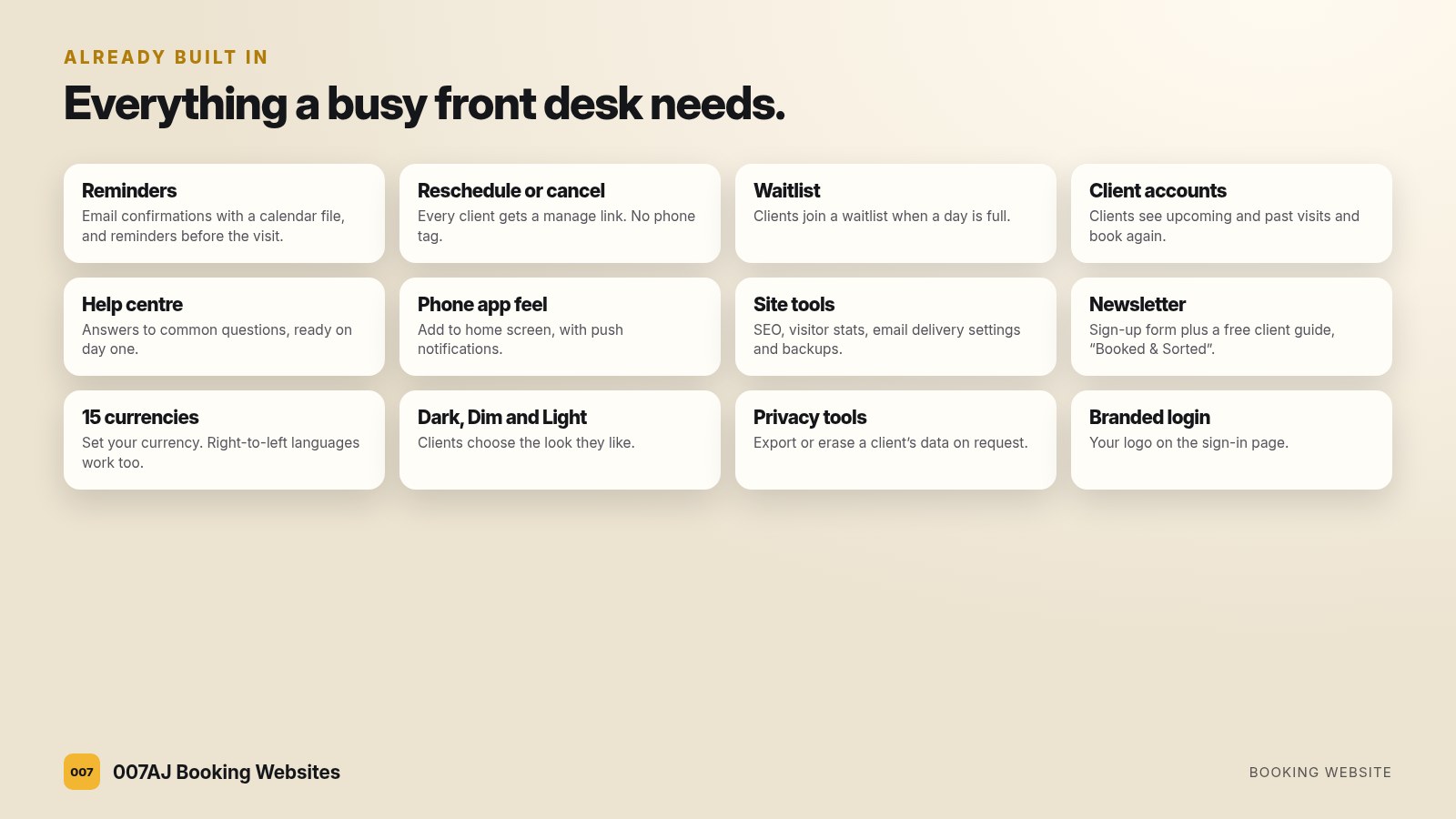
Dark, Dim and Light
Your logo and colours on every page, and clients choose the look they like.
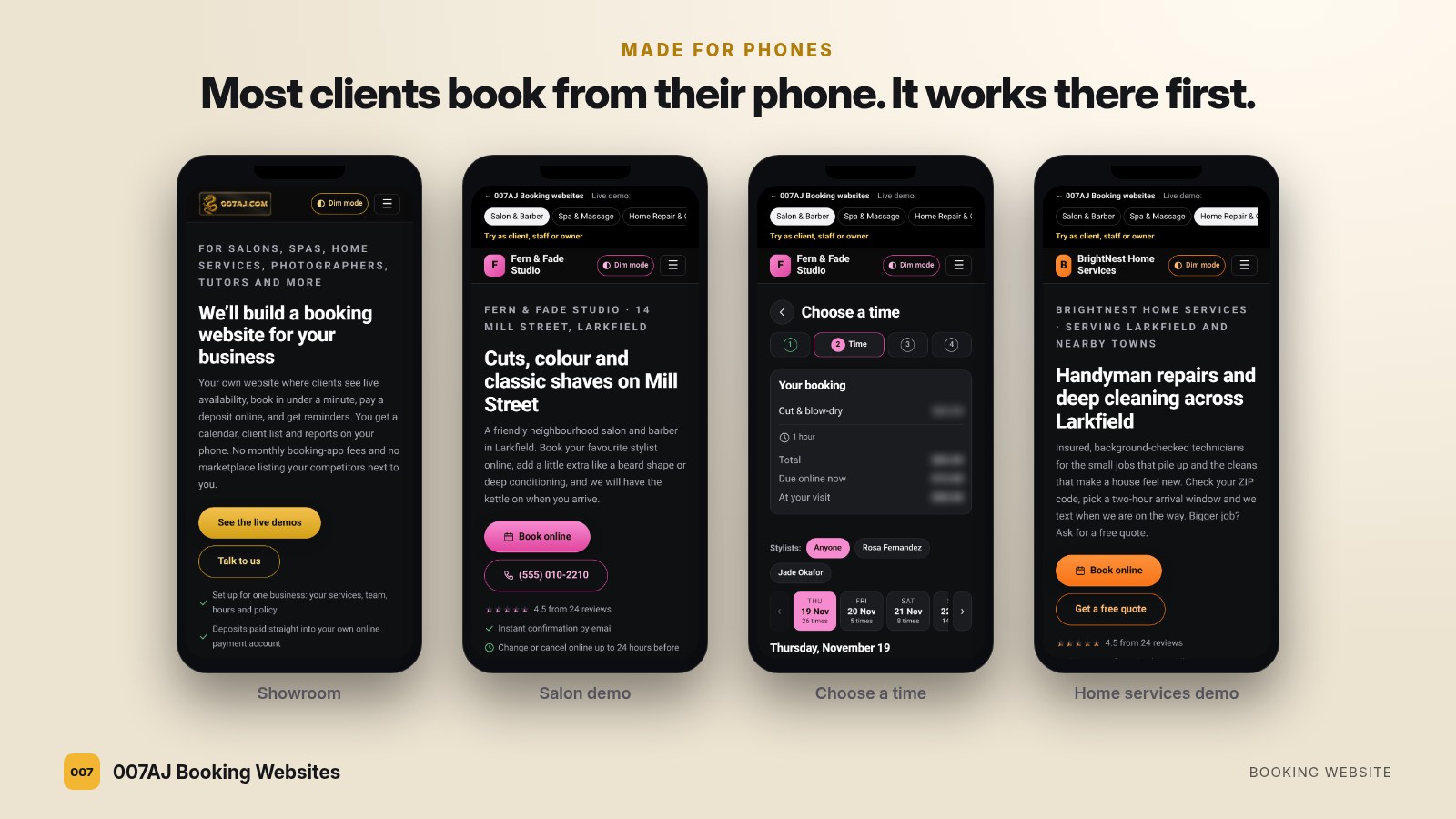
Made for phones
Most clients book from their phone. The website works there first, and it can be added to the home screen like an app.
How it works
Three steps from a short call to a live booking website.
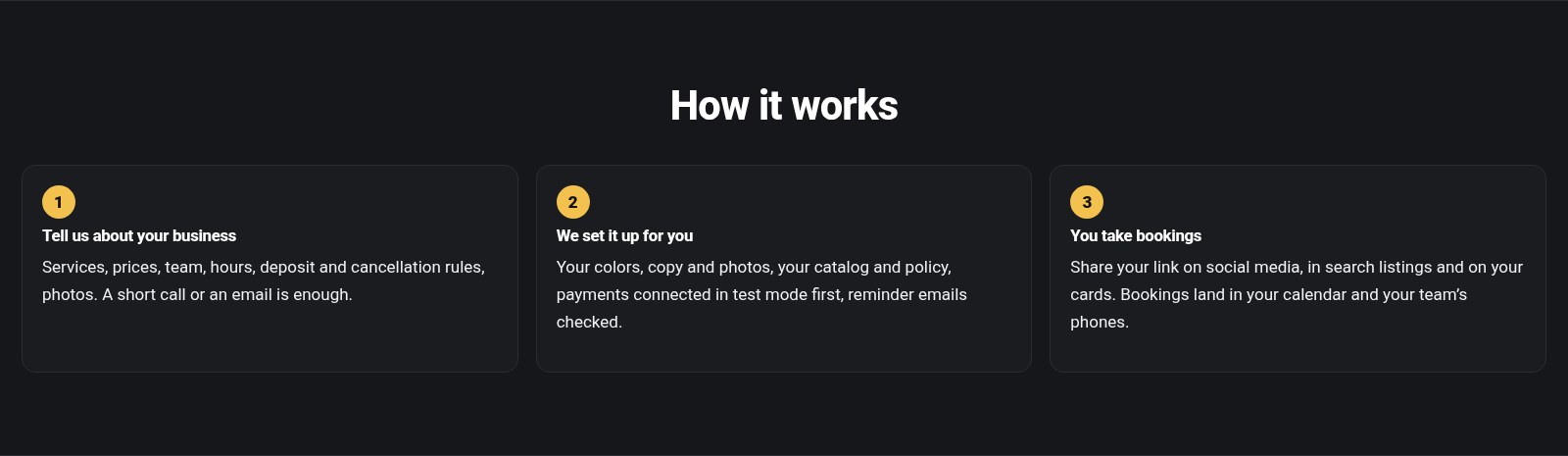
1. Tell us about your business
Services, prices, team, hours, deposit and cancellation rules, photos. A short call or an email is enough.
2. We set it up
Your colours, copy and photos, your services and policy, payments connected in test mode first, reminder emails checked.
3. You take bookings
Share your link on social media, in search listings and on your cards. Bookings land in your calendar and your team’s phones.
What’s included
The listed price covers a starter build for one business: your services, team, hours, policy and branding. Bigger projects, with many staff, services or extra pages, are quoted after a short call.
Included
- The booking website, set up with your services, team, hours and policy
- Your logo, colours, photos and copy
- Your Stripe or PayPal account connected and tested
- Confirmation and reminder emails tested end to end
- A walkthrough for you and your team
You provide
- Web hosting and your domain name
- Your own Stripe or PayPal account (its normal card fees apply; money goes straight to you)
- An email-sending account, such as your host’s mailbox
- Your terms and policies checked for local rules
Good to know
Straight answers, so there are no surprises.
Questions
- Is there a monthly fee? Not for the booking software: it runs on your own website. You pay your host, and your payment provider takes its usual fee per payment.
- Do clients need an account? No. Name, email and phone are enough. Accounts are optional for clients who want their history, receipts and packages in one place.
- Does it send text messages? It sends emails with calendar files and optional browser push notifications. Text messages are not included.
- Does it sync with my phone calendar? Each team member gets a private calendar feed for their usual calendar app. It is one-way: bookings show in their calendar, but events they add there don’t block times on the website.
- Can one site handle two businesses? Each website is set up for one business. A second business gets its own site.
- Which payments? Stripe and PayPal. Sales tax is not calculated automatically.
Salon & Barber
Spa & Massage
Home Repair & Cleaning
Photography Studio
Tutoring & Coaching
Any Business
See all six demos
Try it as client, staff or owner
Done for you, from first call to first booking
We set the website up on your hosting and domain, add your branding, load your services, team and hours, connect your Stripe or PayPal account, test a booking and the reminder emails, and walk you and your team through running it.
1. A short call
Your business type, services, team, hours, deposit rules and photos.
2. We build and test
Branding, services and policy loaded; payments tested in test mode first.
3. Launch and walkthrough
We go live together and show your team the dashboard and calendar.
Ask for a done-for-you build through 007AJ.dev Services, or email admin@007aj.dev.
Support: admin@007aj.dev · Ongoing support provided through 007AJ.com · Built and supported in-house by our team
The businesses, people, reviews and bookings in the demos are made up.
Booking websites by city
We build and set up booking websites remotely, by email and video call, for appointment businesses in Belleville, Kingston, Ottawa, Toronto, Whitby and Durham Region, Vancouver, New York City, Los Angeles and Las Vegas.