
An Offline Privacy and Lock Toolkit for Your Windows PC, With No Monthly Subscription Fees
007AJ Security Pro Plus by 007AJ is an offline Windows 10 and Windows 11 desktop program for privacy and lock protection when other people can reach your PC — family, roommates, coworkers, kids, or a laptop left on a café table. It puts everyday privacy tools in one gold-on-black window: a PIN lock screen with a hotkey, a keyboard and mouse lock, an encrypted Private Vault for files and notes, a file shredder, a privacy cleaner, a startup checker, Windows restore points and folder backups, optional intruder photos, auto-lock and USB key unlock. Everything stays on your own computer. This is not antivirus, anti-malware or a firewall, and it does not detect or remove viruses, malware or hackers. Keep Windows Security on.
It is a one-time purchase, with no monthly subscription fees, no activation or online account needed, and no internet needed: the program has no network features at all and sends nothing anywhere. The installer and the program are digitally signed by the publisher, Anthony Bertucci, so Windows shows a verified publisher. The lock screen and keyboard lock are privacy screens; Ctrl + Alt + Del always works, as Windows guarantees. A lost vault password cannot be recovered by anyone. File shredding on SSDs and USB sticks is best effort.
Instant download for Windows 10 and Windows 11. You get the signed installer, which you can install on your PC or run portable from a USB stick.
The promise
A one-time purchase. No monthly subscription fees. No activation or online account needed. No internet needed.
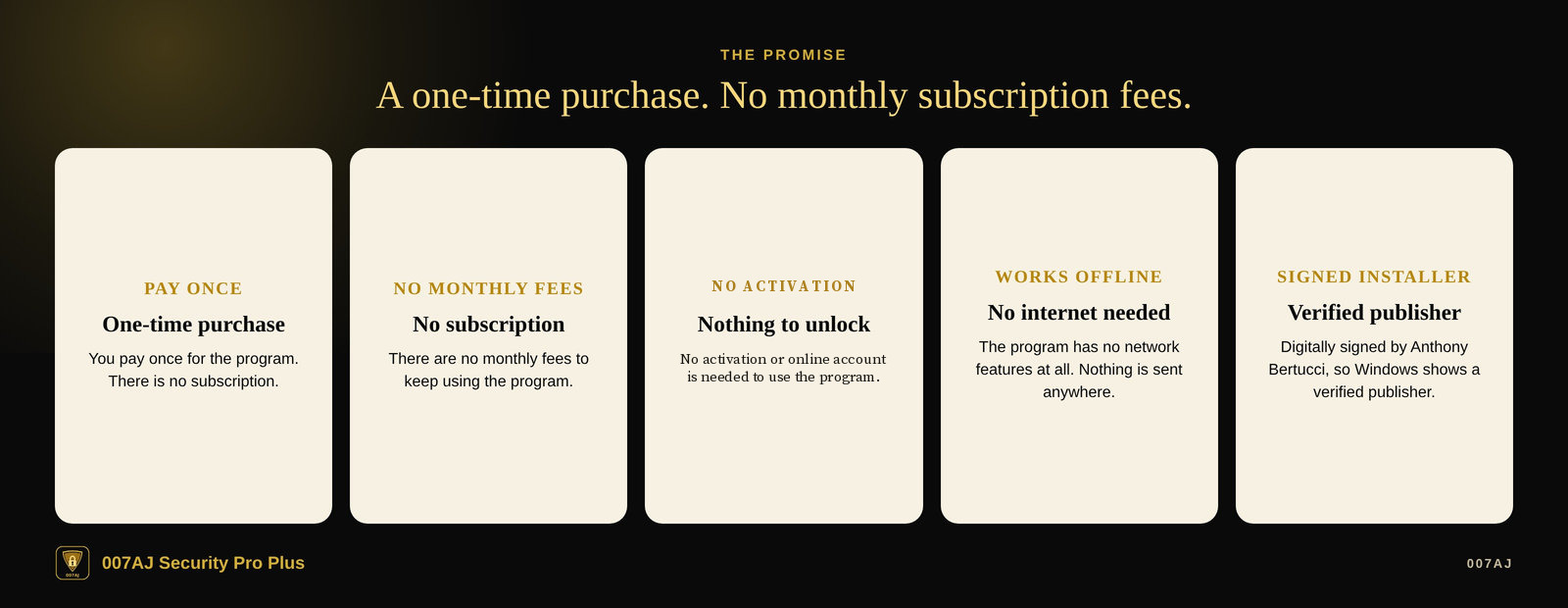
One-time purchase, no monthly subscription fees
You pay once for the program. There is no subscription, and there are no monthly fees to keep using it.
No activation or online account needed
No activation or online account is required to install or use the program.
No internet needed
The program works offline. It has no network features at all and sends nothing anywhere. No online account is required. Your files and settings stay on your own computer.
Signed installer
The installer and the program are digitally signed by the publisher, Anthony Bertucci, so Windows shows a verified publisher.
Main features
PIN lock, keyboard lock, an encrypted vault and a file shredder — on your own computer
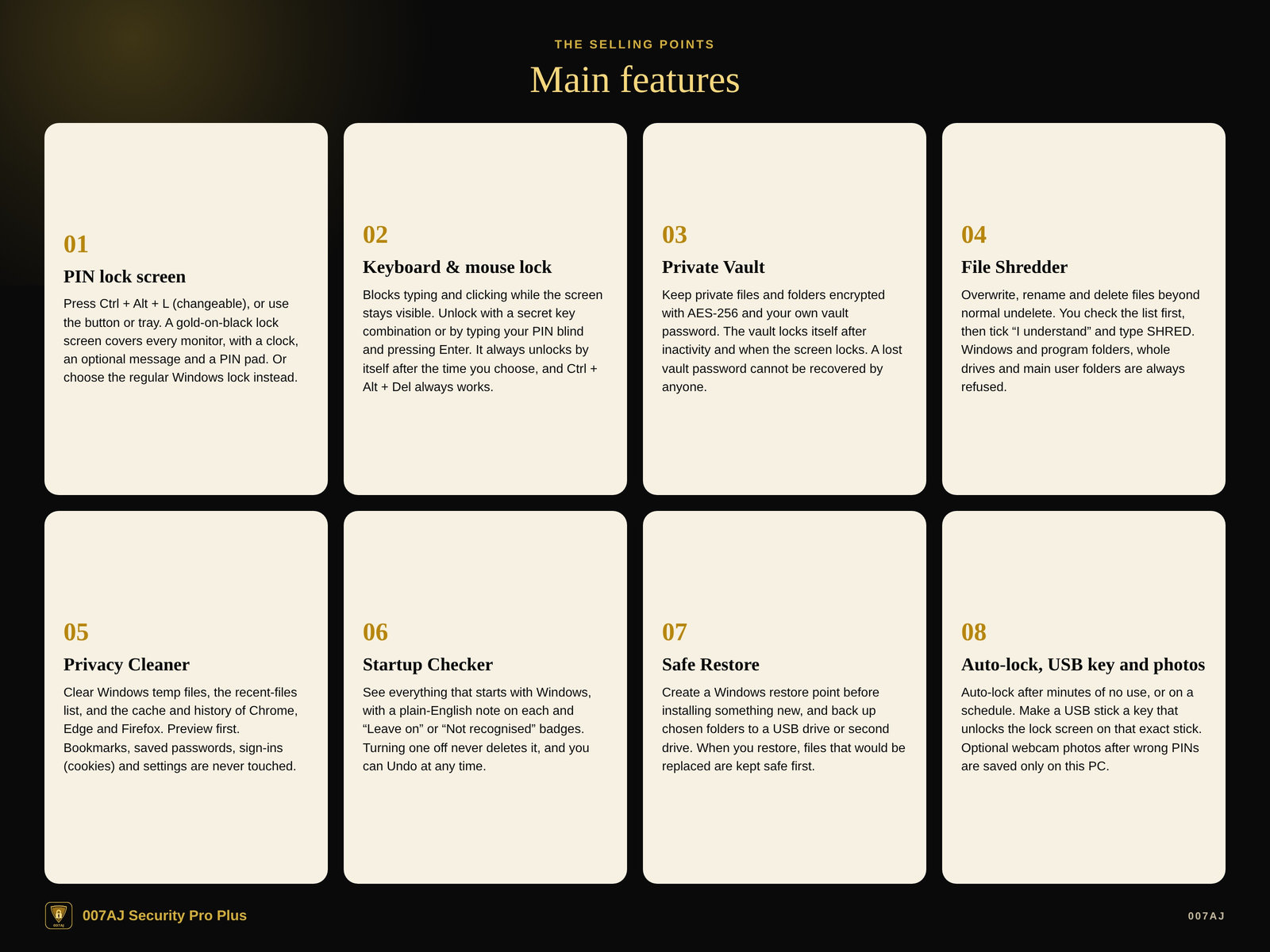
PIN lock screen
Press Ctrl + Alt + L (you can change this combination), the “Lock screen now” button or the tray menu. A gold-on-black lock screen covers every monitor, with a clock, an optional message (for example “Back in 10 minutes – Sam”) and a PIN pad. After a chosen number of wrong PINs, the person must wait 30 seconds. Or you can choose the regular Windows lock instead.
Keyboard & mouse lock
Blocks the keyboard and mouse while the screen stays visible — handy while a video plays, while you clean the keyboard, or when a little one reaches for the laptop. Unlock with a secret key combination (Ctrl + Alt + U by default) or by typing your PIN blind and pressing Enter. It always unlocks by itself after the time you choose (up to 4 hours), and there is a “Try it for 1 minute” button. Ctrl + Alt + Del always works, as Windows guarantees.
Private Vault
Keep private files and folders encrypted with AES-256 and your own vault password. Open, export, rename and search; opening a file makes a temporary copy so you can view it. The vault locks itself after inactivity and when the screen locks. A lost vault password cannot be recovered by anyone.
File Shredder
Overwrite, rename and then delete files, so normal undelete tools cannot bring them back. You check the list first, then tick “I understand” and type SHRED. Windows and program folders, whole drives and main user folders (Documents, Pictures and the like) are always refused; shortcuts and links are skipped. On SSDs and USB sticks, overwriting is best effort, because the drive itself may keep hidden copies.
Privacy Cleaner
Clear Windows temporary files, the recent-files list, and the cache and history of Chrome, Edge and Firefox. You preview first; nothing is removed until you click Clean now. Bookmarks, saved passwords, sign-ins (cookies) and settings are never touched. Browsers must be closed first.
Startup Checker
See everything that starts with Windows, with a plain-English note on each item and “Leave on” or “Not recognised” badges. Turning one off uses the same switch as Task Manager and never deletes anything. You can Undo at any time.
Safe Restore
Create a Windows restore point before installing something new (Windows will ask for administrator permission). You can also back up the folders you choose to a USB drive, a second drive or another folder, and restore them later. Files that would be replaced are kept safe first.
Auto-lock, USB key and optional photos
Auto-lock the screen after minutes of no use, and/or on a schedule (for example weeknights at 10 PM). Make any USB stick a key that unlocks the lock screen when it is plugged in; it only works on that exact stick. Optional webcam photos after a chosen number of wrong PINs are saved only on this PC.
A look inside
Screenshots from the program with made-up demo data. The user name “Sam” and the files shown are invented.
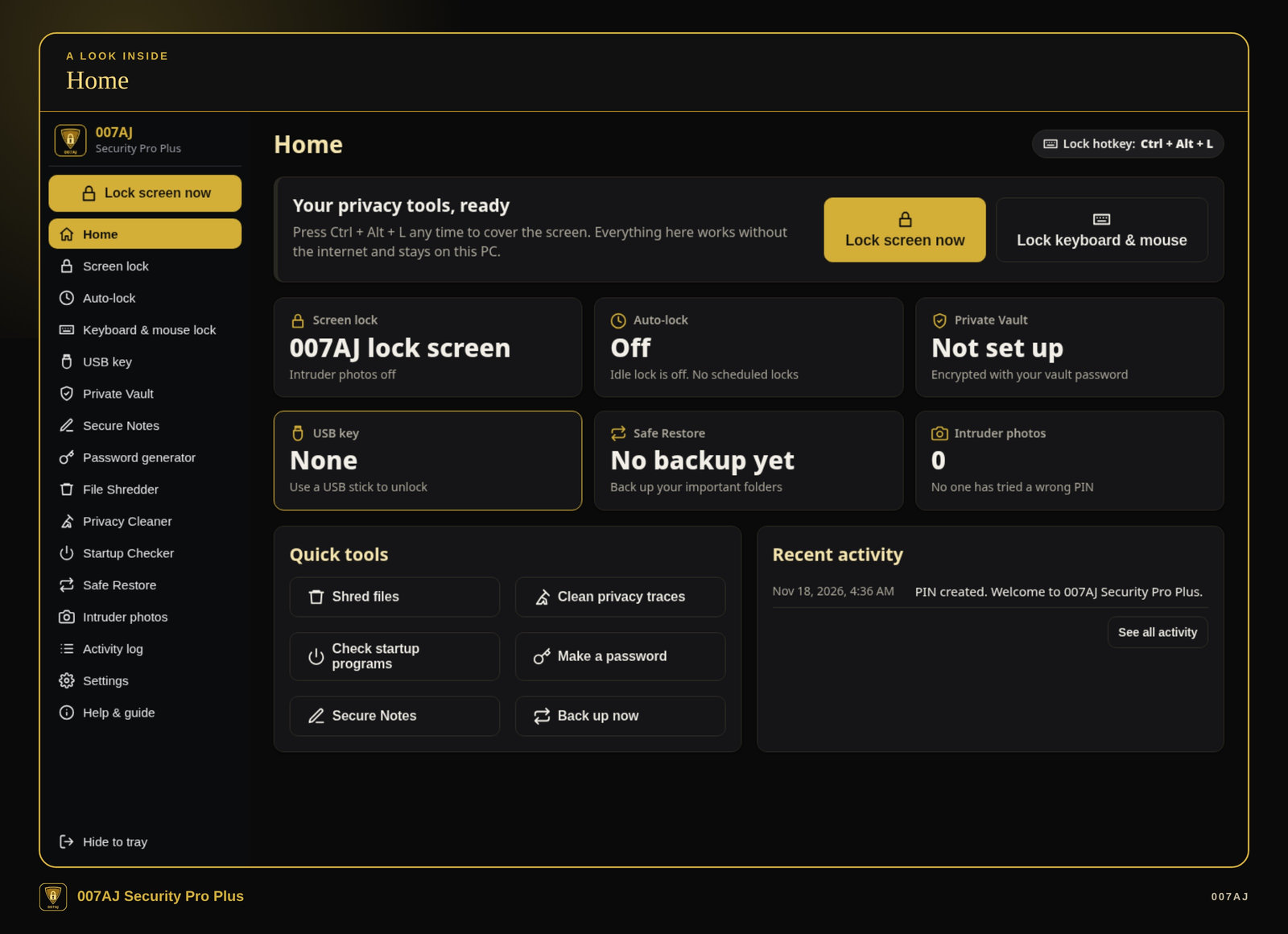
Home. The home screen with lock buttons, status cards for the lock screen, auto-lock, Private Vault, USB key, Safe Restore and optional photos, plus quick tools and recent activity. The demo shows a made-up user named Sam.
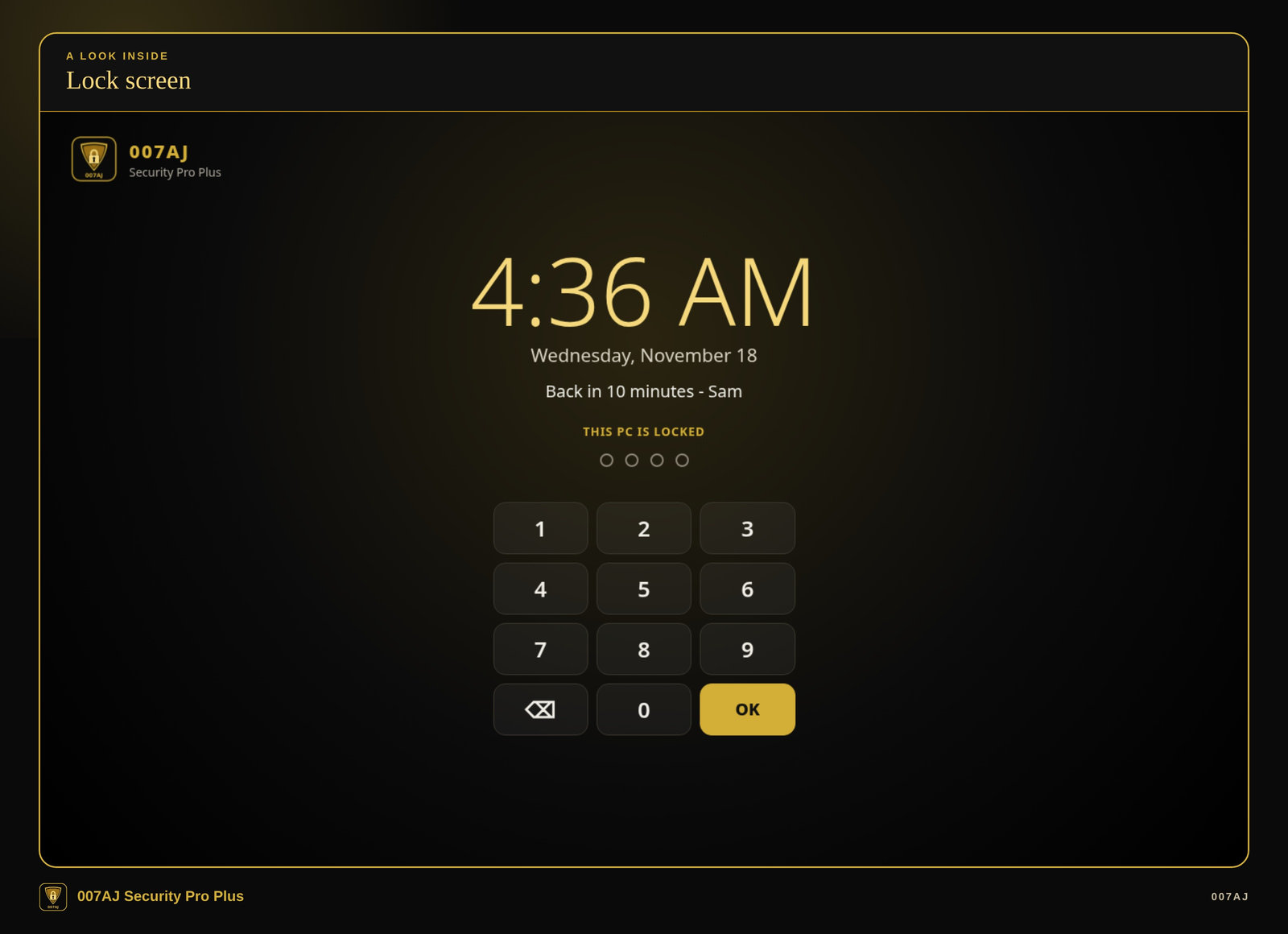
Lock screen. A gold-on-black lock screen with the time, an optional message (“Back in 10 minutes – Sam”) and a PIN pad. This is a privacy screen; Ctrl + Alt + Del still works, as Windows guarantees.
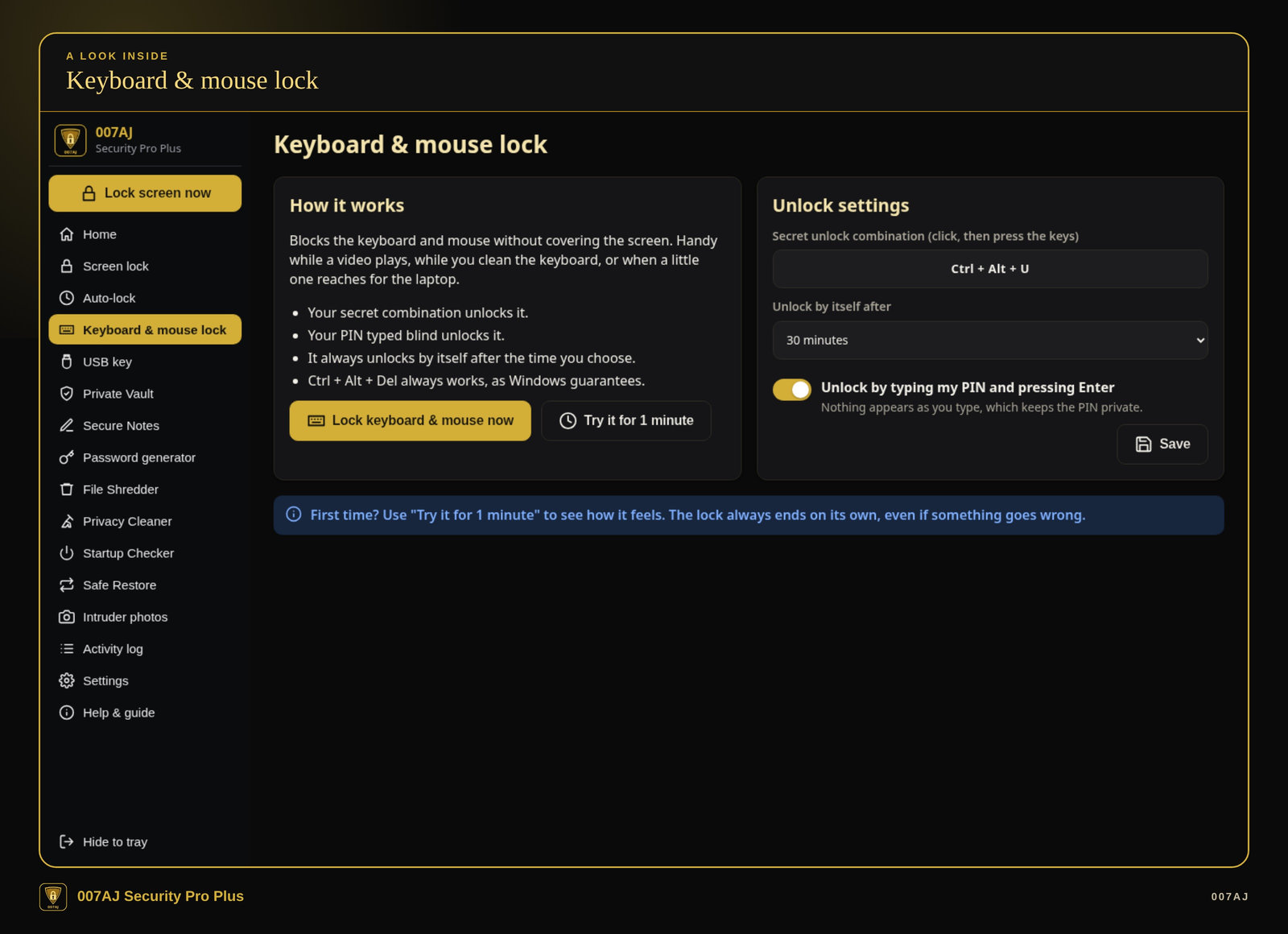
Keyboard & mouse lock. How it works, the secret unlock combination, an auto-unlock time, and a “Try it for 1 minute” button. The page notes that Ctrl + Alt + Del always works, as Windows guarantees, and that the lock always ends on its own.
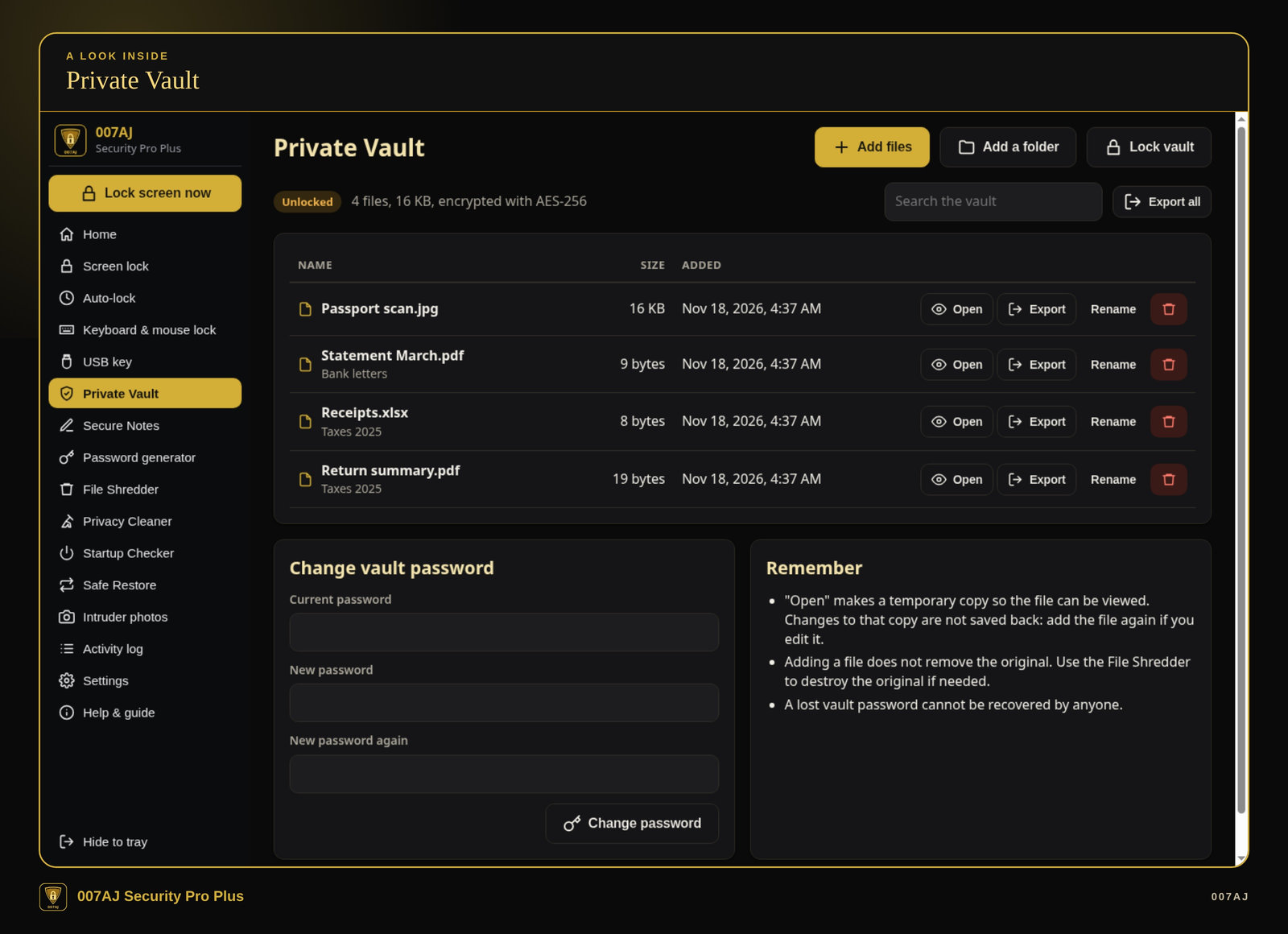
Private Vault. An unlocked vault with four made-up demo files, marked as encrypted with AES-256. You can add files or a folder, open, export, rename, search and change the vault password. The page reminds you that a lost vault password cannot be recovered by anyone.
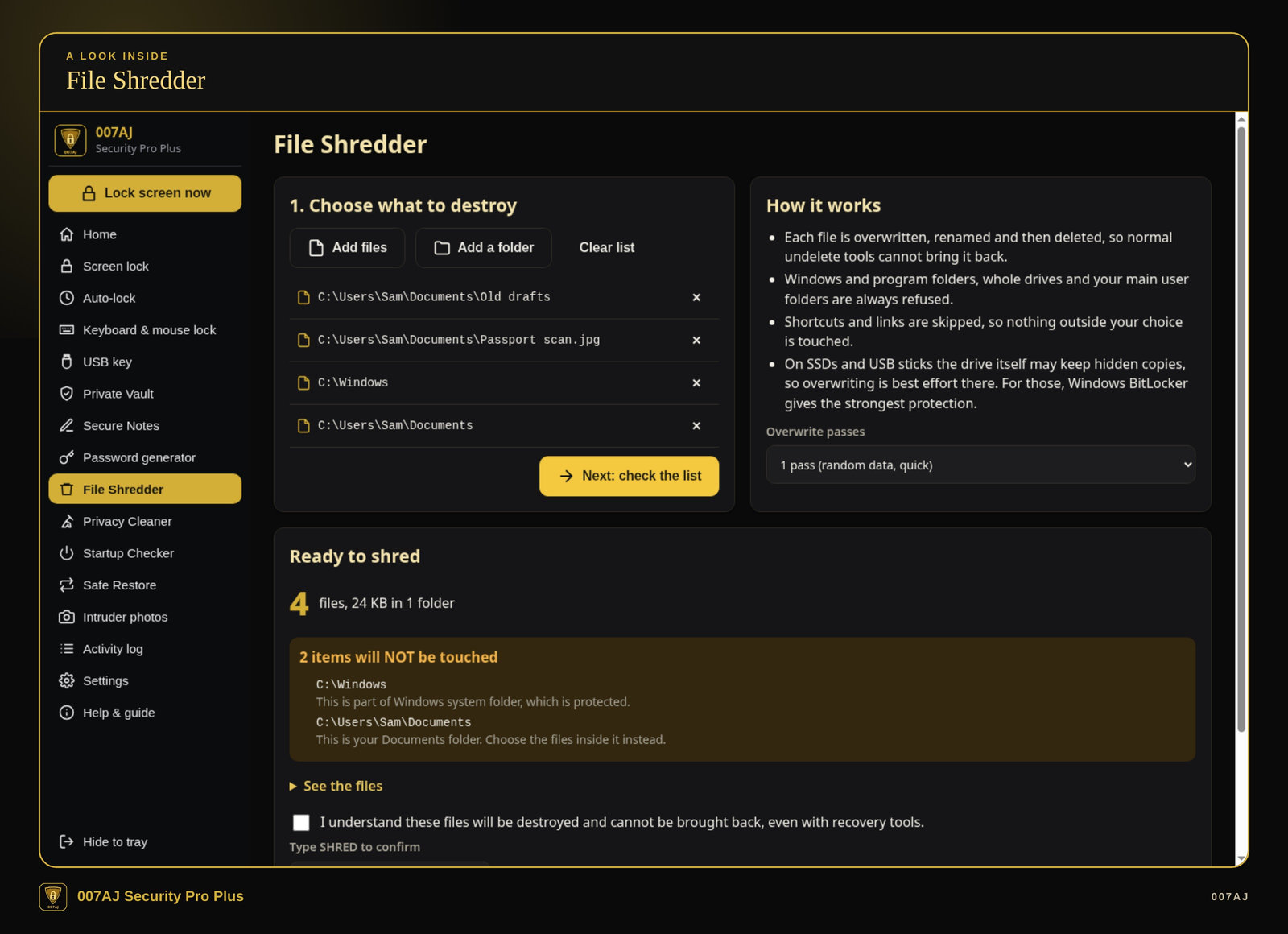
File Shredder. The check step, with two items that will not be touched (the Windows folder and the Documents folder) and the double confirmation: tick “I understand,” then type SHRED. The on-screen help notes that on SSDs and USB sticks, overwriting is best effort.
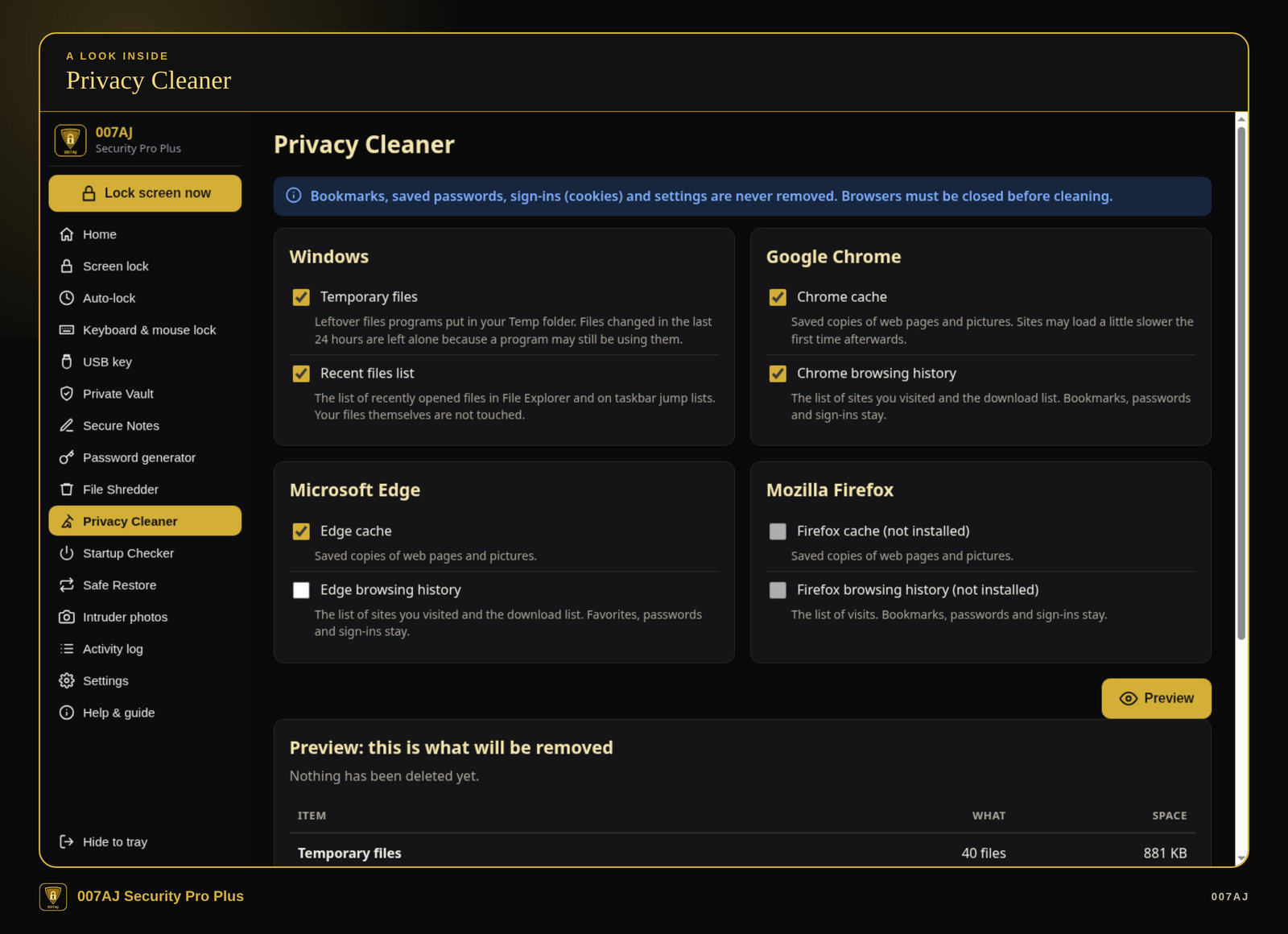
Privacy Cleaner. Choices for Windows temporary files and the recent-files list, plus Chrome, Edge and Firefox cache and history, and the start of the preview. The banner states that bookmarks, saved passwords, sign-ins (cookies) and settings are never removed, and that browsers must be closed first.
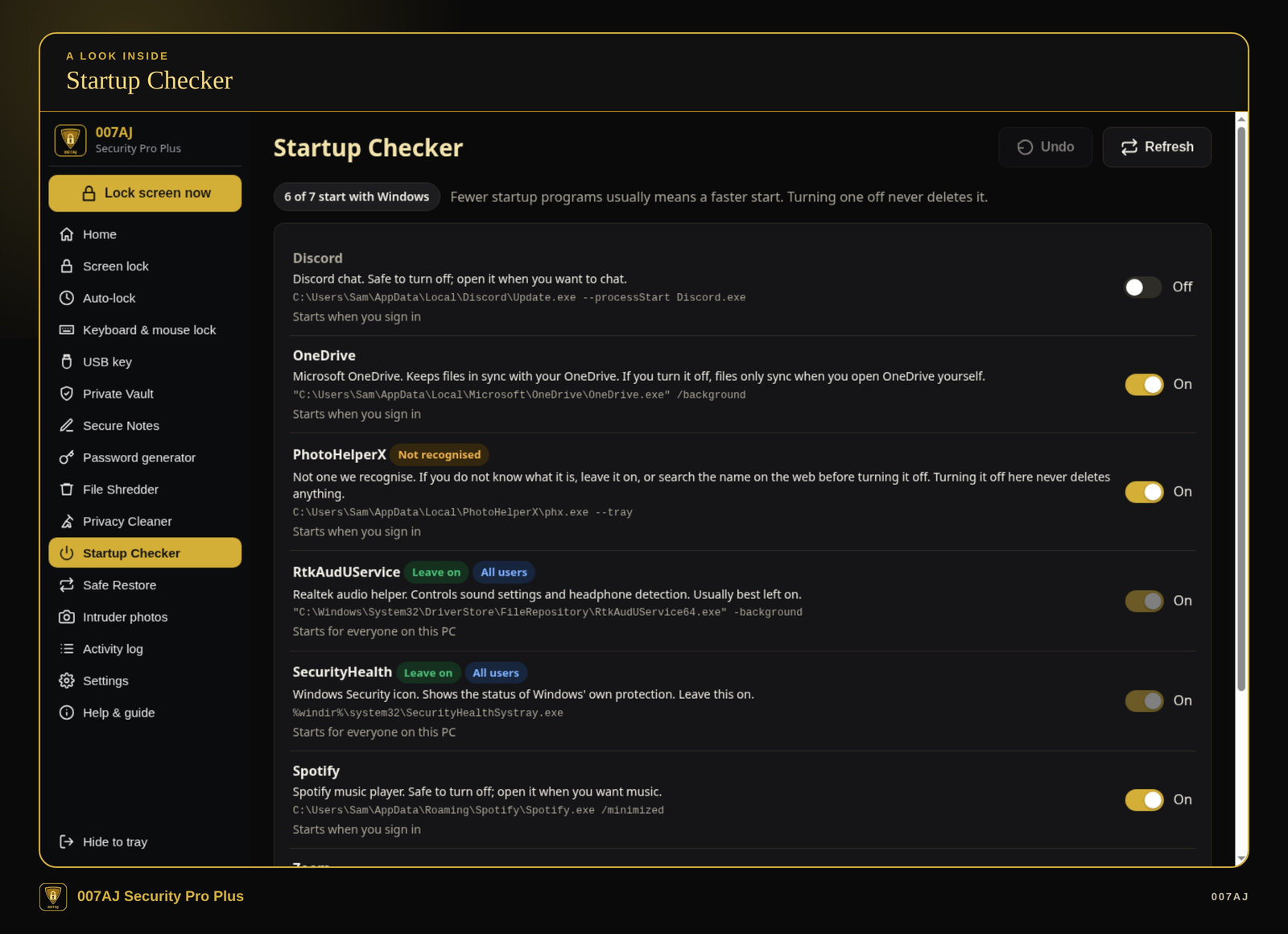
Startup Checker. Startup programs with a plain-English note on each, “Leave on” and “Not recognised” badges, and on/off switches. Turning one off never deletes it, and Undo is available. Paths shown use the made-up user name Sam.
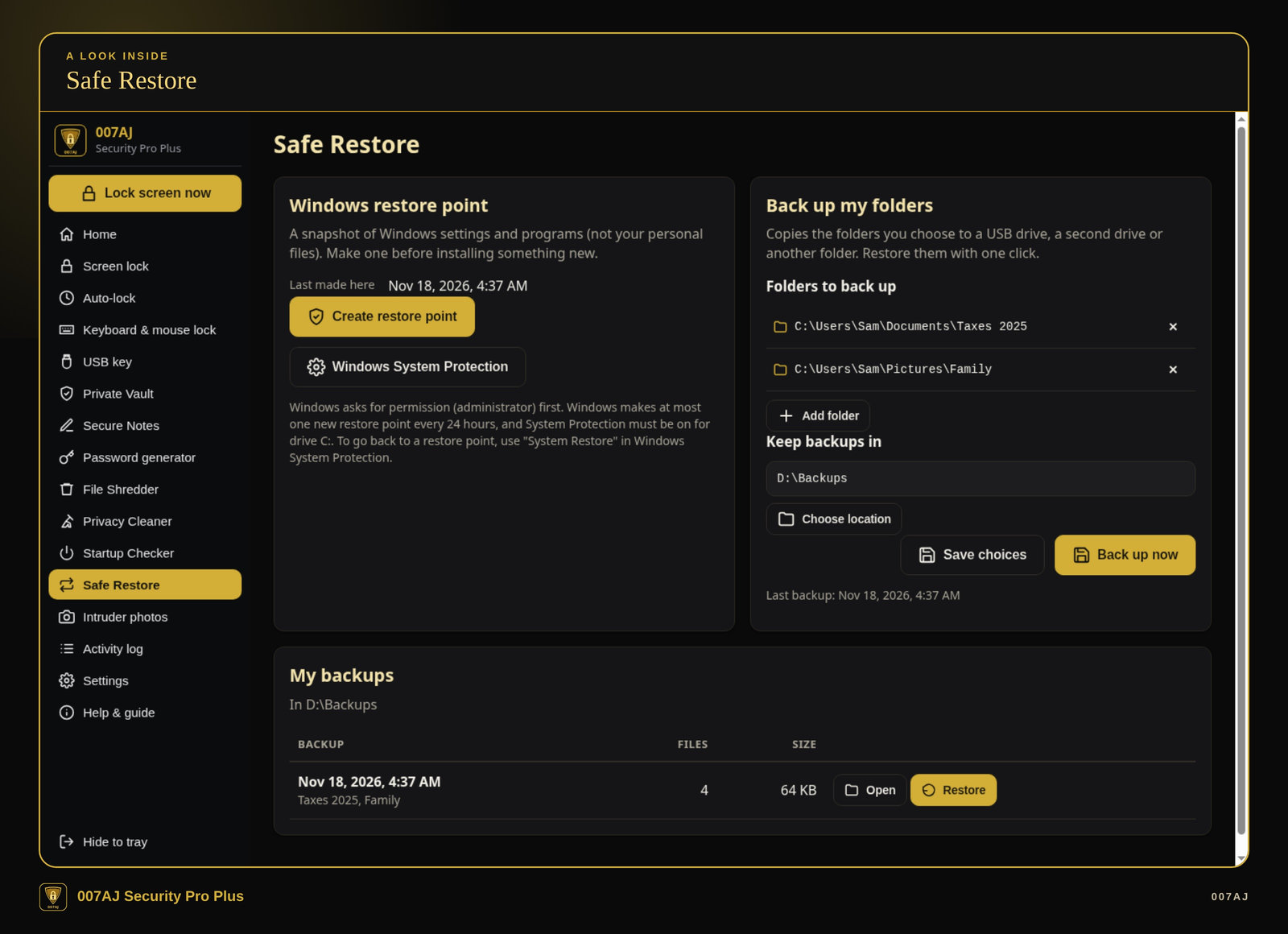
Safe Restore. A Windows restore point (Windows asks for administrator permission) and folder backups to a USB drive, a second drive or another folder. When you restore, files that would be replaced are kept safe first. The folders shown are made-up demo data.
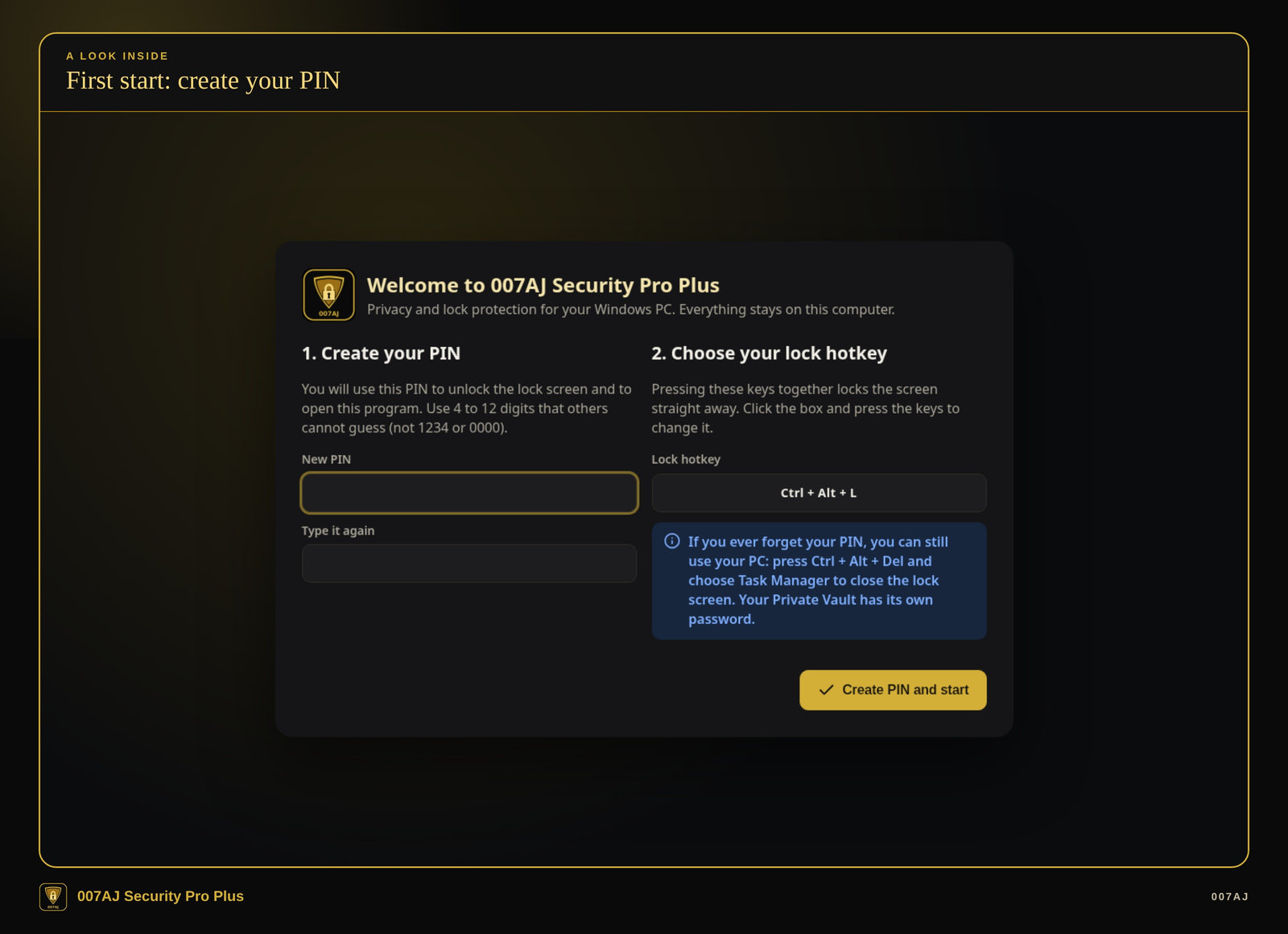
First start: create your PIN. The first start asks you to choose your own PIN (there is no default PIN; easy PINs such as 1234 or 0000 are refused) and to choose your lock hotkey. The page notes that if you forget the PIN, you can still use the PC: press Ctrl + Alt + Del and choose Task Manager to close the lock screen. The Private Vault has its own password.
Core features
Secure Notes, a password generator, a tray icon and an activity log
Secure Notes
Keep short private notes inside the vault, such as Wi-Fi passwords, recovery codes or door codes. They use the same vault password as your files.
Password generator
Create a password from 8 to 64 characters, choose the character types, leave out look-alikes, and see a strength check. Copied passwords are cleared from the clipboard after 30 seconds.
Tray, activity log and a PIN for the program
A tray icon, an activity log, and the option to start with Windows quietly in the tray. You can require your PIN to open the program and to close it.
Everyday quality
Your own PIN from the first start, large buttons, and a PDF user guide
Your own PIN from the first start
The first start asks you to choose your own PIN. There is no default PIN, and easy PINs such as 1234 or 0000 are refused.
Comfortable to use
Large, clear buttons; a dark look (gold on black) or a light look; three text sizes; and a Help & guide page inside the program.
Install, or run portable from a USB stick
The program installs just for the current user (no administrator password needed), or it can run portable from a folder or a USB stick, with the data kept beside the program.
PDF user guide
A 14-page illustrated PDF user guide is included.
Who it is for — and who it is not for
Built for people who share a Windows PC or leave a laptop unattended
Who it is for
Home users, families, students, freelancers and small offices on Windows 10 or 11 who share a PC or leave a laptop unattended, and want simple privacy and lock tools with large buttons and plain English, without a monthly fee.
Who it is not for
It is not antivirus, anti-malware or a firewall, and it does not detect or remove viruses, malware or hackers. It is not a tool for watching other people. It is not for anyone who needs a way to recover a forgotten vault password (there is none, by design). It is not for Mac, Linux, Chromebook, phones or tablets.
Requirements
Windows 10 or 11, 64-bit, on one PC. About 400 MB free space. Optional: a webcam (for optional photos after wrong PINs) and a USB stick (for the USB key or portable use). Not for Mac, Linux, Chromebook, phones or tablets.
How you receive it
A signed installer, a portable copy, and a PDF user guide
What you get
A digitally signed Windows installer, a portable copy you can run from a USB stick (with the data kept on the stick), a START-HERE note, and the 14-page PDF user guide. A branded 007AJ USB stick with the same files is also available. Either way, you can install the program on your PC or run it portable.
Support
For help, email admin@007aj.dev. If your purchase was through a marketplace listing, you can also message us there.
Privacy and lock protection, not antivirus
007AJ Security Pro Plus is a privacy and lock toolkit for a Windows PC. It is not antivirus, anti-malware or a firewall. It does not detect or remove viruses, malware or hackers, and it makes no legal or compliance promise. Keep Windows Security (or your usual protection) turned on.
The lock screen and keyboard lock are privacy screens. They do not promise that they cannot be bypassed. Ctrl + Alt + Del always works, as Windows guarantees, so you can still use the PC if you forget the lock-screen PIN. A forgotten vault password cannot be recovered by anyone, including us.
File shredding overwrites, renames and deletes the files you choose, so normal undelete tools cannot bring them back. On SSDs and USB sticks, that overwriting is best effort, because the drive itself may keep hidden copies. Optional photos after wrong PINs are saved only on this PC; they are not a tool for watching other people.
Questions
Is this a one-time purchase?
Yes. It is a one-time purchase, with no monthly subscription fees. There is no subscription, and no activation or online account needed.
Do I need the internet?
No. The program works offline. It has no network features at all and sends nothing anywhere. Your files and settings stay on your own computer.
Is this antivirus?
No. It is a privacy and lock toolkit. It is not antivirus, anti-malware or a firewall, and it does not detect or remove viruses, malware or hackers. Keep Windows Security on.
Can the lock screen or keyboard lock be bypassed?
They are privacy screens, not a promise that they cannot be bypassed. Ctrl + Alt + Del always works, as Windows guarantees. The keyboard lock also always unlocks by itself after the time you choose.
What if I forget my vault password?
A lost vault password cannot be recovered by anyone, including us. That is by design. The vault password is separate from the lock-screen PIN.
Does shredding make files unrecoverable on every drive?
No. The shredder overwrites, renames and deletes the files you choose, so normal undelete tools cannot bring them back. On SSDs and USB sticks, overwriting is best effort, because the drive itself may keep hidden copies.
Will it run on a Mac, Chromebook or phone?
No. It is for Windows 10 or 11, 64-bit, on one PC. It is not for Mac, Linux, Chromebook, phones or tablets.
Where do I get help?
Email admin@007aj.dev. If your purchase was through a marketplace listing, you can also message us there.
A one-time purchase. Works offline. Privacy and lock tools for your Windows PC.
007AJ Security Pro Plus by 007AJ is a Windows 10 and Windows 11 program for privacy and lock protection on your own computer: a PIN lock screen, keyboard lock, encrypted vault and file shredder. Version 1.0.0. One-time purchase, no monthly subscription fees, no activation or online account needed, and no internet needed. It is not antivirus.
Support: email admin@007aj.dev
007AJ Security Pro Plus is published by 007AJ (007aj.dev).
Not affiliated with Microsoft, Google or Mozilla. Windows is a trademark of Microsoft Corporation.