
Make Estimates and Invoices on Your Own Computer, With No Subscription
Invoice & Estimate Maker Pro by 007AJ is an offline Windows 10 and Windows 11 desktop program for freelancers, trades and small businesses in Canada and the US: estimates, invoices, credit notes, recurring invoices, payments and receipts, late-payment reminders, expenses with receipt photos, time tracking, client statements and reports. Records stay on your own computer. It does not take card payments and is not accounting software.
You pay once. There is no subscription, no monthly fees, no online account, and no internet needed (the internet is used only if you choose to send email from your own email account). The installer is digitally signed by the publisher, Anthony Bertucci, so Windows shows a verified publisher.
Instant download for Windows 10 and Windows 11. You get the signed installer, which you can install on your PC or run portable from a USB stick.
The promise
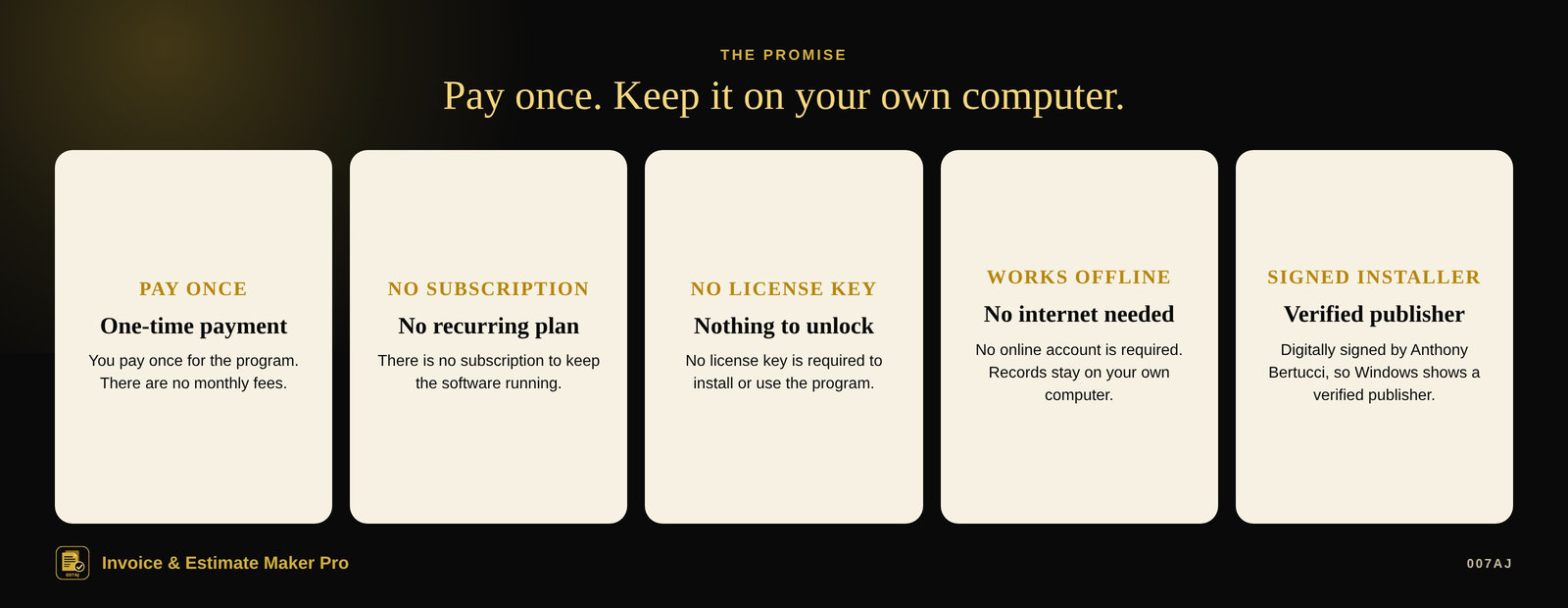
Pay once. No subscription. No internet needed.
Pay once
You pay once for the program. There is no subscription and no monthly fees.
No internet needed
The program works offline. No online account is required. The internet is used only if you choose to send email from your own email account. Your records stay on your own computer.
Signed installer
The installer is digitally signed by the publisher, Anthony Bertucci, so Windows shows a verified publisher.
Main features
Estimates, invoices, payments, expenses, time and reports — on one computer
Estimate to invoice, one click
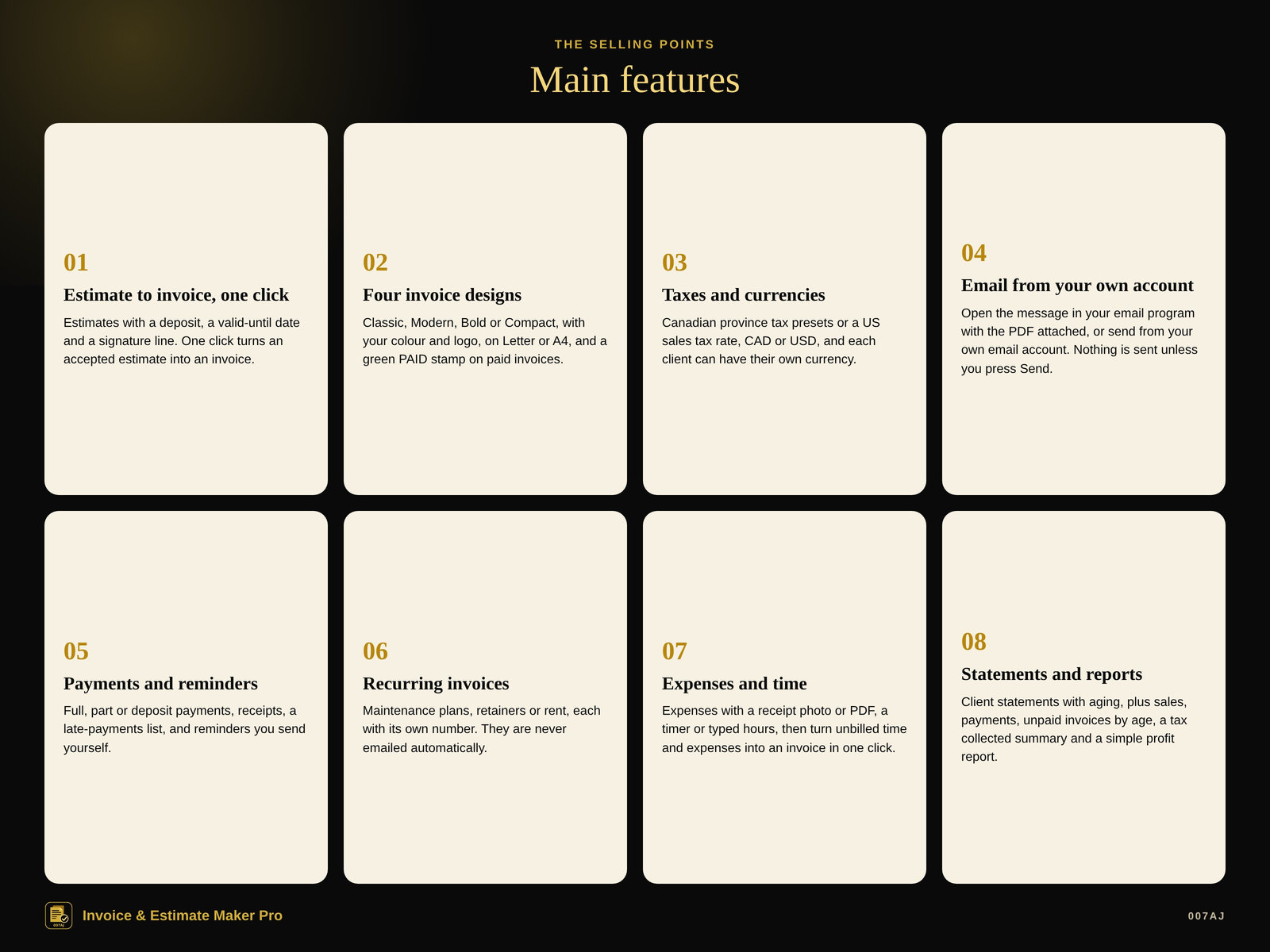
Estimates with lines, a title, an optional deposit, a “valid until” date, and a signature line for the client to accept. One click turns an accepted estimate into an invoice.
Four invoice designs
Classic, Modern, Bold or Compact, with your colour and logo, on Letter or A4, and a green PAID stamp on paid invoices. Print or save a PDF. Each invoice can have its own design and colour, and keeps the tax rates it was made with even if you change your rates later.
Taxes and currencies
Pick a Canadian province (HST, GST, PST, QST) or enter a US sales tax rate. Up to five taxes; a tax can be compound. CAD or USD, or another 3-letter currency code, and each client can have their own currency. Tax presets are a convenience, not tax advice.
Email from your own account
Open an invoice, receipt, reminder or statement in your email program with the message filled in and attach the PDF there, or send directly from your own email account. Nothing is ever sent unless you press Send.
Payments and late reminders
Full, part or deposit payments, with date, method and a reference. Print or email a receipt. Overdue invoices are listed under Late payments. A reminder is suggested 1, 7, 14 and 30 days after the due date; press Remind to email it.
Recurring invoices
For maintenance plans, retainers or rent. Each invoice is made on its date with its own number, even if the program was closed for a while. They are never emailed automatically: you see them on the dashboard and send them yourself.
Expenses and time tracking
Expenses with a receipt photo or PDF kept inside your data, marked billable if you want. Start a timer or type hours, then turn unbilled time and expenses into an invoice in one click — marked so they are never billed twice.
Statements and reports
Client statements with aging, plus sales, payments received, unpaid invoices by age, a tax collected summary, a simple profit report, and more. Print, PDF, Excel or CSV.
A look inside
Screenshots from the built-in sample business, with made-up names
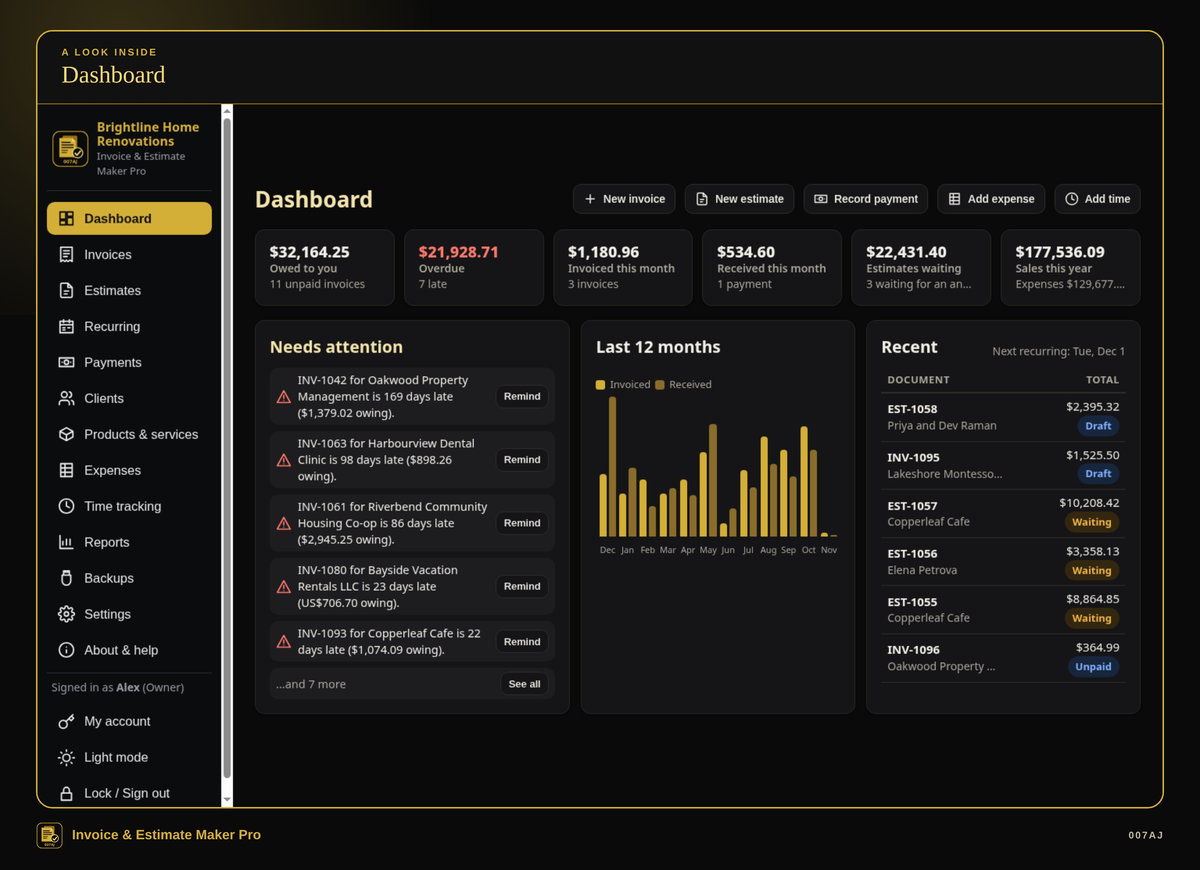
Dashboard. What you are owed, what is late, estimates waiting, unbilled time or expenses, and recent documents.
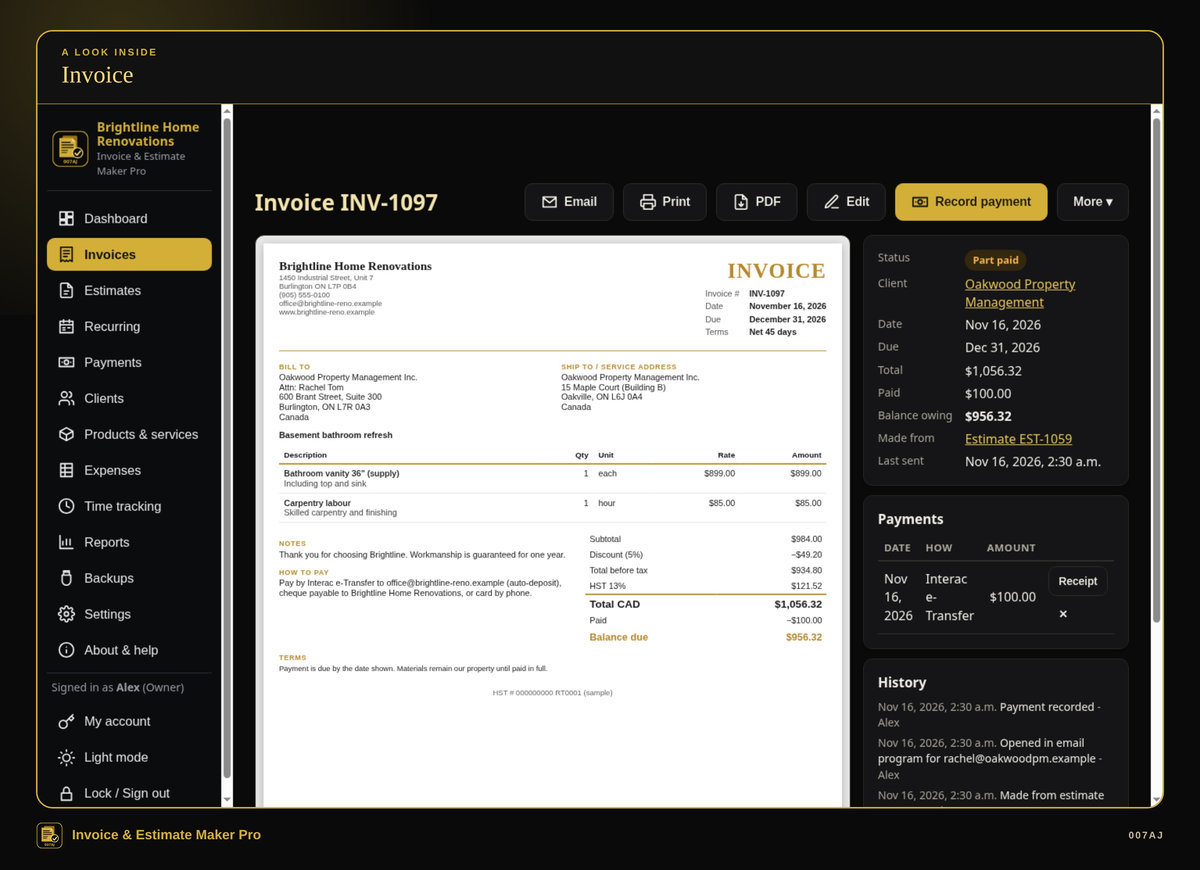
Invoice. An invoice with lines, a discount, tax, a part payment and the balance still owed, plus email, print and PDF.
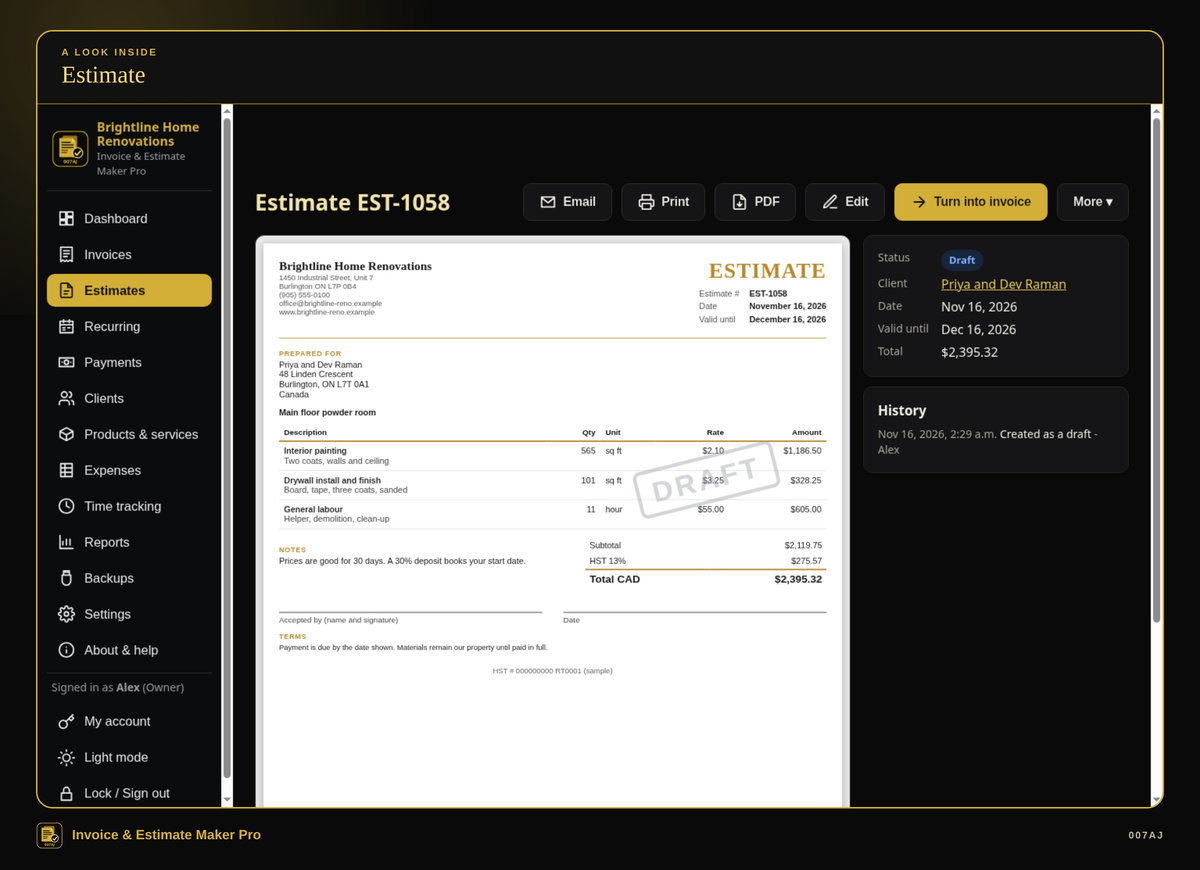
Estimate. An estimate with a valid-until date and a signature line. One click turns an accepted estimate into an invoice.
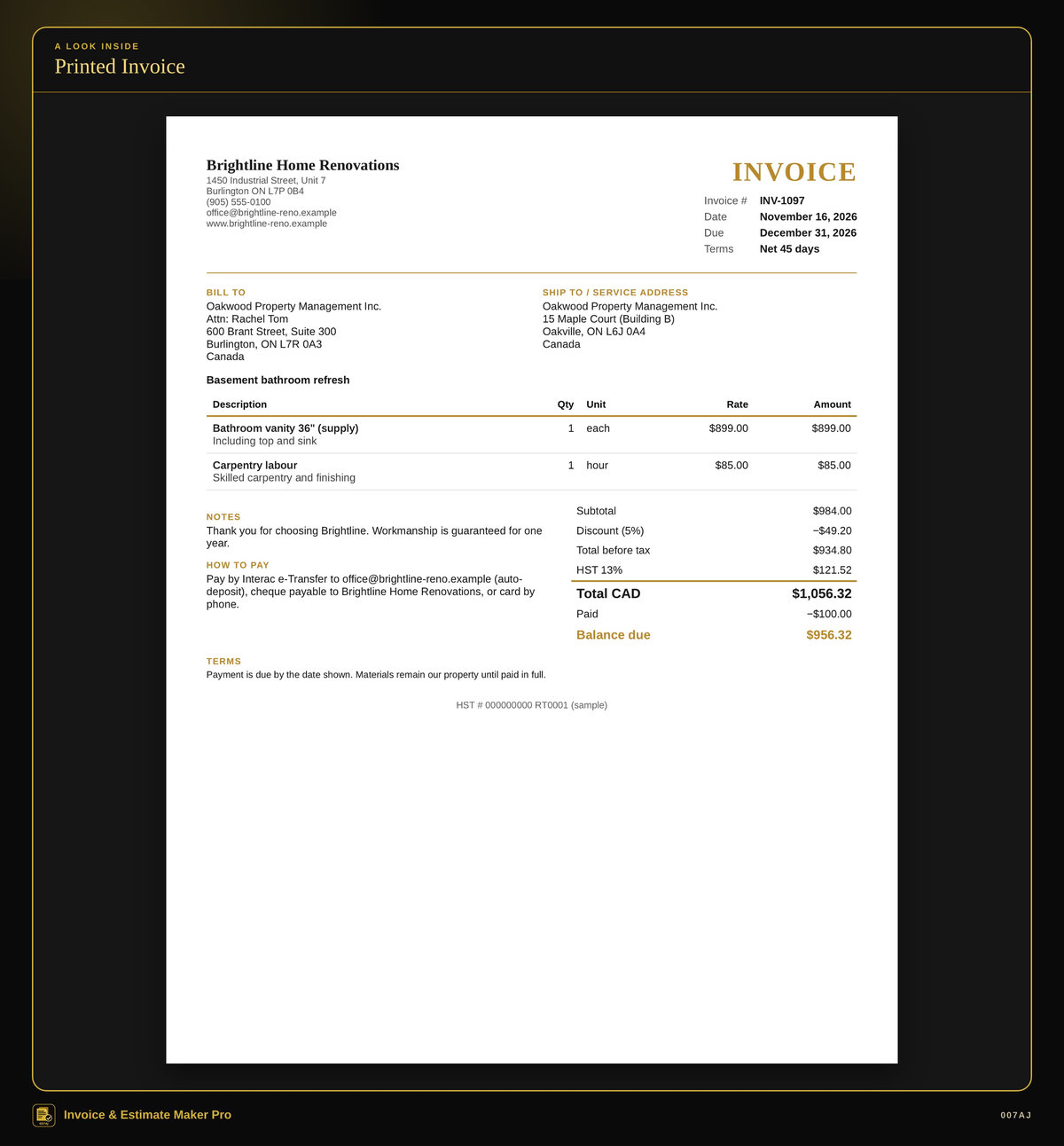
Printed invoice. Printed invoices, estimates, receipts and statements, or PDFs, with your own name, colour and logo, on Letter or A4.
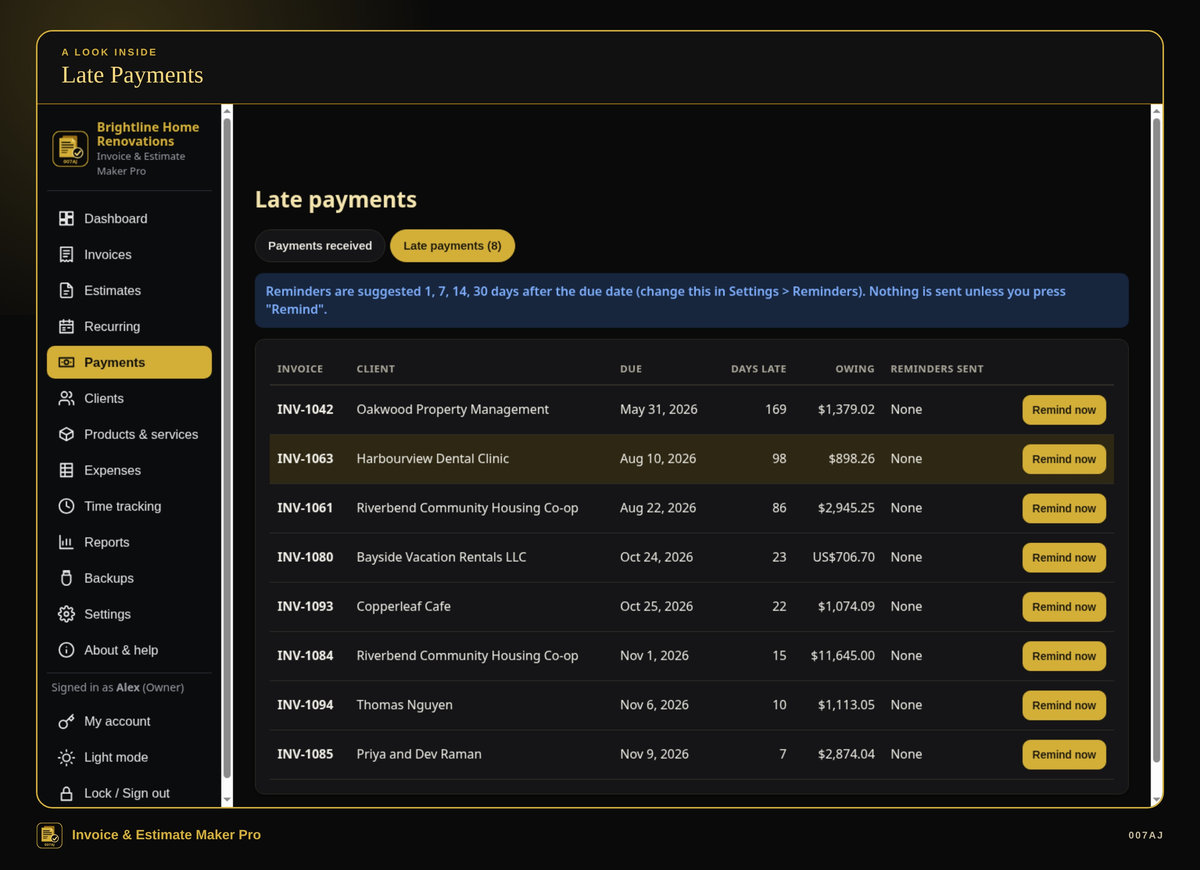
Late payments. Overdue invoices listed in one place, with suggested reminder dates. Nothing is sent unless you press Remind.
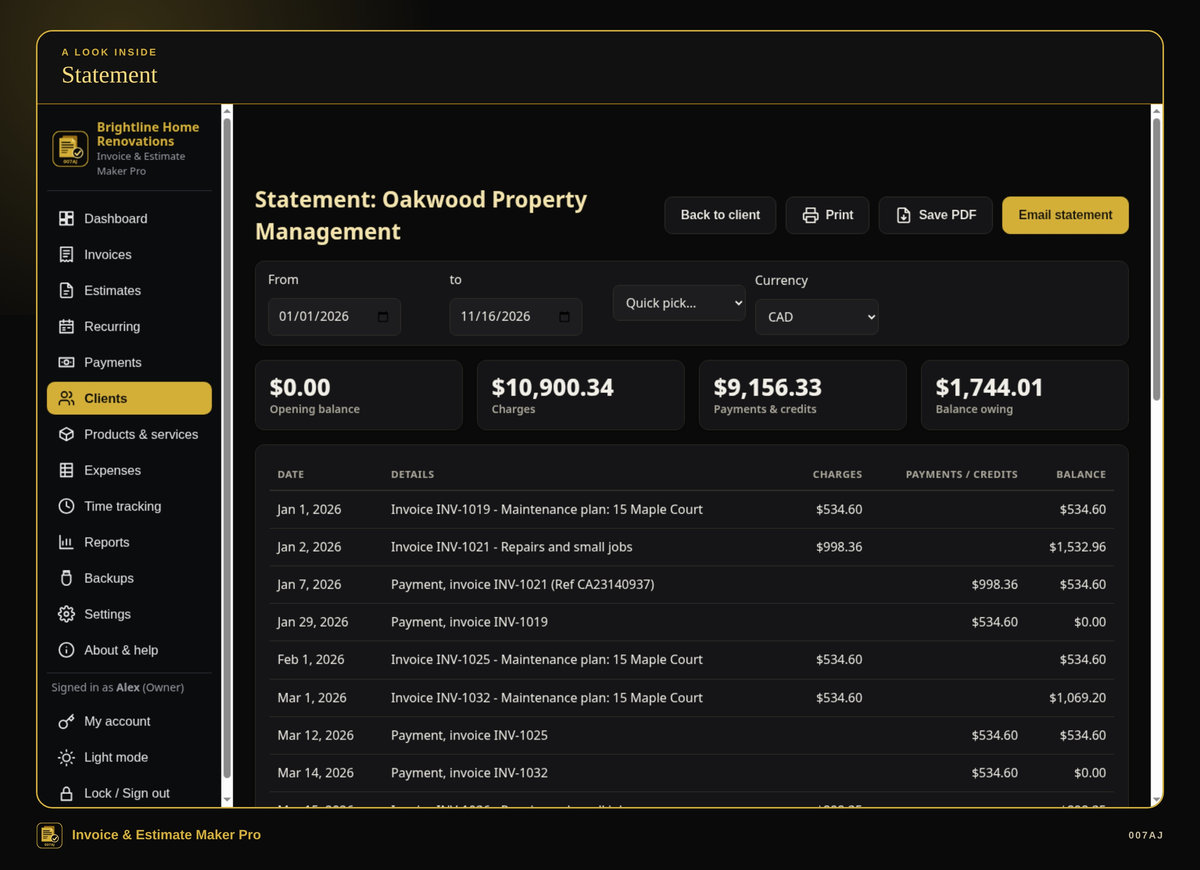
Statement. A client statement with aging, charges, payments and the balance owing.
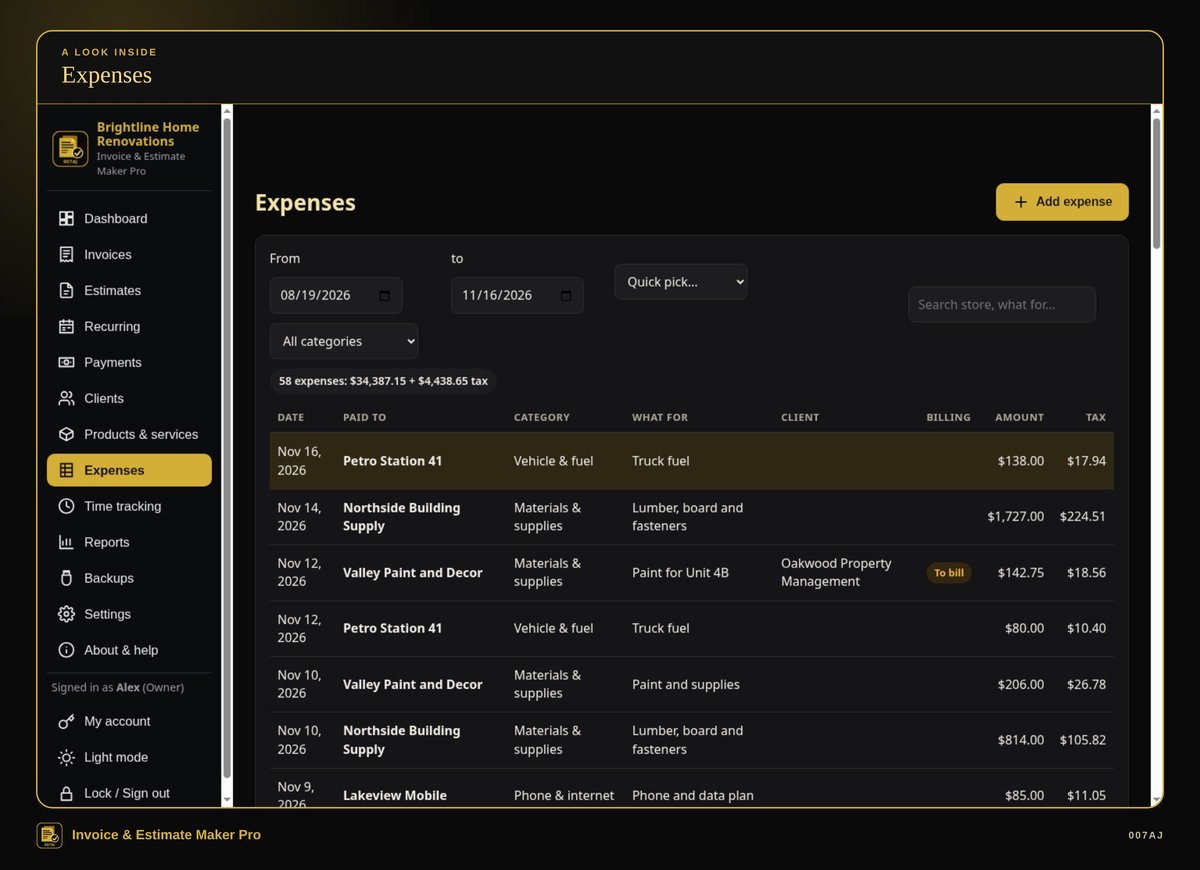
Expenses. Store, category, amount, tax paid, and a receipt photo or PDF kept inside your data. Mark an expense billable to a client.
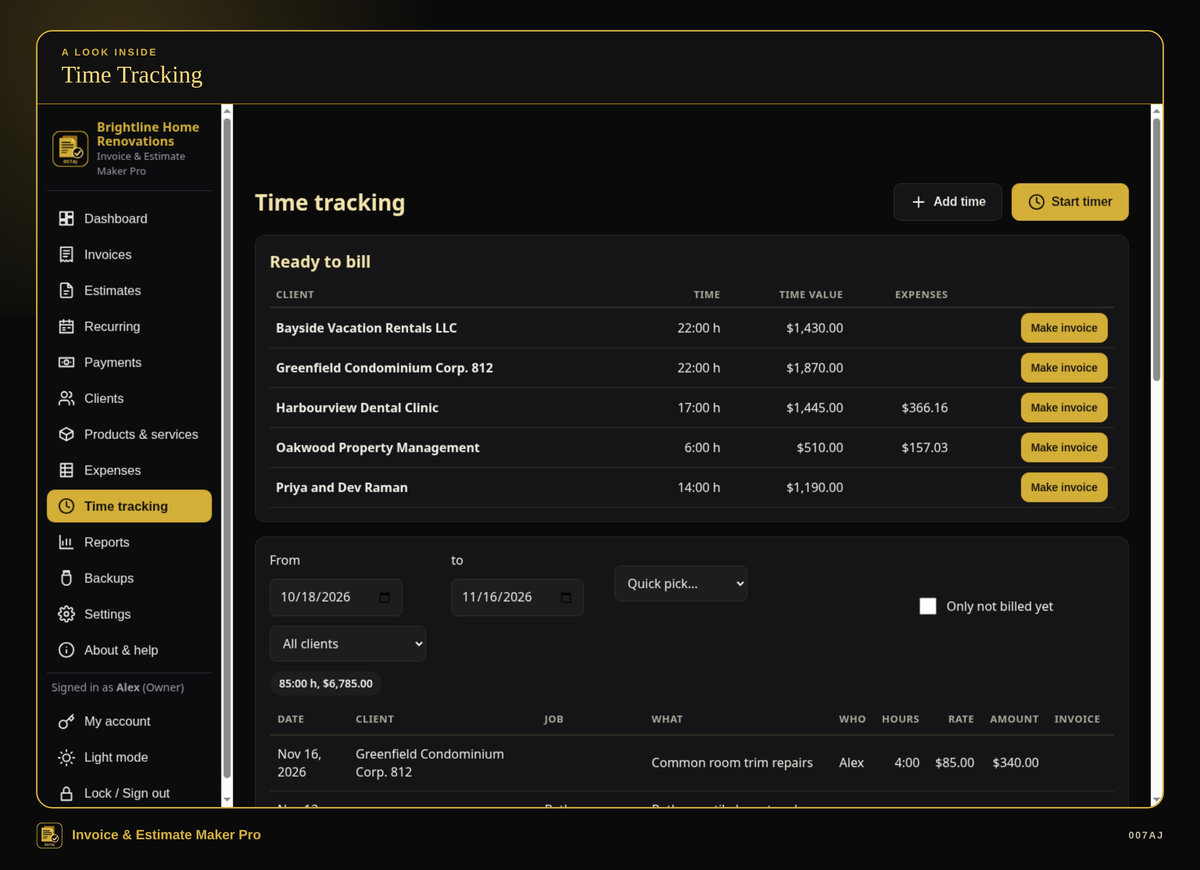
Time tracking. Start a timer or type hours, then turn unbilled time and expenses into an invoice in one click.
Core features
The day-to-day invoicing a small business needs in one program
Clients
Clients with several contacts and addresses (billing, shipping, job sites). Per client: currency, payment terms, standard discount, and tax-exempt (with the certificate number) or only some taxes.
Price list
A price list of products and services (hourly rate, materials, fees) with unit, cost (never printed; used in the profit report) and which taxes apply. Type a name or pick from the list on an estimate or invoice.
Estimates
Lines, a title, an optional deposit (for example 30%), a “valid until” date, and a signature line for the client to accept. One click turns an accepted estimate into an invoice.
Invoices
Quantity, unit, price, optional line discount, headings or notes between lines, a discount on the total, shipping, a deposit, and tax exempt. Totals update as you type. Save as draft to keep it out of your totals until it is ready.
Designs, colour and logo
Four invoice designs (Classic, Modern, Bold or Compact), your colour and logo, Letter or A4, and a green PAID stamp on paid invoices. Print or save a PDF.
Taxes and currencies
Pick a Canadian province (HST, GST, PST, QST) or enter a US sales tax rate. Up to five taxes; a tax can be compound. CAD or USD, or another 3-letter currency code. Each client can have their own currency. Number and date formats for Canada (English or French), the US, the UK, Australia, Ireland and New Zealand. Reports show one currency at a time. Tax presets are a convenience, not tax advice.
Open an invoice, receipt, reminder or statement in your email program (Outlook, Mail…) with the message filled in and attach the PDF there, or send directly from your own email account (SMTP; for Gmail or Outlook.com use an app password, locked to your Windows account). Nothing is ever sent unless you press Send.
Payments and reminders
Full, part or deposit payments, with date, method (e-Transfer, cheque, cash, card, ACH, PayPal and others) and a reference. Print or email a receipt. Overdue invoices are listed under Late payments. A reminder is suggested 1, 7, 14 and 30 days after the due date (you can change this); press Remind to email it.
Credit notes
Credit notes for returns, mistakes or goodwill, applied to an invoice or paid back as a refund.
Recurring invoices
For maintenance plans, retainers or rent (every week, 2 weeks, month, 2 months, 3 months, 6 months or year). Each invoice is made on its date with its own number, even if the program was closed for a while. They are never emailed automatically.
Expenses
Store, category, amount, tax paid, how you paid, and a receipt photo or PDF kept inside your data. Mark an expense billable to a client, with an optional markup.
Time tracking
Start a timer, or type hours (1:30, 1.5 or 90m). Unbilled time and expenses can be turned into an invoice in one click and are marked so they are never billed twice.
Statements and reports
Client statements with aging, plus reports: sales by month, by client and by product or service, estimates and how many became invoices, payments received, unpaid invoices by age, expenses by category, a simple profit report, a tax collected summary, and time. Print, PDF, Excel or CSV.
Dashboard
What you are owed, what is late, estimates waiting, unbilled time or expenses, and recent documents.
Everyday quality
Backups, a sample business you can explore first, and a PDF user guide
PIN or password sign-ins
Owner, manager and staff sign-ins with a PIN or password. Managers can do everything except settings. Staff can enter time and expenses only.
Backups and restore
Automatic daily backups (and every time the program closes), one-click Backup to USB, and restore.
Comfortable to use
Light and dark mode (gold on black by default), a larger text option, and keyboard shortcuts.
Sample business, then start fresh
A sample business (“Brightline Home Renovations”, all made up, with about a year of invoices) lets you try everything first, then “Start fresh” for the real business.
Install, or run portable from a USB stick
The program installs in the usual way, or it can run portable from a USB stick with the data kept on the stick.
PDF user guide
A PDF user guide with step-by-step pictures is included.
Who it is for — and who it is not for
Built for freelancers, trades and small businesses in Canada and the US
Who it is for
Freelancers, tradespeople and small businesses in Canada and the US who are still making invoices in Word or spreadsheets, or are tired of paying monthly for invoicing software.
Who it is not for
It is not a full bookkeeping package, and it is not a way to take card payments. It does not connect to a card terminal. It runs on one PC and does not share data over a network between PCs. It is not for Mac, Linux, Chromebook, phones or tablets.
Requirements
Windows 10 or Windows 11, 64-bit, on one PC (no network sharing between PCs). About 400 MB of free disk space. A screen of 1366×768 or larger. Optional: a printer; your own email account if you want to send mail directly from the program.
It does not take card payments and does not connect to a card terminal. It is not for Mac, Linux, Chromebook, phones or tablets.
How you receive it
A digital download, or a branded USB stick if you buy on eBay
Digital download
On 007aj.dev, Gumroad and Codester, you receive the signed Windows installer as a download.
Branded USB on eBay
The eBay version ships as a branded 007AJ USB stick. The stick includes the signed installer, a START-HERE note, and the PDF user guide.
Either way, you can install the program on your PC, or run it portable from a USB stick with the data kept on the stick.
Support
For help, email admin@007aj.com. If you bought on eBay, please message us through eBay.
A record-keeping and invoicing tool
Invoice & Estimate Maker Pro is a record-keeping and invoicing tool. It is not tax, legal or accounting advice, and it is not tax filing software. It does not file taxes with the CRA or the IRS, and it does not do bookkeeping or payroll. Tax presets are a convenience, not tax advice; check rates and numbers with an accountant. Reports can show a tax collected summary and a simple profit report.
Questions
Does it work offline?
Yes. No online account is required, and your records stay on your own computer. The internet is used only if you choose to send email from your own email account.
Is there a subscription?
No. You pay once. There is no subscription and no monthly fees.
What computers does it run on?
Windows 10 or Windows 11, 64-bit, on one PC. It does not share data over a network between PCs. It is not for Mac, Linux, Chromebook, phones or tablets.
How do I receive it?
If you buy the digital download on 007aj.dev, Gumroad or Codester, you receive the signed Windows installer as a download. If you buy on eBay, it ships as a branded 007AJ USB stick with the signed installer, a START-HERE note, and the PDF user guide.
Can I look around before adding my own data?
Yes. There is a sample business with made-up invoices, then “Start fresh” for the real business.
Does it take card payments?
No. You can record that a client paid by card (or e-Transfer, cheque, cash and other methods), but the program does not take card payments and does not connect to a card terminal.
Is this accounting or tax software?
No. It is a record-keeping and invoicing tool, not tax, legal or accounting advice, and not tax filing software. It does not file taxes or do bookkeeping or payroll. Tax presets are a convenience; check rates and numbers with an accountant.
Are invoices emailed automatically?
No. Recurring invoices appear on the dashboard for you to send yourself. Nothing is ever sent unless you press Send.
Where do I get help?
Email admin@007aj.com. If you bought on eBay, please message us through eBay.
Pay once. Works offline. Built for freelancers, trades and small businesses.
Invoice & Estimate Maker Pro by 007AJ is a Windows 10 and Windows 11 program that keeps your estimates and invoices on your own computer. Version 1.0.0. No subscription, no online account, and no internet needed, except if you choose to send email from your own account.
Support: email admin@007aj.com · If you bought on eBay, please message us through eBay
Invoice & Estimate Maker Pro is published by 007AJ (007aj.dev).
Not affiliated with Microsoft, Gumroad or Codester. Windows is a trademark of Microsoft Corporation.