
Keep Your Bar’s Back Office on Your Own Computer, With No Subscription
Bar & Restaurant Manager Pro by 007AJ is an offline Windows 10 and Windows 11 desktop program that runs the back office of a small bar, pub or sports bar: liquor, beer and food stock, pour cost, counts and variance, waste, sales (typed in or imported from the register), suppliers and orders, staff, tips, cash-up, events, bookings, incidents, checklists and reports. Records stay on the bar’s own computer. You keep your register; this program tracks the money and stock around it.
You pay once. There is no subscription, no monthly fees, no online account, and no internet needed. The installer is digitally signed by the publisher, Anthony Bertucci, so Windows shows a verified publisher.
Instant download for Windows 10 and Windows 11. You get the signed installer, which you can install on your PC or run portable from a USB stick.
The promise
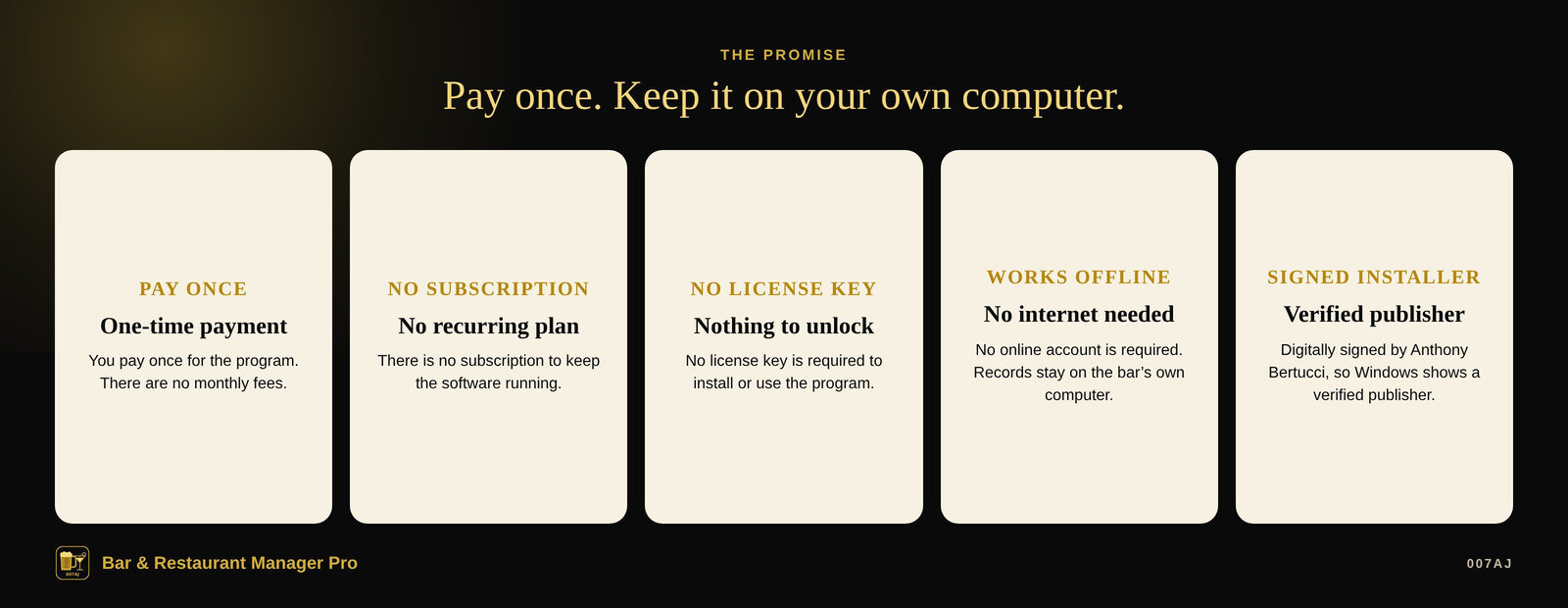
Pay once. No subscription. No internet needed.
Pay once
You pay once for the program. There is no subscription and no monthly fees.
No internet needed
The program works offline. No online account is required. Your records stay on the bar’s own computer.
Signed installer
The installer is digitally signed by the publisher, Anthony Bertucci, so Windows shows a verified publisher.
Main features
Stock, pour cost, variance, staff, tips and cash-up — on one computer
Products, par levels and barcodes
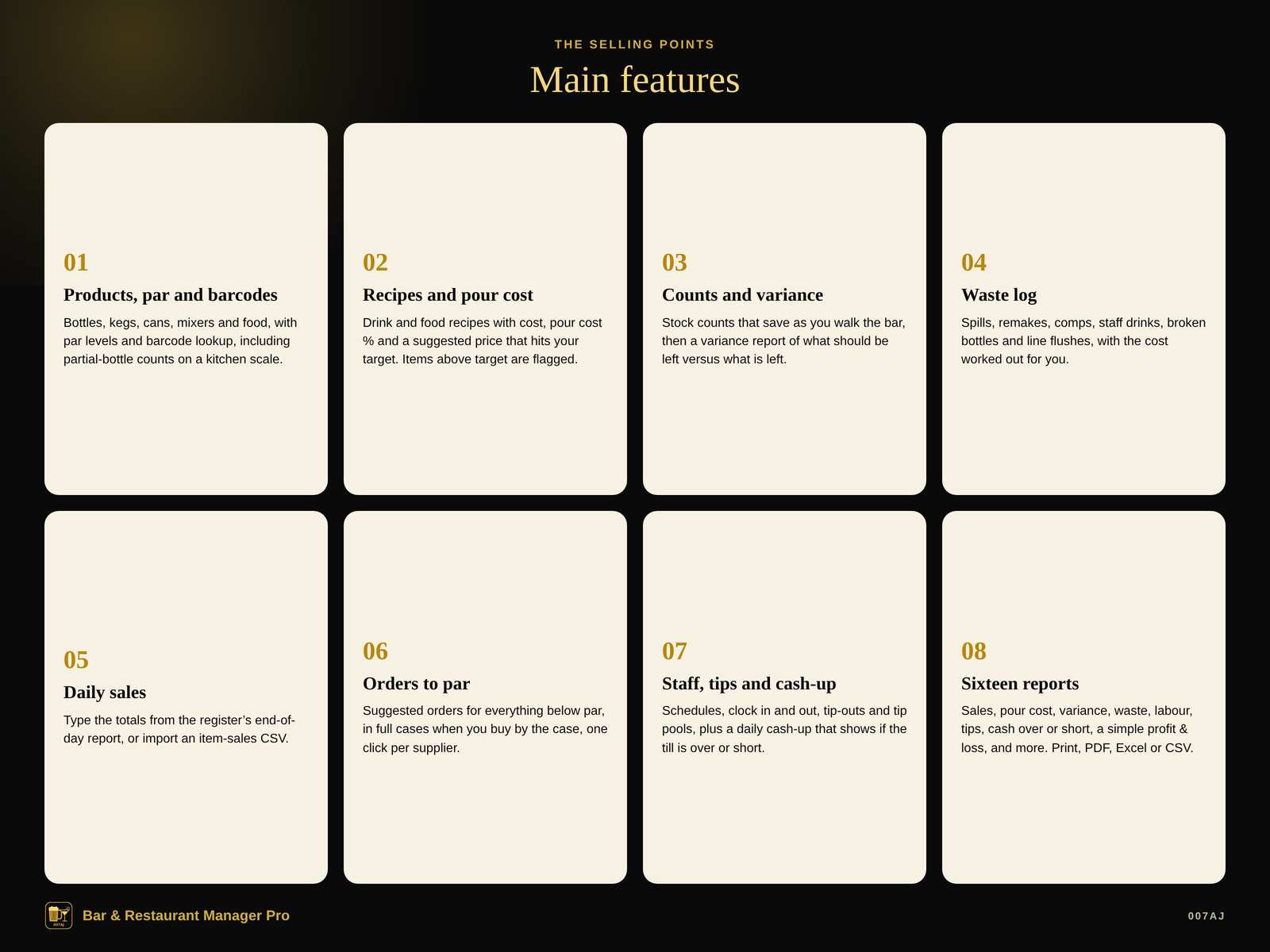
Bottles, kegs, cans, mixers and food, with size, cost, supplier, storage location, par level and barcode. Scan a barcode in the search box to jump to that product. For liquor, enter full and empty bottle weights and count partial bottles on a kitchen scale.
Recipes and pour cost
Drink and food recipes built from your products, with cost, pour cost % and a suggested price that hits your target (for example 18% for highballs, 22% for draft, 30% for food). Items above target are flagged. Print a spec book for the staff.
Stock counts and variance
Stock counts (opening or closing) that save as you walk the bar, then a variance report: what should be left versus what is left. Rows above your alert level (5% by default) are highlighted, so over-pouring, unlogged spills or missing product stands out.
Waste log
A waste log for spills, remakes, comps, staff drinks, broken bottles and line flushes, by product or by menu item, with the cost worked out for you.
Daily sales
Type the totals from the register’s end-of-day report (draft, bottles, liquor, wine, non-alcoholic, food, guests, cash and card), or import an item-sales CSV. The program can remember the register’s spelling of a drink for next time.
Suggested orders and deliveries
Suggested orders for everything below par, in full cases when you buy by the case, one click per supplier. Receive a delivery, correct shorts, and new invoice costs update product cost so recipes re-price automatically.
Staff, tips and cash-up
Weekly schedules, clock in and out, server and bartender cash-outs with tip-outs taken off automatically, tip pools split by hours and points, and a daily cash-up that shows if the till is over or short and how much to deposit.
Reports you can print or export
Sixteen reports, including sales, pour cost, menu profit, variance, inventory value, reorder list, waste, supplier spend, labour %, tips, cash over or short, events, incidents, a simple profit & loss, certificates and keg yield. Print, PDF, Excel or CSV.
A look inside
Screenshots from the built-in sample bar, with made-up names
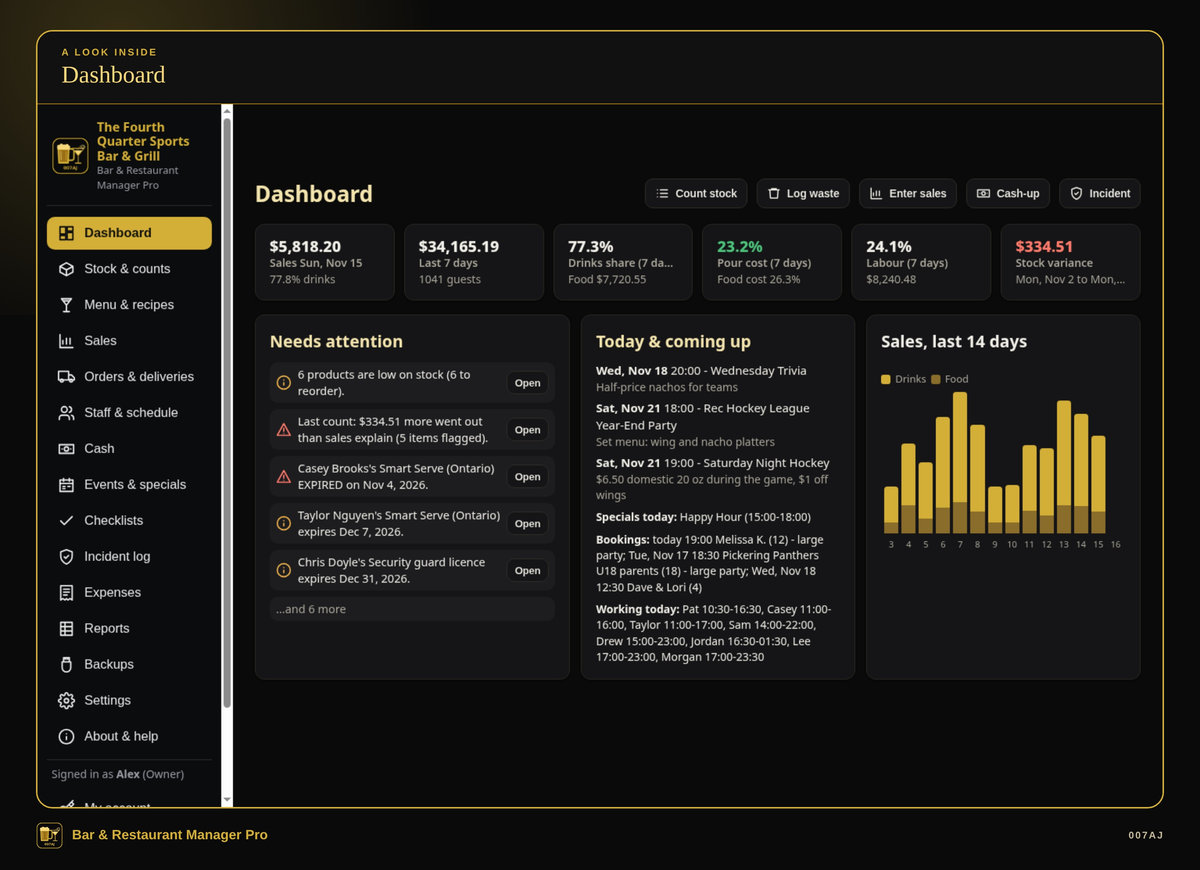
Dashboard. Sales, pour cost, labour, stock variance, low stock, certificate expiries, today’s events, specials, bookings and who’s working.
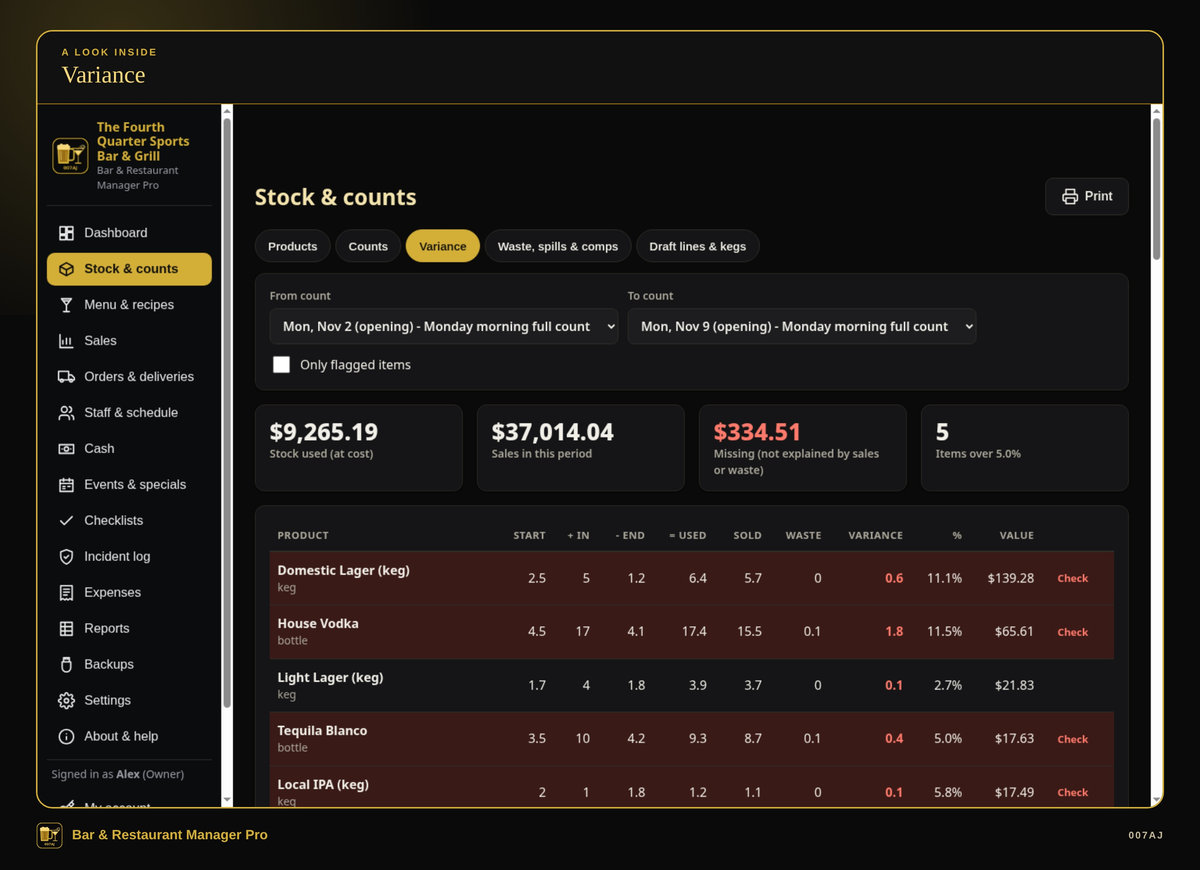
Variance. What should be left versus what is left after a count. Rows above your alert level are highlighted.
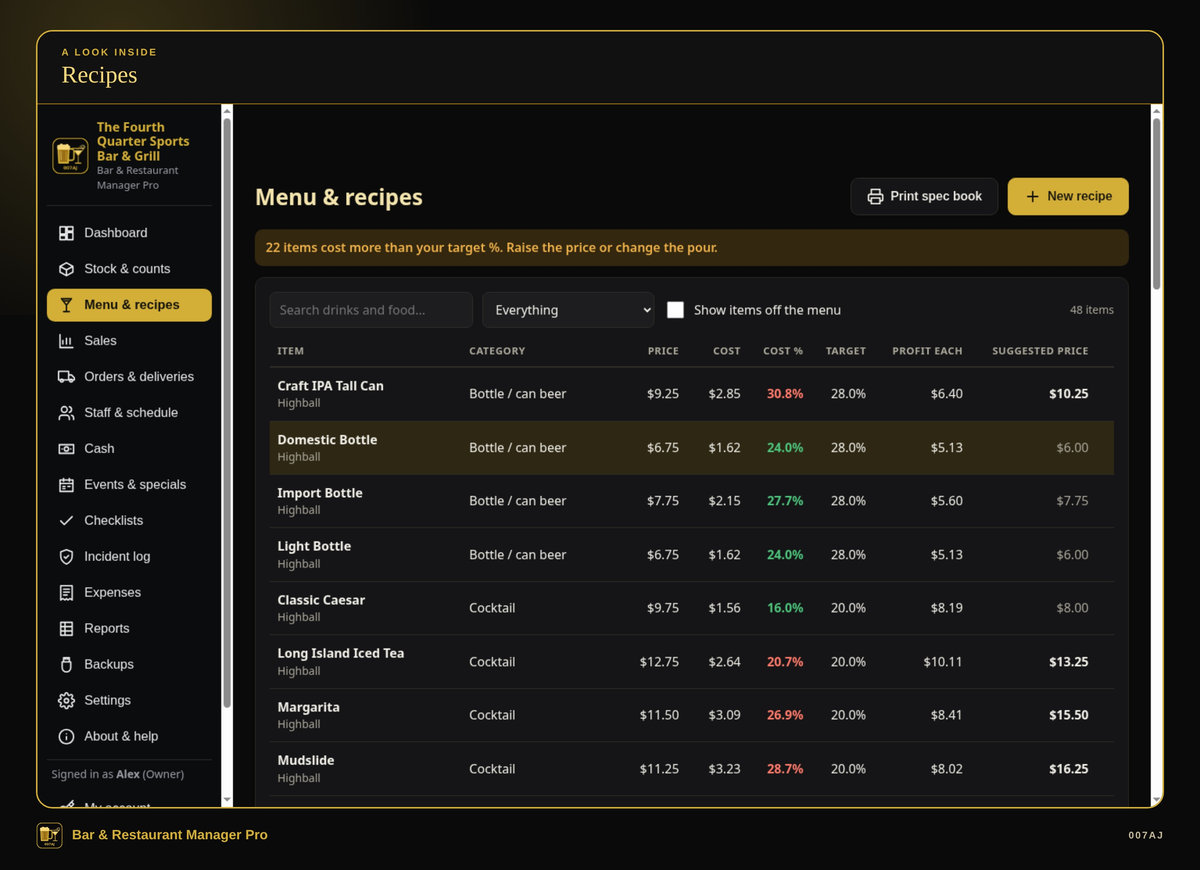
Recipes. Drink and food recipes with cost, pour cost % and a suggested price that hits your target. Items above target are flagged.
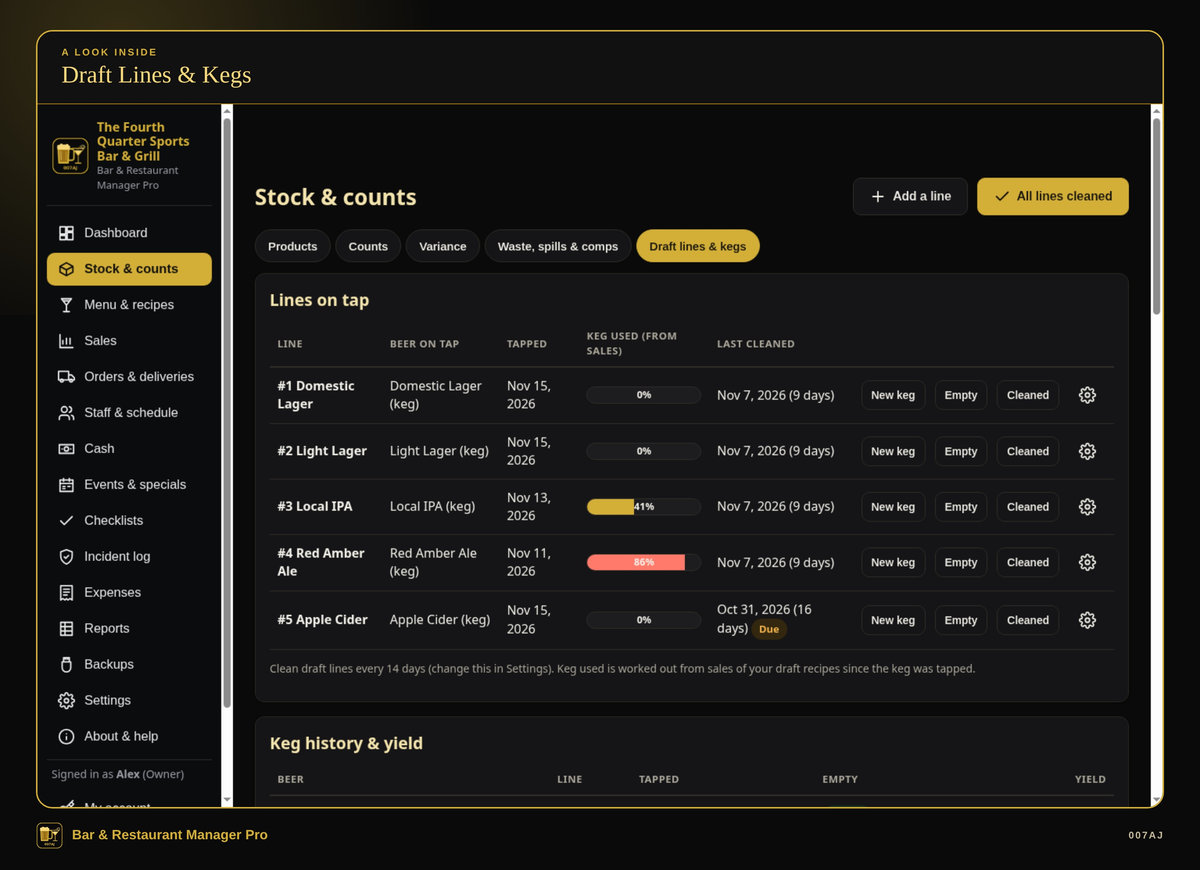
Draft lines and kegs. Tap a new keg, track keg yield, and get a reminder when lines are due for cleaning.
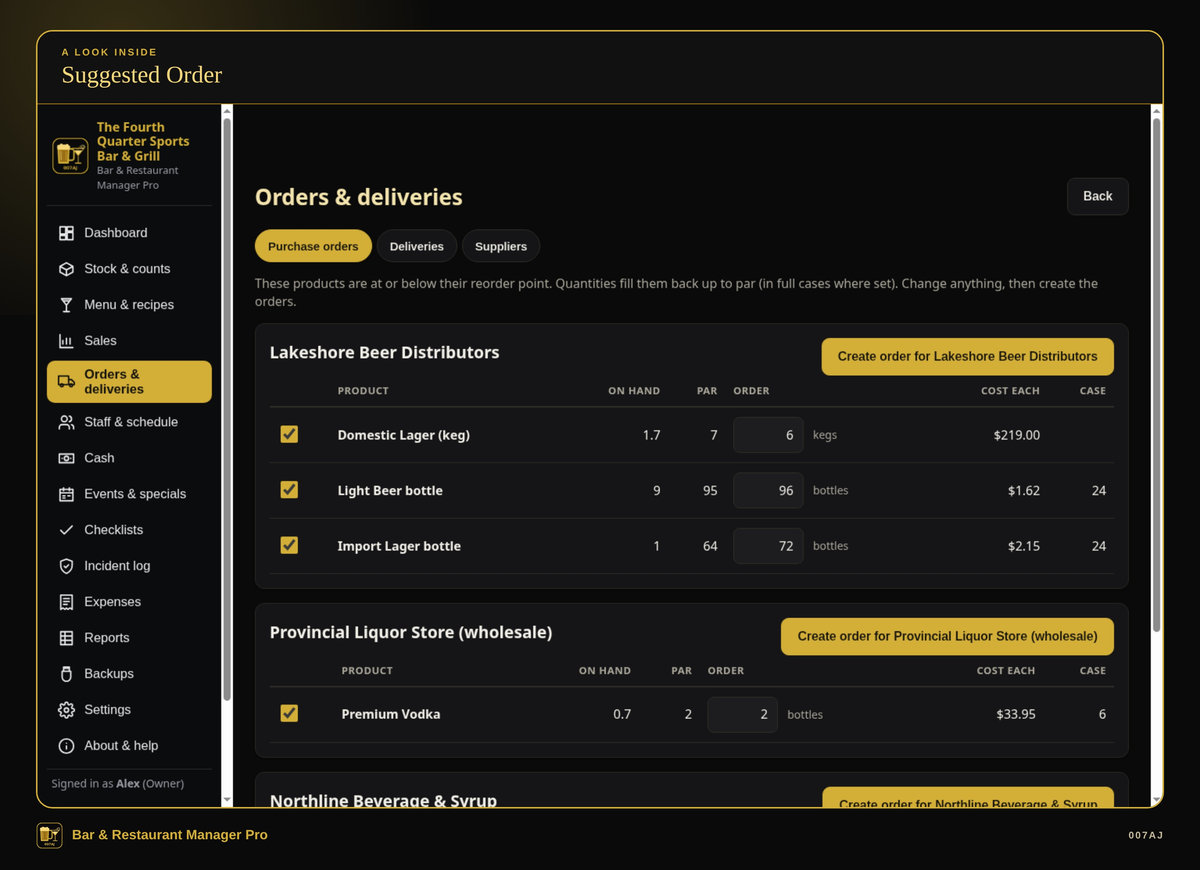
Suggested order. Suggested orders for everything below par, in full cases when you buy by the case, one click per supplier.
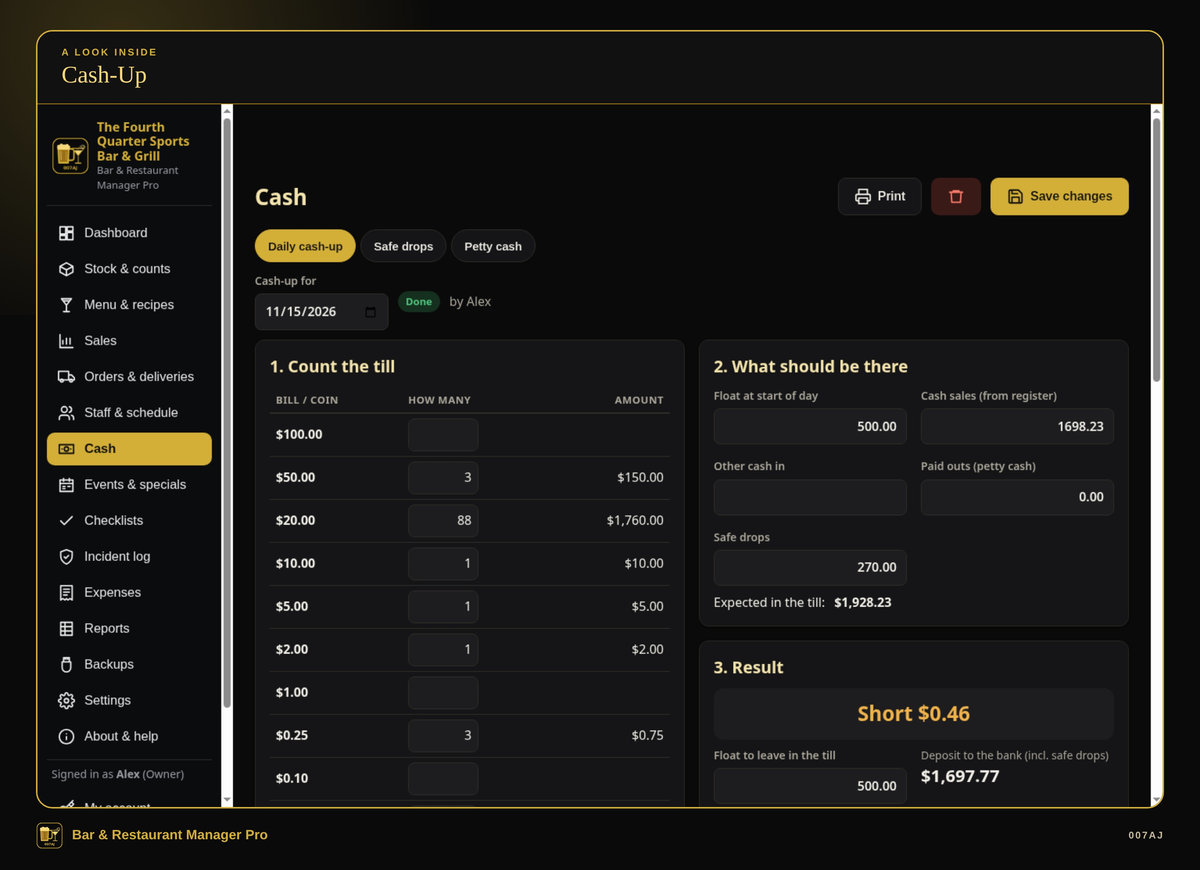
Cash-up. Count bills and coins. The program uses the float, cash sales, safe drops and petty cash, then shows if the till is over or short and how much to deposit.
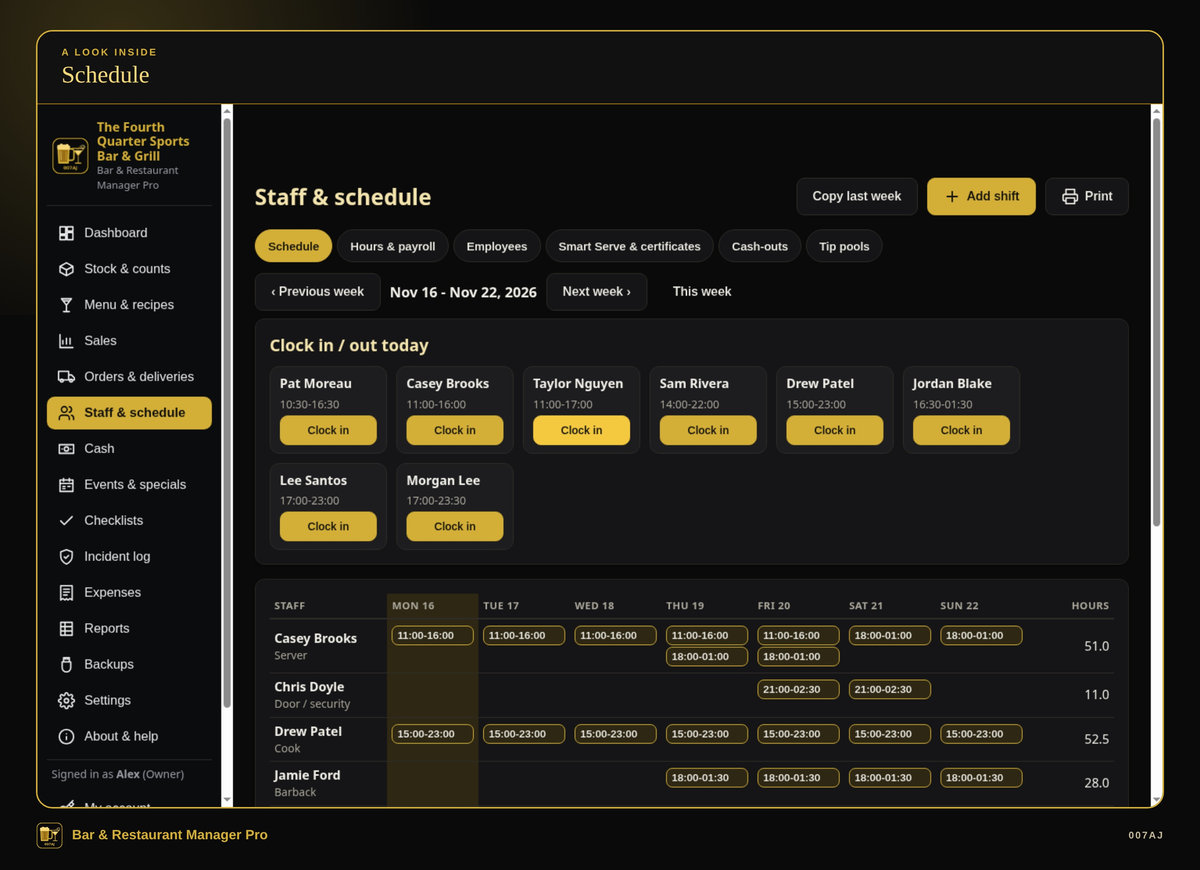
Schedule. A weekly schedule you can copy from last week and print, plus clock in and out for the staff on shift.
Core features
The day-to-day back-office records a small bar needs in one program
Products, par levels and barcodes
Bottles, kegs, cans, mixers and food, with size, cost, supplier, storage location, par level and barcode. Scan a barcode in the search box to jump to that product. For liquor, enter full and empty bottle weights and count partial bottles on a kitchen scale.
Draft lines and keg yield
Tap a new keg, track how many pints each keg really gave you (keg yield), and get a reminder when lines are due for cleaning.
Recipes and pour cost
Drink and food recipes built from your products, with cost, pour cost % and a suggested price that hits your target. Items above target are flagged. Print a spec book for the staff.
Stock counts and variance
Opening or closing counts that save as you walk the bar, then a variance report of what should be left versus what is left. Rows above your alert level are highlighted.
Waste log
Spills, remakes, comps, staff drinks, broken bottles and line flushes, by product or by menu item, with the cost worked out for you.
Daily sales
Type the totals from the register’s end-of-day report, or import an item-sales CSV. The program can remember the register’s spelling of a drink for next time.
Suggested orders and deliveries
Suggested orders for everything below par, in full cases when you buy by the case, one click per supplier. Receive a delivery, correct shorts, and new invoice costs update product cost so recipes re-price automatically.
Staff, schedule and certificates
Job, wage, contact and emergency contact. Certificates (Smart Serve, food handler, security certification) with expiry reminders on the dashboard. Weekly schedule (copy last week, print it). Clock in and out. Hours with wages and tips for payroll.
Tip-outs, tip pools and cash-up
Server and bartender cash-outs with tip-outs taken off automatically (for example 2% of food sales to the kitchen). Tip pools split by hours × points for each job, exact to the cent. Daily cash-up: count bills and coins. The program uses the float, cash sales, safe drops and petty cash, then shows if the till is over or short and how much to deposit.
Events, bookings, incidents and checklists
Events and game nights (with a report that compares event-night sales to normal nights), happy hours and specials, reservations and parties, an incident log (refused service, fights, injuries, police calls; only the owner can delete one), and opening, closing and line-cleaning checklists.
Sixteen reports
Sales, pour cost, menu profit, variance, inventory value, reorder list, waste, supplier spend, labour %, tips, cash over or short, events, incidents, a simple profit & loss, certificates and keg yield. Print, PDF, Excel or CSV.
Dashboard
Sales, pour cost, labour, stock variance, low stock, certificate expiries, today’s events, specials, bookings and who’s working.
Everyday quality
Backups, a sample bar you can explore first, and a PDF user guide
PIN sign-ins
Owner, manager and staff sign-ins with PINs. Staff can do counts, waste, checklists, incidents and bookings, and never see wages or sales totals. Managers can run the bar, costs and reports.
Backups and restore
Automatic daily backups (and every time the program closes), one-click Backup to USB, and restore.
Comfortable to use
Light and dark mode (gold on black by default), a larger text option, and keyboard shortcuts.
Sample bar, then start fresh
A sample bar (“The Fourth Quarter Sports Bar & Grill”, all made up, with eight weeks of history) lets you try everything first, then “Start fresh” for the real bar.
Install, or run portable from a USB stick
The program installs in the usual way, or it can run portable from a USB stick with the data kept on the stick.
PDF user guide
A PDF user guide with step-by-step pictures is included.
Who it is for — and who it is not for
Built for independent bars, pubs and sports bars that already have a register
Who it is for
Independent bars, pubs and sports bars that already have a cash register (or a till) and are still running stock, pour cost, tips and cash-up on paper or spreadsheets, or are tired of paying monthly for bar software.
Who it is not for
It is not a cash register, not a certified fiscal device, and it does not talk to a card terminal or a cash drawer. It runs on one PC and does not share data over a network between PCs. It is not for Mac, Linux, Chromebook, phones or tablets.
Requirements
Windows 10 or Windows 11, 64-bit, on one PC (no network sharing between PCs). About 400 MB of free disk space. A screen of 1366×768 or larger (a TV in the office works well). Optional: a printer, and a USB barcode scanner for looking up products.
It is not a cash register, not a certified fiscal device, and it does not talk to a card terminal or a cash drawer. It is not for Mac, Linux, Chromebook, phones or tablets.
How you receive it
A digital download, or a branded USB stick if you buy on eBay
Digital download
On 007aj.dev, Gumroad and Codester, you receive the signed Windows installer as a download.
Branded USB on eBay
The eBay version ships as a branded 007AJ USB stick. The stick includes the signed installer, a START-HERE note, and the PDF user guide.
Either way, you can install the program on your PC, or run it portable from a USB stick with the data kept on the stick.
Support
For help, email admin@007aj.com. If you bought on eBay, please message us through eBay.
A record-keeping tool
Bar & Restaurant Manager Pro is a back-office record-keeping tool. It is not a cash register, not a certified fiscal or tax device, and it is not legal advice or tax advice. It does not process card payments, file taxes, or promise legal or tax compliance. The simple profit & loss is a guide for running the bar; the accountant keeps the official books.
Questions
Does it work offline?
Yes. No internet is needed, and no online account is required. Your records stay on the bar’s own computer.
Is there a subscription?
No. You pay once. There is no subscription and no monthly fees.
What computers does it run on?
Windows 10 or Windows 11, 64-bit, on one PC. It does not share data over a network between PCs. It is not for Mac, Linux, Chromebook, phones or tablets.
How do I receive it?
If you buy the digital download on 007aj.dev, Gumroad or Codester, you receive the signed Windows installer as a download. If you buy on eBay, it ships as a branded 007AJ USB stick with the signed installer, a START-HERE note, and the PDF user guide.
Can I look around before adding my own data?
Yes. There is a sample bar with made-up data, then “Start fresh” for the real bar.
Is this a cash register?
No. It is a back-office record-keeping tool. You keep your own register; this program tracks the money and stock around it. It does not talk to a card terminal or a cash drawer, and it is not a certified fiscal device.
Is this legal or tax software?
No. It is a record-keeping tool, not legal advice or tax advice. It does not file taxes or promise legal or tax compliance. The simple profit & loss is a guide for running the bar; the accountant keeps the official books.
Where do I get help?
Email admin@007aj.com. If you bought on eBay, please message us through eBay.
Pay once. Works offline. Built for independent bars, pubs and sports bars.
Bar & Restaurant Manager Pro by 007AJ is a Windows 10 and Windows 11 program that keeps your bar’s back-office records on your own computer. Version 1.0.0. No subscription, no online account, and no internet needed.
Support: email admin@007aj.com · If you bought on eBay, please message us through eBay
Bar & Restaurant Manager Pro is published by 007AJ (007aj.dev).
Not affiliated with Microsoft, Gumroad or Codester. Windows is a trademark of Microsoft Corporation.