
Keep Your Shop Records on Your Own Computer, With No Subscription
Auto Repair Shop Manager by 007AJ is an offline Windows 10 and Windows 11 desktop program that runs the paperwork of a small auto repair shop: customers, vehicles, estimates, work orders, invoices, payments, parts, reminders, technicians, appointments and reports. Records stay on the shop’s own computer.
You pay once. There is no subscription, no monthly fees, no online account, and no internet needed. The installer is digitally signed by the publisher, Anthony Bertucci, so Windows shows a verified publisher.
Instant download for Windows 10 and Windows 11. You get the signed installer, which you can install on your PC or run portable from a USB stick.
The promise
Pay once. No subscription. No internet needed.
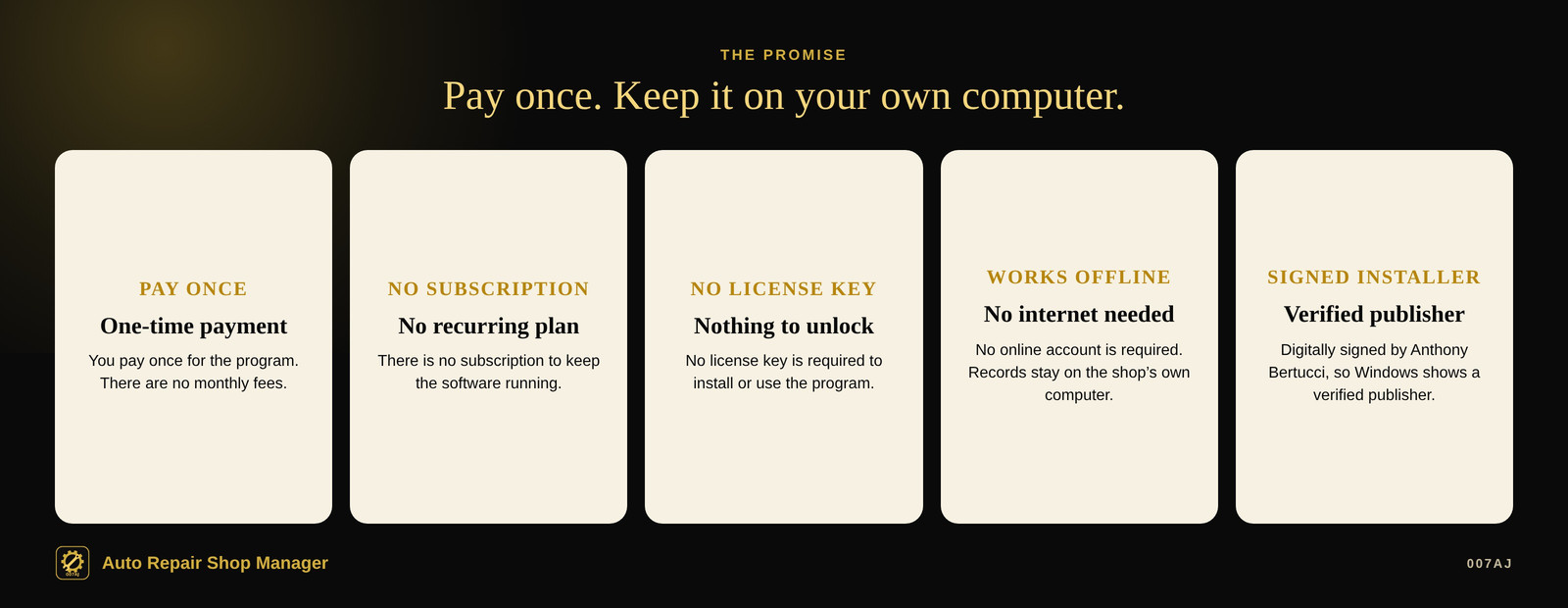
Pay once
You pay once for the program. There is no subscription and no monthly fees.
No internet needed
The program works offline. No online account is required. Your records stay on the shop’s own computer.
Signed installer
The installer is digitally signed by the publisher, Anthony Bertucci, so Windows shows a verified publisher.
Main features
Estimates, work orders, invoices, parts, reminders, and reports — on one computer
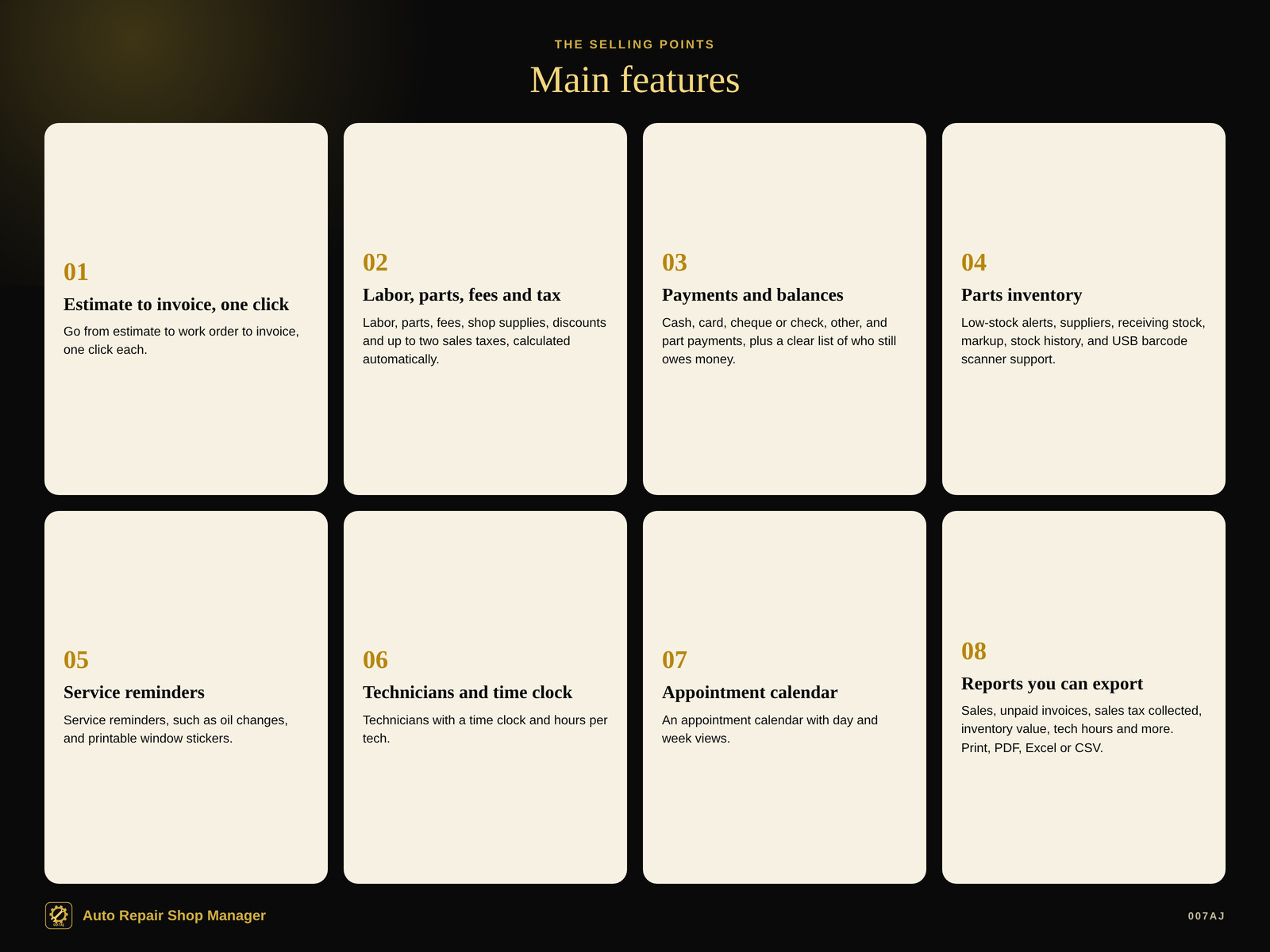
Estimate to work order to invoice, one click each
Go from estimate to work order to invoice, one click each.
Labor, parts, fees and sales tax
Labor, parts, fees, shop supplies, discounts and up to two sales taxes calculated automatically, including tax-exempt customers and non-taxable lines.
Payments and who still owes money
Payments: cash, card, cheque or check, other, and part payments, plus a clear list of who still owes money.
Parts inventory
Low-stock alerts, suppliers, receiving stock, markup, stock history, and USB barcode scanner support.
Service reminders and window stickers
Service reminders (oil changes and the like) and printable window stickers.
Technicians and a time clock
Technicians with a time clock and hours per tech.
Appointment calendar
An appointment calendar with day and week views.
Reports you can print or export
Sales, labor vs parts vs fees, top customers, unpaid invoices by age, sales tax collected, inventory value, and tech hours. Print, PDF, Excel or CSV.
A look inside
Screenshots from the built-in demo shop, with made-up names
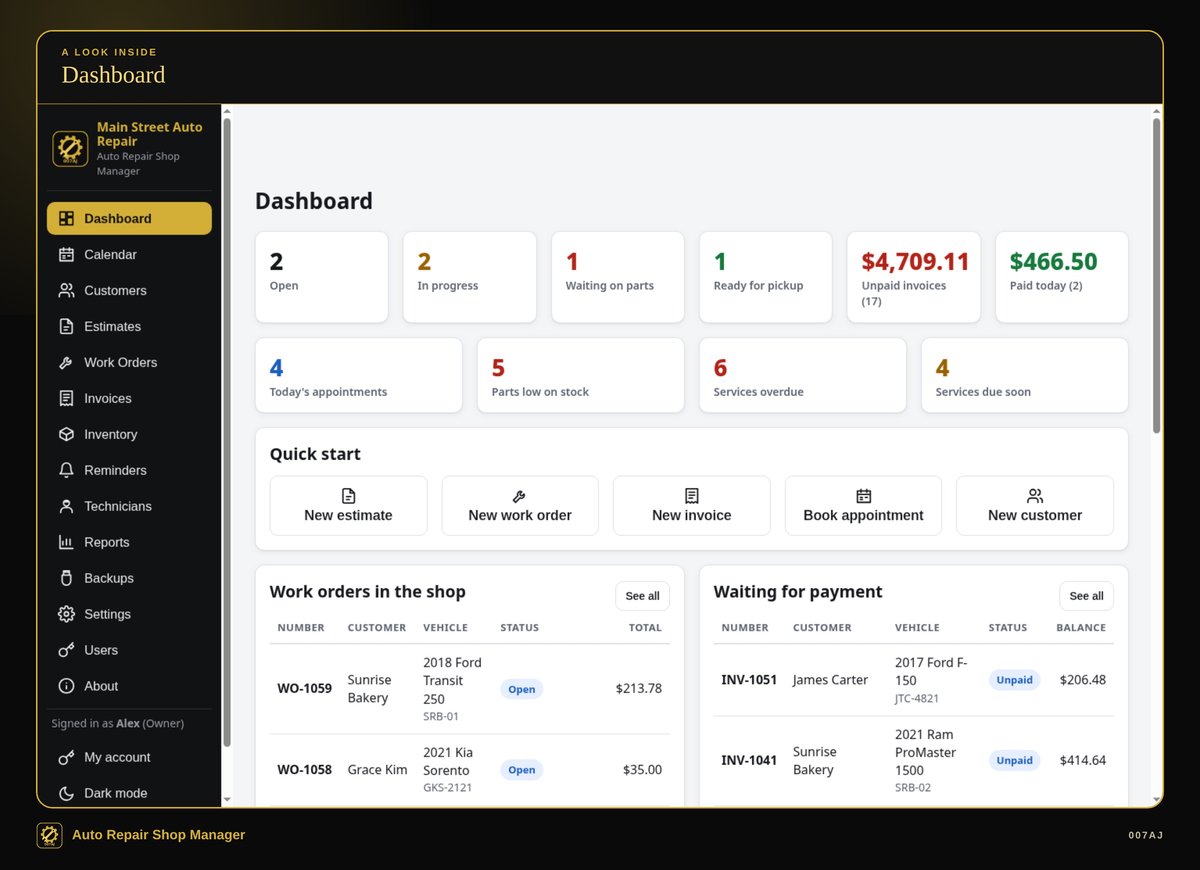
Dashboard. Jobs in the shop, jobs waiting on parts, unpaid invoices, today’s appointments, low parts and services due.
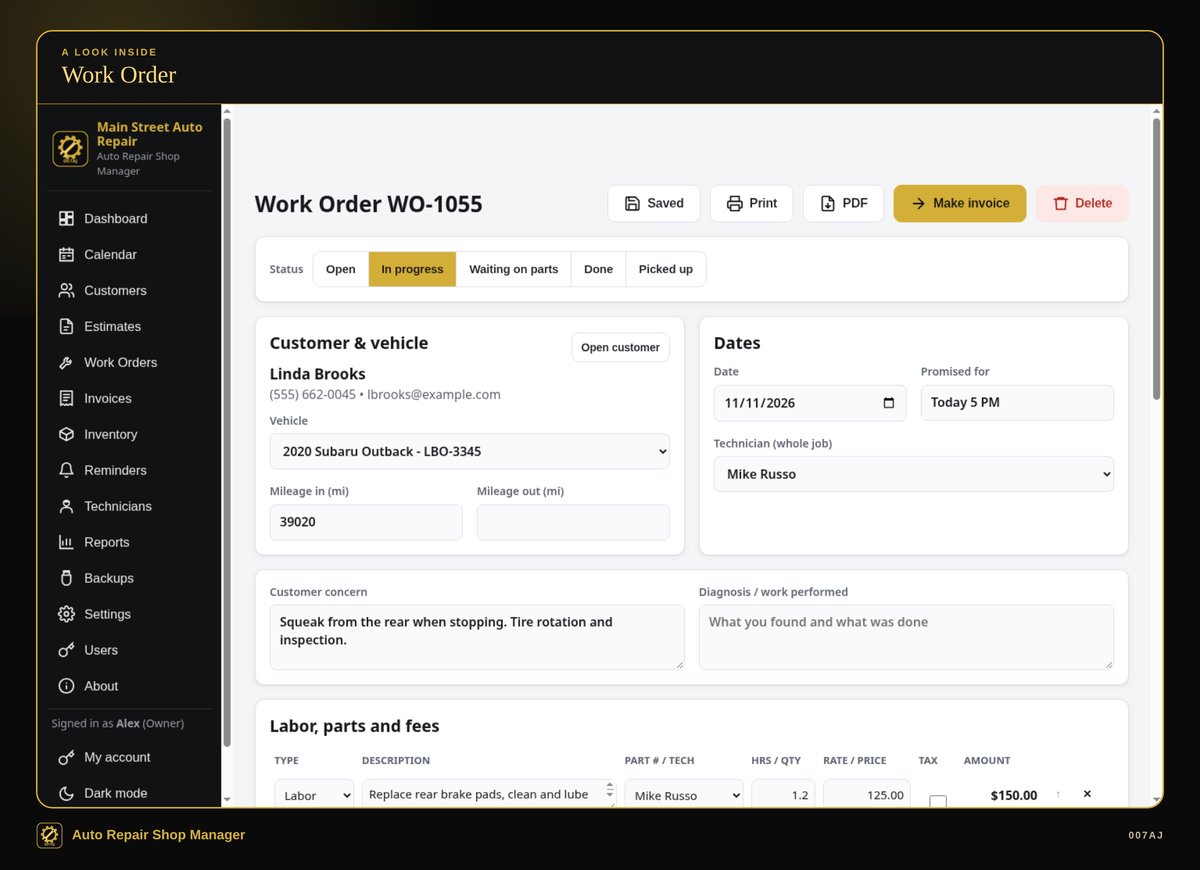
Work order. Customer and vehicle, dates, technician, and labor, parts and fees — then make an invoice in one click.
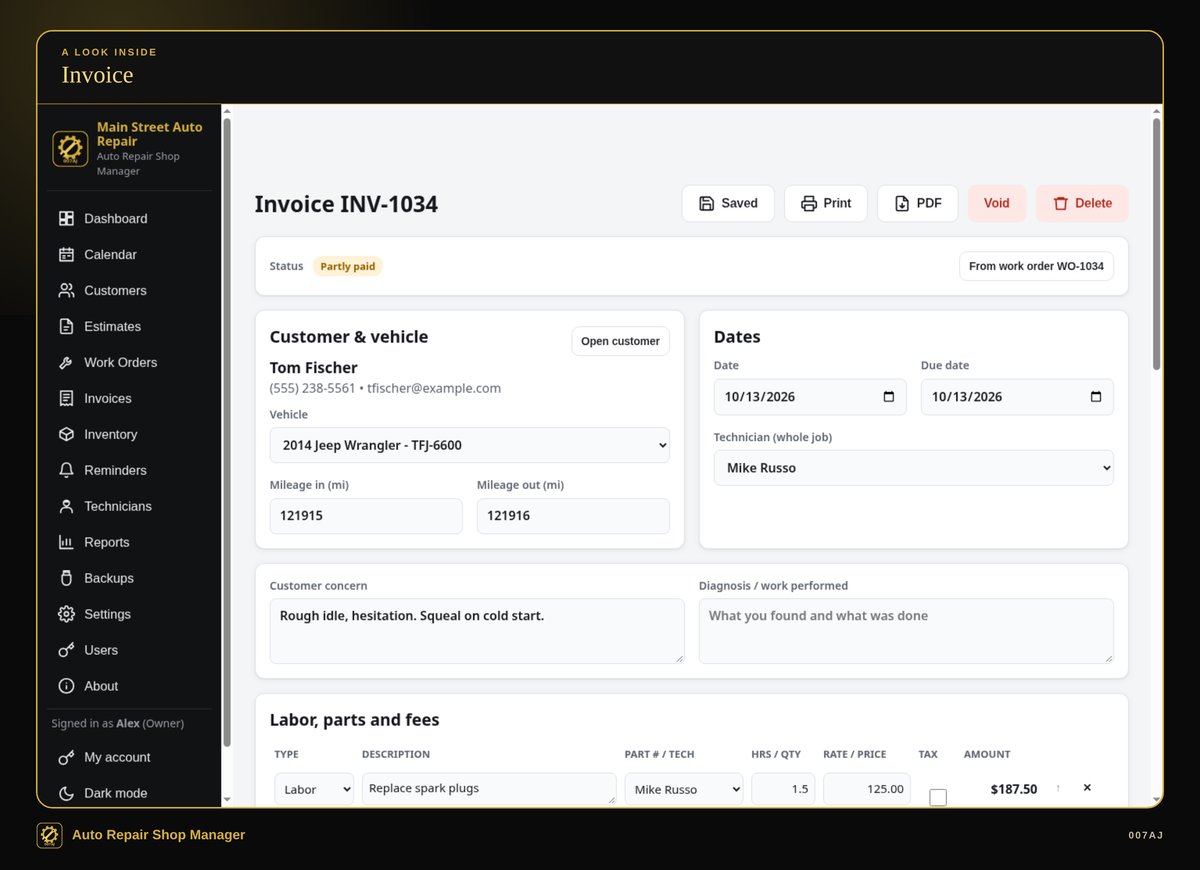
Invoice. An invoice with labor, parts, fees and tax, including part payments and a balance still owed.
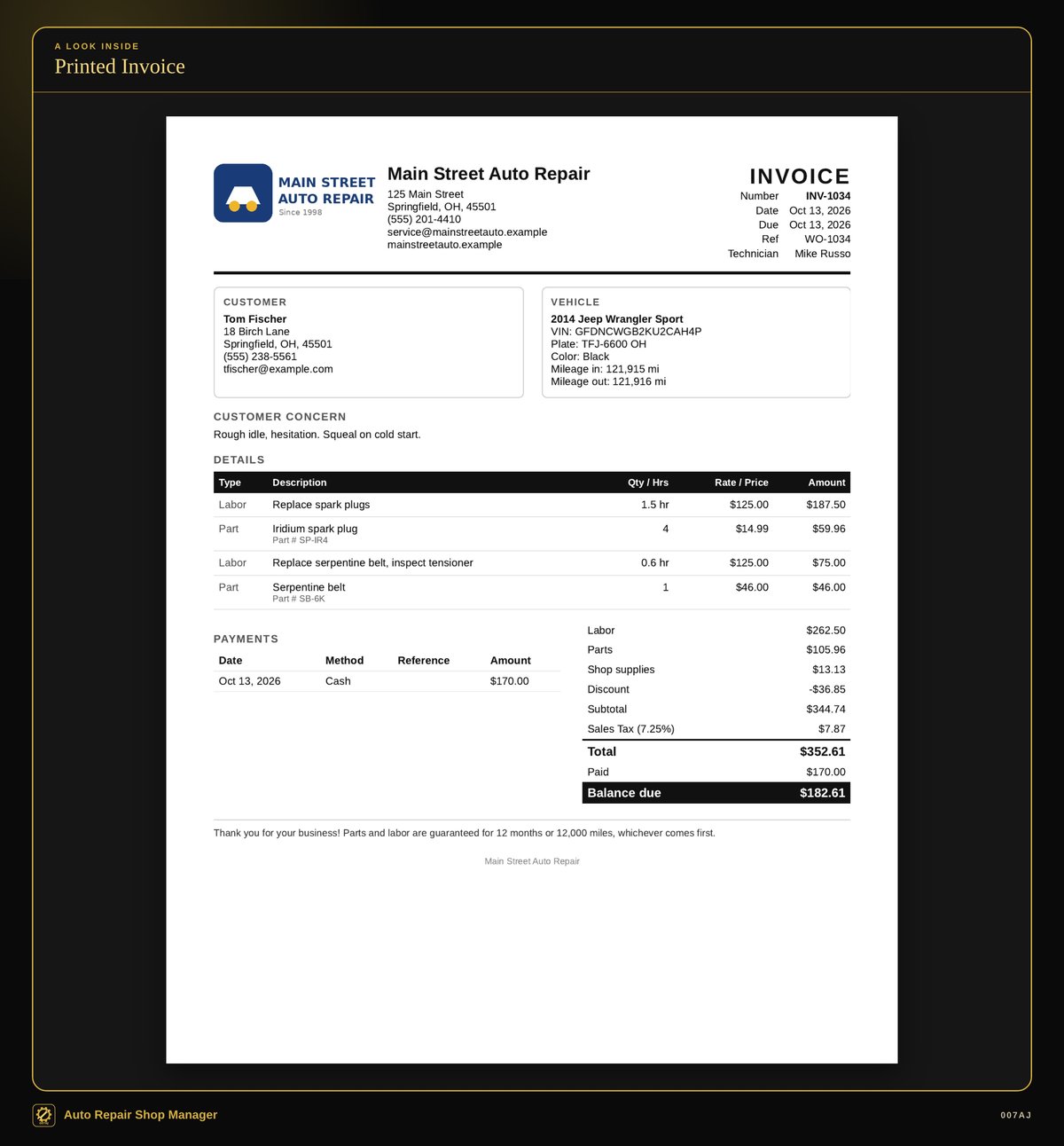
Printed invoice. Printed invoices, estimates and work orders, or PDFs, with the shop’s own name and logo, on Letter or A4.
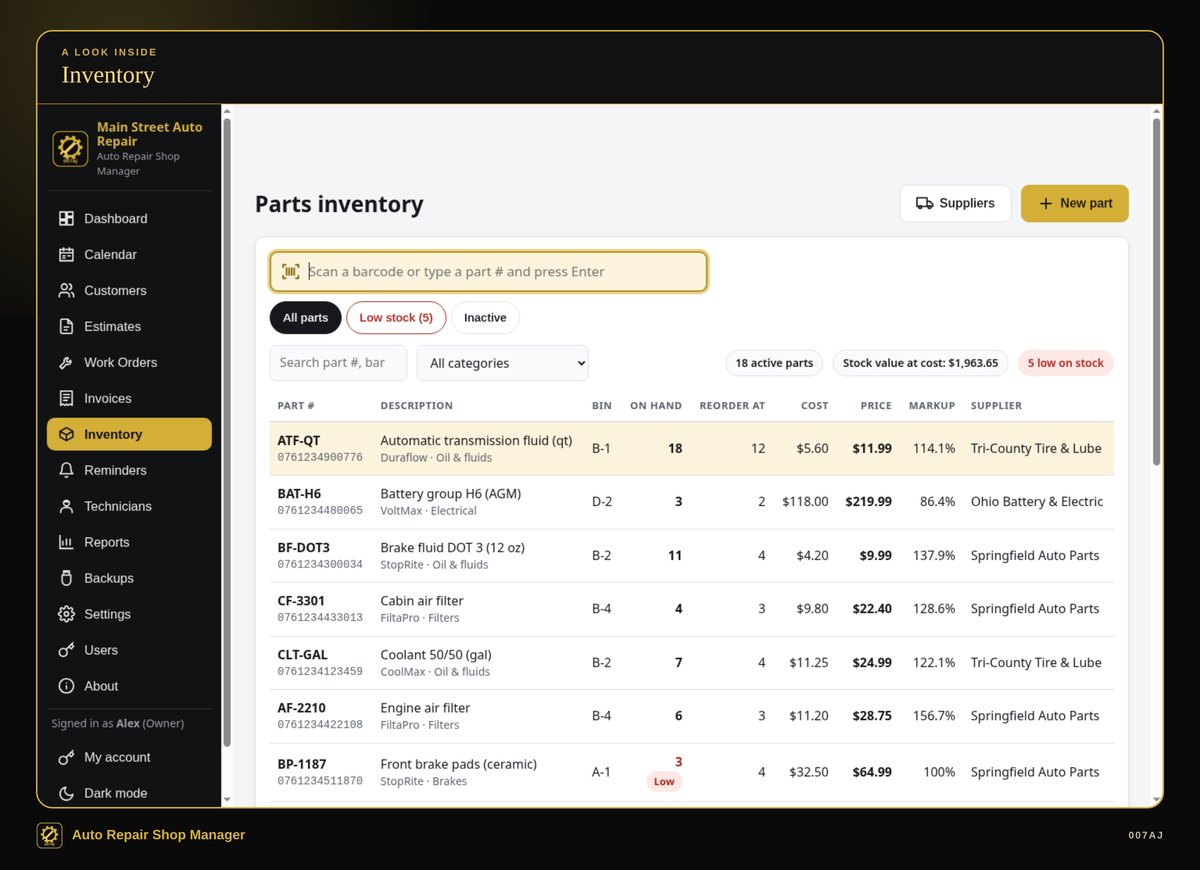
Parts inventory. Low-stock alerts, suppliers, receiving stock, markup, stock history, and USB barcode scanner support.
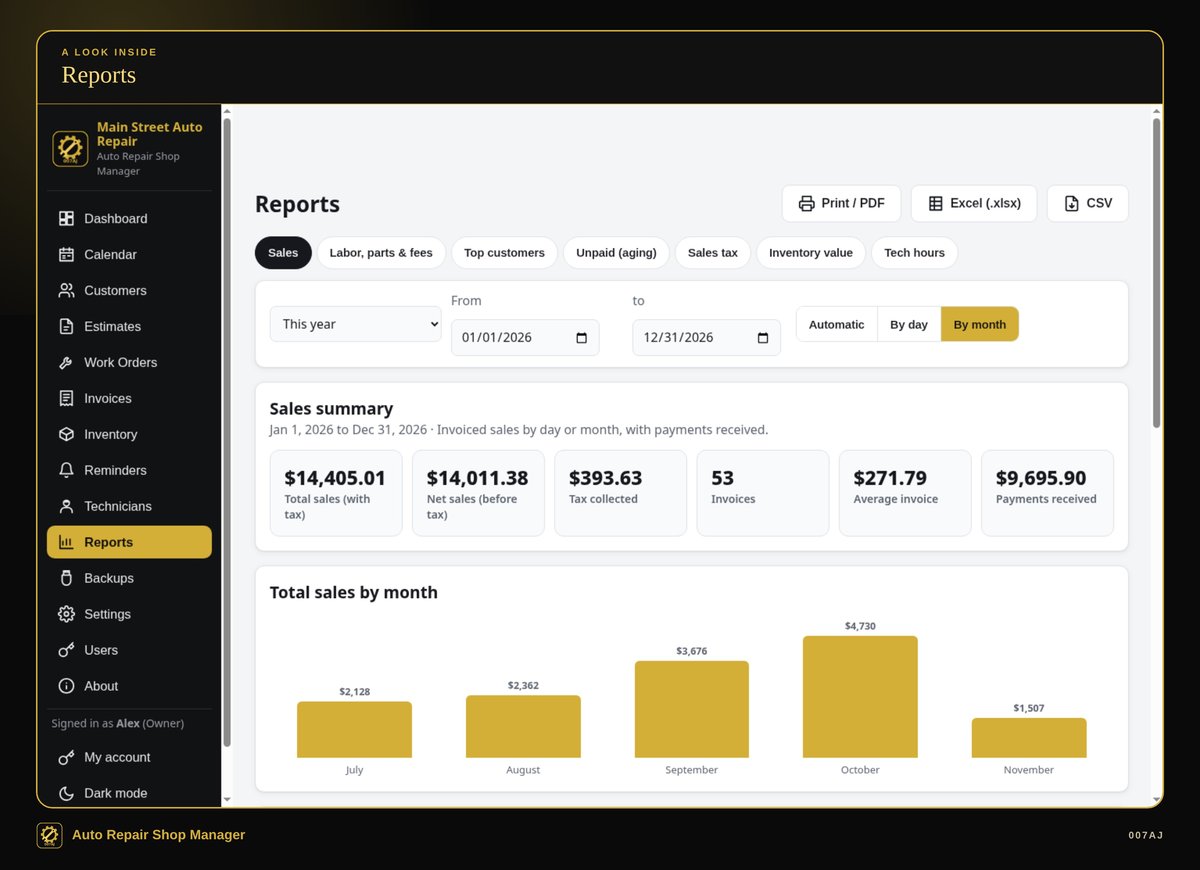
Reports. Sales, labor vs parts vs fees, top customers, unpaid invoices by age, sales tax collected, inventory value, and tech hours. Print, PDF, Excel or CSV.
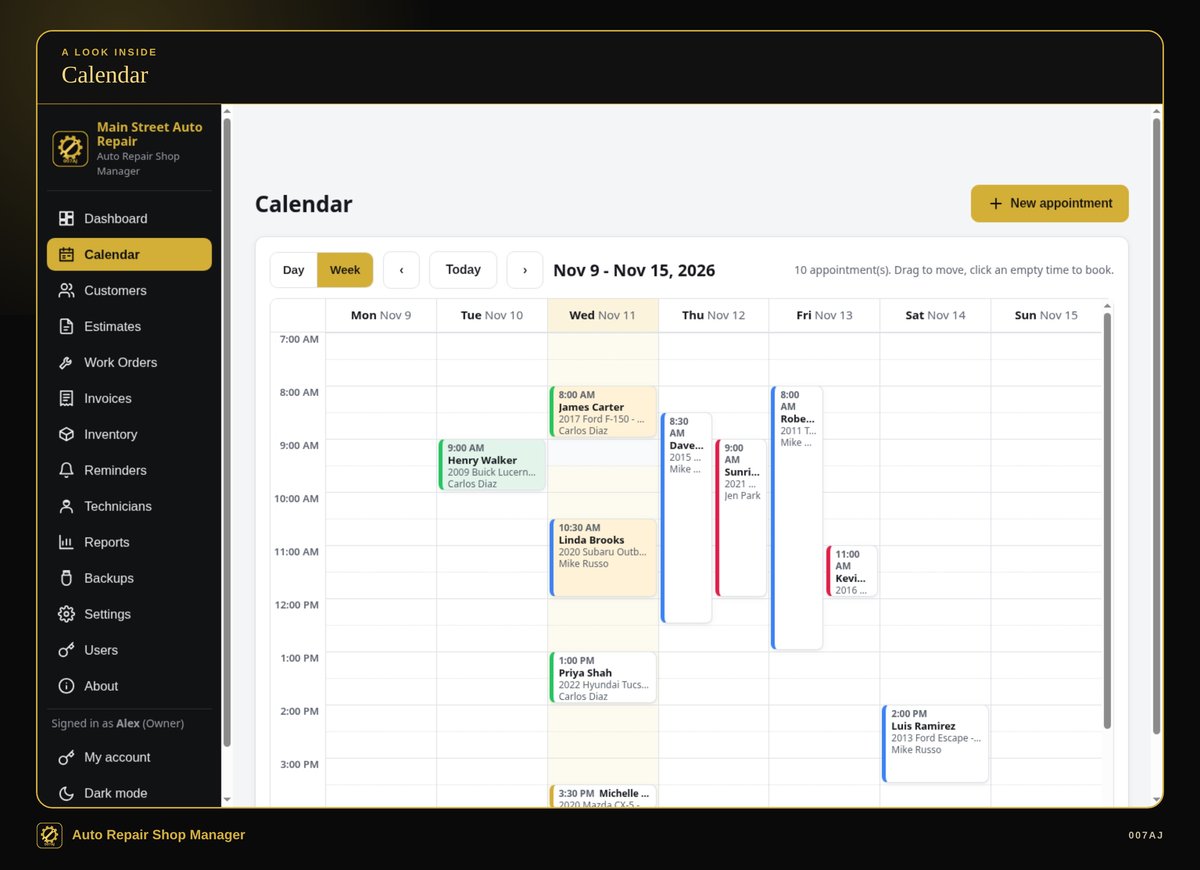
Appointment calendar. Day and week views for booking work in the shop.
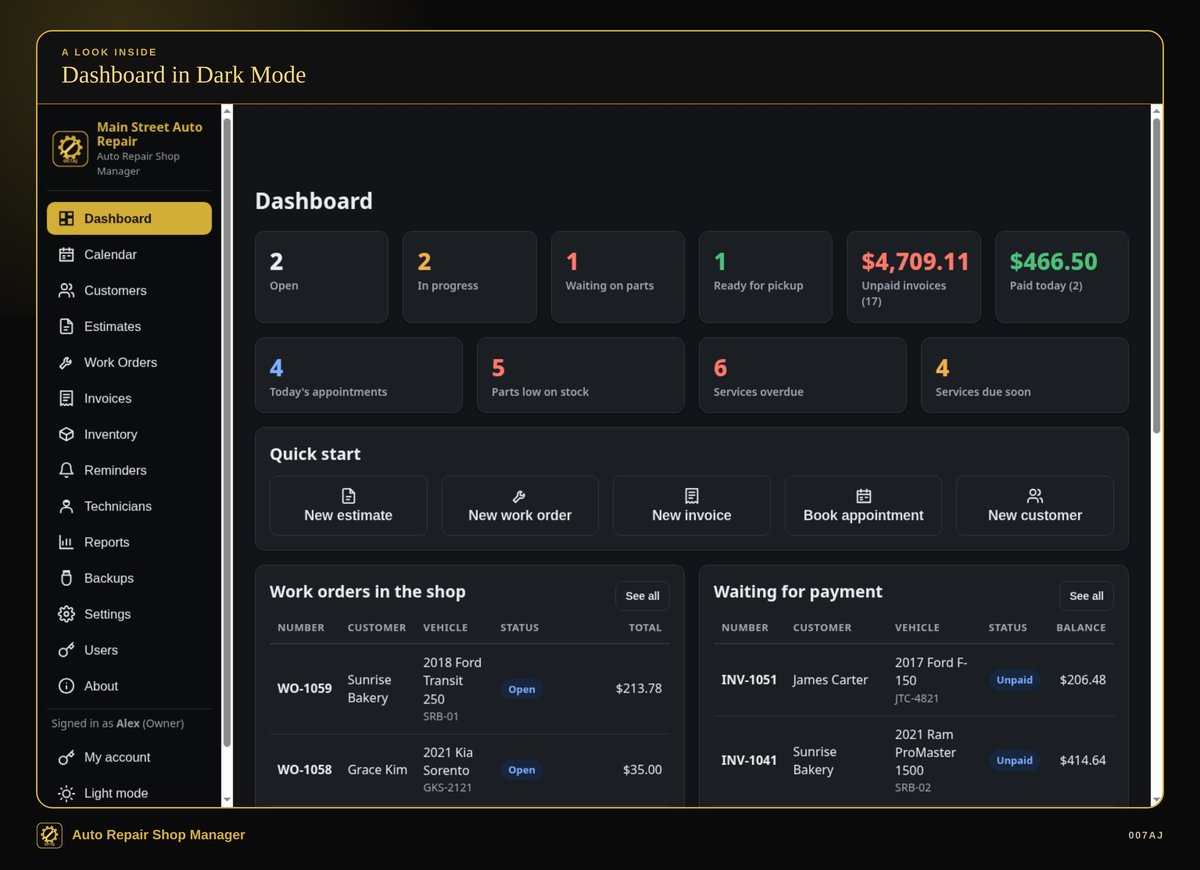
Dark mode. Light and dark mode, plus a larger text option and keyboard shortcuts.
Core features
The day-to-day records a small shop needs in one program
Customers and vehicles
Customers and vehicles with full service history. Search by name, phone, plate or VIN.
Estimate, work order, invoice
Go from estimate to work order to invoice, one click each.
Labor, parts, fees and tax
Labor, parts, fees, shop supplies, discounts and up to two sales taxes calculated automatically, including tax-exempt customers and non-taxable lines.
Payments
Cash, card, cheque or check, other, and part payments, plus a clear list of who still owes money.
Printed documents and PDFs
Printed invoices, estimates and work orders, or PDFs, with the shop’s own name and logo, on Letter or A4.
Parts inventory
Low-stock alerts, suppliers, receiving stock, markup, stock history, and USB barcode scanner support.
Service reminders
Service reminders (oil changes and the like) and printable window stickers.
Technicians
Technicians with a time clock and hours per tech.
Appointment calendar
Day and week views.
Reports
Sales, labor vs parts vs fees, top customers, unpaid invoices by age, sales tax collected, inventory value, and tech hours. Print, PDF, Excel or CSV.
Dashboard
Jobs in the shop, jobs waiting on parts, unpaid invoices, today’s appointments, low parts and services due.
Everyday quality
Backups, a demo shop you can explore first, and a PDF user guide
PIN sign-ins
Owner and staff sign-ins with PINs. Staff can’t see owner-only things like reports.
Backups and restore
Automatic daily backups, one-click Backup to USB, and restore.
Comfortable to use
Light and dark mode, a larger text option, and keyboard shortcuts.
Demo shop, then start fresh
A demo shop with made-up customers lets you try everything first, then “Start fresh” for the real shop.
Install, or run portable from a USB stick
The program installs in the usual way, or it can run portable from a USB stick with the data kept on the stick.
PDF user guide
A PDF user guide with step-by-step pictures is included.
Who it is for — and who it is not for
Built for small shops sharing one computer
Who it is for
Small independent repair shops, mobile mechanics, and tire or oil-change shops with about 1–10 people sharing one computer, especially shops still using paper, carbon pads or spreadsheets, or tired of paying monthly for shop software.
Who it is not for
It runs on one PC and does not share data over a network between PCs. It is not for Mac, Linux, Chromebook, phones or tablets.
Requirements
Windows 10 or Windows 11, 64-bit, on one PC (no network sharing between PCs). About 400 MB of free disk space. A screen of 1024×768 or larger. Optional: a printer, a USB barcode scanner, and a 2"×2" sticker printer.
It is not for Mac, Linux, Chromebook, phones or tablets.
How you receive it
A digital download, or a branded USB stick if you buy on eBay
Digital download
On 007aj.dev, Gumroad and Codester, you receive the signed Windows installer as a download.
Branded USB on eBay
The eBay version ships as a branded 007AJ USB stick. The stick includes the signed installer, a START-HERE note, and the PDF user guide.
Either way, you can install the program on your PC, or run it portable from a USB stick with the data kept on the stick.
Support
For help, email admin@007aj.com. If you bought on eBay, please message us through eBay.
A record-keeping tool
Auto Repair Shop Manager is a record-keeping tool. It is not legal advice or tax advice, and it does not file taxes or promise legal or tax compliance. The program can calculate up to two sales taxes on invoices, including tax-exempt customers and non-taxable lines, and reports can show sales tax collected.
Questions
Does it work offline?
Yes. No internet is needed, and no online account is required. Your records stay on the shop’s own computer.
Is there a subscription?
No. You pay once. There is no subscription and no monthly fees.
What computers does it run on?
Windows 10 or Windows 11, 64-bit, on one PC. It does not share data over a network between PCs. It is not for Mac, Linux, Chromebook, phones or tablets.
How do I receive it?
If you buy the digital download on 007aj.dev, Gumroad or Codester, you receive the signed Windows installer as a download. If you buy on eBay, it ships as a branded 007AJ USB stick with the signed installer, a START-HERE note, and the PDF user guide.
Can I look around before adding my own data?
Yes. There is a demo shop with made-up customers, then “Start fresh” for the real shop.
Is this legal or tax software?
No. It is a record-keeping tool, not legal advice or tax advice. It does not file taxes or promise legal or tax compliance. It can calculate up to two sales taxes on invoices, including tax-exempt customers and non-taxable lines, and reports can show sales tax collected.
Where do I get help?
Email admin@007aj.com. If you bought on eBay, please message us through eBay.
Pay once. Works offline. Built for small shops with about 1–10 people.
Auto Repair Shop Manager by 007AJ is a Windows 10 and Windows 11 program that keeps your shop records on your own computer. Version 1.0.0. No subscription, no online account, and no internet needed.
Support: email admin@007aj.com · If you bought on eBay, please message us through eBay
Auto Repair Shop Manager is published by 007AJ (007aj.dev).
Not affiliated with Microsoft, Gumroad or Codester. Windows is a trademark of Microsoft Corporation.