
Make Labels, Price Tags and Signs on Your Own Computer, With No Subscription
Label & Sign Maker Pro by 007AJ is an offline Windows 10 and Windows 11 desktop program for making labels, price tags, shelf labels, barcodes and QR codes, signs and tiled posters. Designs stay on your own computer. Barcodes and QR codes are made right on the PC.
You pay once. There is no subscription, no monthly fees, no online account, and no internet needed. The installer is digitally signed by the publisher, Anthony Bertucci, so Windows shows a verified publisher.
Instant download for Windows 10 and Windows 11. You get the signed installer, which you can install on your PC or run portable from a USB stick.
The promise
Pay once. No subscription. No internet needed.
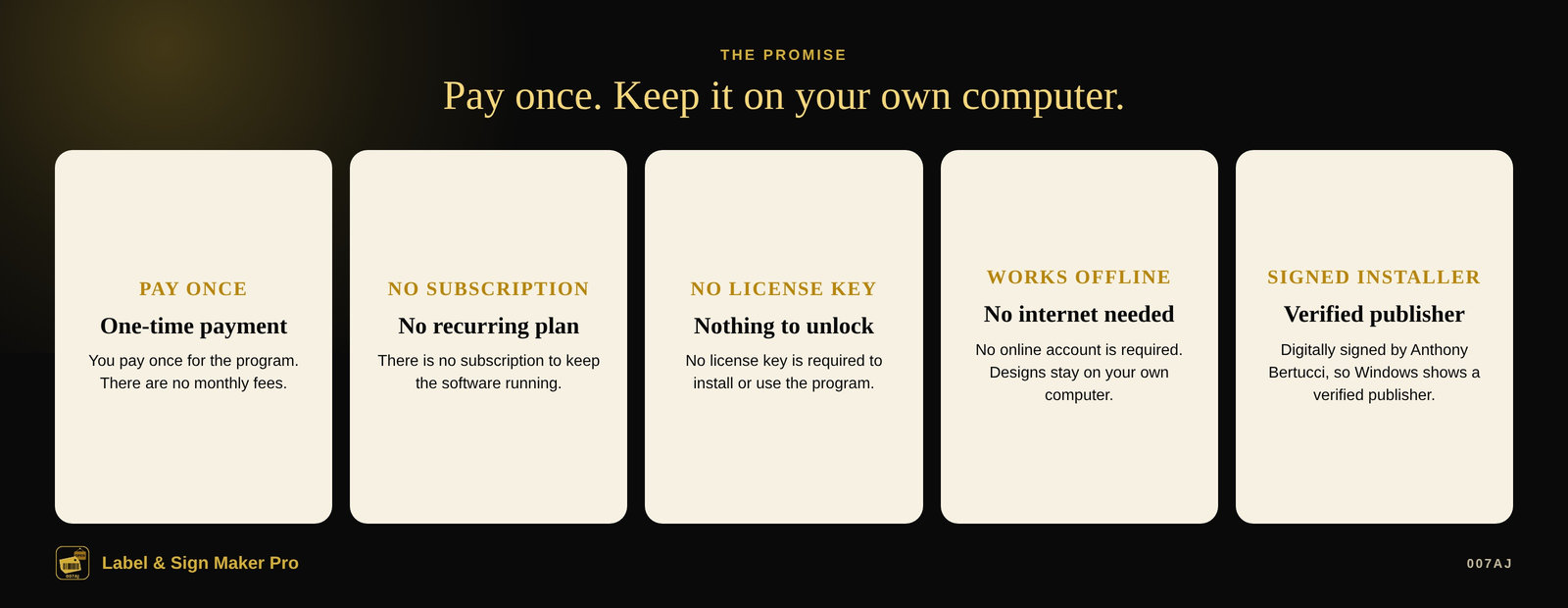
Pay once
You pay once for the program. There is no subscription and no monthly fees.
No internet needed
The program works offline. No online account is required. Your designs stay on your own computer.
Signed installer
The installer is digitally signed by the publisher, Anthony Bertucci, so Windows shows a verified publisher.
Main features
Labels, price tags, barcodes, signs and posters — on one computer
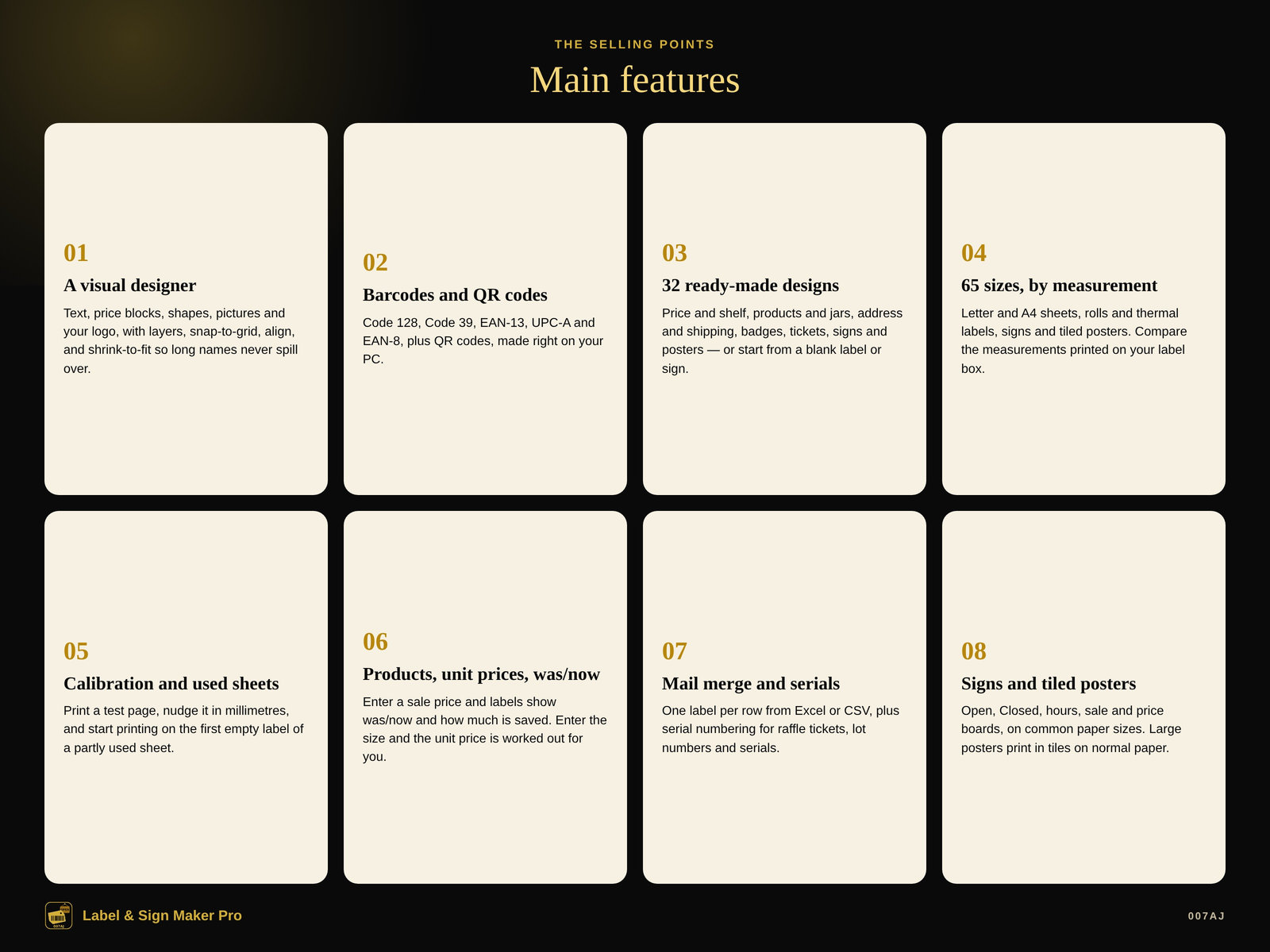
A visual designer
Text (any Windows font, size, bold, italic, underline, colour, alignment, spacing, and shrink-to-fit so long names never spill over), price blocks, shapes, lines, pictures and your logo, borders, rotation, layers, lock or hide, snap to grid and guides, align, undo/redo, copy/paste, and keyboard nudging.
Barcodes and QR codes
Code 128, Code 39, EAN-13, UPC-A and EAN-8, plus QR codes, made right on your PC.
32 ready-made designs
Grouped by kind: price and shelf, products and jars, address, return address, shipping, file folders, bins and storage, name badges, tickets and raffles, signs and posters. Or start from a blank label, sign or poster of any size.
65 sizes, by measurement
For example a 1" × 2-5/8" label, 30 per Letter sheet, covering Letter and A4 sheets, rolls and thermal labels, signs and tiled posters. Compare the measurements printed on your label box. Custom sheet, roll, sign and paper sizes are supported.
Calibration and used sheets
Print a test page on plain paper, hold it over a label sheet against a window, and nudge it in millimetres until the crosses sit in the middle of each label. On a partly used sheet, click the first empty label so printing starts there.
Products, unit prices, was/now
Enter a sale price and labels show was/now and how much is saved, in dollars and percent. Enter the size and the unit price is worked out for you. Import or export Excel or CSV. Tick products and print their shelf labels or price tags.
Mail merge and serials
One label per row from Excel or CSV, with a quantity column (0 skips that row). Serial numbering with start, step, digits, and text before or after (for example A-0001) for raffle tickets, lot numbers and serials.
Signs and tiled posters
Open, Closed, store hours, sale %, specials, no entry, price boards, Wi-Fi and QR menu, on Letter, Legal, A4, A3 or 11×17. Large posters print in tiles on normal paper with corner marks, an overlap, and row/column labels so you can trim and tape.
A look inside
Screenshots from the built-in sample shop, with made-up names
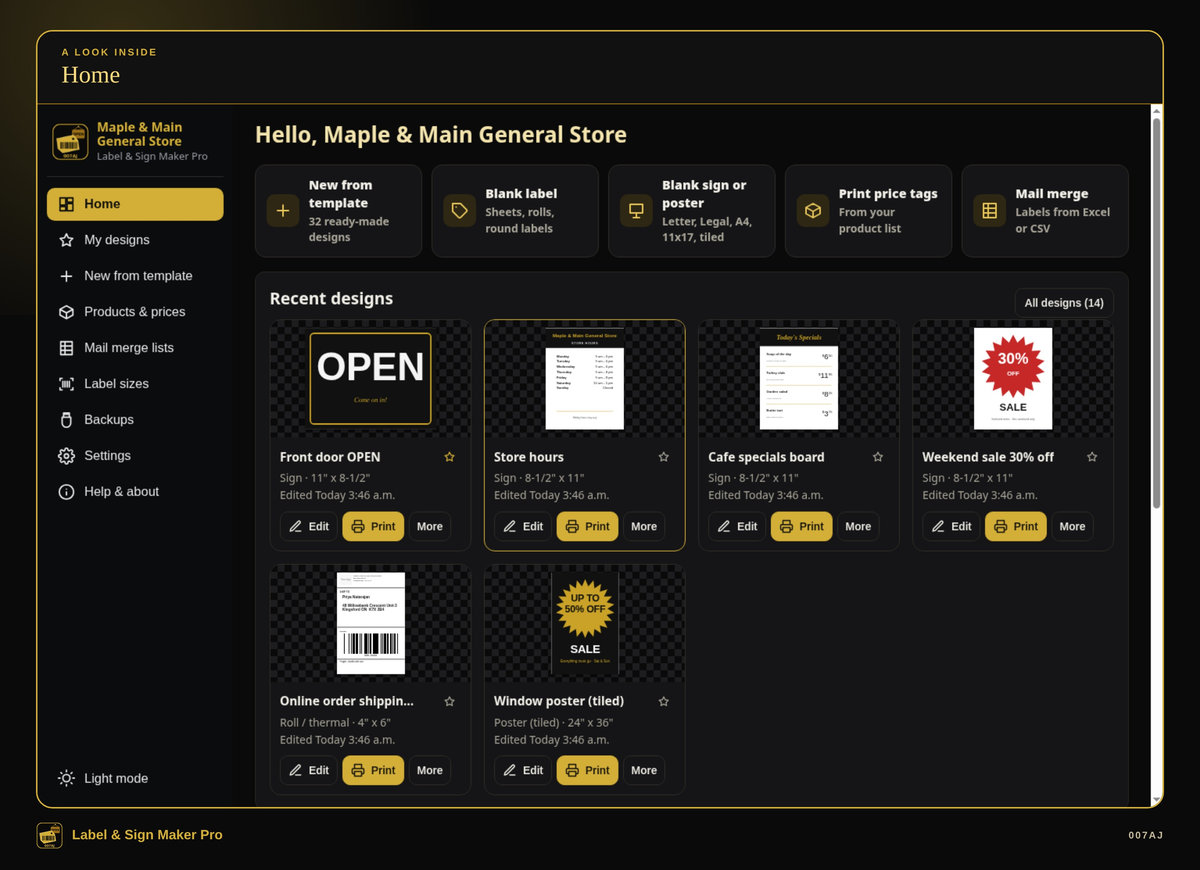
Home. Recent designs, plus shortcuts to start from a template, a blank label or sign, price tags from your product list, or a mail merge.
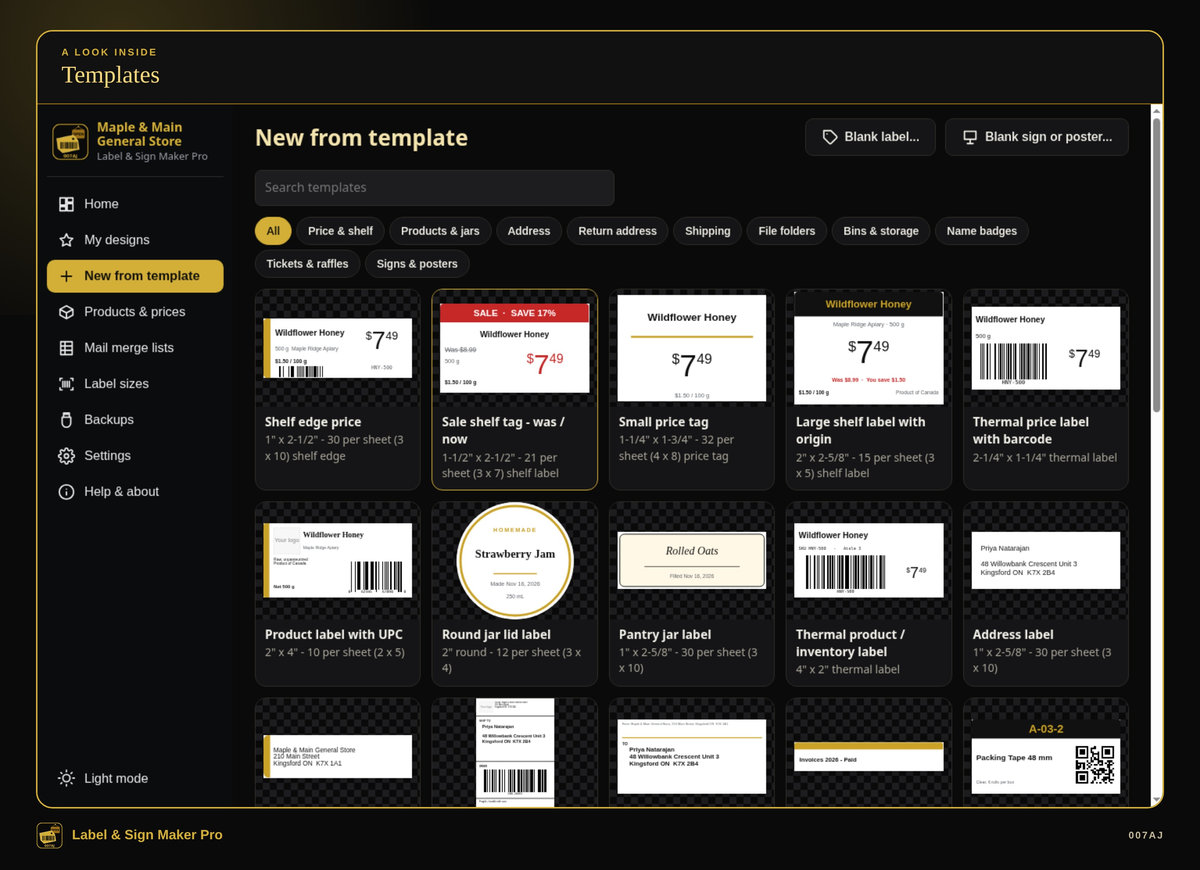
Templates. 32 original ready-made designs, grouped by kind, with sizes described by measurement so you can compare them to the measurements on your label box.
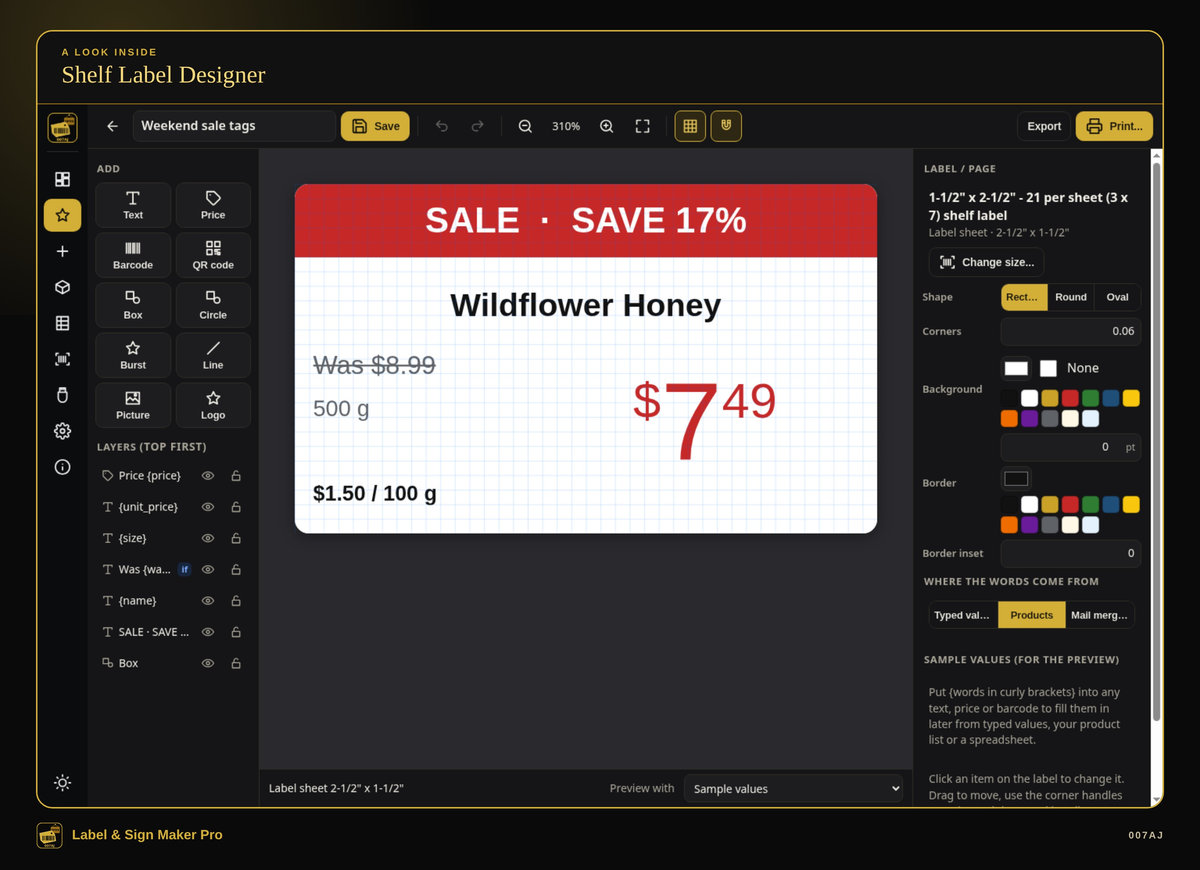
Shelf label designer. A what-you-see-is-what-you-get designer for shelf labels and price tags, including was/now prices and unit prices.
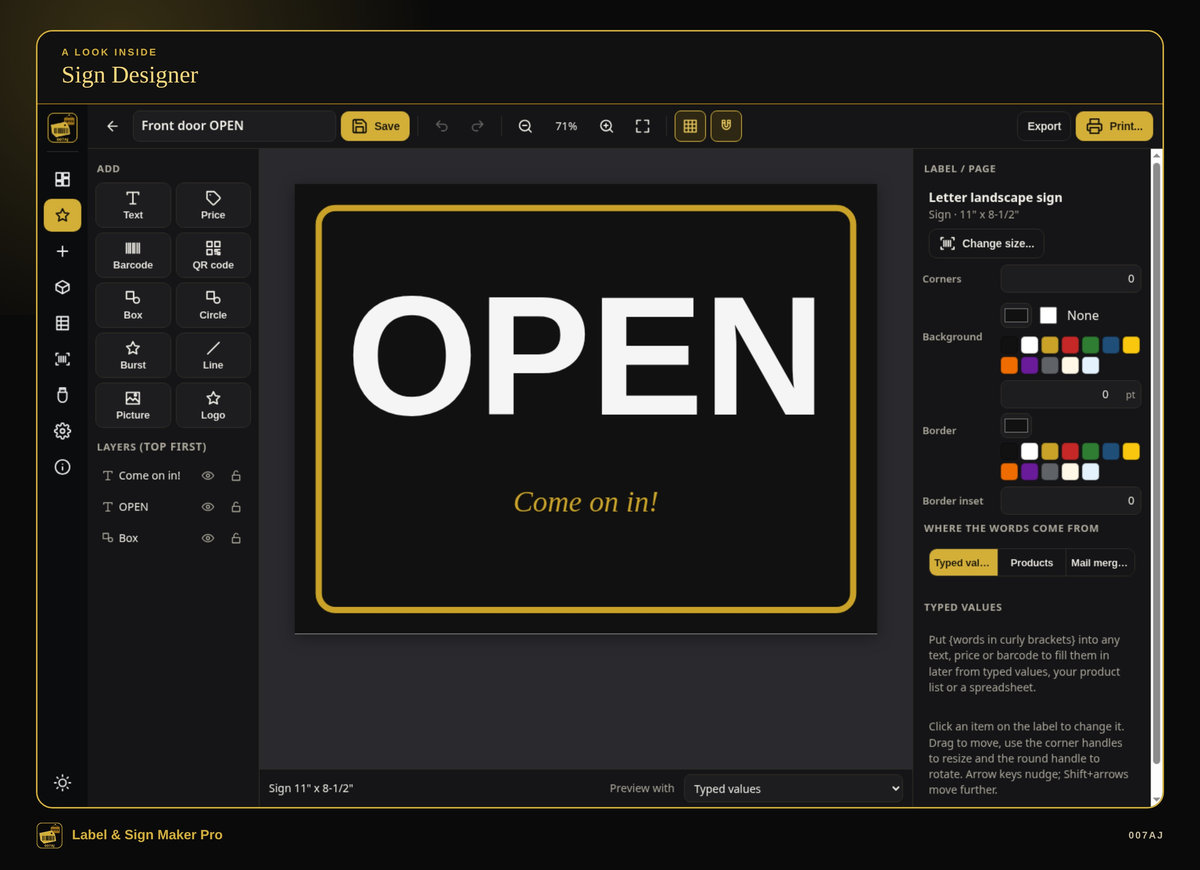
Sign designer. Signs such as Open and Closed, store hours, sale and price boards, on common paper sizes.
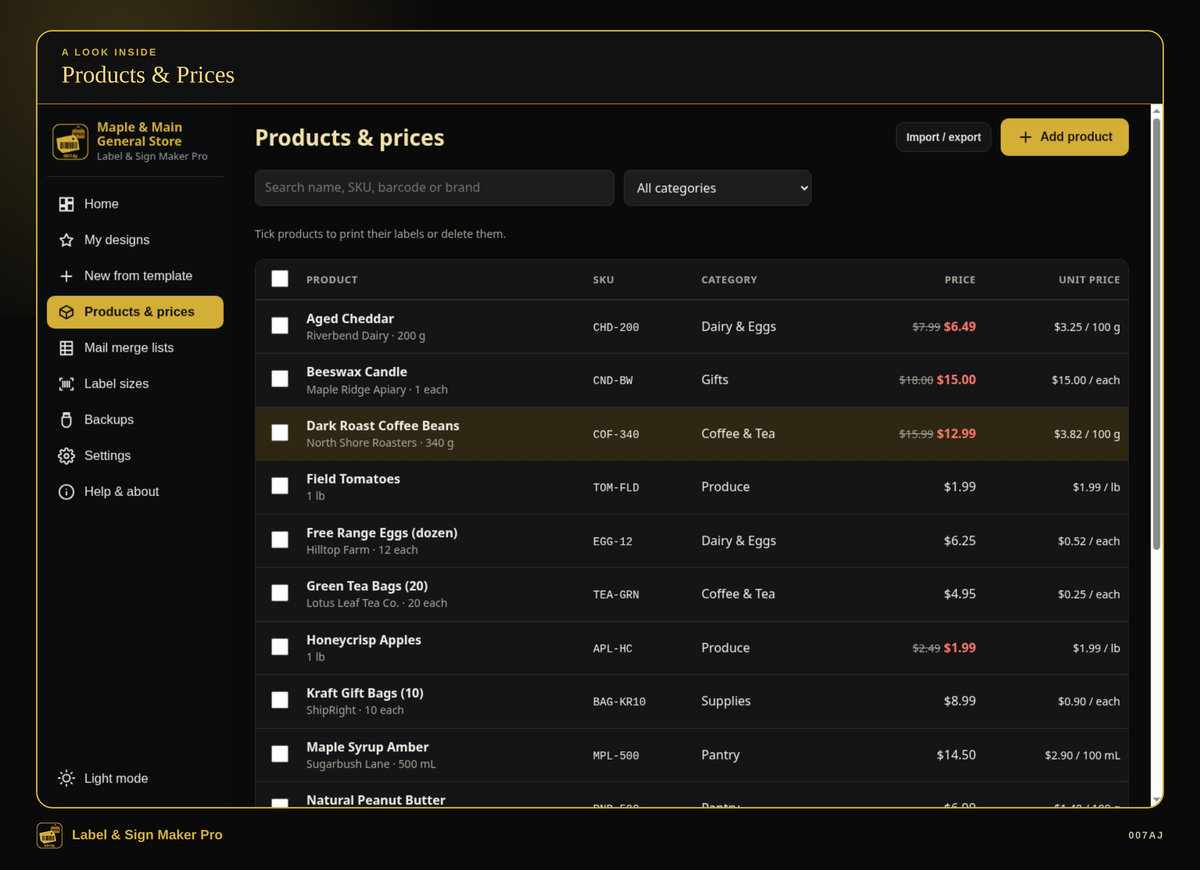
Products and prices. Enter products, sale prices and sizes. The unit price is worked out for you. Tick products and print their shelf labels or price tags.
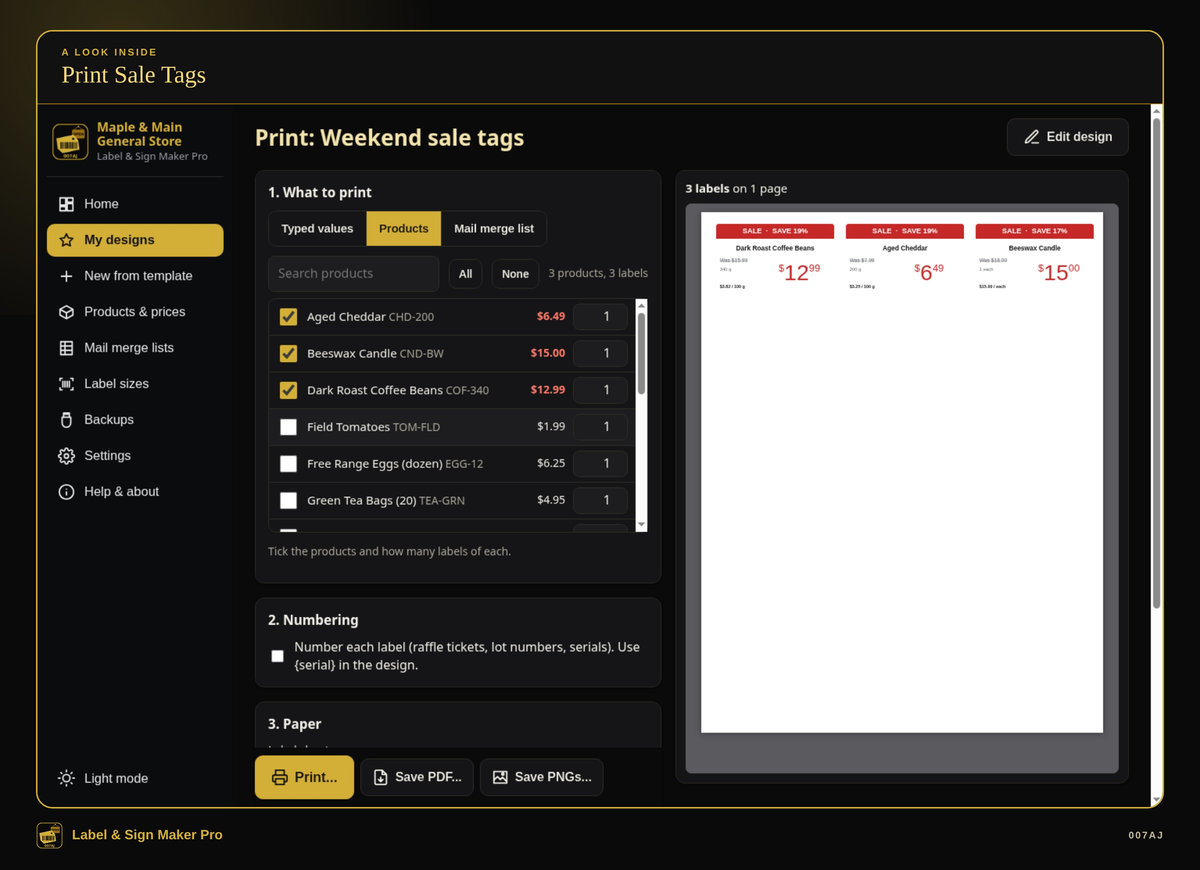
Print sale tags. Tick the products to print, see a preview of the sheet, and print, save a PDF, or save one PNG per label.
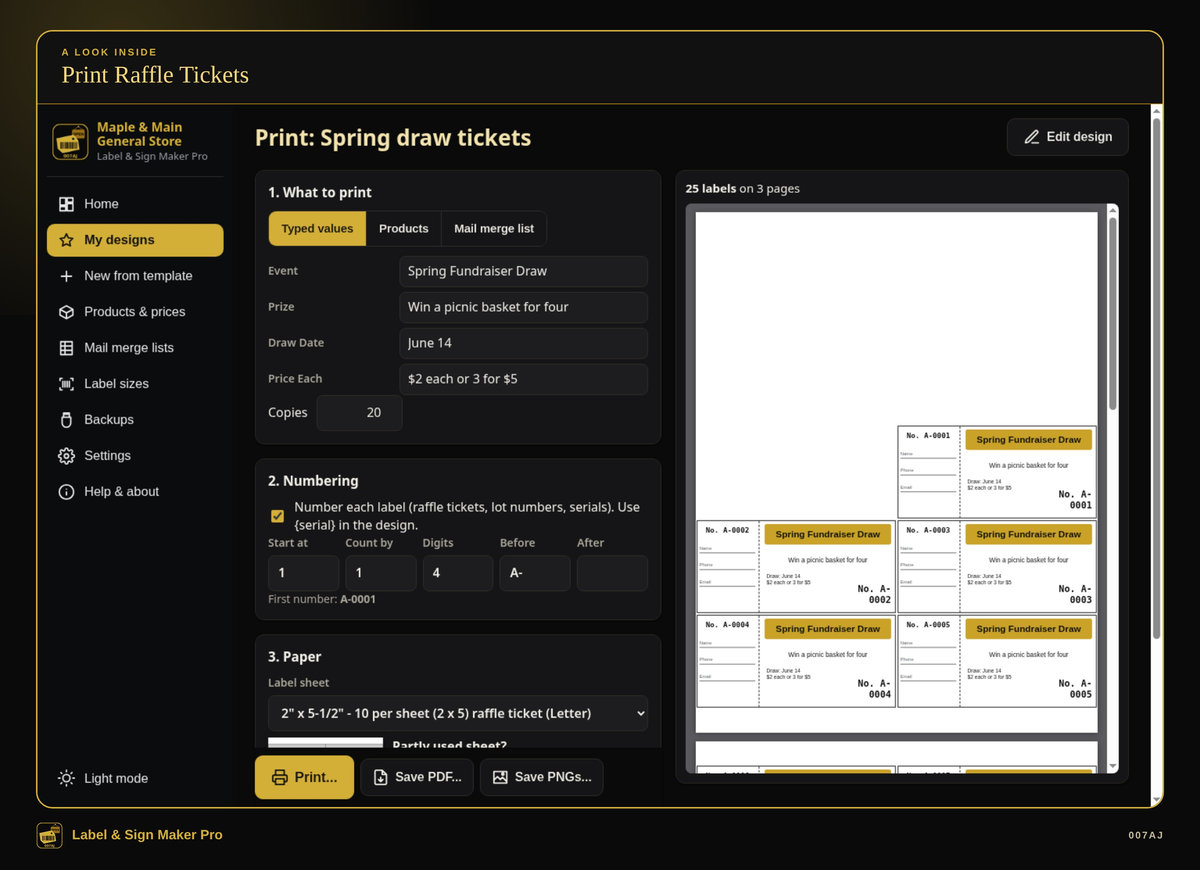
Print raffle tickets. Serial numbering with start, step, digits, and text before or after, plus a print preview of the sheet.
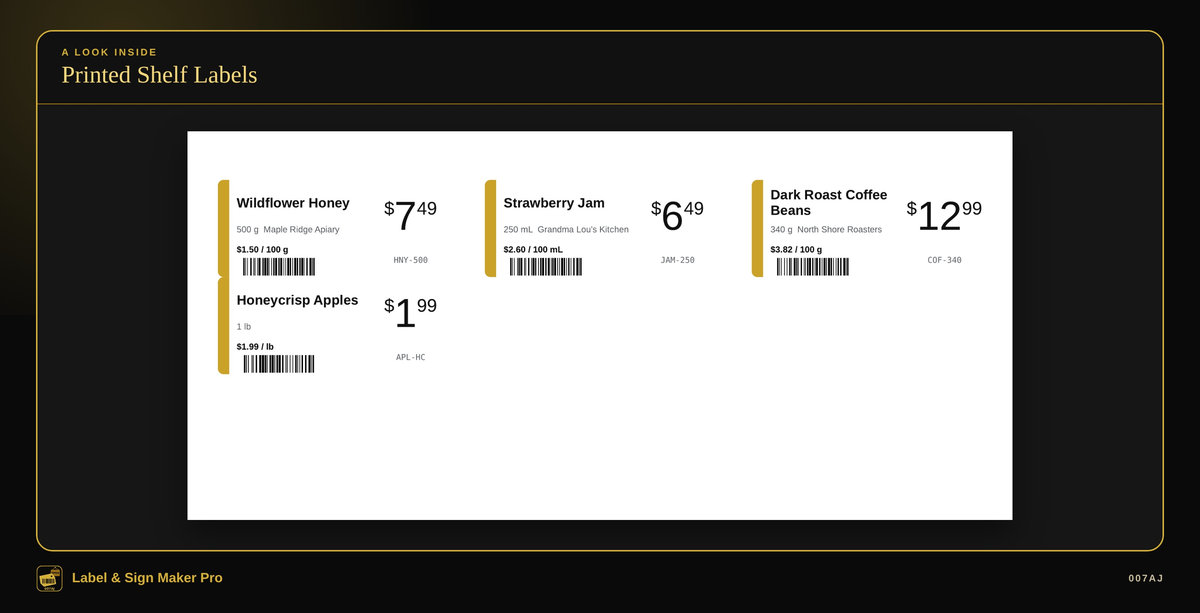
Printed shelf labels. A Letter sheet of shelf-edge price labels, with unit prices and barcodes, from the sample shop.
Core features
The day-to-day label and sign work a small shop needs in one program
A visual designer
Text, price blocks (big dollars with small raised cents, optional “was” price, amounts under $1 shown as 99¢), shapes, lines, pictures and your logo, borders, rotation, layers, lock or hide, snap to grid and guides, align, undo/redo, copy/paste, and keyboard nudging. An item can hide itself when a field is empty (for example a “WAS” price that only shows on sale items). Shrink-to-fit keeps long names from spilling over.
Barcodes and QR codes
Code 128, Code 39, EAN-13, UPC-A and EAN-8, plus QR codes, made right on your PC.
32 ready-made designs
Price and shelf, products and jars, address, return address, shipping, file folders, bins and storage, name badges, tickets and raffles, signs and posters. Or start from a blank label, sign or poster of any size.
65 built-in sizes, by measurement
Described by measurement only (for example a 1" × 2-5/8" label, 30 per Letter sheet), covering Letter and A4 sheets, rolls and thermal labels, signs (Letter, Legal, A4, 11×17, A3) and posters (18×24 up to 48×36, plus A2 and A1) printed in tiles. Compare the measurements printed on your label box. Custom sheet, roll, sign and paper sizes are supported.
Printer calibration
Print a test page on plain paper, hold it over a label sheet against a window, and nudge it in millimetres until the crosses sit in the middle of each label. Save the adjustment for all sheets or only one.
Partly used sheets
Click the first empty label so printing starts there. “Fill the rest of the sheet” repeats a label to the end of the page.
Products and prices
Enter a sale price and labels show was/now and how much is saved, in dollars and percent. Enter the size (500 g, 2 lb, 1 L, 12 each) and the unit price is worked out for you (per 100 g, kg, lb, oz, 100 mL, L or each). Import or export Excel or CSV, with column mapping; matching SKU or barcode updates the product. “Make one” creates an in-store barcode number (starting with 2) for things you pack yourself. Tick products and print their shelf labels or price tags.
Mail merge
From Excel or CSV: one label per row, a quantity column (0 skips that row), and you can edit the list like a simple spreadsheet.
Serial numbering
Start, step, digits, and text before or after (for example A-0001) for raffle tickets, lot numbers and serials.
Print, PDF and PNG
Print preview with the Windows print dialog (use Actual size / 100%, never “Fit to page”). Save a PDF, or save one PNG per label at 150, 300 or 600 dpi. Share a design as a .lsmdesign file.
Thermal and roll labels
Sizes such as 4×6, 4×2, 2.25×1.25 and 62 mm print through your normal Windows printer driver. In the printer settings, set the paper (stock) size to the same label size and print at 100%.
Signs and tiled posters
Open, Closed, store hours, sale %, specials, no entry, price boards, Wi-Fi and QR menu, on Letter, Legal, A4, A3 or 11×17, portrait or landscape. Large posters print in tiles on normal paper with corner marks, an overlap, and row/column labels so you can trim and tape.
Words that fill in by themselves
Put a field name in curly brackets ({name}, {price}, {City} and many others, including business name and address, date and serial). Preview the label with any product or list row.
Everyday quality
Backups, a sample shop you can explore first, and a PDF user guide
Money, numbers and units
CAD or USD; number formats for English, US and French Canada (for example $12.99 or 12,99 $); inches or millimetres.
Optional PIN lock
An optional PIN lock when the program opens and when you click Lock.
Backups and restore
Automatic daily backups (and every time the program closes), one-click Backup to USB, and restore.
Comfortable to use
Light and dark mode (gold on black by default), a larger text option, and keyboard shortcuts.
Sample shop to try first
A first-run sample shop (“Maple & Main General Store”, all made up) with 16 products, two mail merge lists and 14 ready designs to try, then you can remove the samples when you are ready.
Install, or run portable from a USB stick
The program installs in the usual way, or it can run portable from a USB stick with the designs kept on the stick.
PDF user guide
A PDF user guide with step-by-step pictures is included.
Who it is for — and who it is not for
Built for small shops, offices, markets, home businesses and organizers
Who it is for
Small shops, offices, markets, home businesses and organizers who need shelf labels, price tags, product and jar labels, address and shipping labels, name badges, tickets, signs or posters, and who are tired of paying monthly or of fighting with a word processor and a label sheet.
Who it is not for
It runs on one PC and does not share data over a network between PCs. It prints through a Windows printer driver (inkjet, laser, or a thermal or roll label printer that has a working Windows driver), at 100% / actual size, with the paper size set to the label size. It is not for Mac, Linux, Chromebook, phones or tablets.
Requirements
Windows 10 or Windows 11, 64-bit, on one PC (no network sharing between PCs). About 400 MB of free disk space. A screen of 1366×768 or larger. Any Windows printer: inkjet, laser, or a thermal or roll label printer that has a Windows driver. The program prints through that driver; it does not need a special connection of its own, and it does not name or require a particular brand of label sheet or printer.
It is not for Mac, Linux, Chromebook, phones or tablets.
How you receive it
A digital download, or a branded USB stick if you buy on eBay
Digital download
On 007aj.dev, Gumroad and Codester, you receive the signed Windows installer as a download.
Branded USB on eBay
The eBay version ships as a branded 007AJ USB stick. The stick includes the signed installer, a START-HERE note, and the PDF user guide.
Either way, you can install the program on your PC, or run it portable from a USB stick with the designs kept on the stick.
Support
For help, email admin@007aj.com. If you bought on eBay, please message us through eBay.
About printers, sheets and barcodes
The program prints through your Windows printer driver. It works with printers that have a working Windows driver, printed at 100% / actual size, with the paper size set to the label size. It does not name or require a particular brand of label sheet or printer; compare the measurements printed on your label box with the built-in sizes. In-store barcode numbers starting with 2 are for things the shop packs itself; they are not official GS1 registrations.
Questions
Does it work offline?
Yes. No internet is needed, and no online account is required. Your designs stay on your own computer. Barcodes and QR codes are made right on the PC.
Is there a subscription?
No. You pay once. There is no subscription and no monthly fees.
What computers does it run on?
Windows 10 or Windows 11, 64-bit, on one PC. It does not share data over a network between PCs. It is not for Mac, Linux, Chromebook, phones or tablets.
How do I receive it?
If you buy the digital download on 007aj.dev, Gumroad or Codester, you receive the signed Windows installer as a download. If you buy on eBay, it ships as a branded 007AJ USB stick with the signed installer, a START-HERE note, and the PDF user guide.
Can I look around before adding my own data?
Yes. There is a sample shop with made-up products and ready designs, then you can remove the samples when you are ready.
Will it work with my label sheets and printer?
Sizes are described by measurement, so compare them with the measurements on your label box. Custom sizes are supported. It prints through any Windows printer driver — inkjet, laser, or a thermal or roll label printer that has a working Windows driver — at 100% / actual size, with the paper size set to the label size.
Are the barcodes officially registered?
No. You can make common barcode types and QR codes on your PC. In-store numbers starting with 2 are for things the shop packs itself; they are not official GS1 registrations.
Where do I get help?
Email admin@007aj.com. If you bought on eBay, please message us through eBay.
Pay once. Works offline. Built for small shops, offices, markets and home businesses.
Label & Sign Maker Pro by 007AJ is a Windows 10 and Windows 11 program that keeps your label and sign designs on your own computer. Version 1.0.0. No subscription, no online account, and no internet needed.
Support: email admin@007aj.com · If you bought on eBay, please message us through eBay
Label & Sign Maker Pro is published by 007AJ (007aj.dev).
Not affiliated with Microsoft, Gumroad or Codester. Windows is a trademark of Microsoft Corporation.