
Run Your Wedding and Event Planning Business on Your Own Computer: Couples, Guest Lists, Seating, Vendors, Budgets, Checklists, Quotes and Deposits, With No Subscription
007AJ Event & Wedding Planner Manager Pro is an offline Windows 10 and Windows 11 desktop program for wedding planners and event planners. Keep your couples and clients, and every event with its date, venue, package and team. Split the client’s budget by category and see planned against actual as you book vendors. Track every vendor booking with arrival times, deposits and balances due. Add a checklist that counts back from the event date, build the day-of run sheet, keep the guest list with RSVPs, meal choices and plus-ones, and seat everyone at their tables. Send quotes from your packages, keep a list of your contracts, lay out deposit, second and final payments, invoice them when they fall due and record what is paid.
You pay once. There is no subscription, no per-planner or per-event charge, no online account, and no internet needed.
Business management software: it keeps a list of your contracts and where each one stands, but it does not write or check contracts, and it is not legal, tax or accounting advice.
Instant download for Windows 10 and Windows 11. You get the signed Windows installer.
The promise
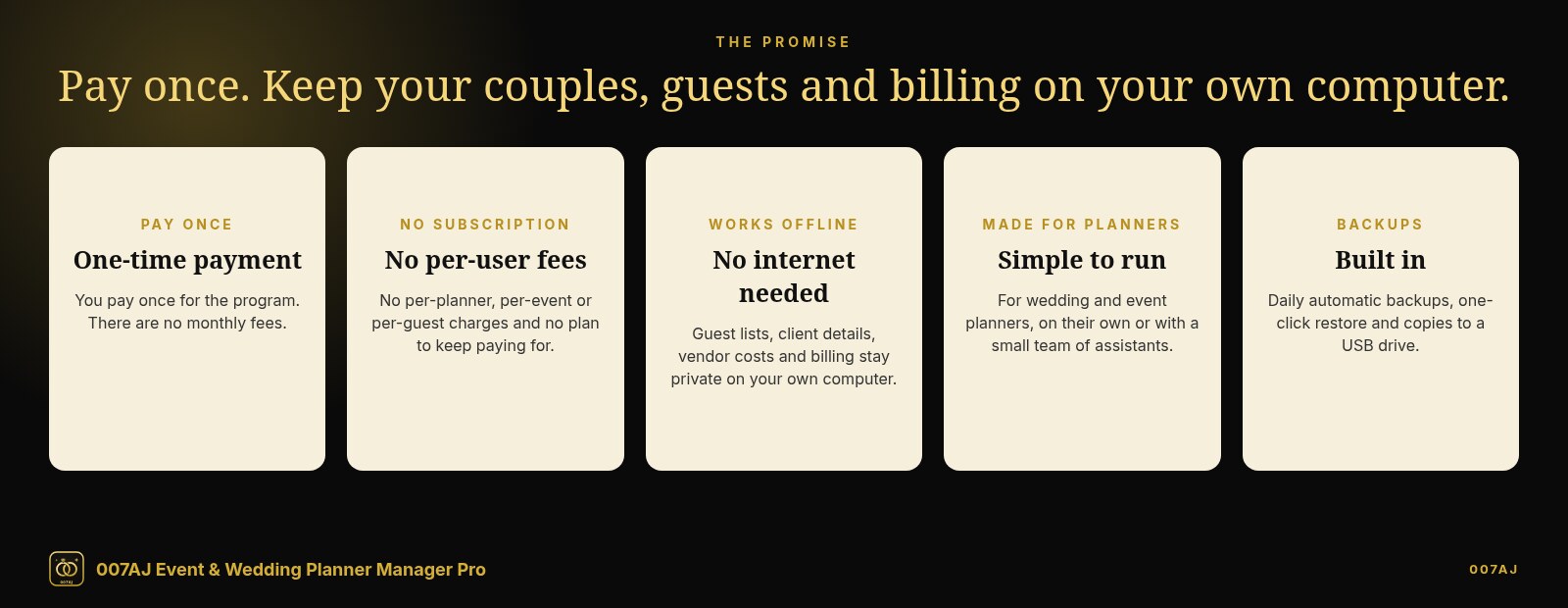
Pay once. No subscription. No internet needed.
Pay once
You pay once for the program. There is no subscription, no monthly fee and no charge per user, per event, per guest or per invoice.
No internet needed
The program works offline. No online account is required. Guest lists, client details, vendor costs and invoices stay on your own computer, and nothing is sent anywhere.
Your data stays yours
Everything is kept in one file on your computer. Daily automatic backups are made for you, and copies can go to a USB drive or a second folder.
Main features
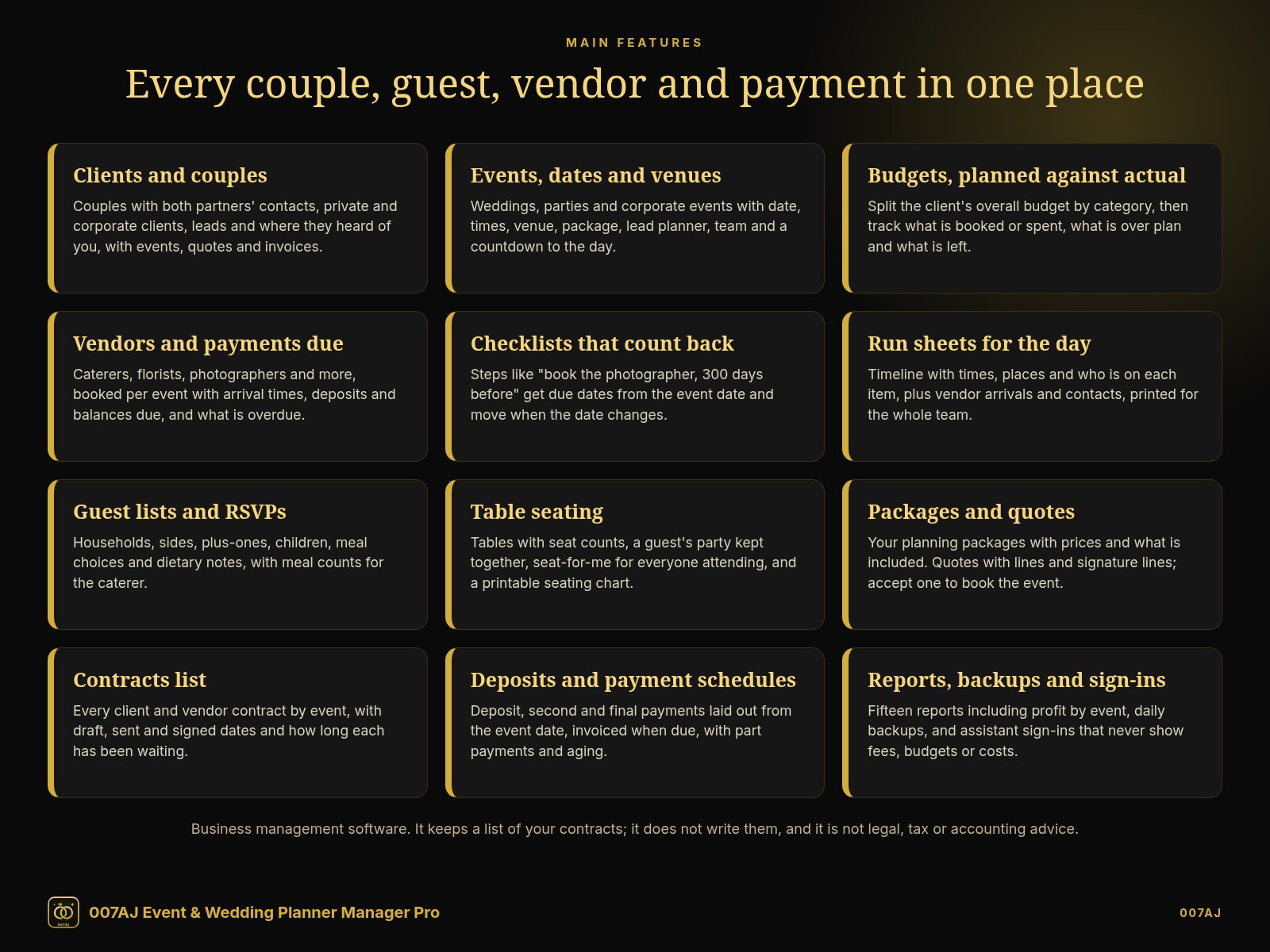
Clients and couples
Numbered client records for couples (both partners with their own phone and email), private clients and companies, with address, payment terms, where they heard of you and notes. Keep new inquiries as leads until they book; booking an event or accepting a quote turns a lead into a client.
Events with dates and venues
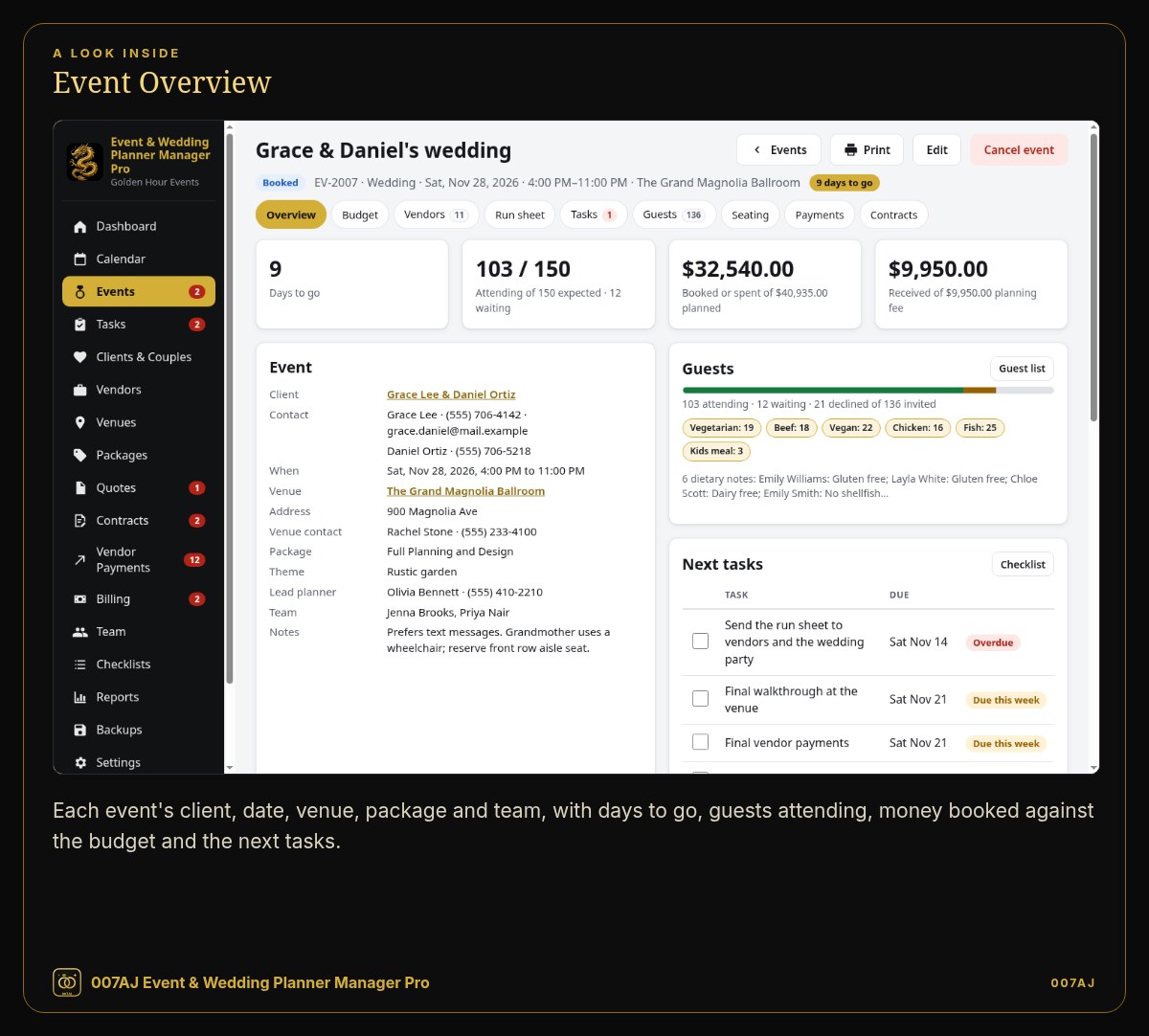
Weddings, engagement parties, showers, anniversaries, birthdays, corporate events and galas, each numbered, with date, start and end times, venue or other location, expected guests, theme, package, lead planner and team, and a countdown to the day. Inquiry, booked, completed and cancelled at a glance.
Venues
Your venues with type, address, capacity, venue contact and notes such as load-in rules and the rain plan, and every event held there.
Budgets, planned against actual
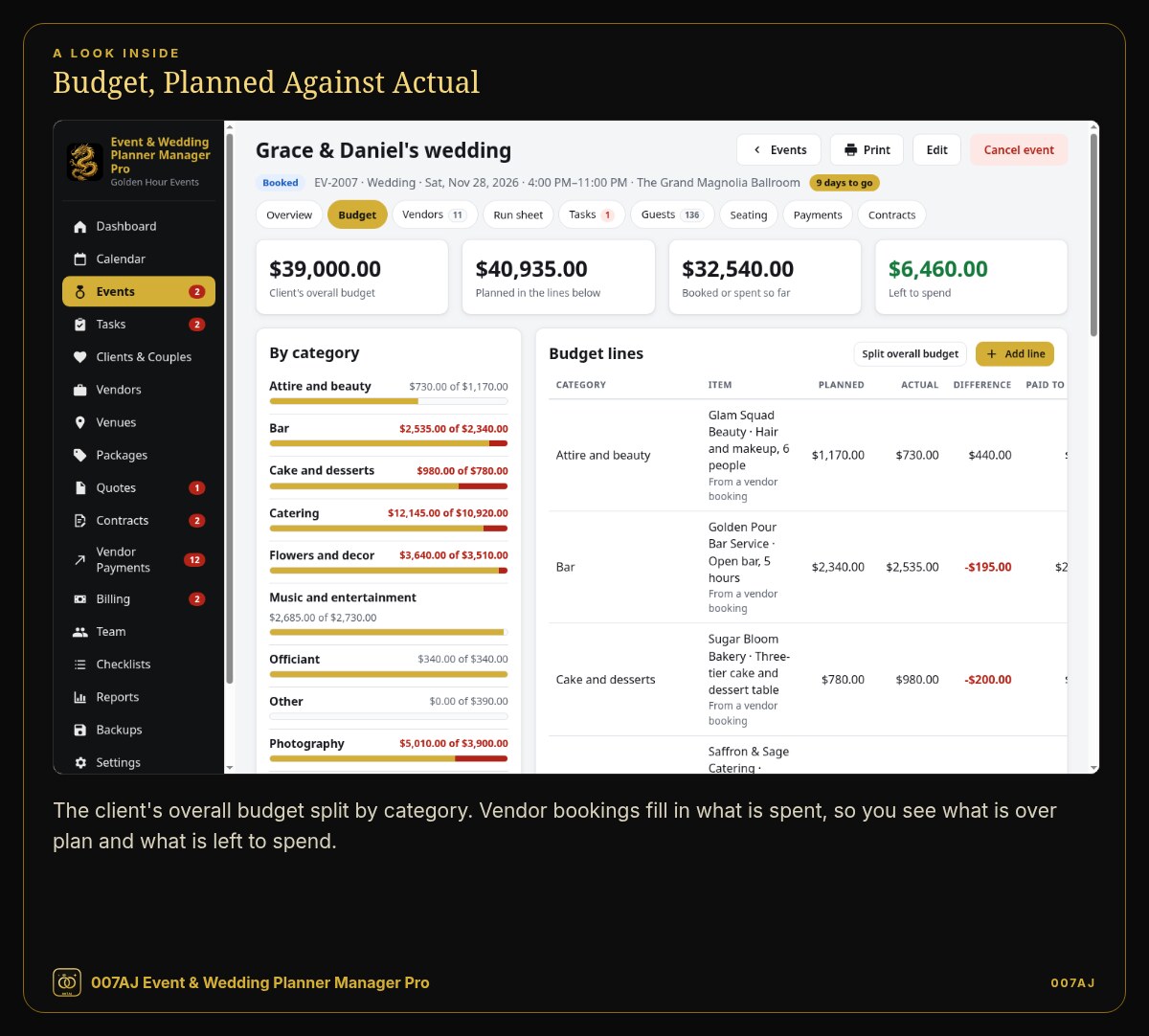
Split the client’s overall budget across categories in one click (venue, catering, bar, photography, flowers and decor and more), then change any line. Vendor bookings fill in what is booked or spent, so each category shows planned, actual and the difference, with lines over plan in red and what is left to spend. Mark costs your business pays itself.
Vendors, bookings and payments due
Caterers, bakers, photographers, florists, DJs, bands, rentals, hair and makeup, officiants and transport, with contacts and your own rating. Book a vendor for an event with the service, cost, arrival time and day-of contact, and add a deposit and balance with due dates. One list shows every vendor payment overdue or due in the next three weeks; mark each one paid.
Checklists that count back from the event
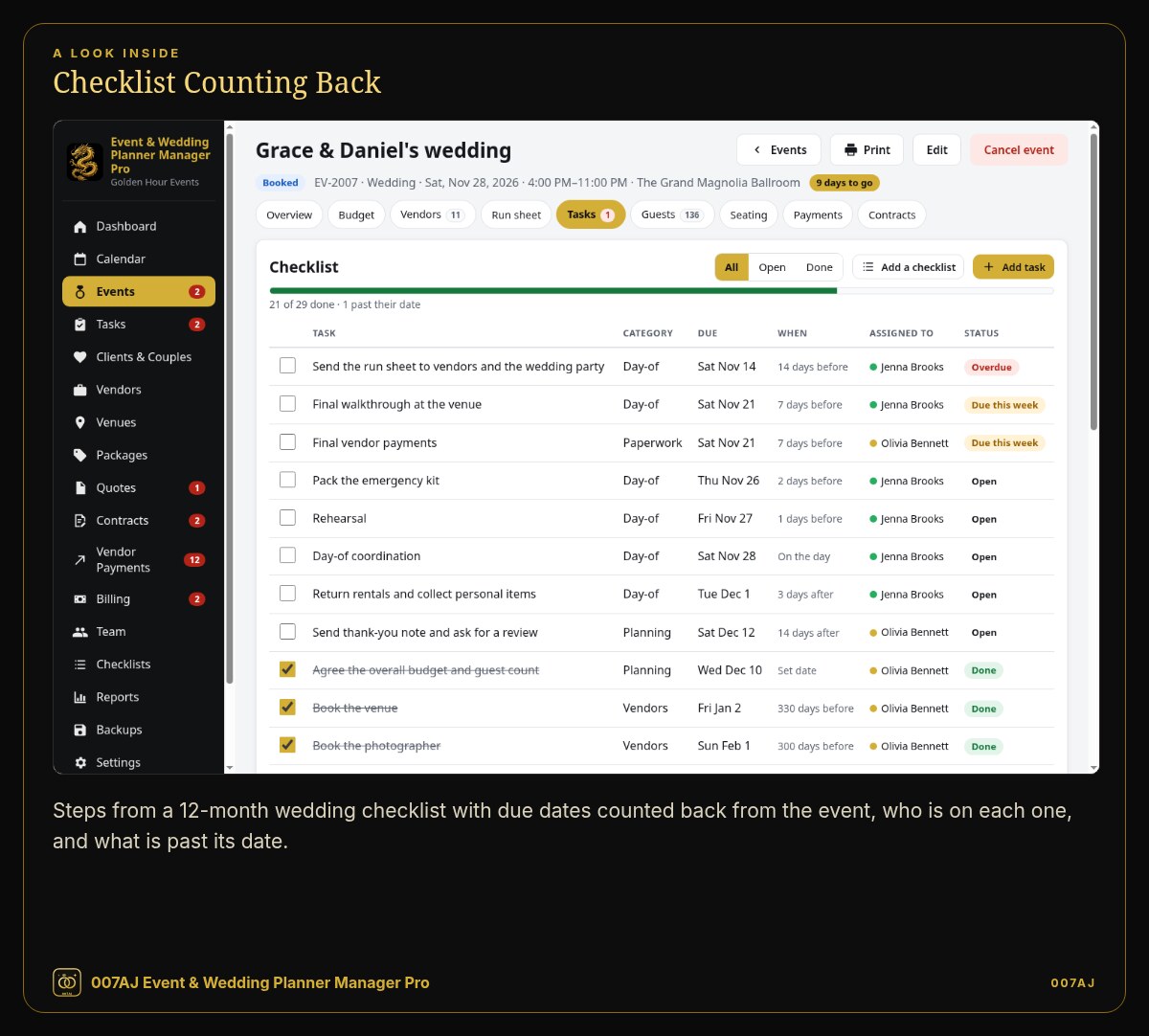
Checklist templates such as a 12-month wedding plan, a corporate event and a party, written as “300 | Book the photographer”. Add one to an event and every step gets its due date counted back from the event date. Move the event and the open steps move with it. Steps already past their date fall due today. Give tasks to people and tick them off.
Day-of run sheets
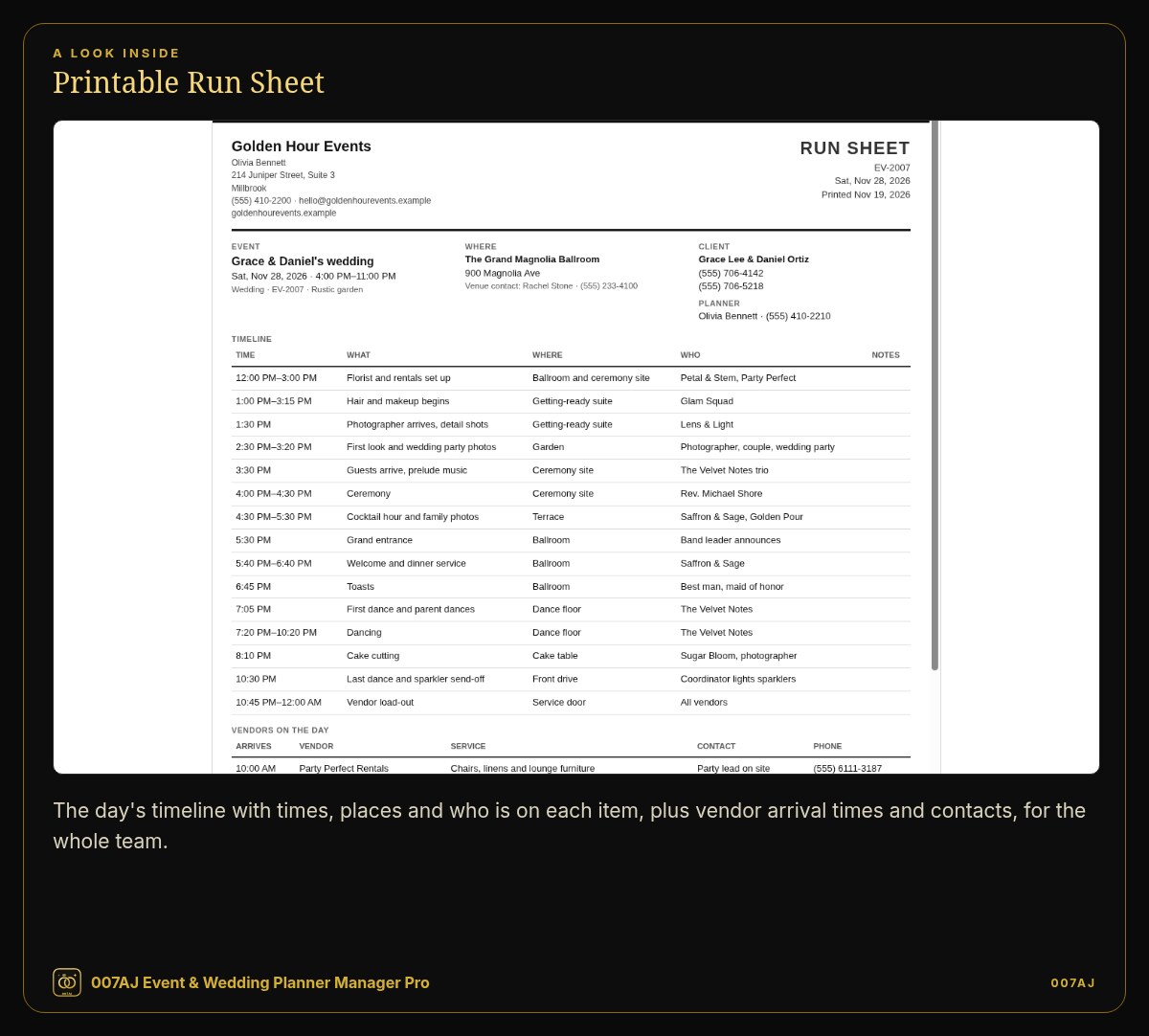
The timeline for the day with start and end times, what happens, where and who is on it, in order even after midnight. Copy a run sheet from another event, and print it with vendor arrival times, contacts, the team and venue notes.
Guest lists with RSVPs and meals
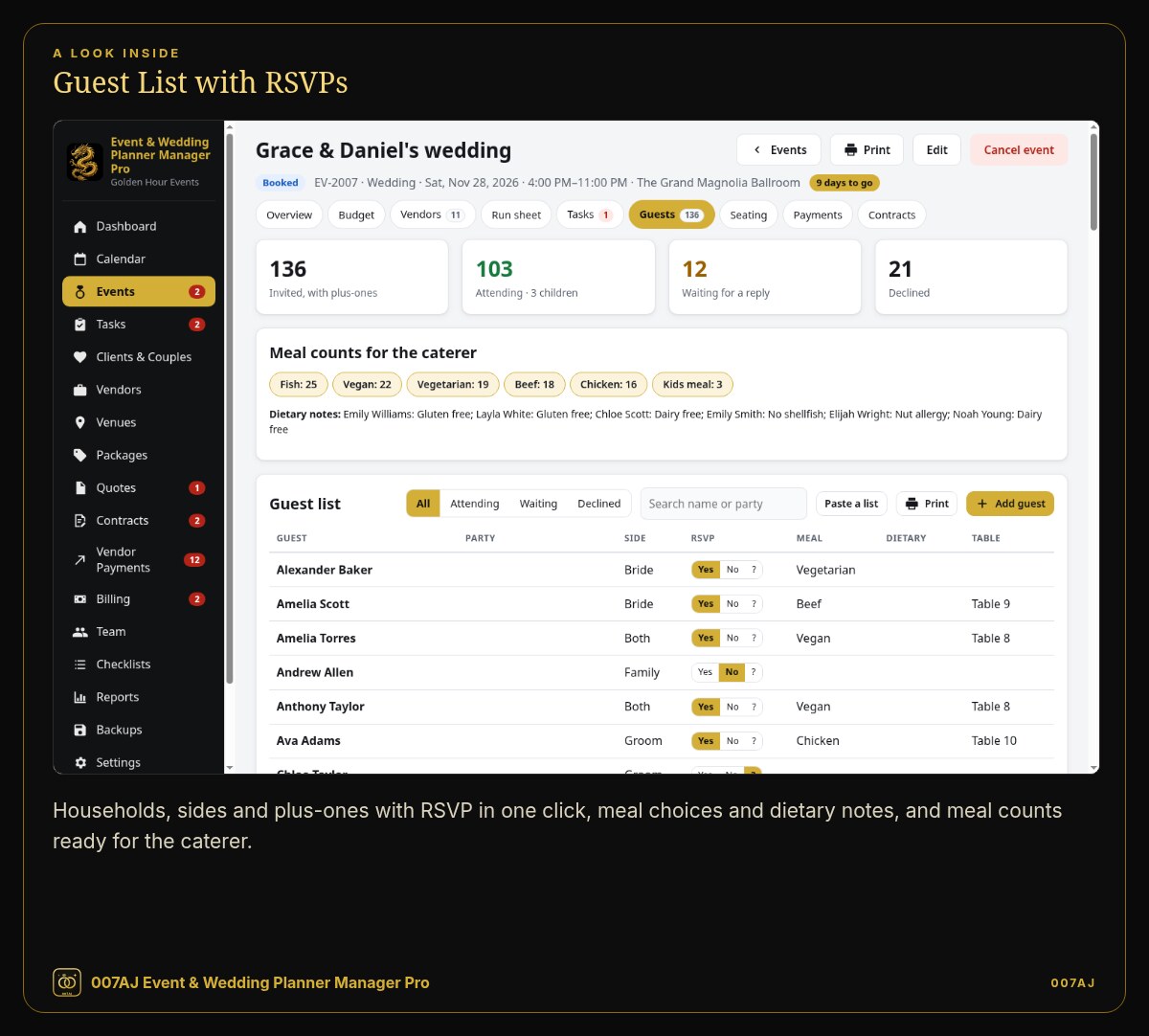
Guests with party or household, side, contact details, plus-ones, children, meal choice and dietary notes. Set RSVPs in one click, paste in a list from a spreadsheet, and see invited, attending, declined and waiting, meal counts for the caterer and every dietary note.
Table seating
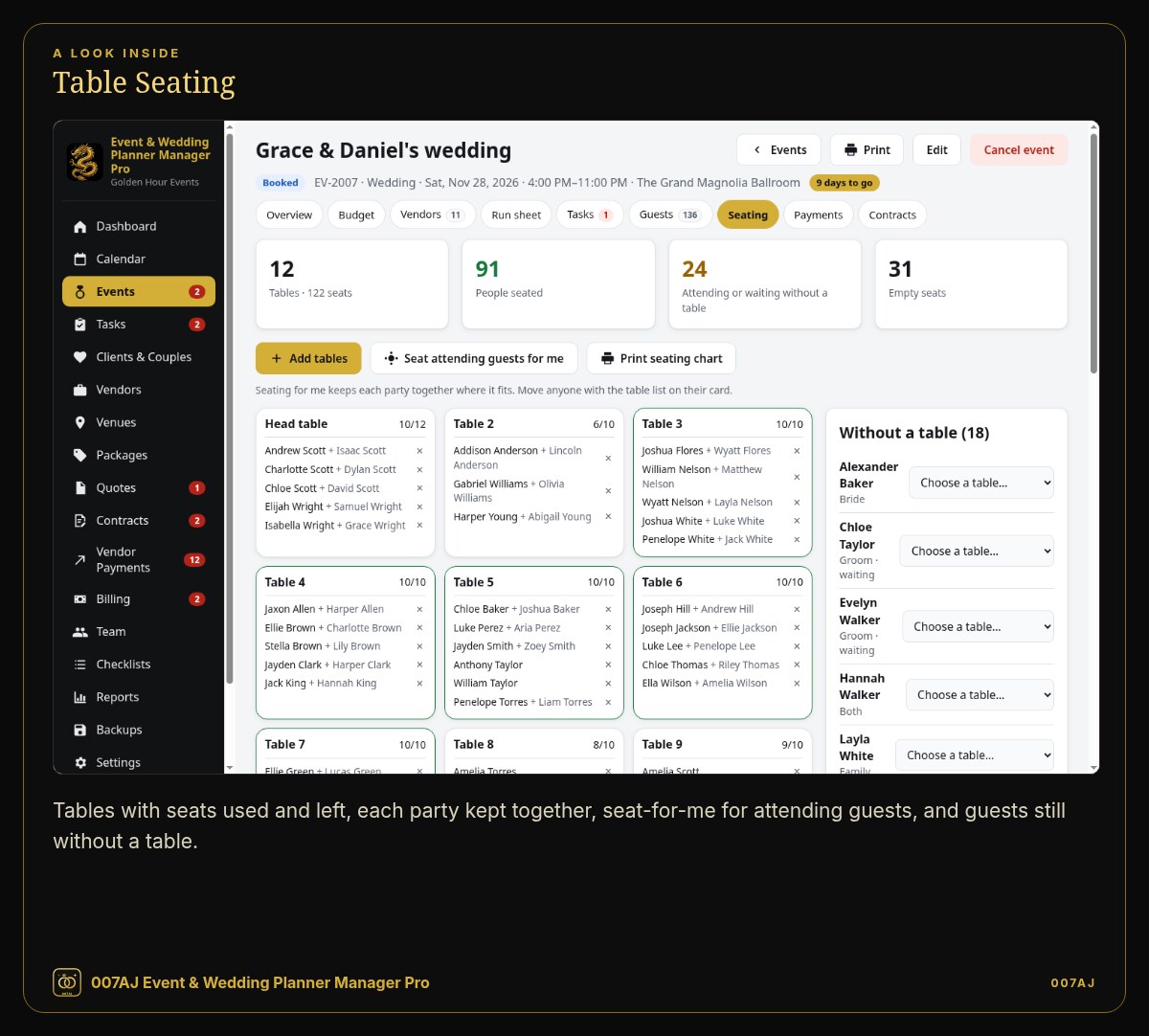
Add tables with their seat counts, seat a guest from their card, or let the program seat everyone attending, keeping each party together where it fits. Tables show seats used and left, a full or over table stands out, and a declined guest gives up their seat. Print the seating chart.
Packages and quotes
Your planning packages with price, hours on the day and what is included. Numbered quotes with lines, discount, tax and a valid-until date, printed with what the package includes and signature lines. Mark a quote accepted and the event is booked, its planning fee is set and the payment schedule is laid out.
Contracts list
A list of your client and vendor contracts by event, with draft, sent and signed dates, their value, how many days each has been waiting for a signature, and a note of where the signed copy is kept.
Deposits, payment schedules and invoices
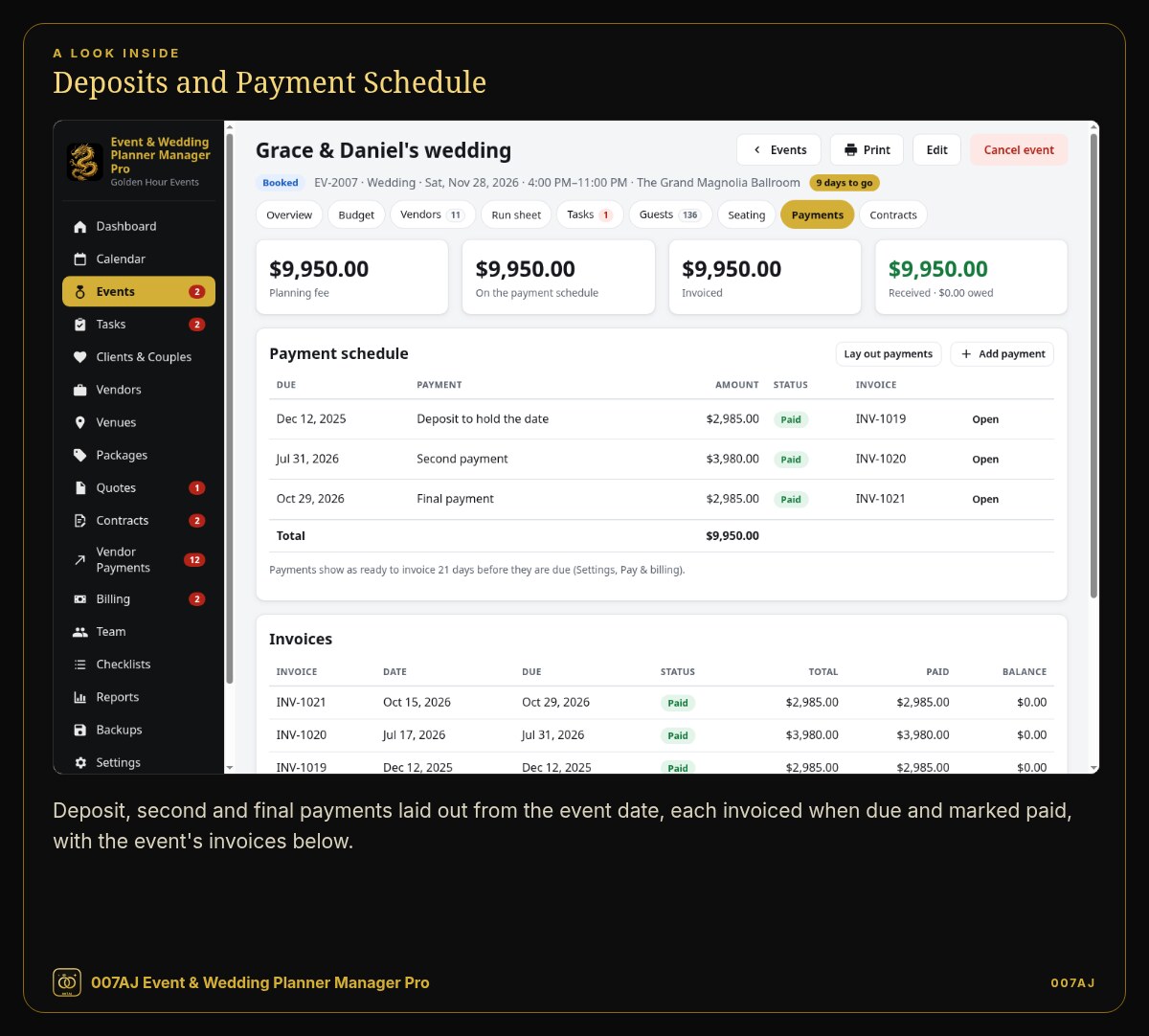
Each event’s planning fee is laid out as a deposit to hold the date, a second payment and a final payment, counted back from the event date (your percentages and days). Payments due soon show as ready to invoice. Invoice one or more with extra lines, discount or tax, check the draft, issue it, then record full or part payments and print receipts.
Dashboard and calendar
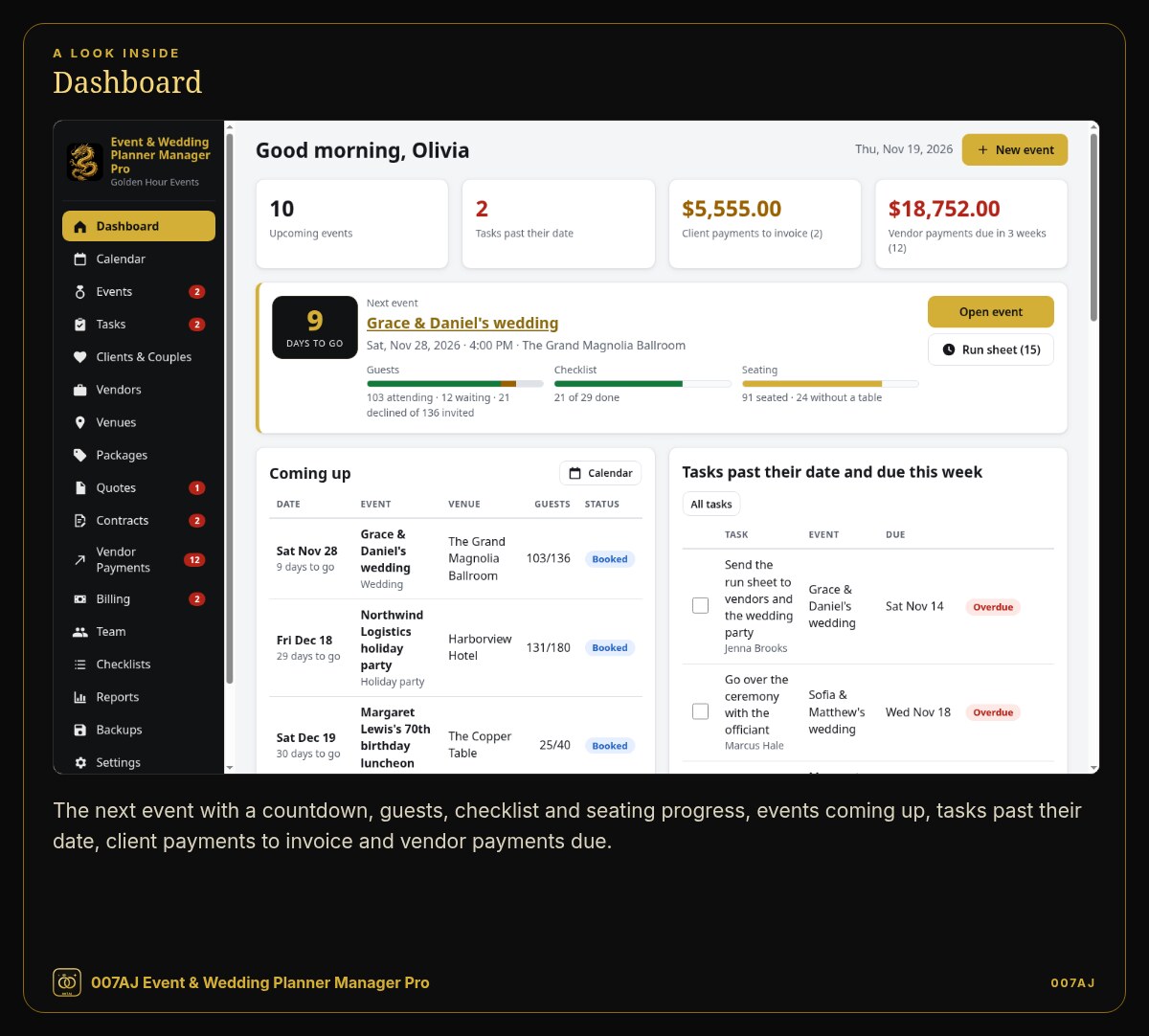
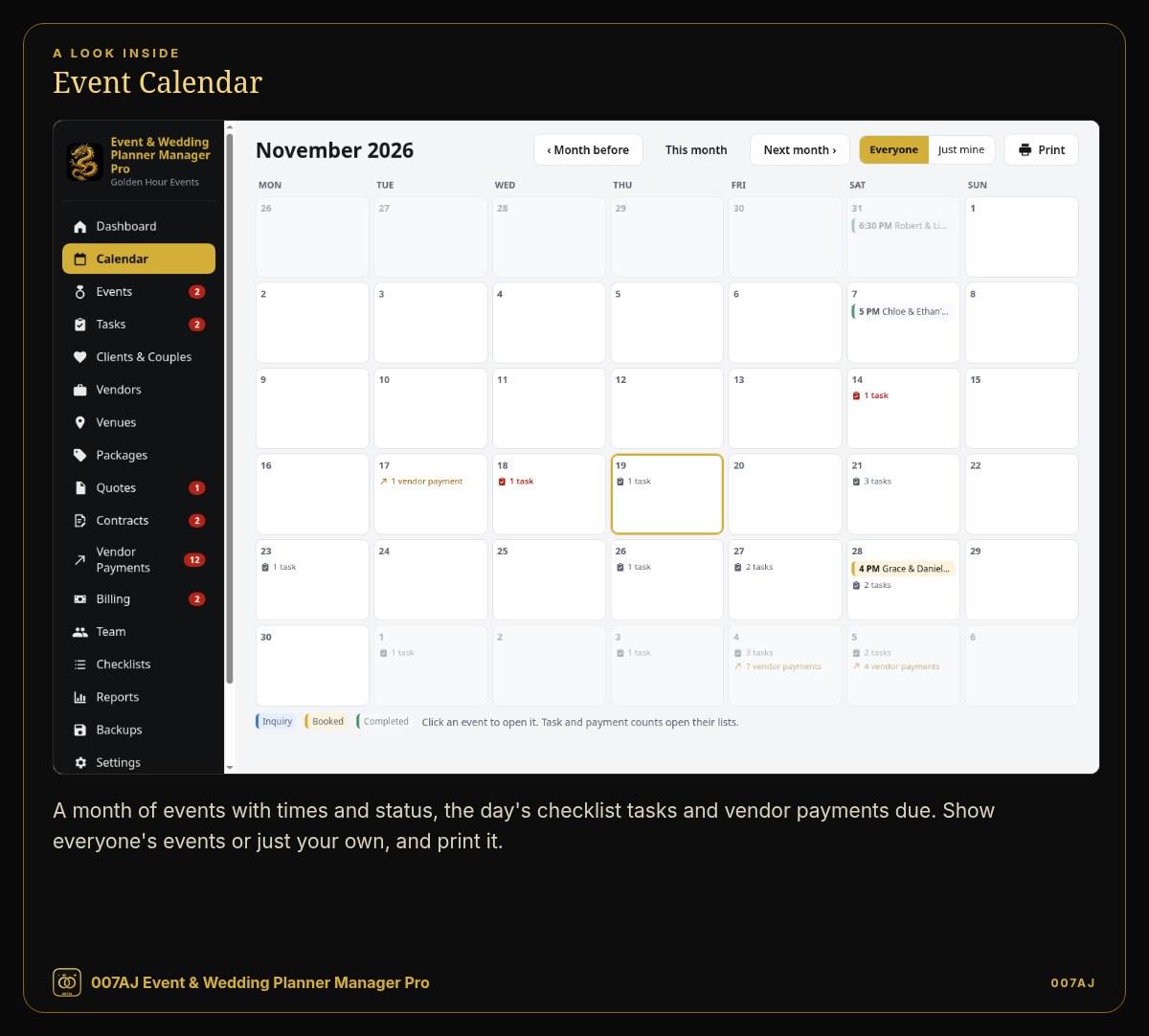
The next event with its countdown, guests, checklist and seating progress, events coming up, tasks past their date, client payments to invoice, vendor payments due, overdue invoices and contracts waiting. A month calendar shows every event, the day’s tasks and vendor payments due, and prints.
Fifteen reports with CSV export
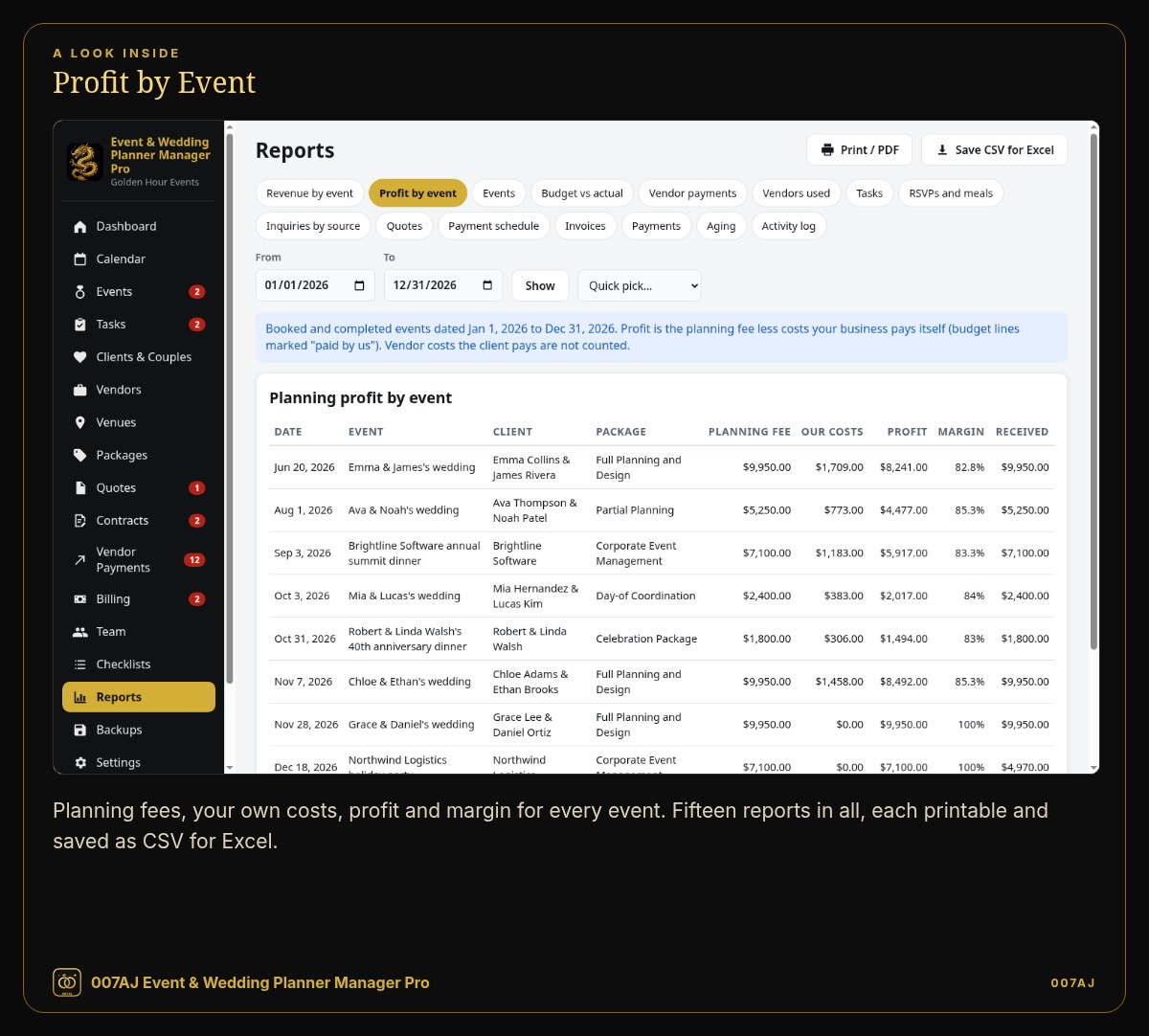
Revenue by event, profit by event, events, budget against actual, vendor payments, vendors used, tasks, RSVPs and meals, inquiries by source, quotes, payment schedule, invoices, payments, aging of money owed and an activity log. Print, save as PDF or export to CSV for Excel, with protection against formula tricks in names.
A look inside
Everyday quality
Owner, manager and assistant sign-ins
Everyone signs in with their own password. Assistants see events, the calendar, guest lists, seating, run sheets, vendor contacts and their tasks, and can tick tasks, update RSVPs and meals, seat guests and edit run sheets. They never see planning fees, budgets, vendor costs, package prices, quotes, contracts, invoices, payments or reports. Managers run everything else; only the owner changes settings, sign-ins and the logo, restores backups or starts fresh.
Backups built in
A backup is made automatically every day and when the program closes, keeping the last 14 (you choose). Daily backups can also be copied to a USB drive or a second folder. Restore any backup in one click; a safety copy of your current records is made first.
Your rules and lists
Set the deposit and second payment percentages and when payments fall due, how far ahead payments show as ready to invoice, payment terms, tax rate, how long quotes stay valid, numbering for clients, events, quotes, invoices and receipts, invoice and quote terms, payment details, and your own lists of event types, budget and vendor categories, meal choices, guest sides, task categories, venue types, titles, lead sources and payment methods.
Your name on the paperwork
Your company name, logo, address, phone and tax number appear on quotes, invoices, receipts, run sheets, guest lists, seating charts, checklists, vendor lists, budgets, payment schedules, the calendar and reports.
Easy on the eyes
Large text and buttons, counts of tasks past their date, inquiries, quotes and contracts waiting, vendor payments due and overdue invoices in the menu, and light and dark looks (or match Windows).
Look around with a sample company first
You can fill in a sample planning company with couples and corporate clients, weddings and parties, venues, vendors, budgets, run sheets, guest lists and seating, quotes, contracts, invoices and payments, then choose Start fresh in Settings for your real records. A backup is made before anything is removed, and your settings, logo, checklists and sign-ins stay.
Simple to install
A normal Windows installer with desktop and Start menu shortcuts. It installs for the current Windows user, with no administrator rights needed.
Who it is for — and who it is not for
Who it is for
Independent wedding planners, day-of coordinators and small event planning companies with a few assistants, who plan weddings, parties and corporate events and want their couples, guests, vendors and money in one place on their own computer.
Who it is not for
Venues selling rooms and catering by the cover, ticketed events, couples planning their own wedding, or teams who need a website, online RSVP page, client portal or phone app. It does not take card payments, send emails or texts, or sign contracts online.
Requirements
Windows 10 or Windows 11, 64-bit, on one PC. About 400 MB of free disk space. A screen of at least 1366 by 768 is recommended. Not for Mac, Linux, Chromebook, phones or tablets.
How you receive it
After checkout you get an instant download link for the signed Windows installer. Run it, follow the steps, and open 007AJ Event & Wedding Planner Manager Pro from the desktop or the Start menu. Windows may ask you to confirm before running a newly downloaded program.
Support
Email admin@007aj.dev with any question about installing or using the program.
Business management software, not advice
007AJ Event & Wedding Planner Manager Pro keeps the records you enter about clients, events, venues, vendors, bookings, budgets, checklists, run sheets, guests, seating, packages, quotes, contracts, payment schedules, invoices and payments, and works out budget differences, meal counts, payment schedules, invoice totals, balances and profit from the prices and rules you set. It keeps a list of your contracts; it does not write, check or sign them. It is not legal, tax or accounting advice.
Questions
Is this a subscription?
No. You pay once. There are no monthly fees and no charge per user, per event, per guest or per invoice.
Can my assistants use it without seeing money?
Yes. Give each assistant a sign-in linked to their team record. They see events, the calendar, guest lists, seating, run sheets, vendor contacts and tasks, and can tick tasks, update RSVPs, seat guests and edit run sheets. Fees, budgets, vendor costs, package prices, quotes, contracts, invoices, payments and reports are never shown to them.
How do checklists count back from the event?
Each step in a checklist has a number of days before the event, such as 300 for booking the photographer or 14 for the final guest count. Add the checklist to an event and each step gets its due date. If the event date changes, the open steps move with it. You can add your own checklists and steps.
How do deposits and payment schedules work?
Set your deposit percentage, an optional second payment and when the final payment is due in Settings. Lay out an event’s payments, or accept a quote, and the deposit, second and final payments are added with their due dates. Each shows as ready to invoice a few weeks before it is due.
Does it track what I owe vendors?
Yes. Add a deposit and balance (or any payments) to each vendor booking with due dates. The Vendor payments list shows what is overdue and due in the next three weeks, and the calendar shows payment days.
Can I seat guests at tables?
Yes. Add tables with seat counts, then seat guests one by one or let the program seat everyone attending, keeping parties together. Print the seating chart, the guest list with meals, and meal counts for the caterer.
Can couples RSVP online?
No. There is no website or online form. You enter RSVPs as they come in, or paste in a list from a spreadsheet.
Does it write or sign contracts?
No. It keeps a list of your contracts with their status and dates, and a note of where each signed copy is kept. Write and sign contracts the way you do now.
Can I print run sheets, quotes and invoices?
Yes. Run sheets, guest lists, seating charts, checklists, vendor lists, budgets, payment schedules, the month calendar, quotes with signature lines, invoices, receipts and every report can be printed or saved as PDF, with your logo.
Does it work on more than one computer?
It runs on one PC and keeps its data on that PC. It does not share data over a network or sync to the cloud. Backups can go to a USB drive or a second folder, and can be restored on a new computer.
What computers does it run on?
Windows 10 or Windows 11, 64-bit, on one PC. It is not for Mac, Linux, Chromebook, phones or tablets.
Can I look around before adding my own records?
Yes. Load the sample planning company of made-up couples, events, venues, vendors, guests, quotes, contracts, invoices and payments, then choose Start fresh in Settings when you are ready.
Where do I get help?
Email admin@007aj.dev.
Pay once. Works offline. Built for wedding and event planners.
007AJ Event & Wedding Planner Manager Pro is a Windows 10 and Windows 11 program that keeps your couples and clients, events, venues, budgets planned against actual, vendors with bookings and payments due, checklists that count back from the event, run sheets, guest lists with RSVPs and meals, table seating, packages, quotes, a contracts list, deposits and payment schedules, invoices, payments and profit reports on your own computer. Version 1.0.0. No subscription. No internet needed. The program includes a 14-day free trial. The licence key emailed after purchase unlocks the full version.
Support: email admin@007aj.dev
007AJ Event & Wedding Planner Manager Pro is published by 007AJ (007aj.dev).
Not affiliated with Microsoft. Windows is a trademark of Microsoft Corporation.