
Run Your Cleaning Clients, Schedules, Crews, Checklists, Time, Supplies and Invoices on Your Own Computer, With No Subscription
007AJ Cleaning & Janitorial Business Manager Pro is an offline Windows 10 and Windows 11 desktop program for residential and commercial cleaning and janitorial companies. Keep your clients and every site you clean, with access and key instructions. Set up recurring service plans that fill the crew schedule with visits, give each visit a room-by-room checklist, and print a day sheet for every crew. Track time on each job, keep supplies stocked, send quotes, invoice done visits and monthly fees, record payments, and see which clients earn you the most. Cleaners get their own sign-in to see their jobs, tick off checklists and clock in, without ever seeing prices, pay or billing.
You pay once. There is no subscription, no per-cleaner or per-client charge, no online account, and no internet needed.
Business management software: it works out hours, overtime and gross pay from the rates you enter. It is not a payroll tax system, it does not work out withholding, taxes or deductions, and it is not tax, legal or accounting advice.
Instant download for Windows 10 and Windows 11. You get the signed Windows installer.
The promise
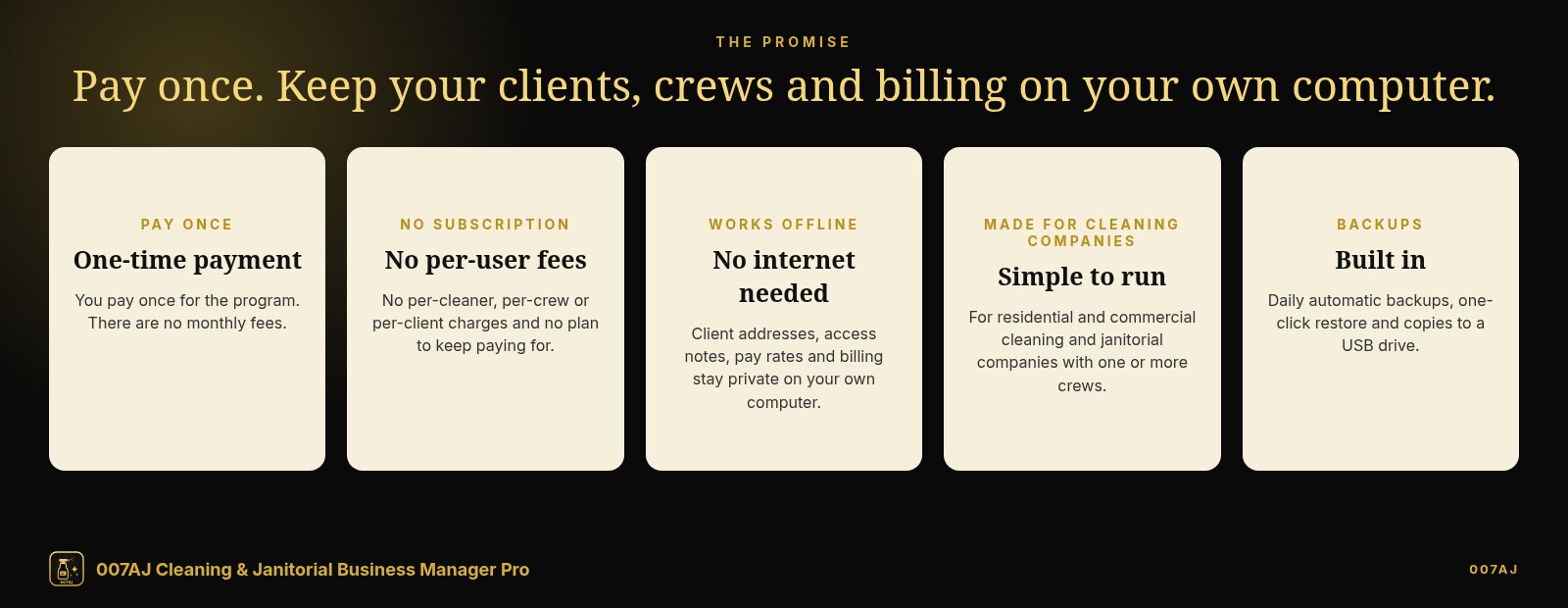
Pay once. No subscription. No internet needed.
Pay once
You pay once for the program. There is no subscription, no monthly fee and no charge per user, per cleaner, per client or per invoice.
No internet needed
The program works offline. No online account is required. Client addresses, access notes, pay rates and invoices stay on your own computer, and nothing is sent anywhere.
Your data stays yours
Everything is kept in one file on your computer. Daily automatic backups are made for you, and copies can go to a USB drive or a second folder.
Main features
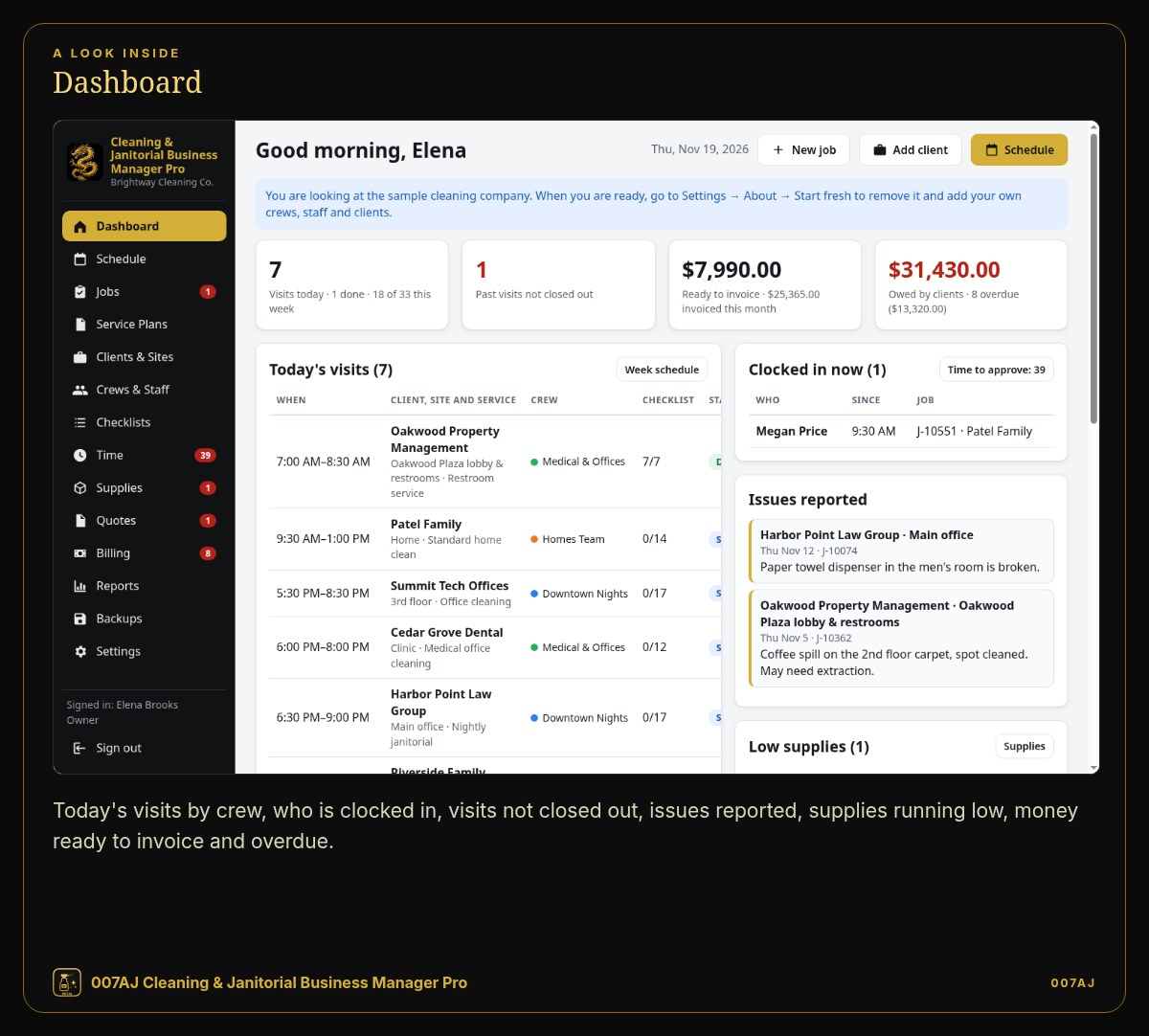
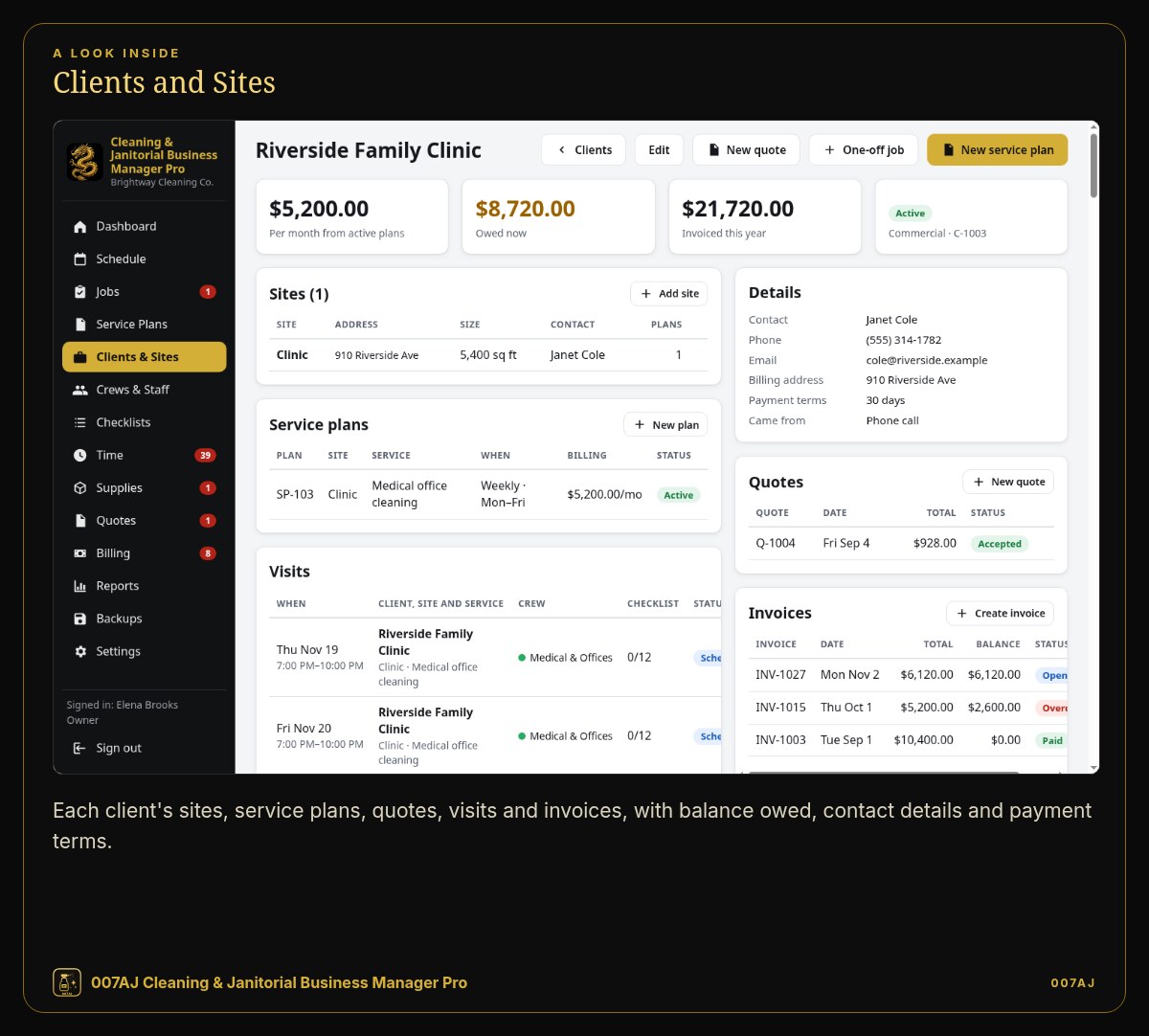
Clients and sites
Numbered client records for homes, offices and facilities, with billing address, contact, payment terms, how they found you and notes. Each client can have any number of sites, each with its own address, contact, access and key instructions and size. Keep new leads apart from active clients until they say yes.
Recurring service plans
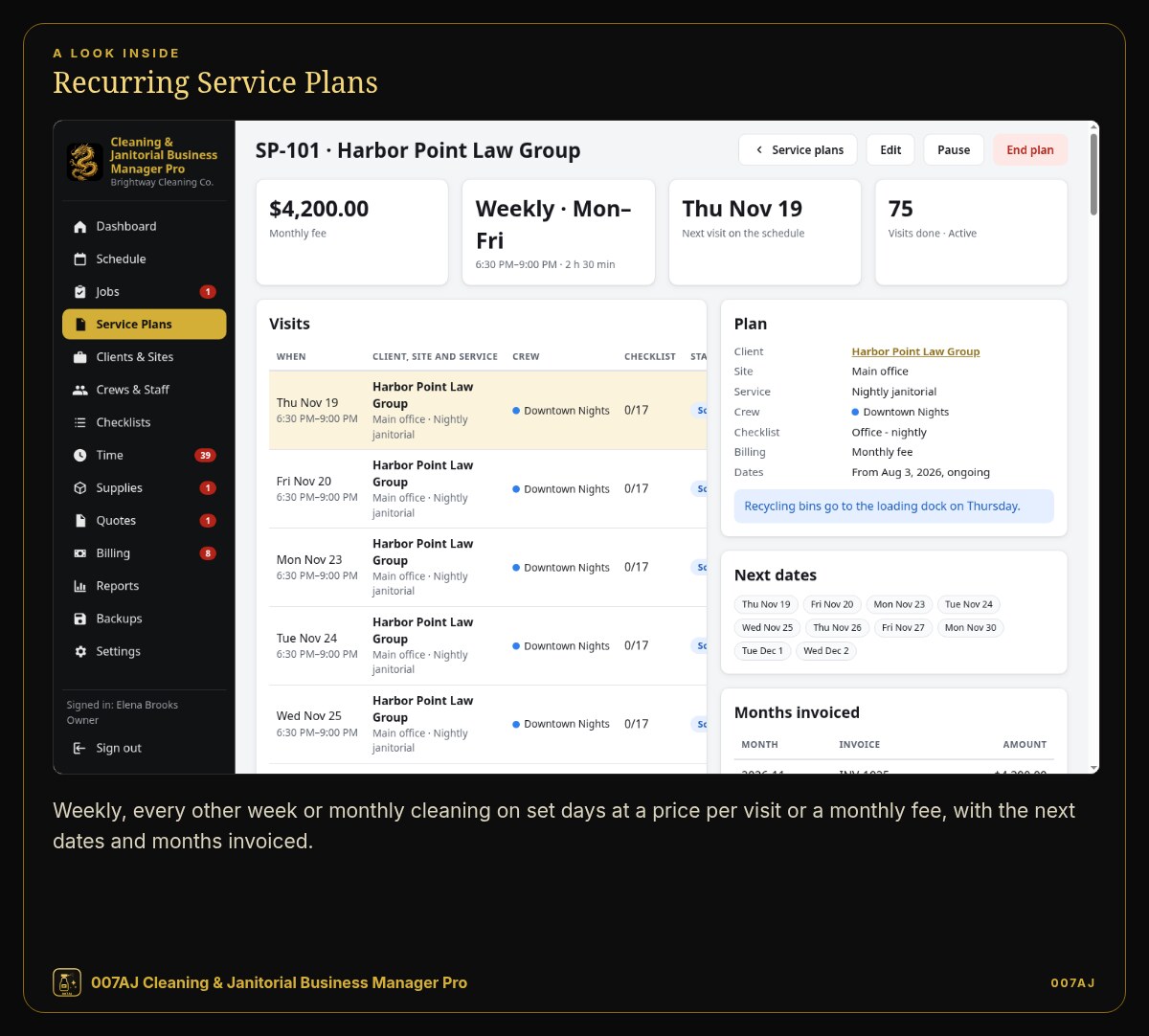
Weekly, every other week or monthly cleaning on the days you pick, with a start time, length, crew, checklist and service. Charge a price per visit or a monthly fee. Visits are added to the schedule from each plan, and changes to a plan carry to its future visits. Pause or end a plan when the work stops.
Crew schedule and day sheets
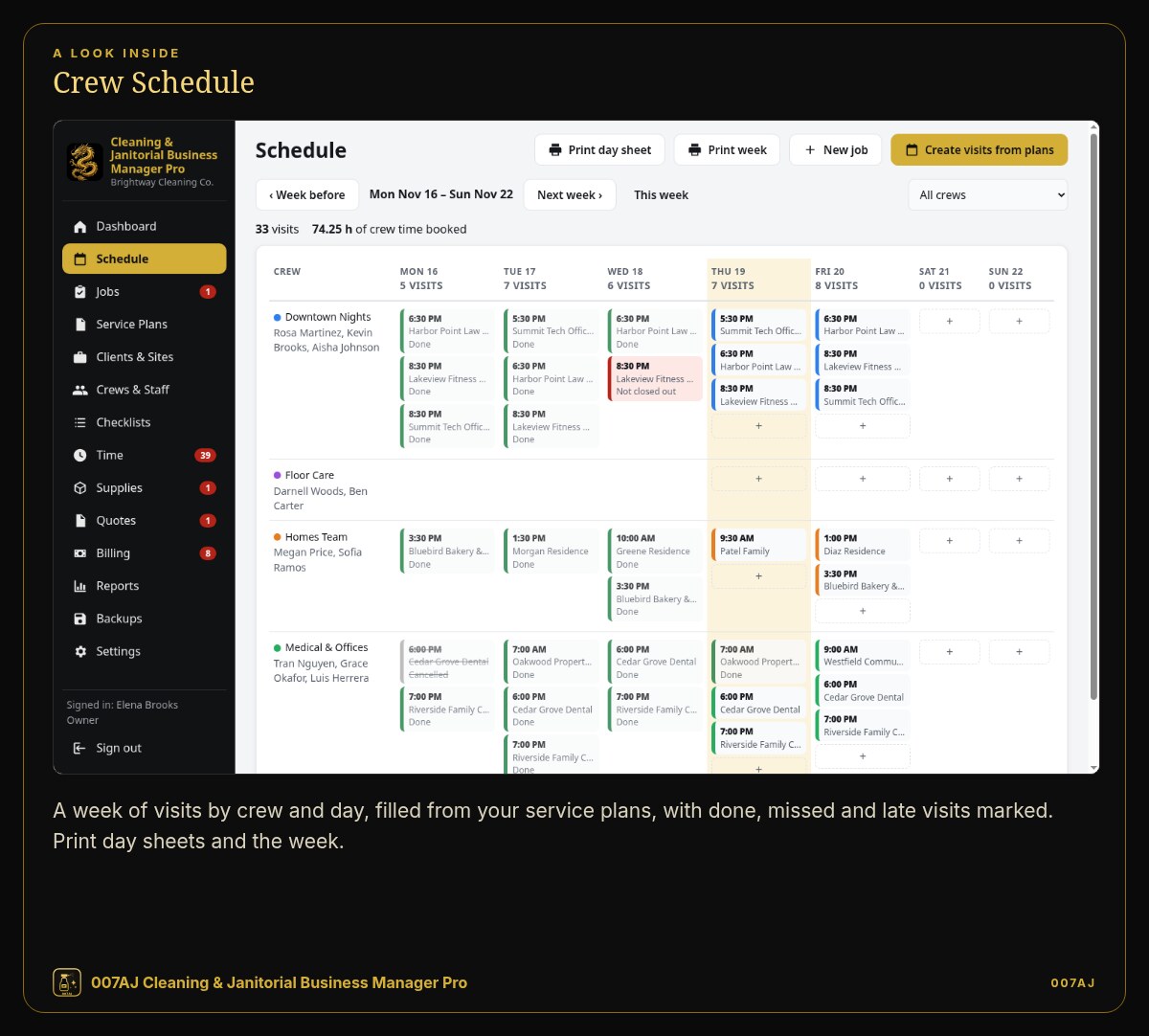
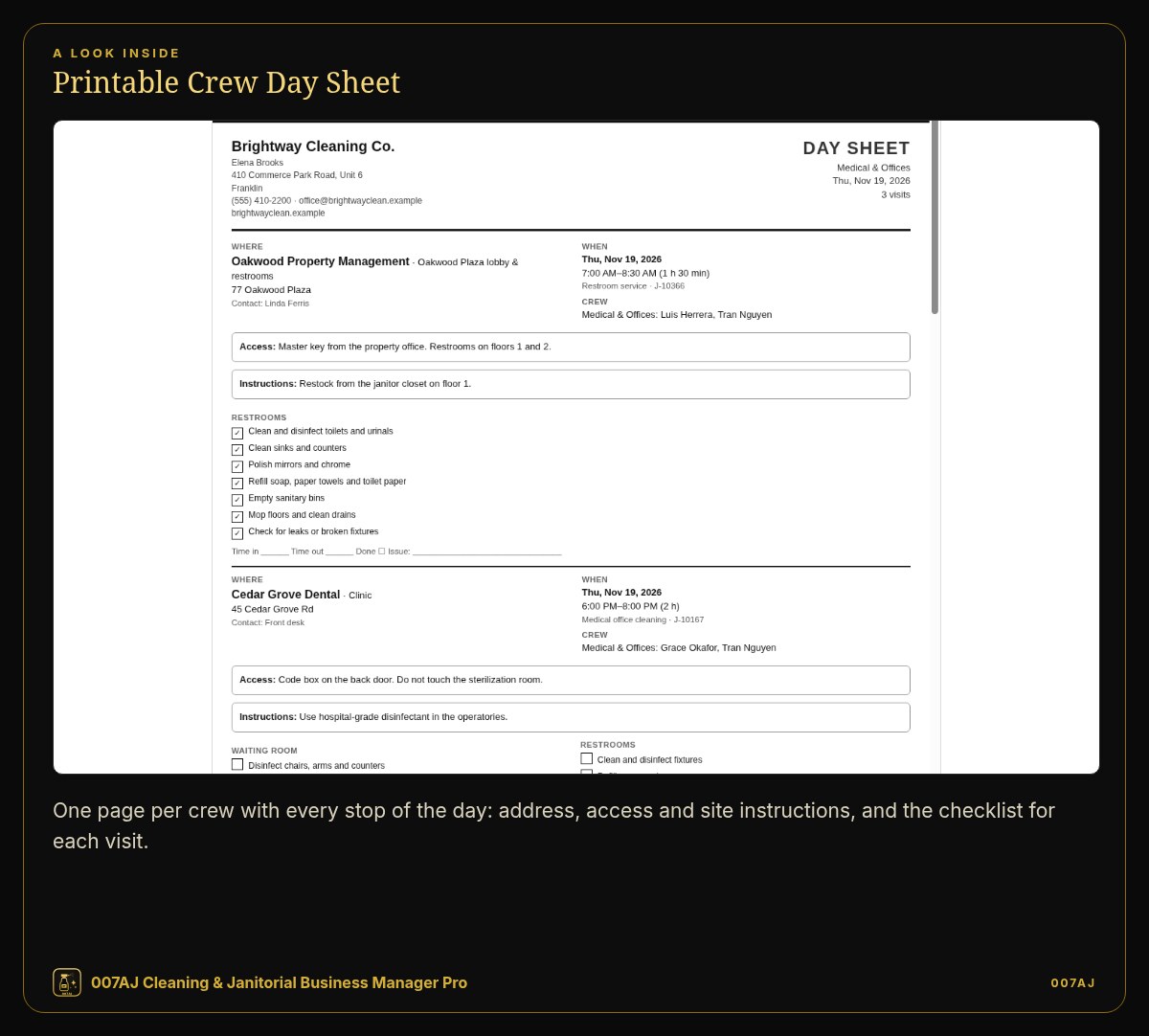
A week-by-week grid of every visit by crew and day, with done, missed and late visits marked. Add one-off jobs such as a deep clean or a move-out clean, move a visit to another crew, and print a day sheet for each crew with every stop, the access notes and the checklists, or print the whole week.
Room-by-room checklists
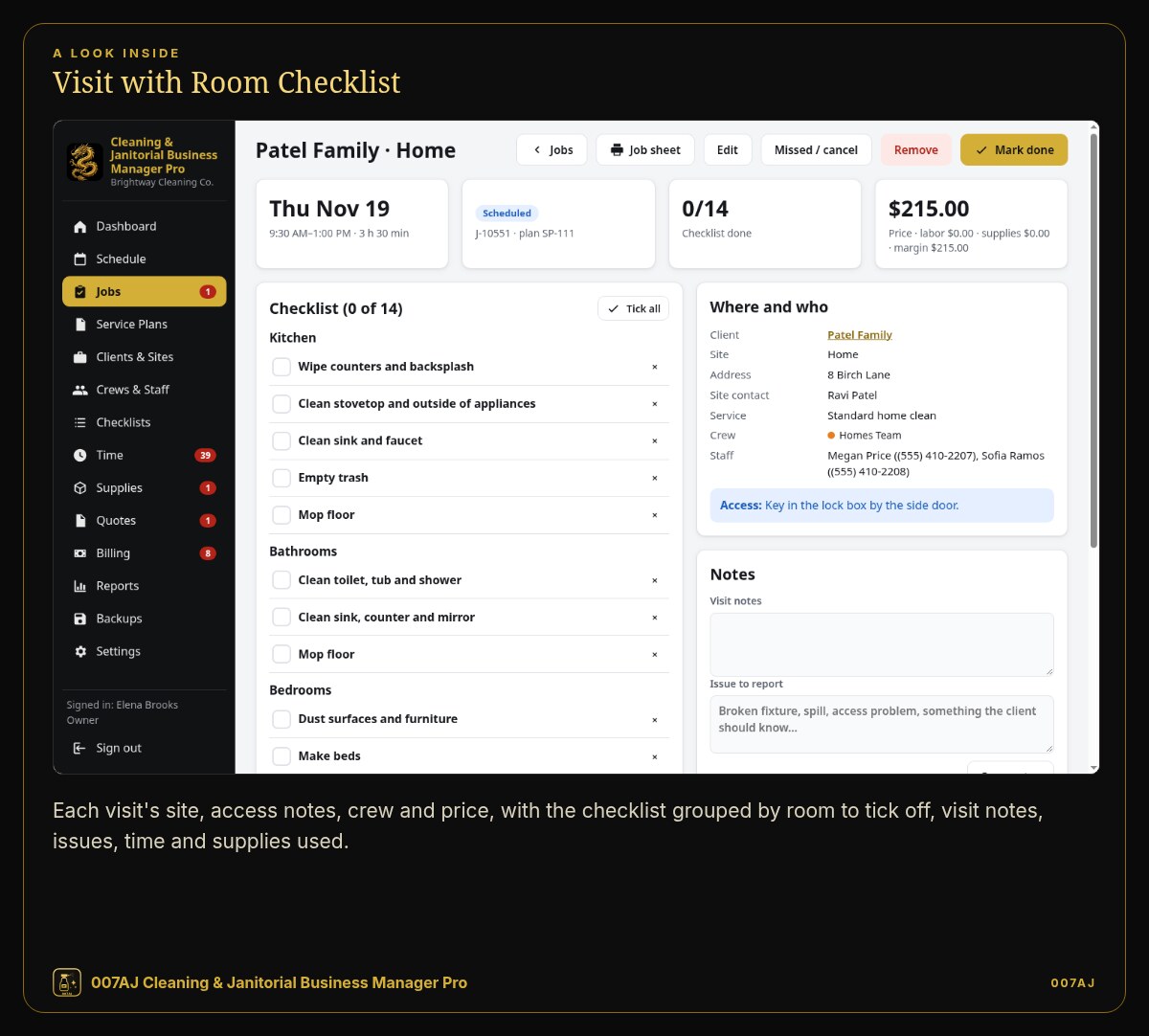
Checklist templates for offices, medical offices, restrooms, homes, move-out cleans and floor care, grouped by room or area. Change them or add your own. Each visit gets its own copy to tick off, and you can add a task for just that visit.
Visits, notes and issues
Mark each visit done or missed with a reason, add visit notes, and report issues such as a broken fixture or a spill for follow-up. Visits from earlier days that were not closed out are flagged on the dashboard.
Crews and staff
Staff with title, phone, email, pay rate, start date and emergency contact, grouped into crews with a crew lead. Visits are given to a crew and to the people on it.
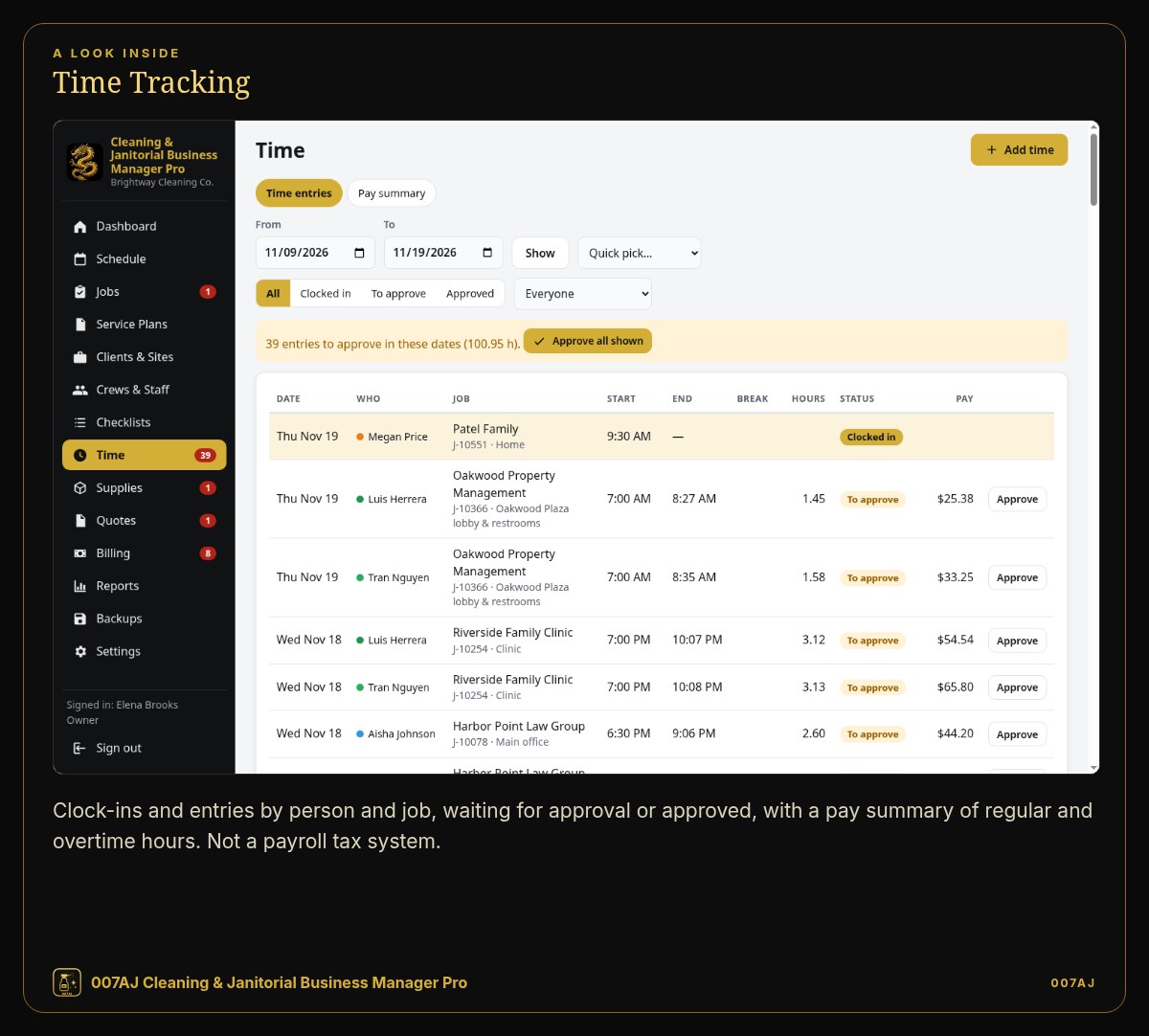
Time tracking
Cleaners clock in and out on the job they are at, or a manager adds and corrects entries with breaks. See who is working right now, approve hours one at a time or all at once, and lock approved entries.
Pay summary (gross pay)
For any dates: each person’s regular and overtime hours, pay rate and gross pay from approved time, with weekly and optional daily overtime at your multiplier. Mark it processed and save a CSV for your payroll service. It does not work out taxes or deductions.
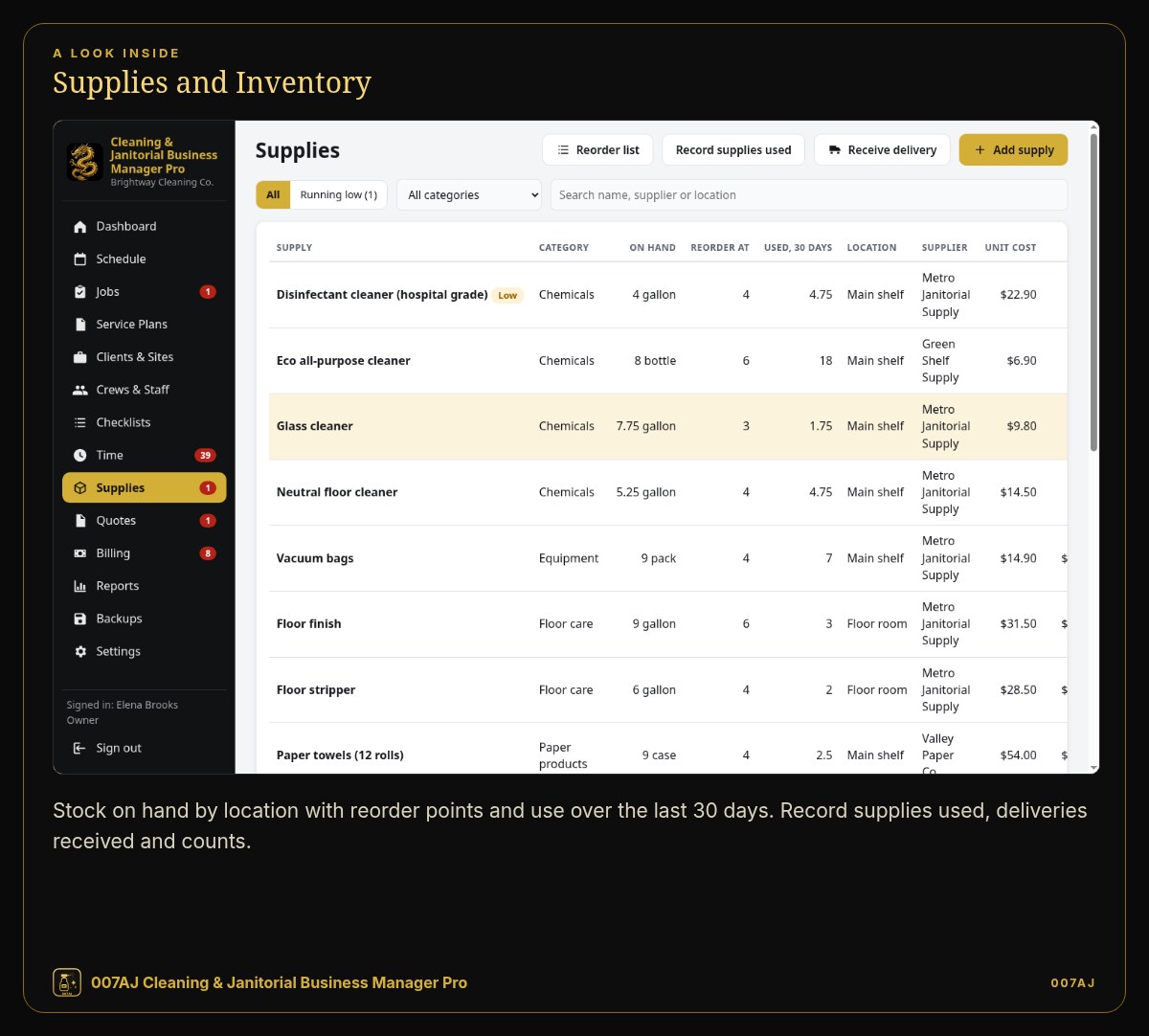
Supplies and inventory
Chemicals, paper products, liners, floor care, equipment and safety gear with units, cost, supplier, storage location and reorder point. Record supplies used on a job, deliveries received and stock counts. A reorder list shows what is running low.
Quotes
Numbered quotes with line items, a monthly or per-visit price, terms and a valid-until date, printed with signature lines. When a client accepts, turn the quote into a service plan or a one-off job in one click.
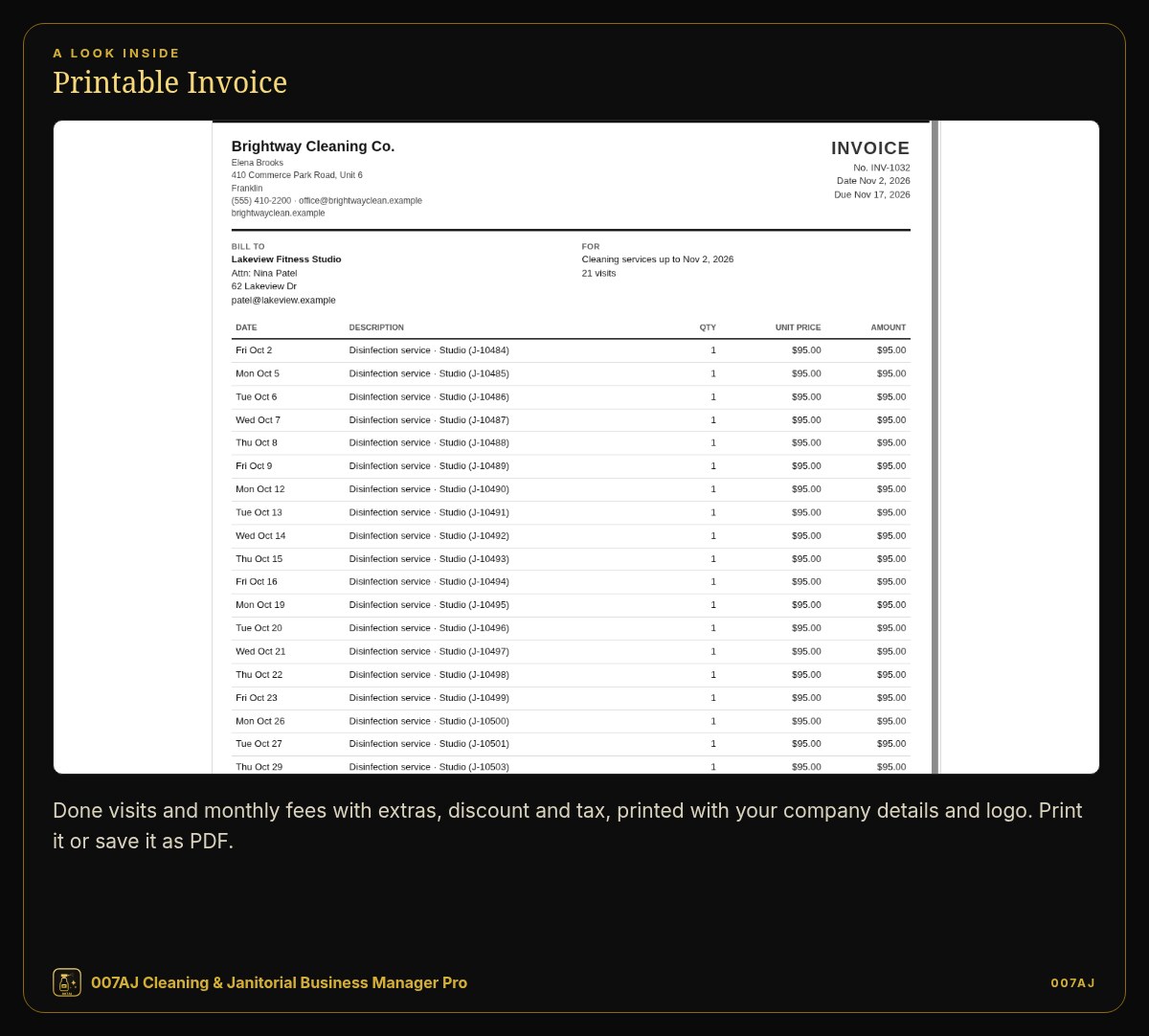
Invoices and payments
Pick a client and a date, and every done visit not yet invoiced and every monthly fee due goes onto a draft invoice. Add a line, a discount or tax, check it and issue it. Record full or part payments by check, bank transfer, card or cash, print a receipt, and see what each client owes and which invoices are overdue.
Profit by client
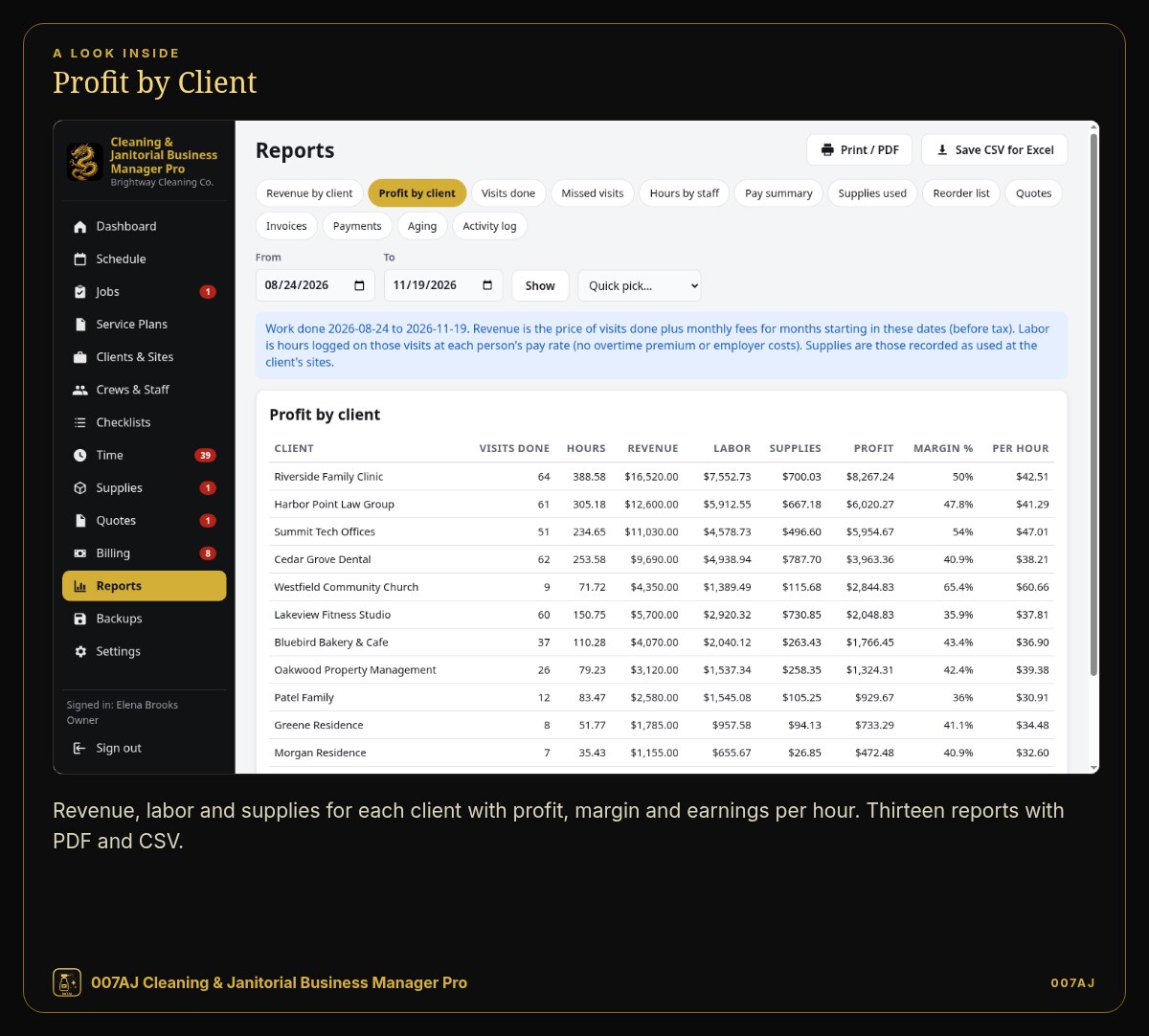
For any dates: revenue from visits done and monthly fees, labor from hours logged at each person’s pay rate, supplies used at the client’s sites, profit, margin and earnings per hour, so you can see which accounts are worth keeping and which need a new price.
Dashboard
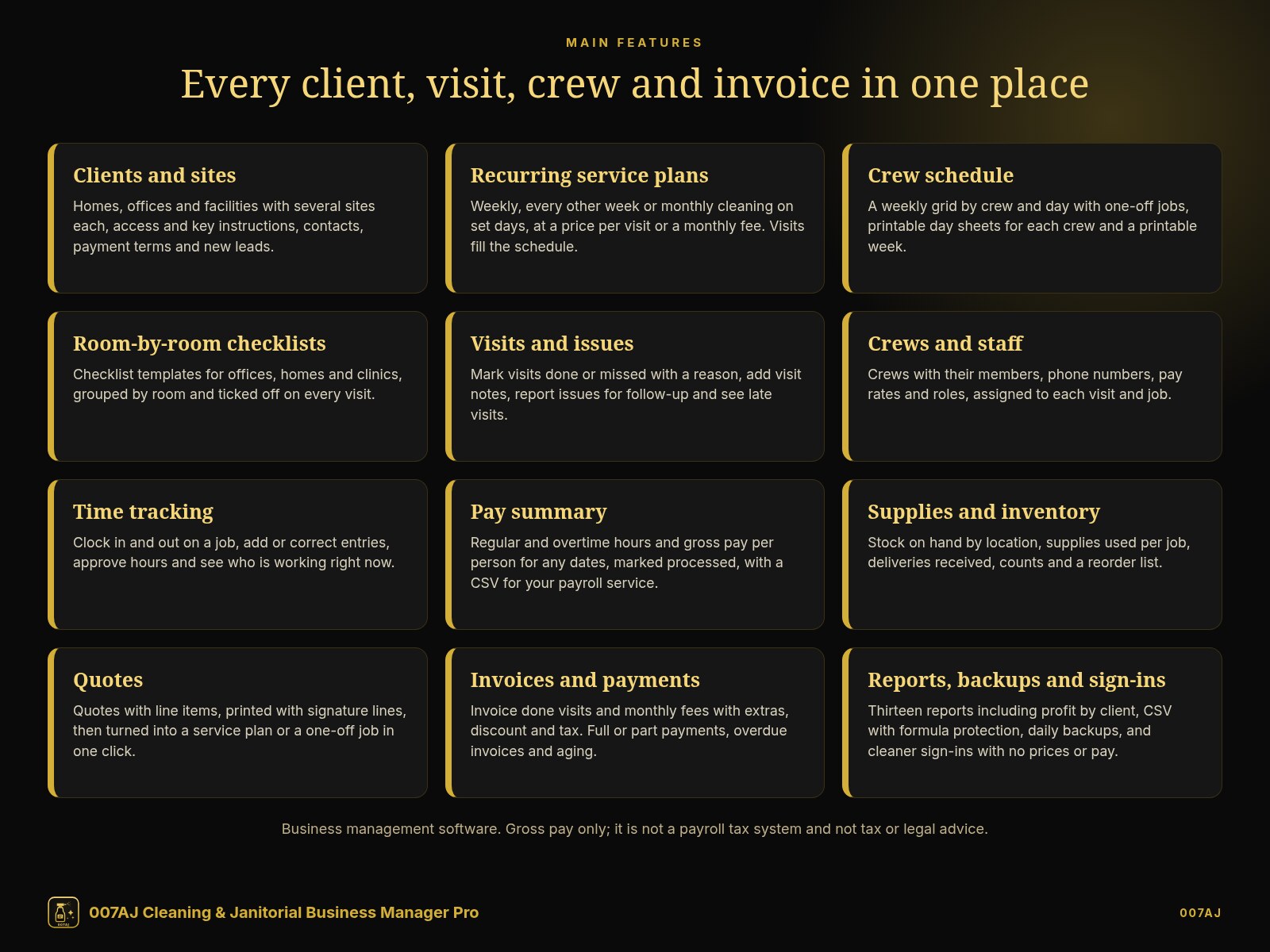
Today’s visits by crew, who is clocked in now, visits not closed out, issues reported, time waiting for approval, supplies running low, money ready to invoice and money owed, all on one screen.
Thirteen reports with CSV export
Revenue by client, profit by client, visits done, missed visits, hours by staff, pay summary, supplies used, reorder list, quotes, invoices, payments, aging of money owed and an activity log. Print, save as PDF or export to CSV for Excel, with protection against formula tricks in names.
A look inside
Everyday quality
Owner, manager and cleaner sign-ins
Everyone signs in with their own password. Cleaners see their own jobs and schedule, tick off checklists, add notes and issues, record supplies used and clock in and out, and never see prices, pay rates, invoices, payments or reports. Managers run clients, plans, crews, time approval, supplies, quotes, billing, reports and backups. Only the owner changes settings and sign-ins, restores a backup or starts fresh.
Backups built in
A backup is made automatically every day and when the program closes, keeping the last 14 (you choose). Daily backups can also be copied to a USB drive or a second folder. Restore any backup in one click; a safety copy of your current records is made first.
Your rules and lists
Set the weekly and daily overtime hours and multiplier, payment terms, tax rate, how long quotes stay valid, numbering for clients, plans, jobs, quotes, invoices and receipts, invoice and quote terms, payment details, and your own lists of services, supply categories, units, missed-visit reasons, job titles, lead sources and payment methods.
Your name on the paperwork
Your company name, logo, address, phone and tax number appear on quotes, invoices, receipts, job sheets, crew day sheets, the weekly schedule, the pay summary and reports.
Easy on the eyes
Large text and buttons, counts of late visits, time waiting, supplies running low and overdue invoices in the menu, and light and dark looks (or match Windows).
Look around with a sample company first
You can fill in a sample cleaning company with crews, staff, clients, sites, service plans, three months of visits, time, supplies, quotes, invoices and payments, then choose Start fresh in Settings for your real records. A backup is made before anything is removed, and your settings, logo and sign-ins stay.
Simple to install
A normal Windows installer with desktop and Start menu shortcuts. It installs for the current Windows user, with no administrator rights needed.
Who it is for — and who it is not for
Who it is for
Small and growing cleaning companies: commercial office and janitorial contractors, medical office cleaners, house cleaning and maid services, move-out and post-construction cleaners, and floor care crews that want clients, sites, schedules, checklists, time, supplies and billing in one place on one computer, without paying every month.
Who it is not for
Anyone who needs to run payroll taxes, withholding, pay stubs or tax filings, a client web portal, a phone app or GPS time clock, several computers sharing one live set of records, online card payments or a full accounting ledger. It does not give tax, legal or accounting advice and does not check your work against the wage, overtime or worker classification rules where you operate.
Requirements
Windows 10 or Windows 11, 64-bit, on one PC. About 400 MB of free disk space. A screen of at least 1366 by 768 is recommended. Not for Mac, Linux, Chromebook, phones or tablets.
How you receive it
After checkout you get an instant download link for the signed Windows installer. Run it, follow the steps, and open 007AJ Cleaning & Janitorial Business Manager Pro from the desktop or the Start menu. Windows may ask you to confirm before running a newly downloaded program.
Support
Email admin@007aj.dev with any question about installing or using the program.
Business management software, not advice
007AJ Cleaning & Janitorial Business Manager Pro keeps the records you enter about clients, sites, service plans, visits, checklists, staff, crews, time, supplies, quotes, invoices and payments, and works out hours, overtime, gross pay, invoice totals, balances and profit from the prices, rates and rules you set. It is not a payroll tax system: it does not work out withholding, payroll taxes, benefits or deductions, and it does not make pay stubs or tax filings. It is not tax, legal or accounting advice, and it does not decide the wage, overtime, break or worker classification rules that apply to you. Check those rules where you operate, and use a payroll service or accountant for payroll taxes.
Questions
Is this a subscription?
No. You pay once. There are no monthly fees and no charge per user, per cleaner, per client or per invoice.
Can my cleaners use it without seeing prices or pay?
Yes. Give each cleaner a cleaner sign-in linked to their staff record. They see their own jobs, the schedule, checklists and their own time, and can clock in, tick tasks, add notes, report issues and record supplies used. Prices, pay rates, invoices, payments, quotes and reports are never sent to a cleaner sign-in.
Do my cleaners need phones or an app?
No. It runs on one Windows PC, for example in your office. Cleaners can sign in on that PC, or you can print day sheets and job sheets for each crew and enter the time and ticks afterwards.
How do recurring cleanings work?
Make a service plan for a site: weekly or every other week on the days you pick, or monthly on a day of the month, with a start time, length, crew and checklist. Visits are added to the schedule from the plan, and you can still move, change or cancel any single visit.
Can I bill a monthly fee instead of per visit?
Yes. Each plan is billed either per visit at its price, or at a monthly fee. Invoices pick up done visits and the monthly fees due, and you can add extra lines such as a carpet spot treatment.
Does it run payroll or work out taxes?
No. It works out hours, overtime and gross pay from your pay rates and approved time, and gives you a summary and a CSV to hand to your payroll service or accountant. It does not work out withholding, payroll taxes or deductions, and it is not tax advice.
Can I print checklists and invoices?
Yes. Crew day sheets, job sheets with checklists, the weekly schedule, quotes with signature lines, invoices, receipts, the pay summary and every report can be printed or saved as PDF, with your logo.
Does it work on more than one computer?
It runs on one PC and keeps its data on that PC. It does not share data over a network or sync to the cloud. Backups can go to a USB drive or a second folder, and can be restored on a new computer.
What computers does it run on?
Windows 10 or Windows 11, 64-bit, on one PC. It is not for Mac, Linux, Chromebook, phones or tablets.
Can I look around before adding my own records?
Yes. Load the sample cleaning company of made-up crews, staff, clients, sites, service plans, visits, time, supplies, quotes, invoices and payments, then choose Start fresh in Settings when you are ready.
Where do I get help?
Email admin@007aj.dev.
Pay once. Works offline. Built for cleaning companies.
007AJ Cleaning & Janitorial Business Manager Pro is a Windows 10 and Windows 11 program that keeps your clients and sites, service plans, crew schedule, room-by-room checklists, staff and crews, time and gross pay summary, supplies, quotes, invoices, payments and profit reports on your own computer. Version 1.0.0. No subscription, no online account, and no internet needed. Business management software, not tax or legal advice. The program includes a 14-day free trial. The licence key emailed after purchase unlocks the full version.
Support: email admin@007aj.dev
007AJ Cleaning & Janitorial Business Manager Pro is published by 007AJ (007aj.dev).
Not affiliated with Microsoft. Windows is a trademark of Microsoft Corporation.