
Run Your Clients, Matters, Deadlines, Time, Invoices and Retainers on Your Own Computer, With No Subscription
007AJ Law & Professional Office Manager Pro is an offline Windows 10 and Windows 11 desktop program for small law firms, solo attorneys, accountants, insurance agents and consultants. Keep your clients and contacts, open numbered matters with a type, status, responsible person and related parties, and run a conflict check across everyone you have ever recorded. Track deadlines, court dates and appointments with reminders, keep tasks, record time with a running timer and hourly rates, log expenses, and turn unbilled work into printable invoices. Record payments and balances, keep a simple ledger of retainers held for clients, register where each document lives, and keep notes on every matter.
You pay once. There is no subscription, no per-user or per-matter charge, no online account, and no internet needed.
Office management software: it keeps the records you enter and adds them up. It is not legal, tax or accounting advice, and it does not replace the rules that apply to client money where you practice.
Instant download for Windows 10 and Windows 11. You get the signed Windows installer.
The promise
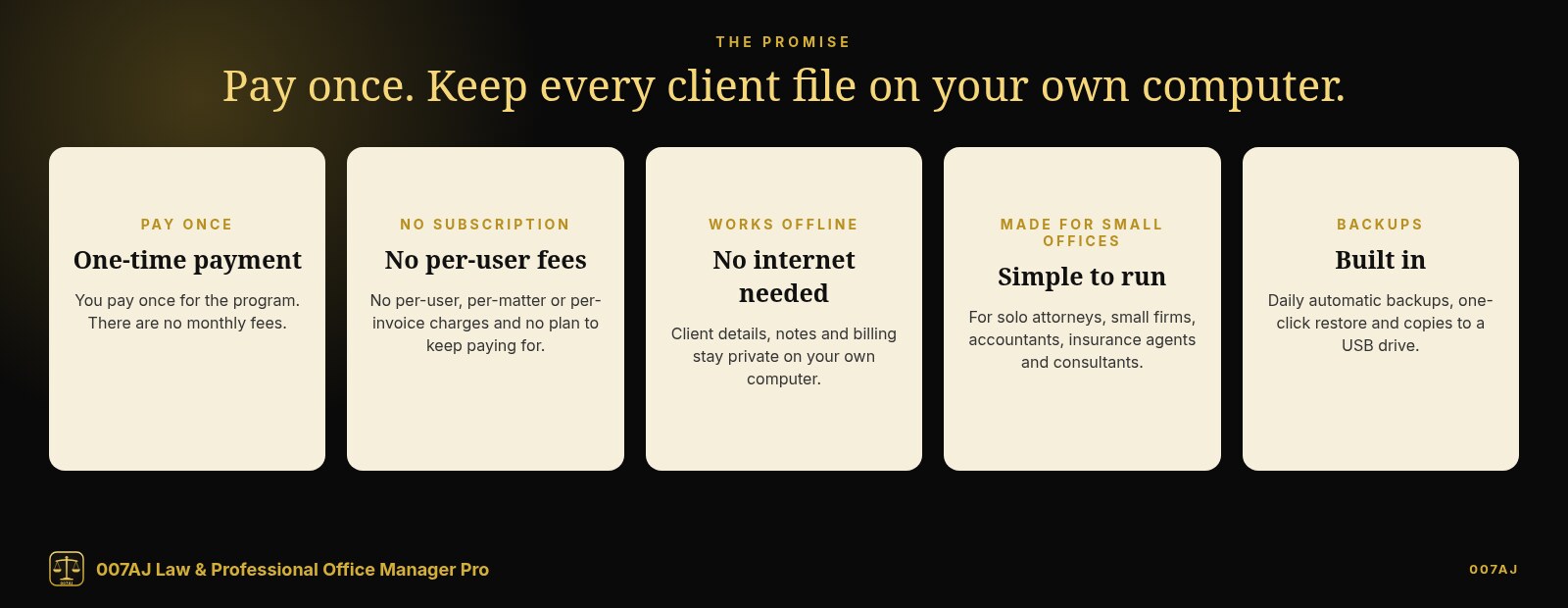
Pay once. No subscription. No internet needed.
Pay once
You pay once for the program. There is no subscription, no monthly fee and no charge per user, per matter or per invoice.
No internet needed
The program works offline. No online account is required. Client details, notes, time and billing records stay on your own computer, and nothing is sent anywhere.
Your data stays yours
Everything is kept in one file on your computer. Daily automatic backups are made for you, and copies can go to a USB drive or a second folder.
Main features
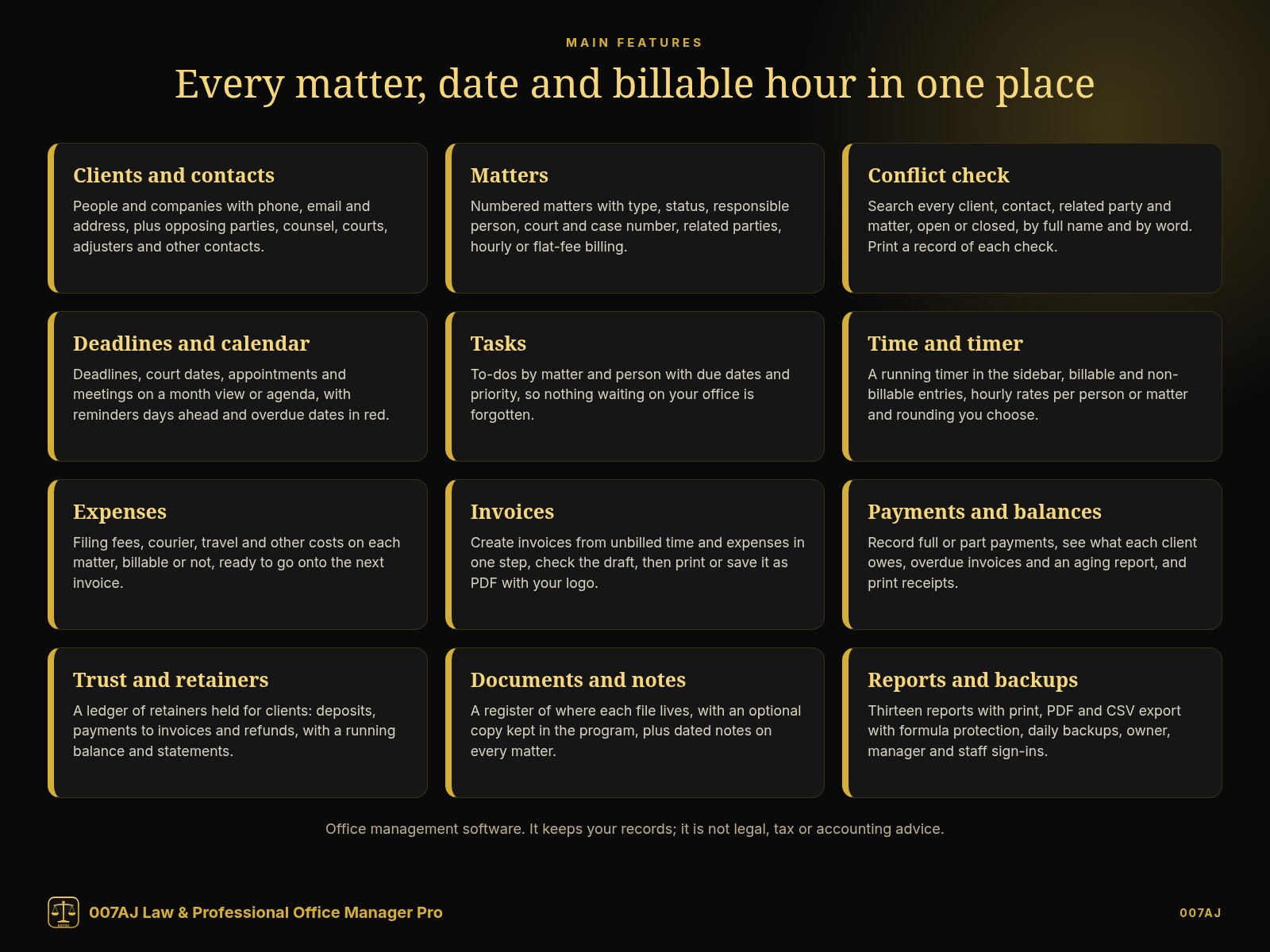
Clients, matters, conflicts, dates, tasks, time, expenses, invoices, payments, retainers, documents and reports — on one computer
Clients and contacts
People and companies with numbers, phones, email, address and notes, plus a contact list for opposing parties, opposing counsel, courts, adjusters, experts and anyone else you deal with. Each client shows its matters, what is owed and any retainer held.
Matters
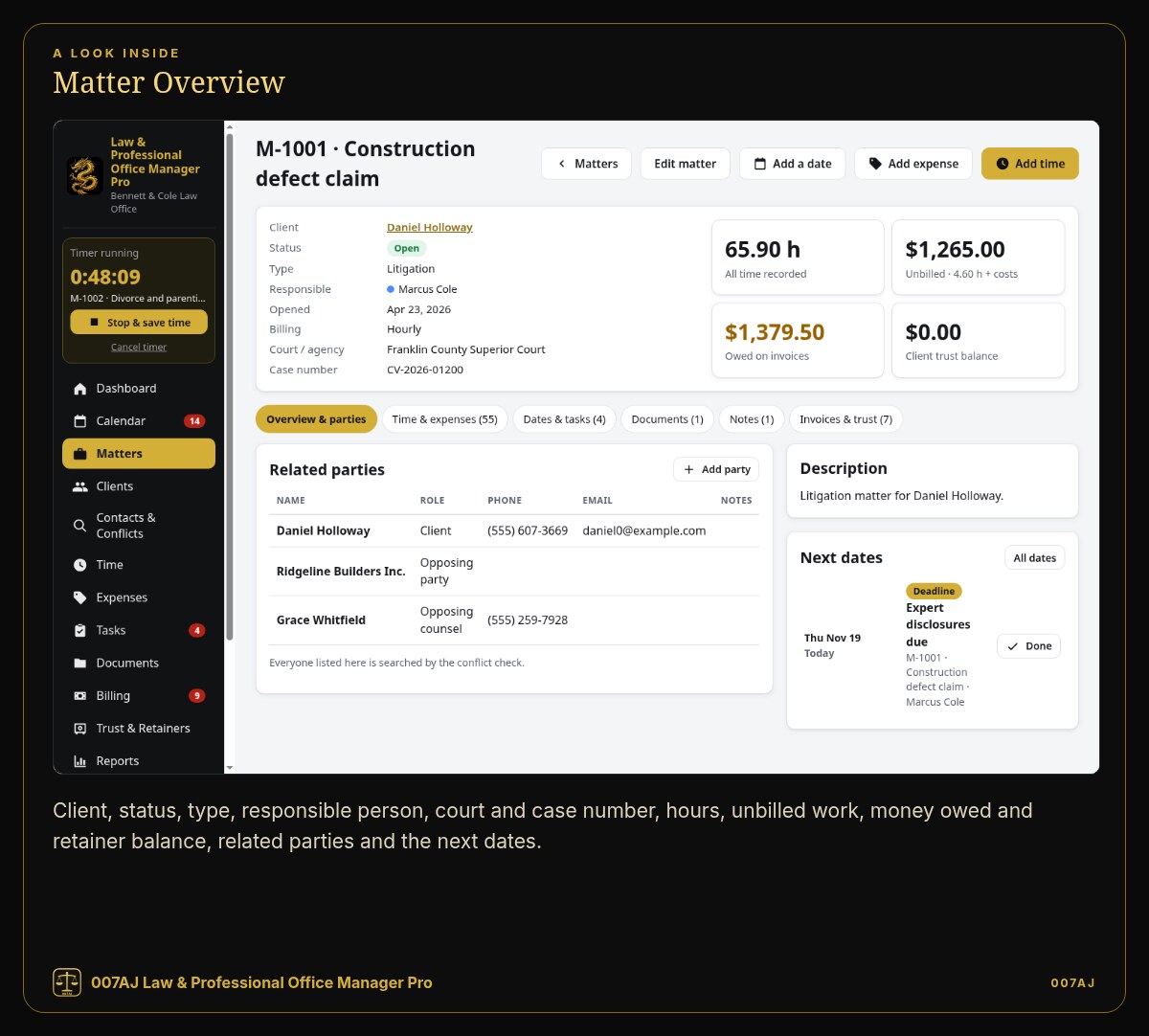
Numbered matters with a title, type, status (open, pending, on hold, closed), responsible person, court or agency, case number, opened and closed dates and a description. Bill each matter hourly, as a flat fee or not at all, and set a matter rate if it differs from the person’s rate.
Related parties
List everyone connected to a matter with their role: the client, opposing party, opposing counsel, witnesses, beneficiaries, insurers and more. Pick from your contacts or type a new name. Everyone listed is searched by the conflict check.
Conflict check
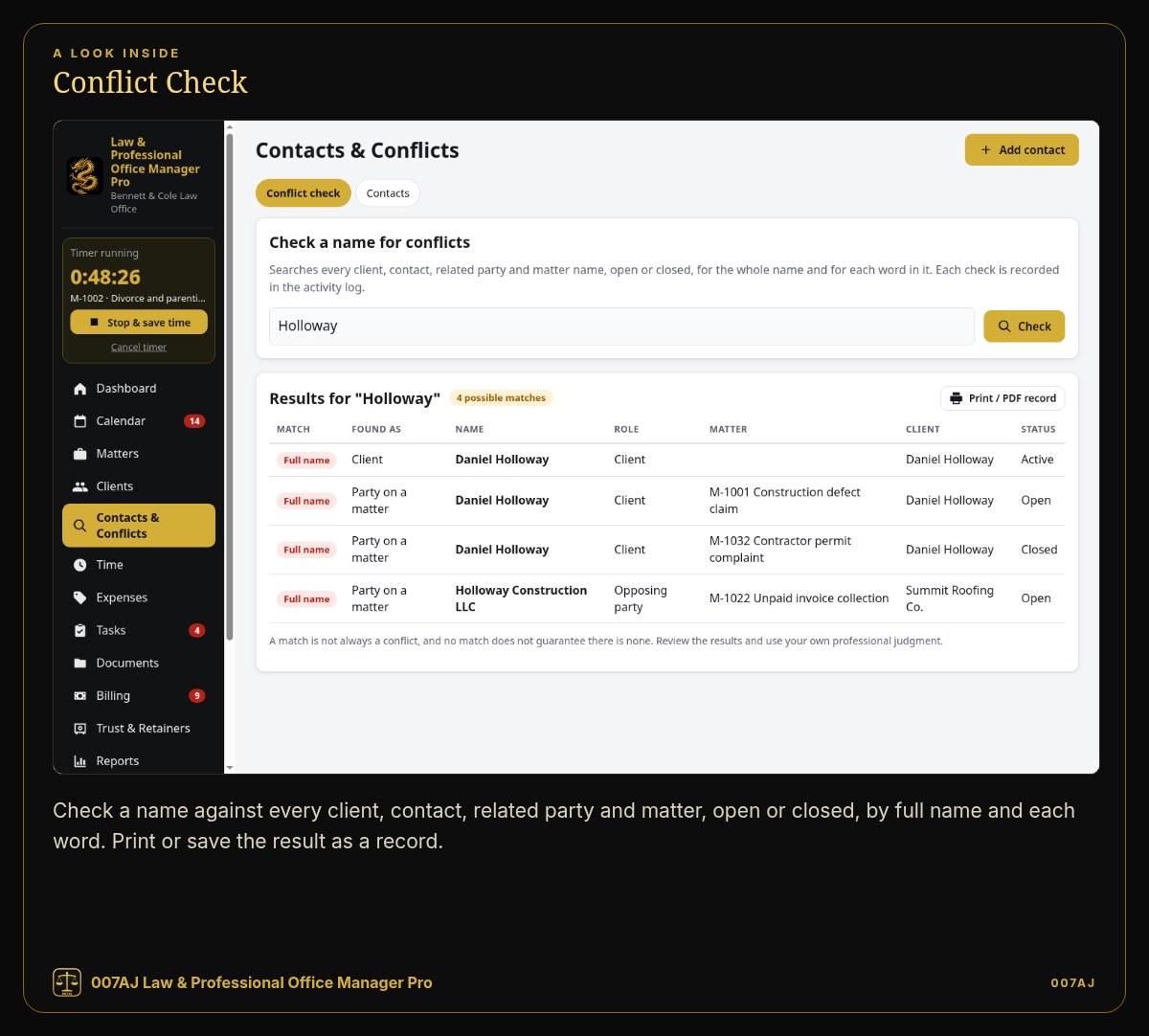
Type a name and search every client, contact, related party and matter, open or closed, for the full name and for each word in it. Results show where each name was found, on which matter and for which client. Each check is recorded in the activity log, and you can print or save the result as a record. A match is not always a conflict; you make the call.
Deadlines and court calendar
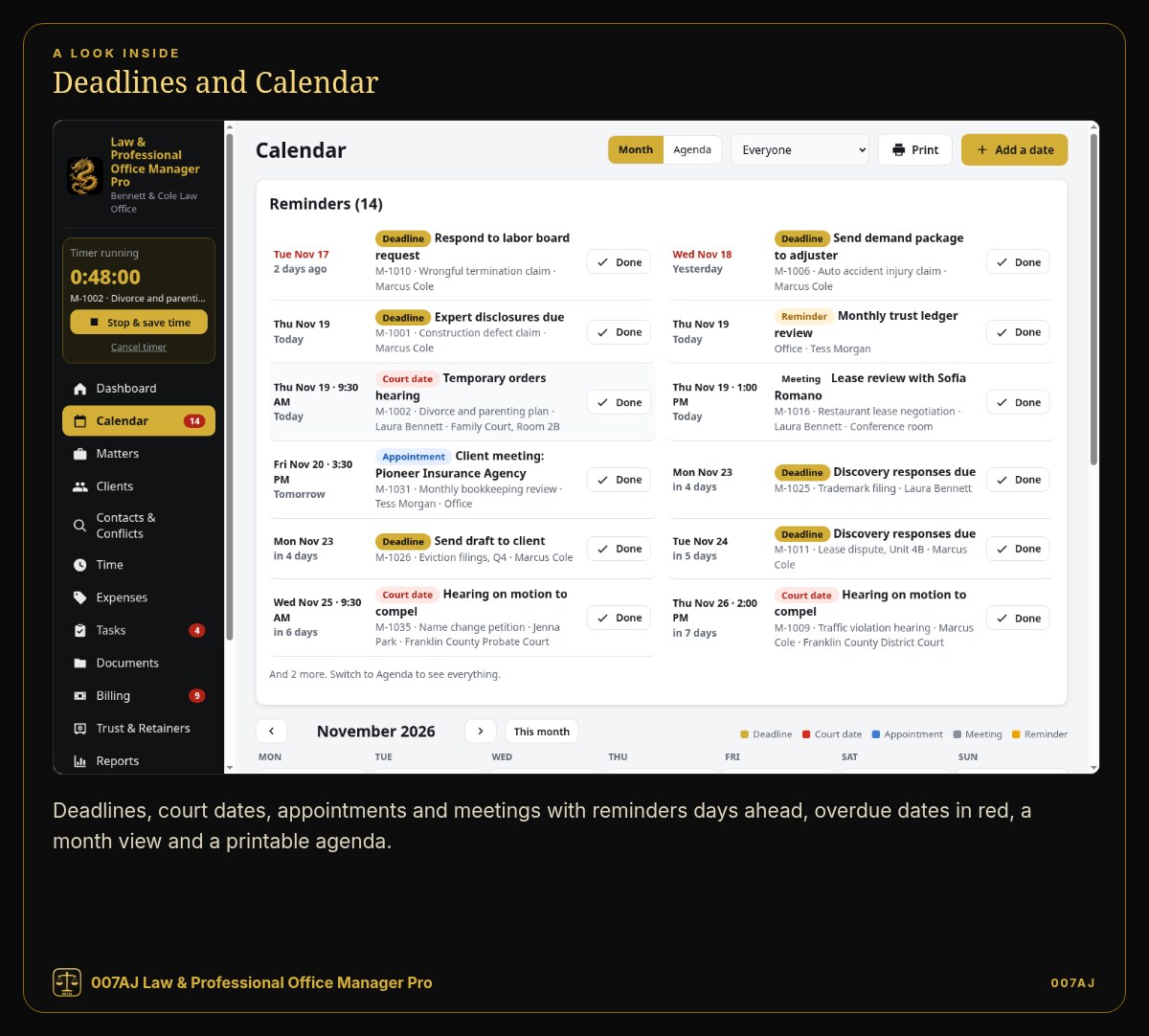
Deadlines, court dates, hearings, appointments, meetings and reminders on a month view or an agenda, colour-coded by kind, with time, place and the person responsible. Each date can remind you a set number of days ahead. Overdue dates stay in red until marked done. Print the agenda for any range.
Tasks
To-dos for each matter and person with a due date and priority. See your own tasks, everyone’s, or what is overdue, and tick them off as you go. Open tasks are counted in the menu.
Time tracking with a timer
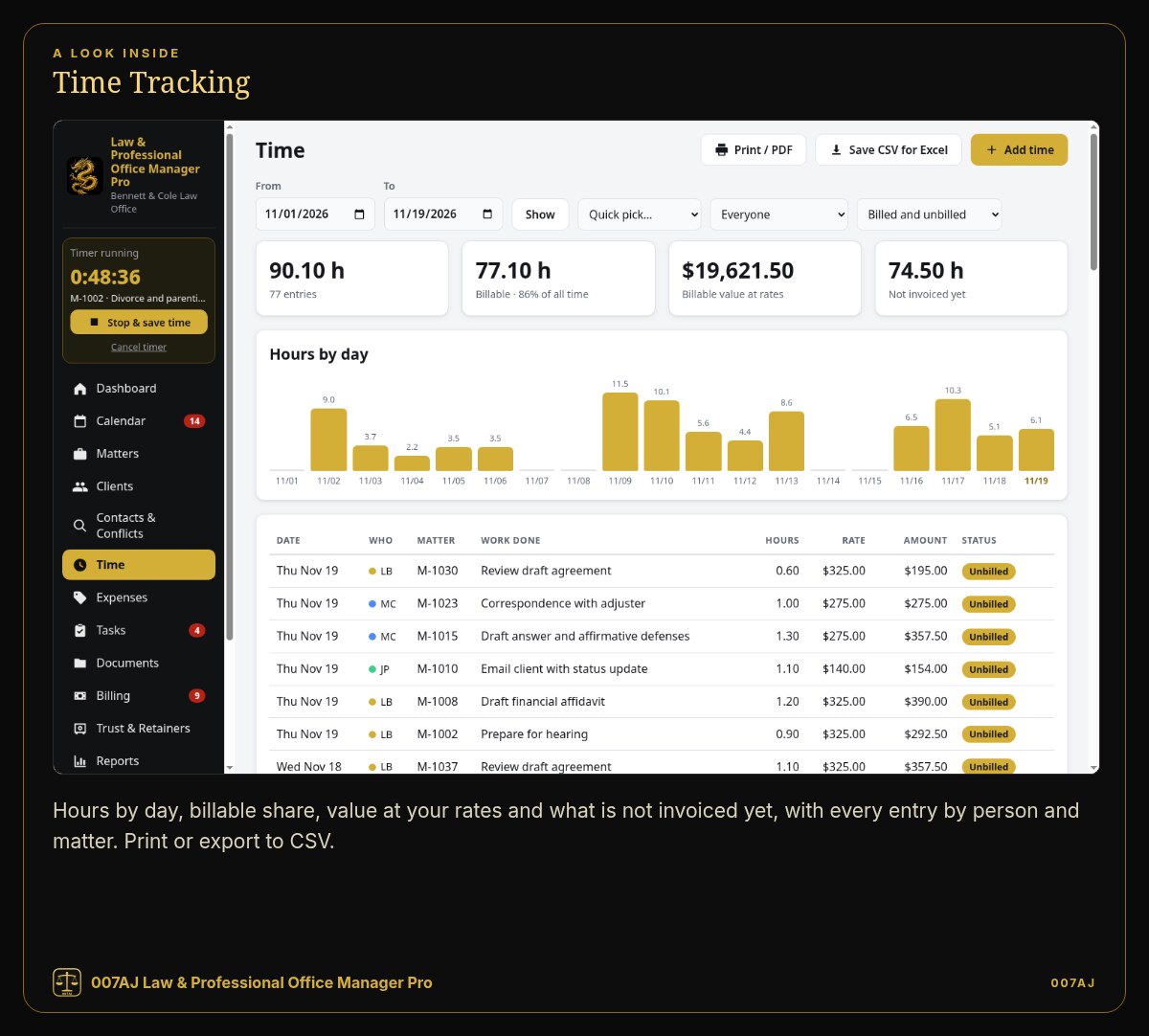
Start a timer on a matter and it keeps running in the sidebar while you work, even if you close the program; stop it and save the time with a description. Or type time as 1.5, 1:30 or 45m. Entries are billable or non-billable, rounded to the step you choose (for example 6 minutes), and priced at each person’s hourly rate or the matter rate.
Expenses
Filing fees, courier and postage, copies, travel, expert fees and other costs on each matter, with a category, amount, billable flag and receipt reference. Billable expenses go onto the next invoice.
Invoices from unbilled work
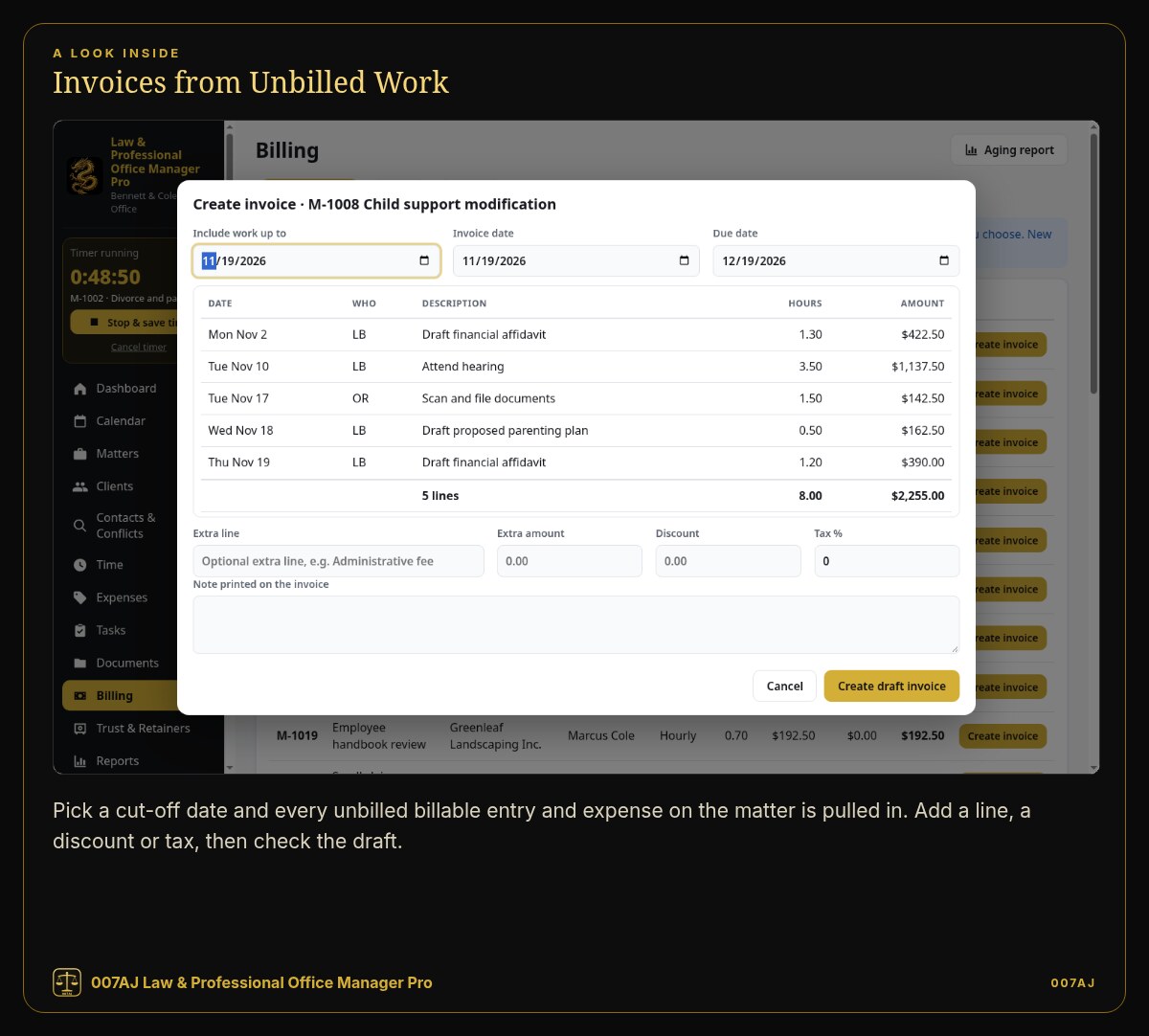
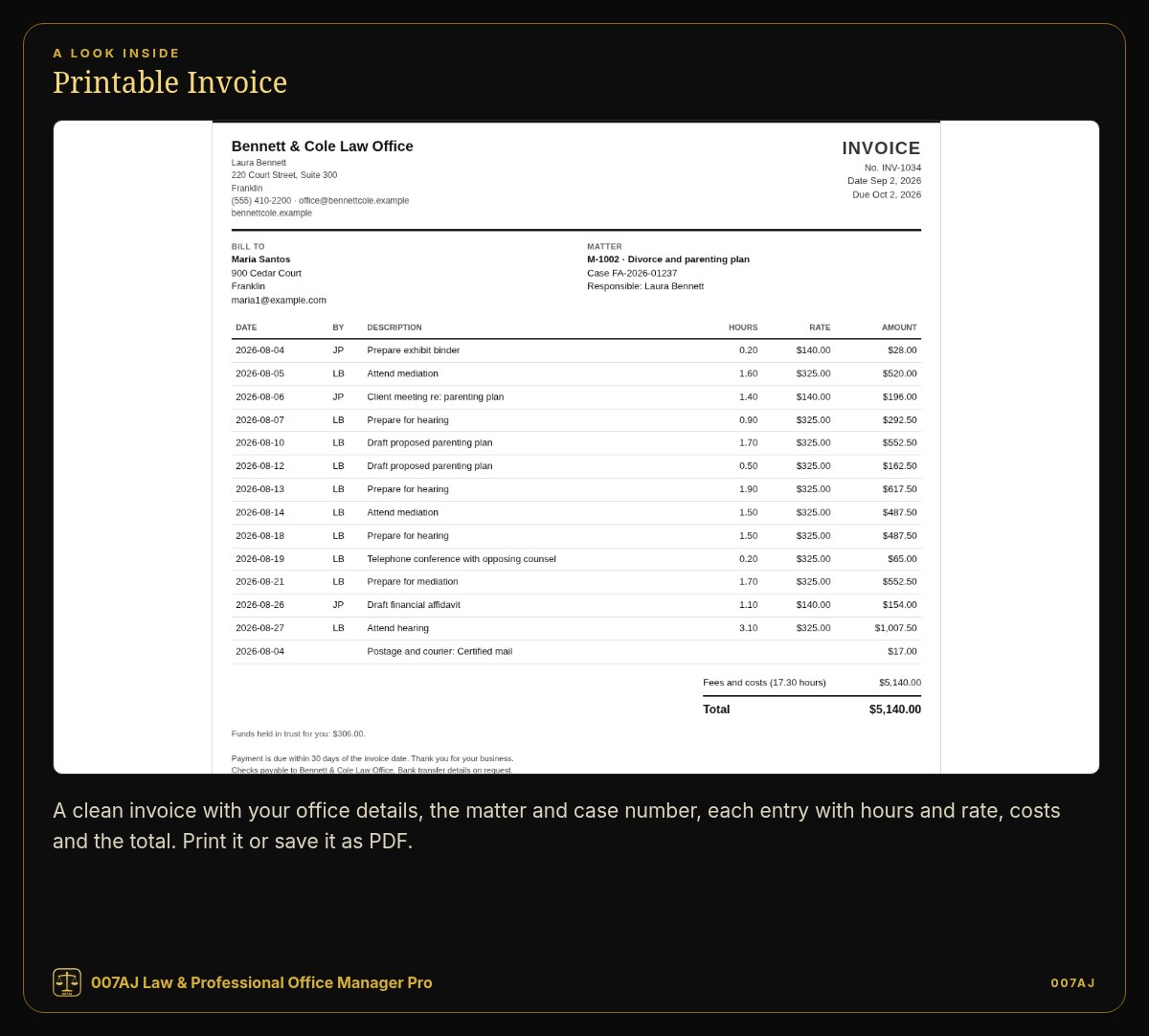
Pick a matter and a cut-off date and every unbilled billable time entry and expense up to that date is pulled into a draft invoice. Add an extra line, a discount or tax, and a note. Check the draft, then issue it. Invoices print or save as PDF with your logo, office details, the matter and case number, and each entry with hours and rate.
Payments and balances
Record full or part payments by check, bank transfer, card or cash, or apply money held in trust for the client. See what each client and matter owes, which invoices are overdue and by how long, and print a receipt for any payment.
Trust and retainer ledger
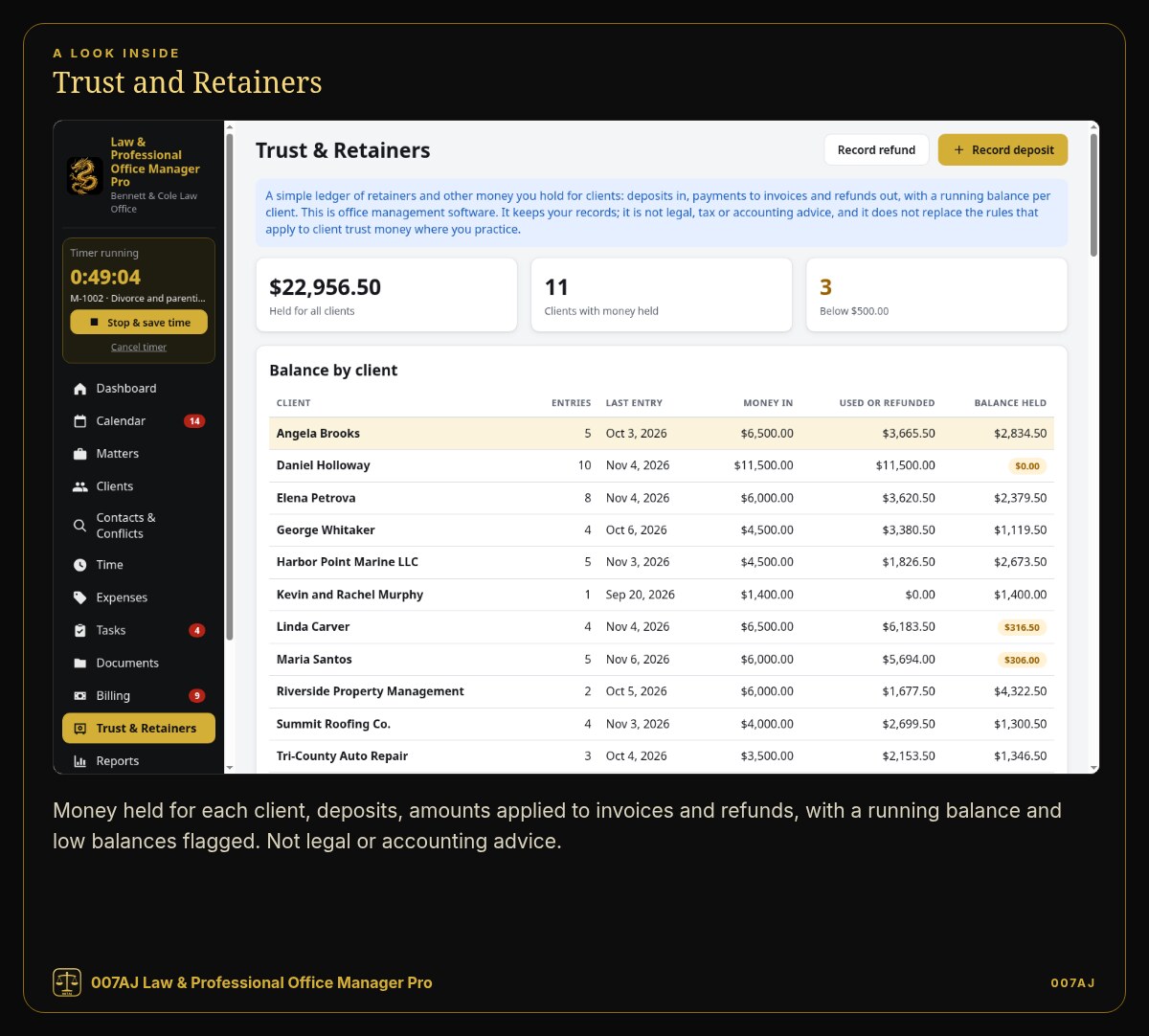
A simple record of money you hold for clients: deposits in, amounts applied to invoices and refunds out, with a running balance per client and a warning when a balance is low. The program will not let a payment or refund take a client below zero. Print a statement for any client.
Document register
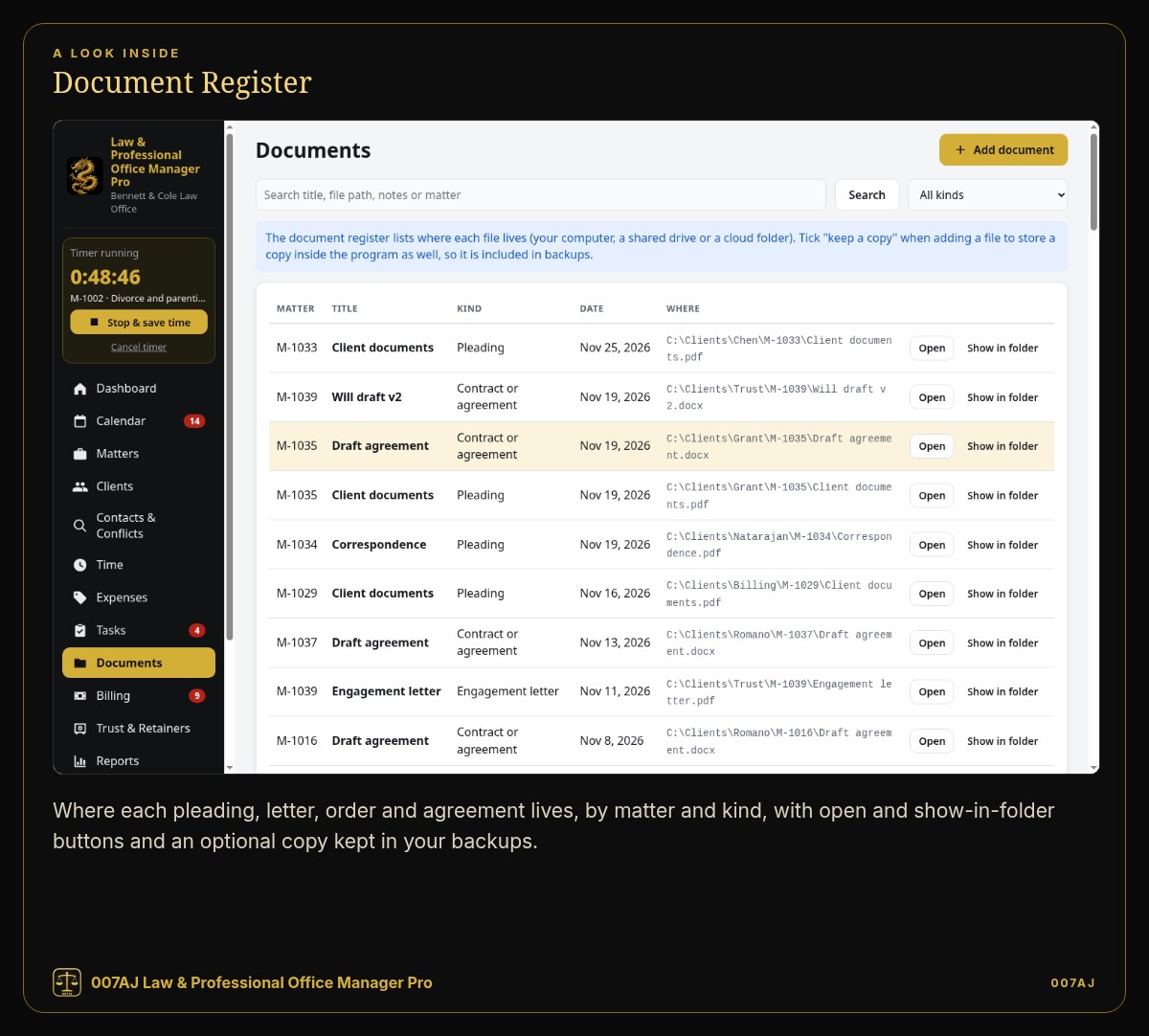
Record where each pleading, letter, order, agreement or form lives (your computer, a shared drive or a cloud folder), by matter and kind, and open the file or its folder in one click. Tick “keep a copy” to store the file inside the program so it is included in backups.
Notes
Dated notes on every matter, written by whoever is signed in, searchable and kept in order.
Dashboard
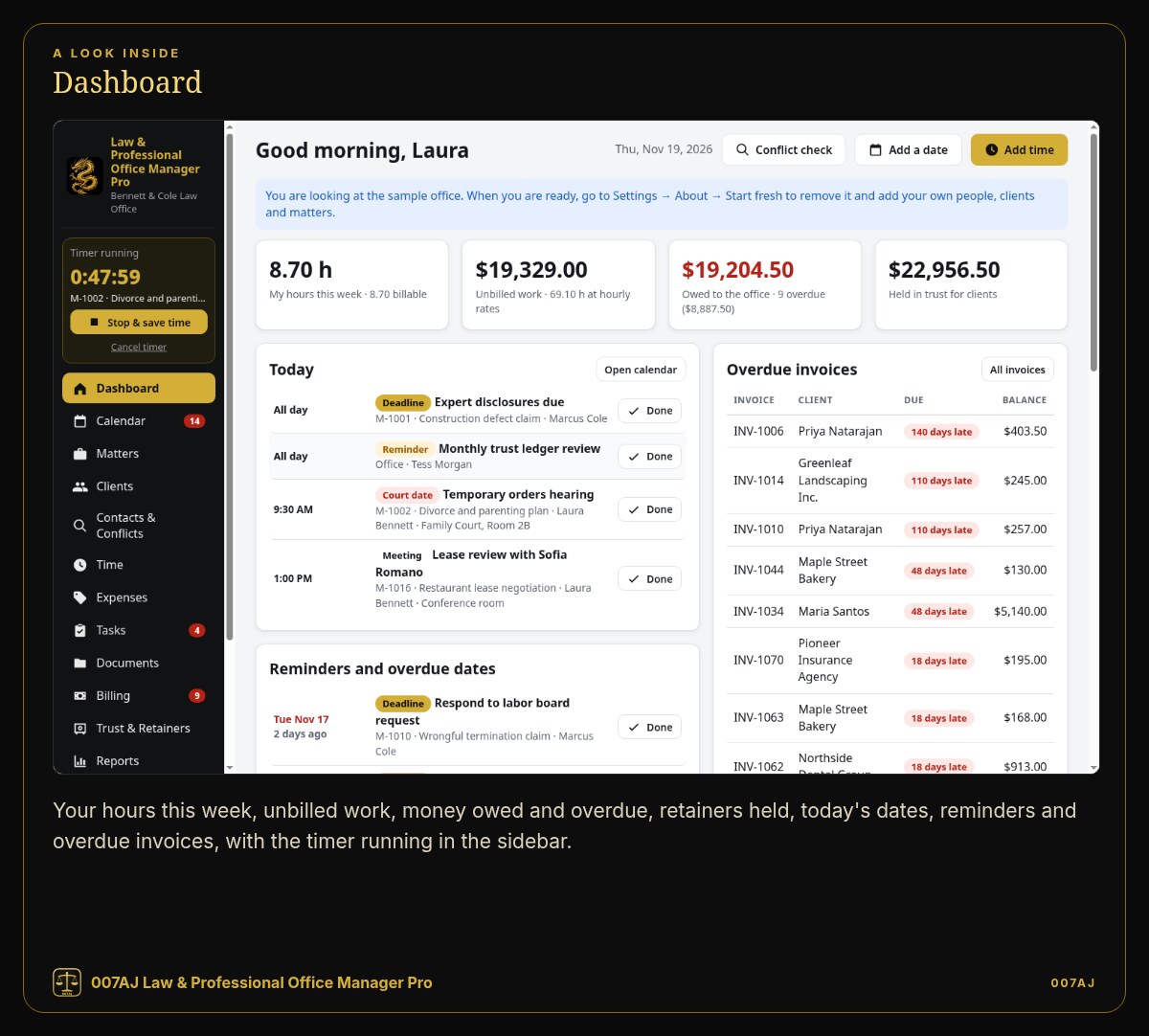
Your hours this week, unbilled work, money owed and overdue, retainers held, today’s dates, reminders and overdue dates, overdue invoices and low retainer balances, all on one screen.
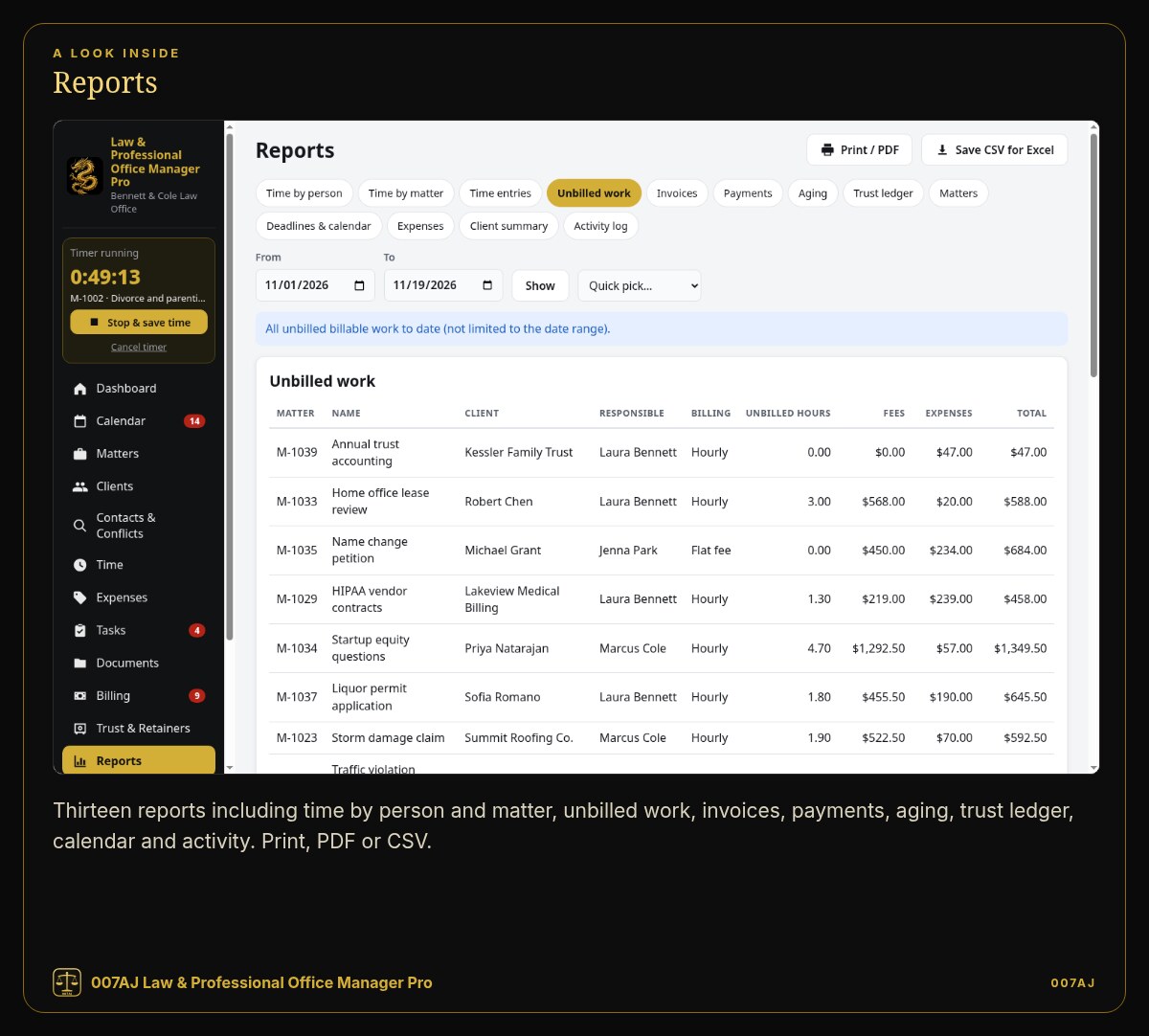
Thirteen reports with CSV export
Time entries, time by person, time by matter, unbilled work, invoices, payments, aging of money owed, trust ledger, matters, deadlines and calendar, expenses, client summary and an activity log. Print, save as PDF or export to CSV for Excel, with protection against formula tricks in names and descriptions.
A look inside
Everyday quality
Owner, manager and team member sign-ins
Everyone signs in with their own password, and each sign-in can be linked to a person so their time is credited to them. Team members record their own time and work with clients, matters, dates, tasks, expenses, documents and notes. Managers also create invoices, record payments and trust entries, see reports and remove records. Only the owner changes settings and sign-ins, restores a backup or starts fresh.
Backups built in
A backup is made automatically every day and when the program closes, keeping the last 14 (you choose). Kept document copies are included. Daily backups can also be copied to a USB drive or a second folder. Restore any backup in one click; a safety copy of your current records is made first.
Your rules and lists
Set time rounding, payment terms in days, tax rate, reminder days, the low retainer warning, invoice and matter numbering, invoice terms and payment details, and your own lists of matter types, party roles, contact kinds, expense categories, document kinds and payment methods.
Your name on the paperwork
Your office name, logo, address, phone and tax number appear on invoices, receipts, trust statements, conflict check records, agendas and reports.
Easy on the eyes
Large text and buttons, counts of reminders, open tasks and overdue invoices in the menu, and light and dark looks (or match Windows).
Look around with a sample office first
You can fill in a sample office with people, clients, matters, dates, time, invoices, payments and retainers, then choose Start fresh in Settings for your real records. A backup is made before anything is removed, and your settings, logo and sign-ins stay.
Simple to install
A normal Windows installer with desktop and Start menu shortcuts. It installs for the current Windows user, with no administrator rights needed.
Who it is for — and who it is not for
Who it is for
Solo attorneys and small law firms, accountants and bookkeepers, insurance agents, consultants and other professional offices that bill for their time and want clients, matters, dates, time, invoices and retainers in one place on one computer, without paying every month.
Who it is not for
Anyone who needs several computers sharing one live set of records, a client web portal, online card payments, e-filing with courts, bank feeds or a full accounting ledger. It does not give legal, tax or accounting advice and does not check your work against the rules where you practice.
Requirements
Windows 10 or Windows 11, 64-bit, on one PC. About 400 MB of free disk space. A screen of at least 1366 by 768 is recommended. Not for Mac, Linux, Chromebook, phones or tablets.
How you receive it
After checkout you get an instant download link for the signed Windows installer. Run it, follow the steps, and open 007AJ Law & Professional Office Manager Pro from the desktop or the Start menu. Windows may ask you to confirm before running a newly downloaded program.
Support
Email admin@007aj.dev with any question about installing or using the program.
Office management software, not advice
007AJ Law & Professional Office Manager Pro keeps the records you enter about clients, matters, dates, time, expenses, invoices, payments, retainers and documents, and works out totals and balances from them. It is not legal, tax or accounting advice, it is not a law firm or an accountant, and it does not replace the rules that apply to client money, record keeping and conflicts where you practice. A conflict check search helps you find names; it does not decide whether a conflict exists. Follow your own professional rules for handling client information.
Questions
Is this a subscription?
No. You pay once. There are no monthly fees and no charge per user, per matter or per invoice.
Does the timer keep running if I close the program?
Yes. The timer is saved with its start time, so it keeps counting while the program is closed and shows the right time when you open it again. Stop it to save the time to the matter, or cancel it.
Can I bill flat fees as well as hourly?
Yes. Each matter is billed hourly, as a flat fee or not at all. A flat-fee invoice shows the fee and lists the time spent at no charge, and any billable expenses are added.
How does the conflict check work?
It searches every client, contact, related party and matter title, open or closed, for the full name you type and for each word of three letters or more. Each check is recorded in the activity log and can be printed as a record. You decide whether a match is a conflict.
Is the trust ledger an accounting system?
No. It is a simple record of retainers and other money you hold for clients, with a running balance per client. It does not connect to a bank, and it is not legal or accounting advice. Keep following the rules for client money where you practice.
Can my team each have their own sign-in?
Yes, on the same computer. Give each person a team member or manager sign-in with their own password and link it to their person record so time is credited to them.
Can I print invoices and save them as PDF?
Yes. Invoices, receipts, trust statements, conflict check records, the agenda and every report can be printed or saved as PDF, with your logo.
Does it work on more than one computer?
It runs on one PC and keeps its data on that PC. It does not share data over a network or sync to the cloud. Backups can go to a USB drive or a second folder, and can be restored on a new computer.
What computers does it run on?
Windows 10 or Windows 11, 64-bit, on one PC. It is not for Mac, Linux, Chromebook, phones or tablets.
Can I look around before adding my own records?
Yes. Load the sample office of made-up people, clients, matters, dates, time, invoices and retainers, then choose Start fresh in Settings when you are ready.
Where do I get help?
Email admin@007aj.dev.
Pay once. Works offline. Built for small professional offices.
007AJ Law & Professional Office Manager Pro is a Windows 10 and Windows 11 program that keeps your clients, contacts, matters, conflict checks, deadlines and court dates, tasks, time, expenses, invoices, payments, retainers, documents, notes and reports on your own computer. Version 1.0.0. No subscription, no online account, and no internet needed. Office management software, not legal or accounting advice. The program includes a 14-day free trial. The licence key emailed after purchase unlocks the full version.
Support: email admin@007aj.dev
007AJ Law & Professional Office Manager Pro is published by 007AJ (007aj.dev).
Not affiliated with Microsoft. Windows is a trademark of Microsoft Corporation.