
Log Every Call, Work Your Callback Queue, Pass On Messages and Sign In Visitors on Your Own Computer, With No Subscription
007AJ Call Center & Front Desk Manager Pro is an offline Windows 10 and Windows 11 desktop program for call centers, answering services, receptionists and busy front desks. Log inbound and outbound calls with the caller, reason, outcome, duration and agent. Keep a callback queue with priorities and due times so nobody is forgotten. Find callers by phone number and see their whole history. Take messages for your staff and track them until they are delivered. Keep your call scripts on screen while you talk, sign visitors in and out with badge numbers, plan shifts and see phone coverage hour by hour, and see how each agent is doing.
You pay once. There is no subscription, no per-agent or per-call charge, no online account, and no internet needed.
Instant download for Windows 10 and Windows 11. You get the signed Windows installer.
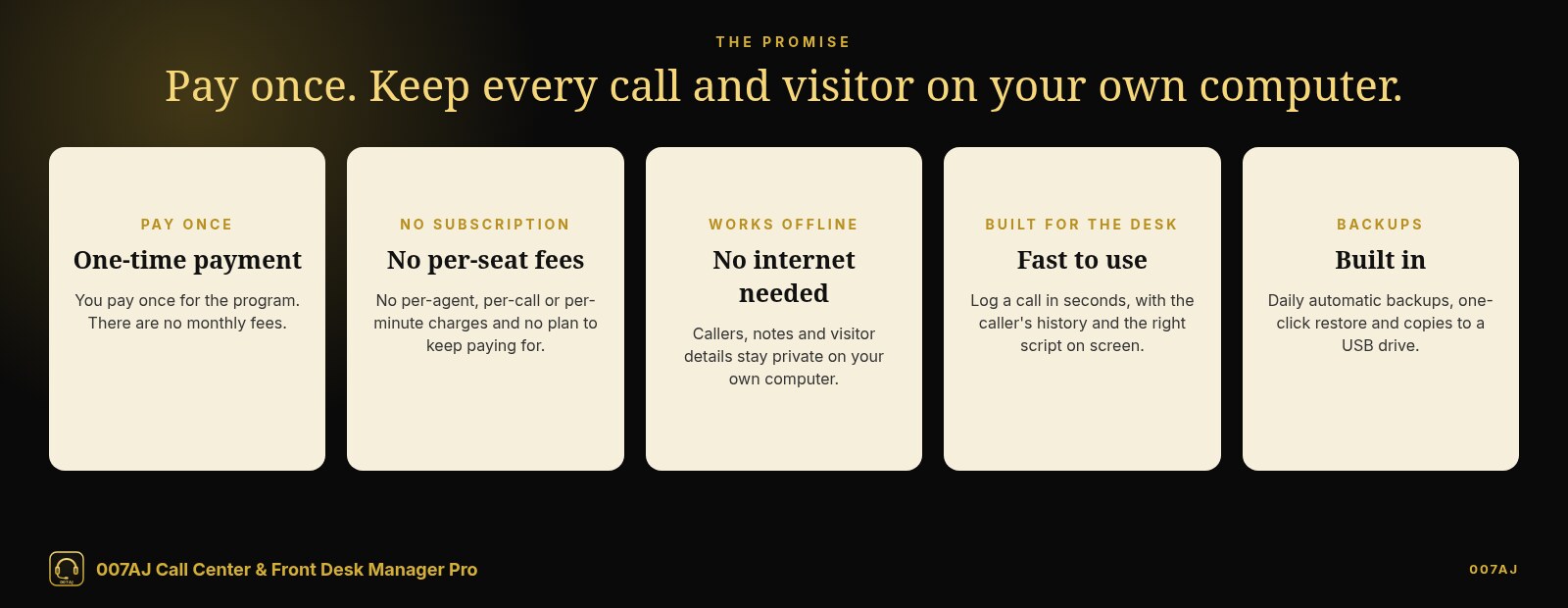
The promise
Pay once. No subscription. No internet needed.
Pay once
You pay once for the program. There is no subscription, no monthly fee and no charge per agent, per call or per minute.
No internet needed
The program works offline. No online account is required. Caller details, notes, messages and visitor records stay on your own computer, and nothing is sent anywhere.
Your data stays yours
Everything is kept in one file on your computer. Daily automatic backups are made for you, and one-click copies go to a USB drive or a second folder.
Main features
Calls, callbacks, callers, messages, scripts, visitors, shifts, agent stats and reports — on one computer
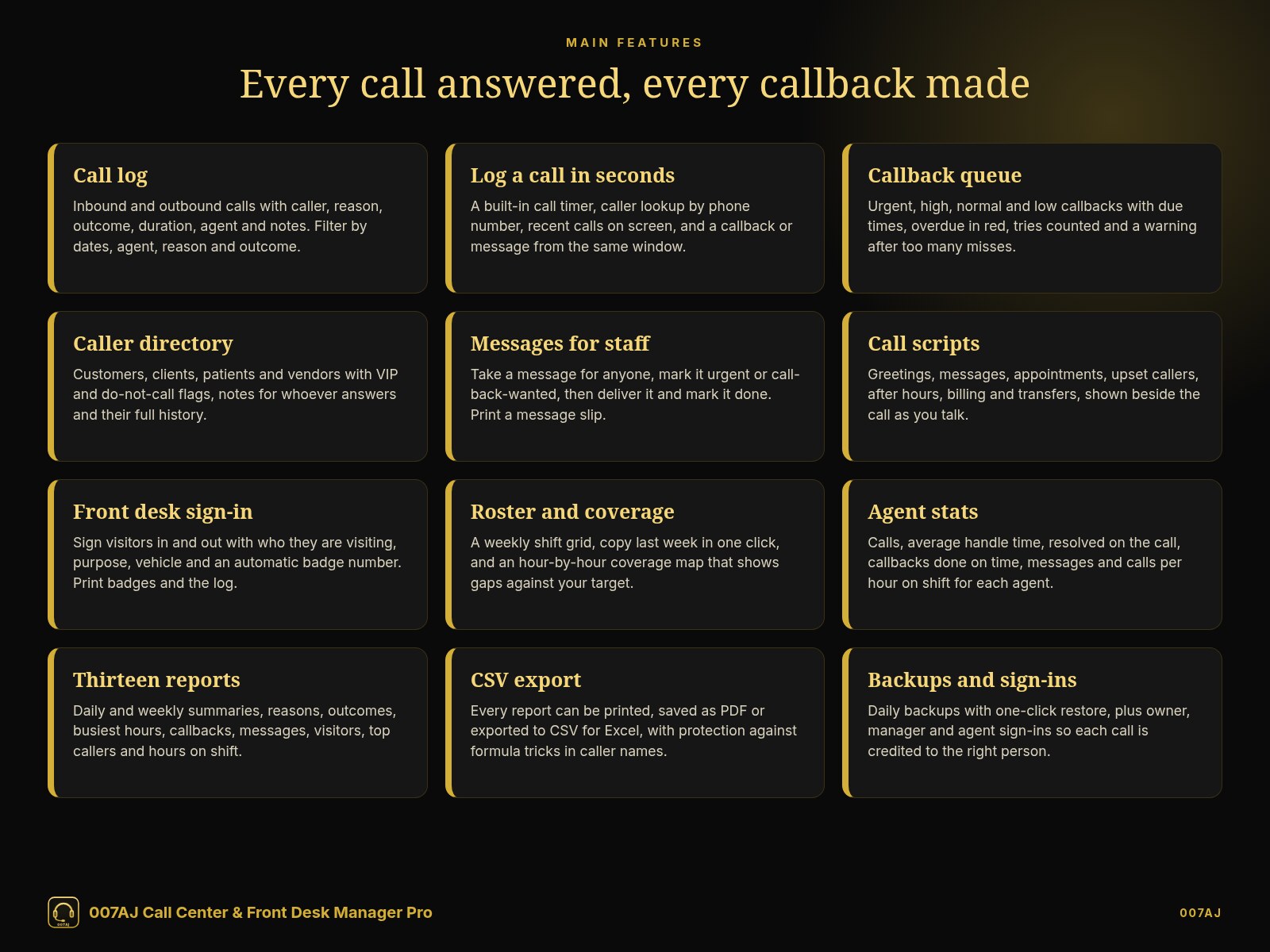
Call log
Every inbound and outbound call with the date and time, caller, company, phone, reason, outcome, duration, agent, the script used and notes. Filter by dates, agent, direction, reason and outcome, search names, phone numbers and notes, and print the log for any day or range. Long calls are marked.
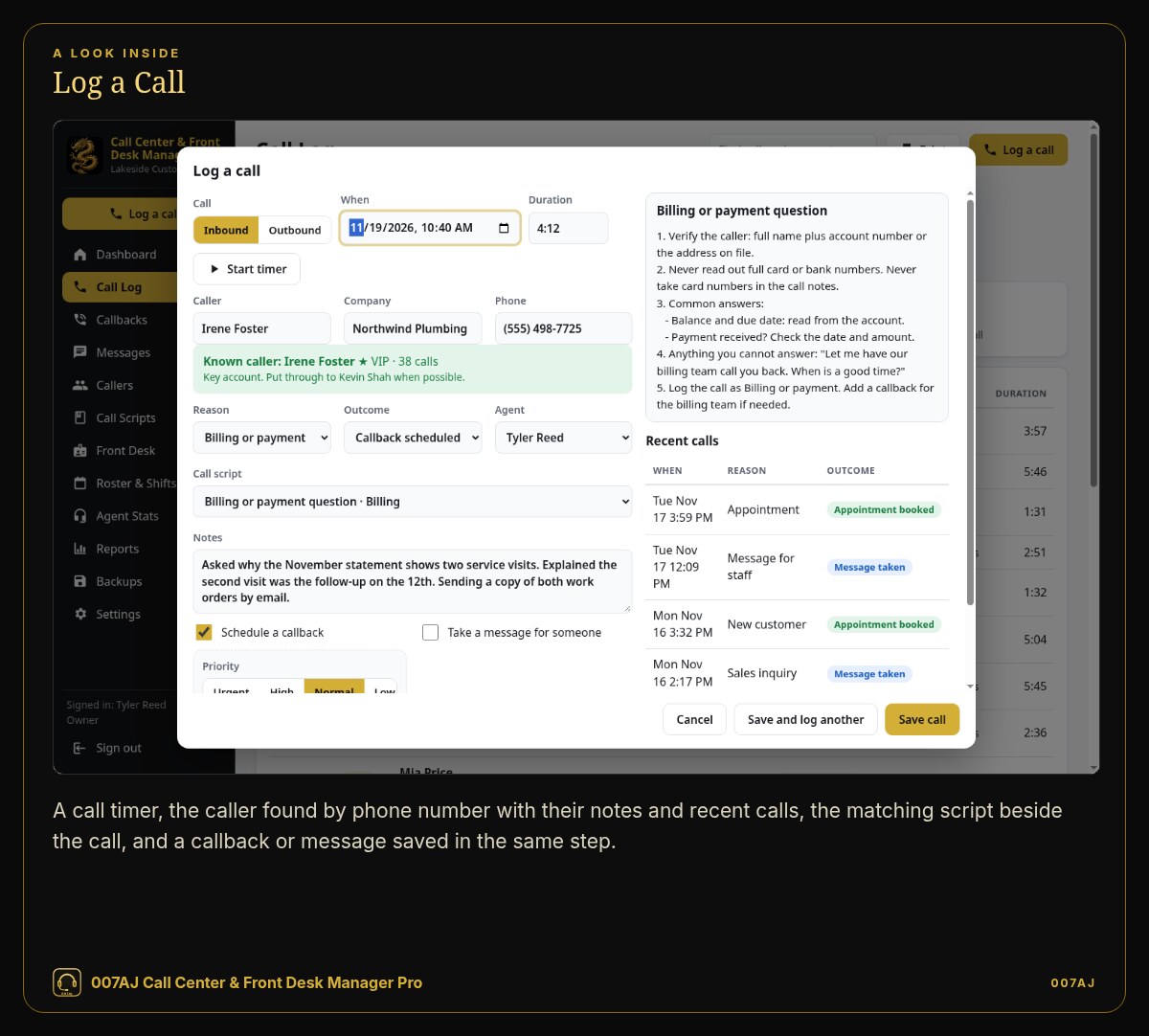
Log a call in seconds
One window for the whole call: a start/stop call timer, caller lookup as you type a name or phone number, the caller’s notes, VIP flag and recent calls on screen, the matching script beside the call, and a callback or a message for staff saved in the same step. “Save and log another” keeps you moving on a busy line.
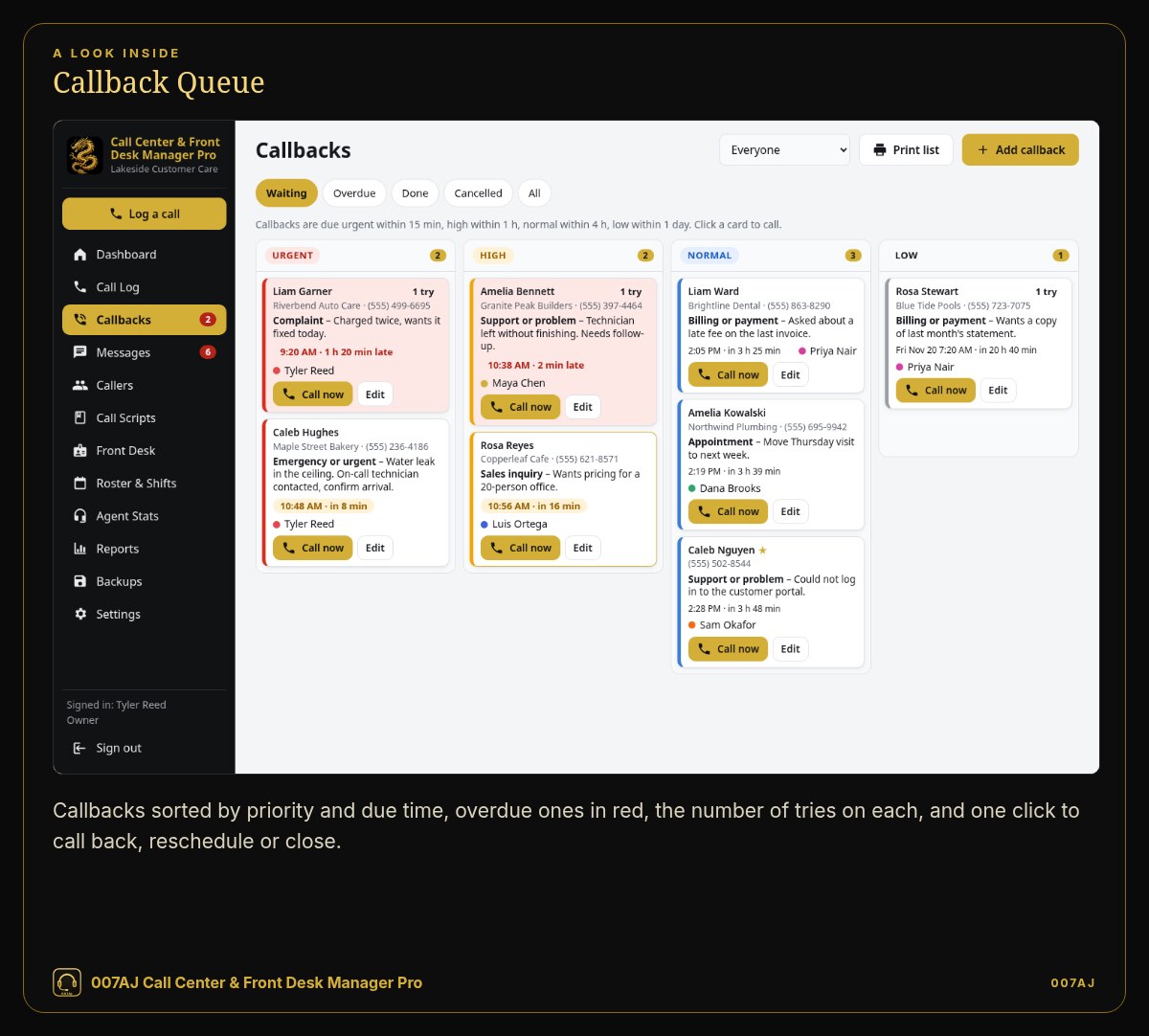
Callback queue with priorities
Urgent, high, normal and low callbacks, each with a due time set from your own rules (for example urgent within 15 minutes, high within an hour). The queue is sorted by priority and due time, overdue callbacks are red, and each one can be assigned to an agent. Record each try, reschedule a missed one, and get a warning after too many tries.
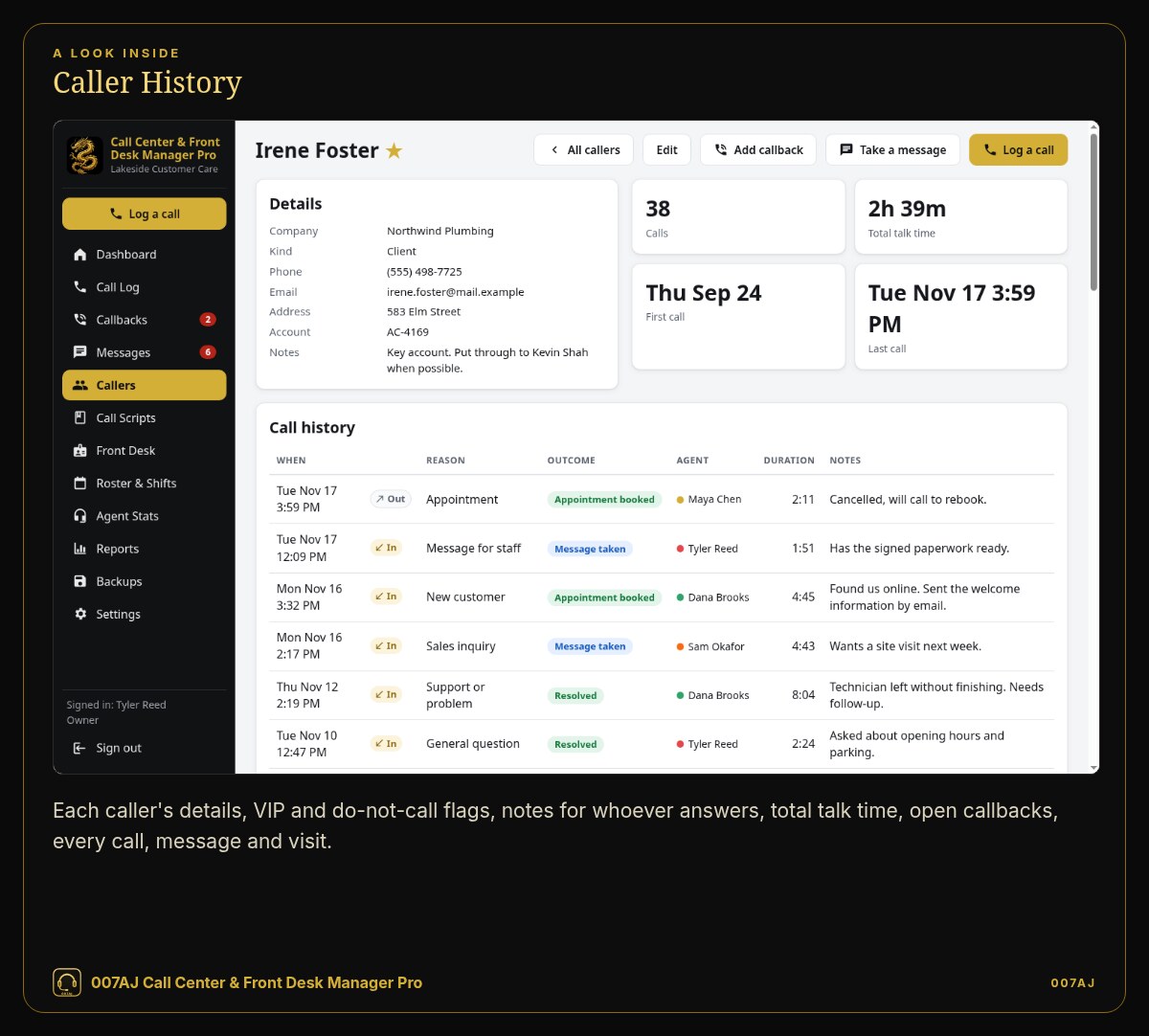
Caller and customer directory
Customers, clients, patients, prospects and vendors with company, phones, email, address, account number, VIP and do-not-call flags, and notes for whoever answers. Each caller shows total calls and talk time, open callbacks, and every call, message and visit. Callers are recognised by phone number, even when typed differently.
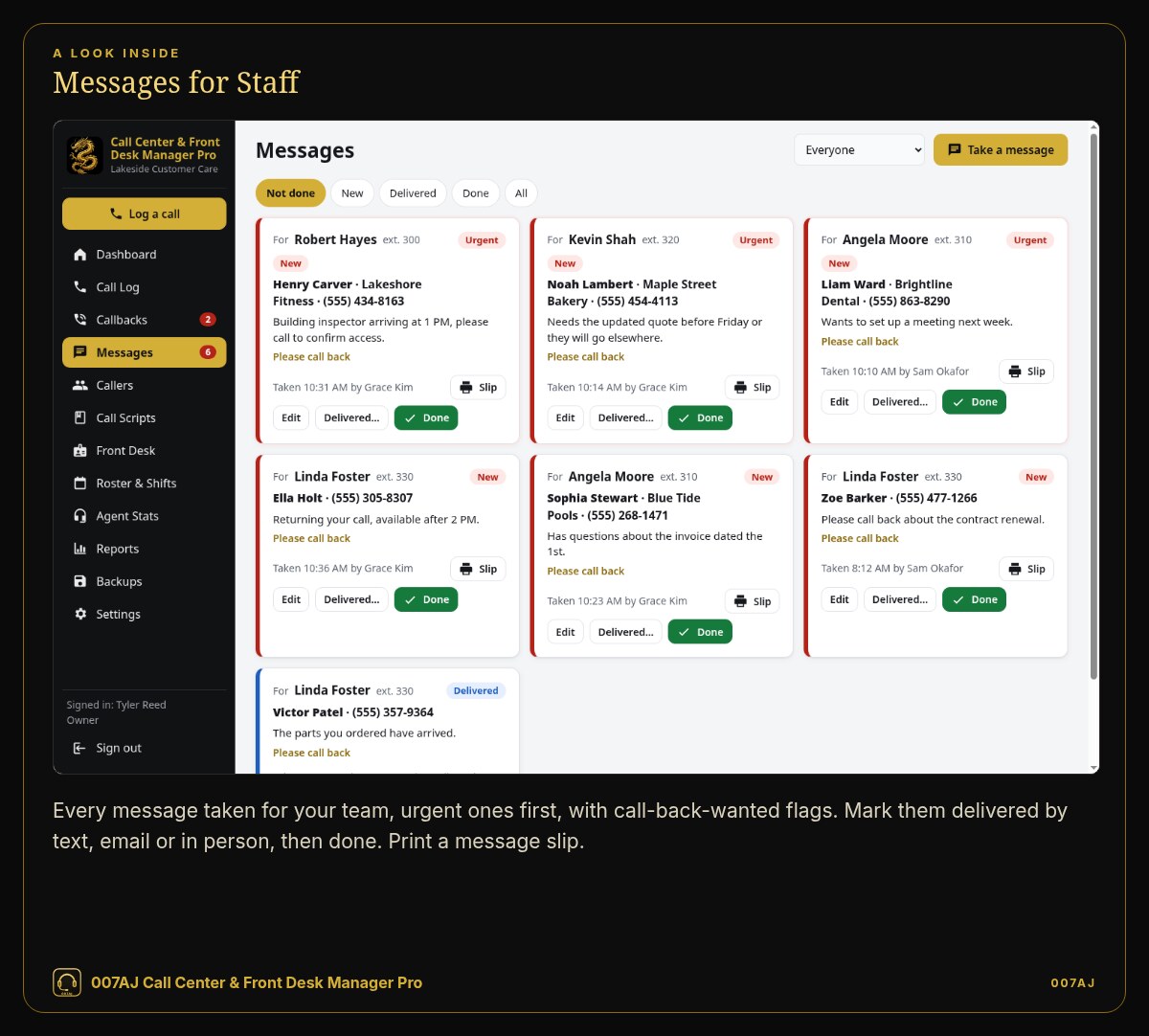
Message taking and routing
Take a message for any staff member or department, mark it urgent or call-back-wanted, and print a “while you were out” slip. Mark messages delivered by phone, text, email, in person or voicemail, then done. New messages are counted in the menu so none are missed.
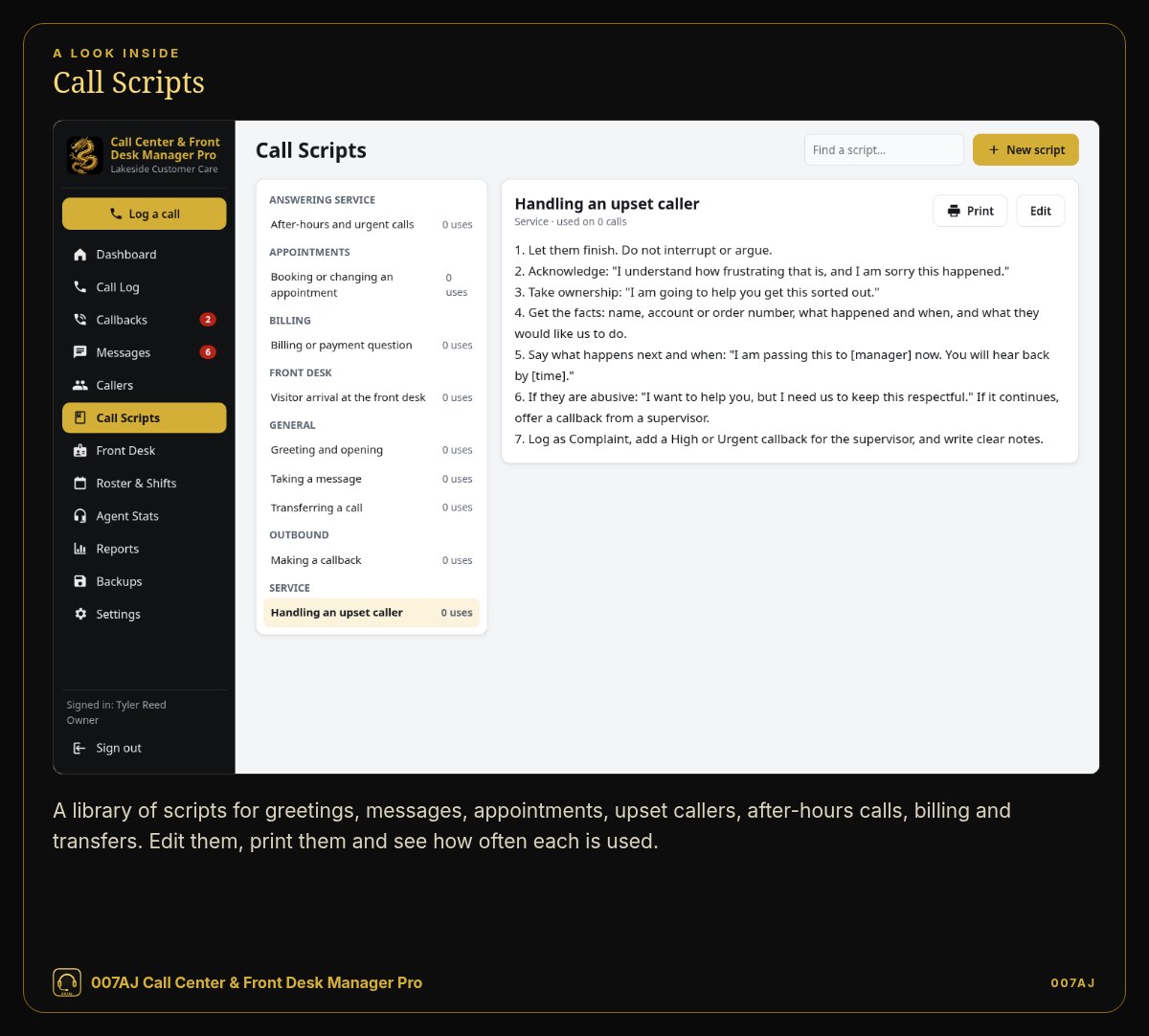
Call scripts library
Ready-made scripts for greetings, taking a message, appointments, upset callers, after-hours and urgent calls, billing questions, callbacks, transfers and visitor arrivals. Edit them, add your own, print them, and see how often each one is used. Scripts show beside the call while you talk.
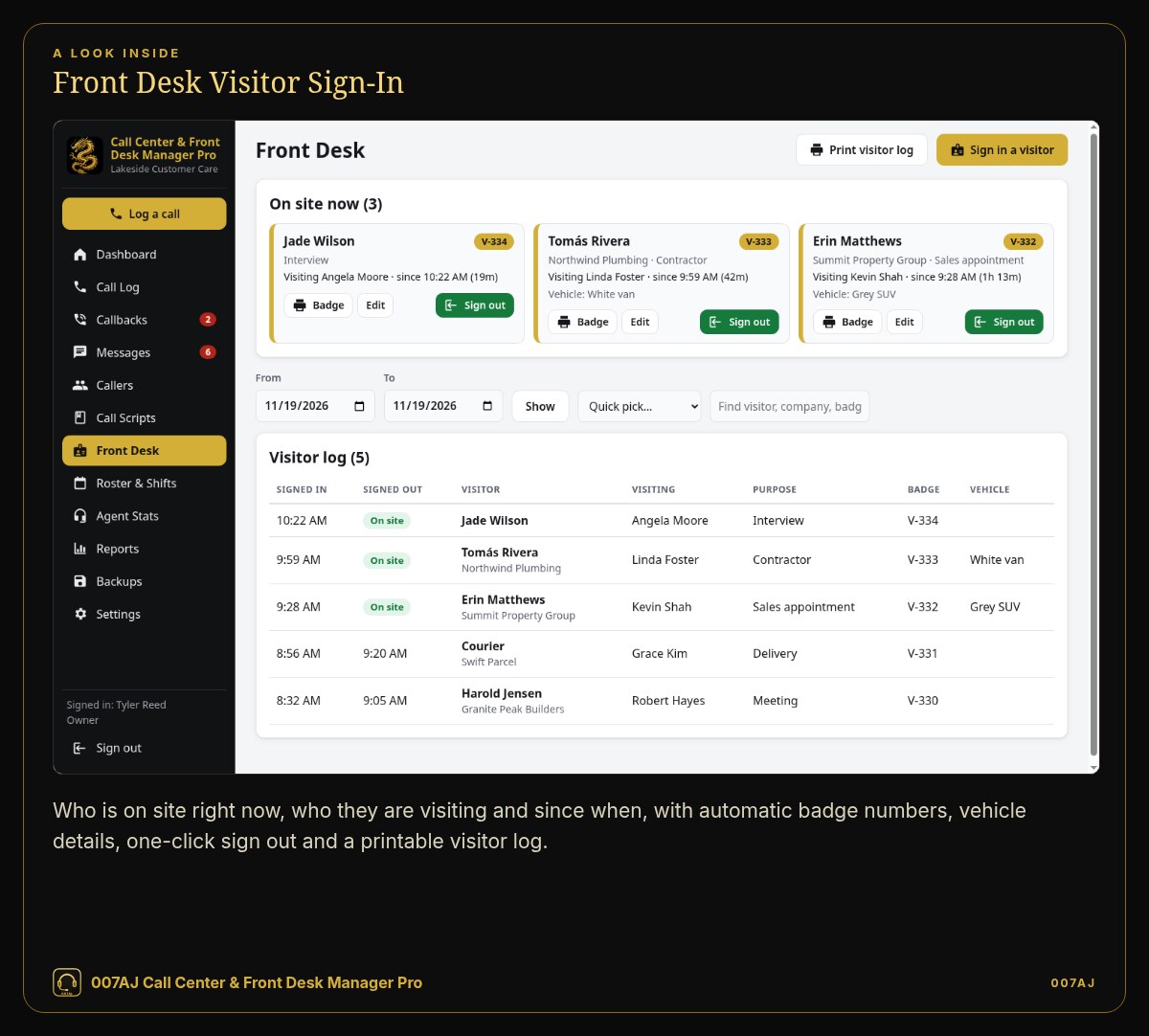
Front desk visitor sign-in
Sign visitors in with their company, who they are visiting, purpose, phone and vehicle, with an automatic badge number. See who is on site right now and for how long, sign them out in one click, print a visitor badge and print the visitor log for any day or range.
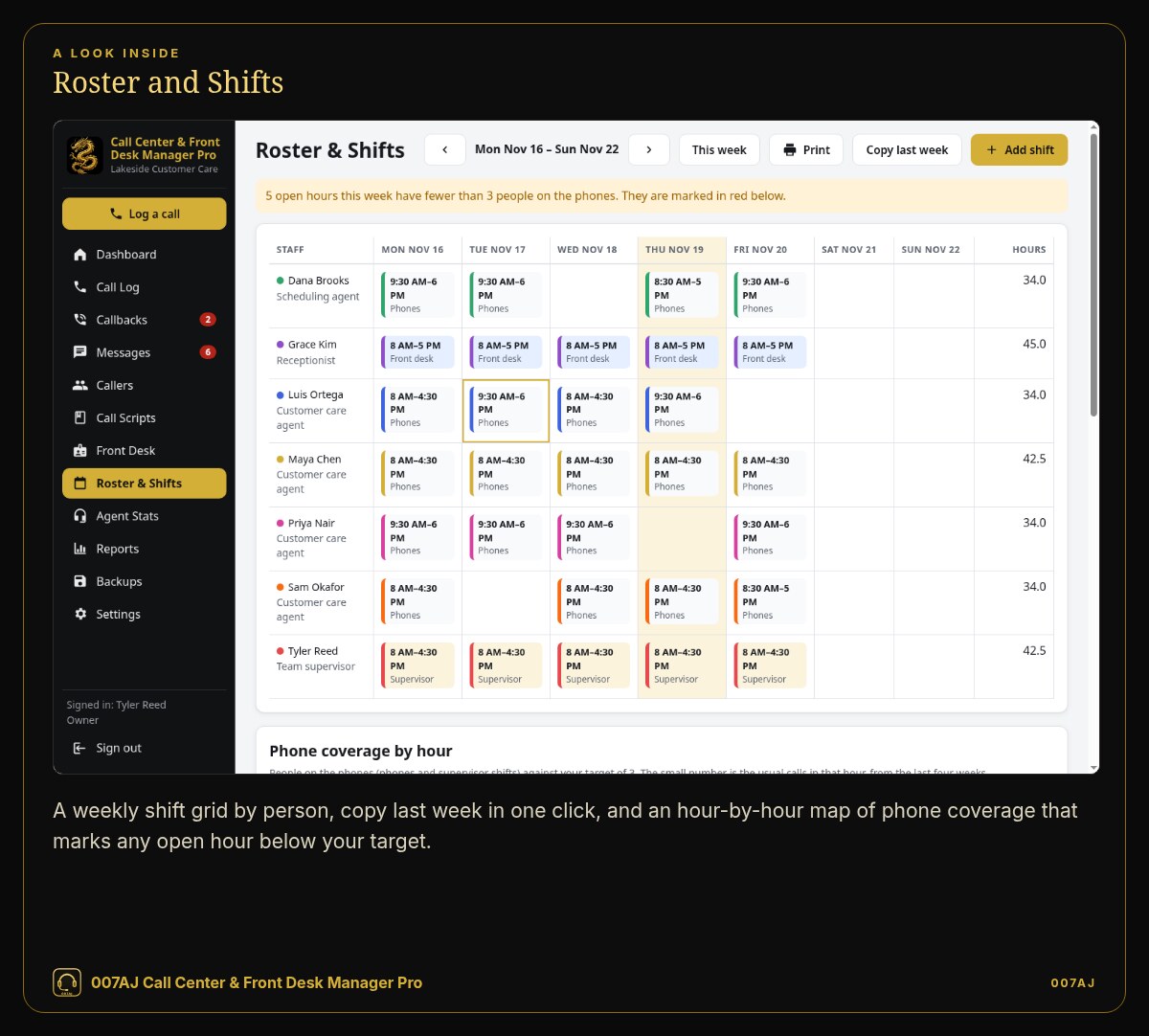
Agent roster and shifts
A weekly shift grid for every person, with phones, front desk, supervisor and back office positions. Add a shift by clicking a day, copy last week in one click, and print the roster. Overlapping shifts are refused.
Coverage by hour
An hour-by-hour map of how many people are on the phones each open hour against your target, with gaps in red, beside the usual number of calls in that hour from the last four weeks. Set your opening hours and open days in Settings.
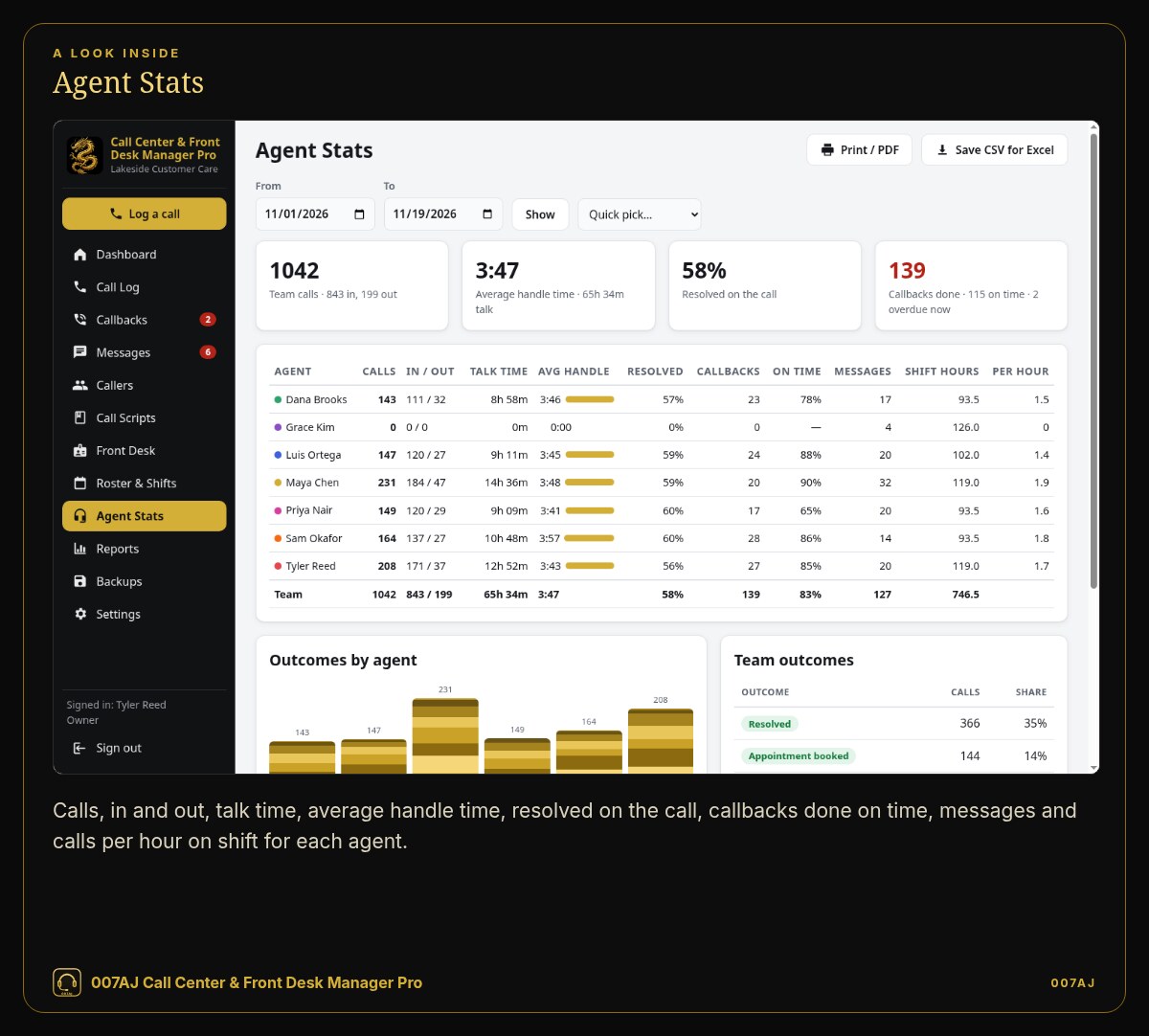
Agent stats
For each agent: calls, inbound and outbound, talk time, average handle time, the share resolved on the call, callbacks done and done on time, messages taken, hours on shift and calls per hour, plus the outcome mix. Pick any dates.
Daily and weekly summaries
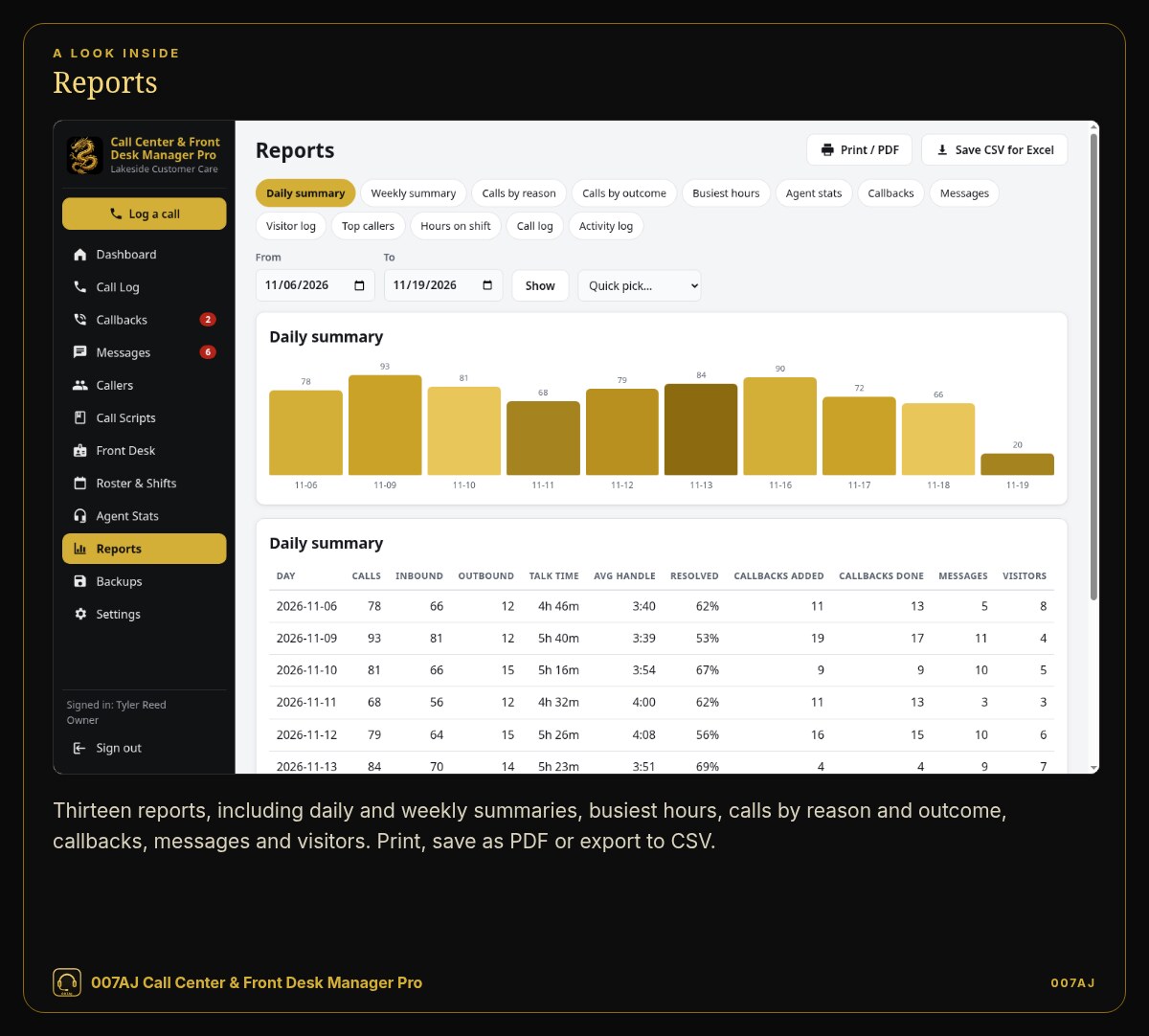
Calls in and out, talk time, average handle time, resolved share, callbacks added and done, messages and visitors for each day or each week, with a chart.
Thirteen reports with CSV export
Daily summary, weekly summary, calls by reason, calls by outcome, busiest hours, agent stats, callbacks, messages, visitor log, top callers, hours on shift, the full call log and an activity log. Print, save as PDF or export to CSV for Excel.
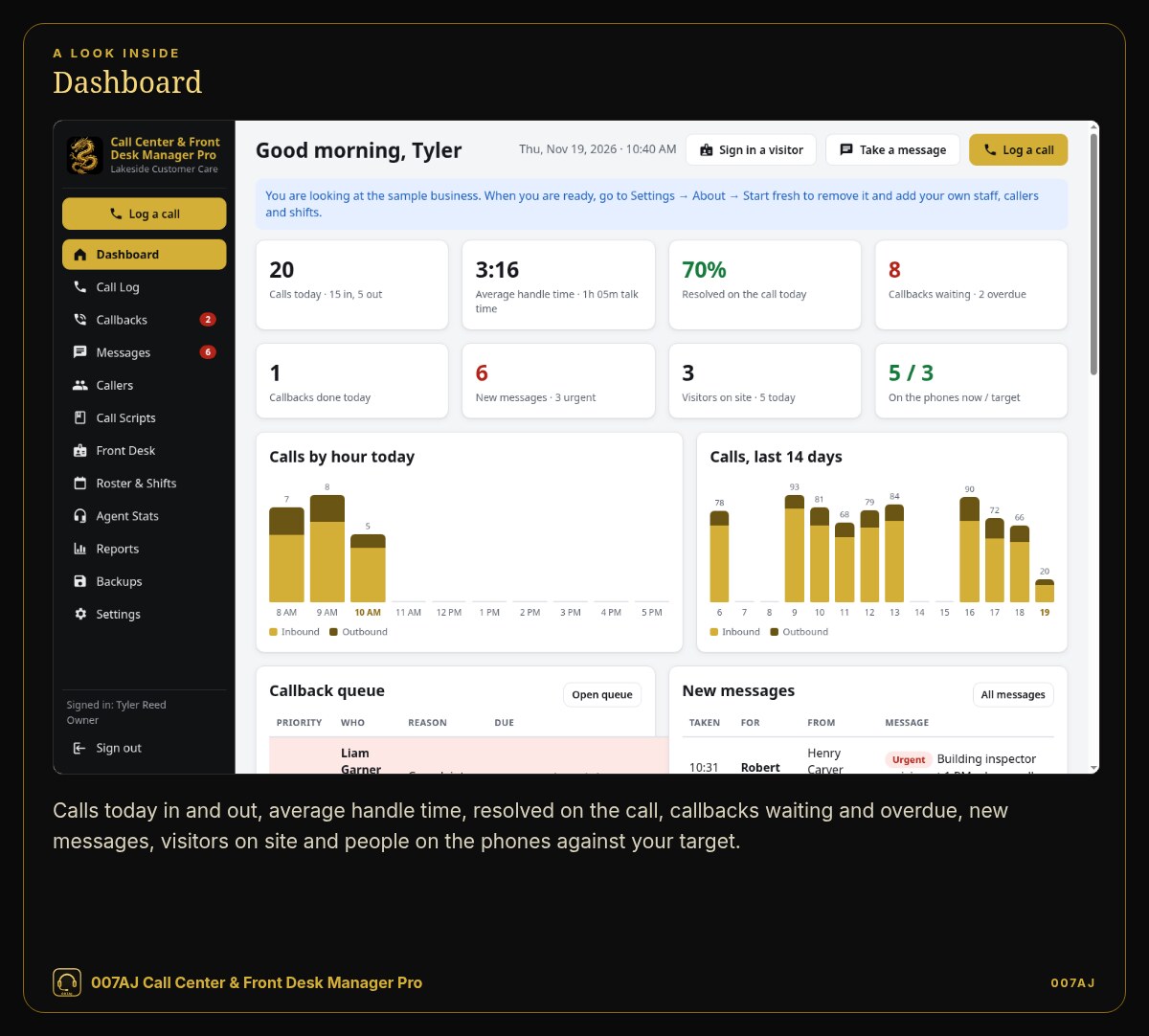
A look inside
Everyday quality
Owner, manager and agent sign-ins
Everyone signs in with their own password, and each sign-in can be linked to a staff member so their calls are credited to them. Agents log calls, work callbacks, take and deliver messages, sign visitors in and out and update callers. Managers can also edit scripts, staff and shifts, see agent stats and reports, and remove records. Only the owner changes settings and sign-ins, restores a backup or starts fresh.
Backups built in
A backup is made automatically every day and when the program closes, keeping the last 14 (you choose). Daily backups can also be copied to a USB drive or a second folder. Restore any backup in one click; a safety copy of your current records is made first.
Your rules and lists
Set your opening hours and open days, the number of people you want on the phones, how soon each callback priority is due, how many tries before a warning, what counts as a long call, badge numbering, and your own lists of call reasons, outcomes, departments and ways to deliver messages.
Your name on the paperwork
Your business name, logo, address and phone appear on message slips, visitor badges, rosters, call logs and reports.
Easy on the eyes
Large text and buttons, counts of overdue callbacks and new messages in the menu, and light and dark looks (or match Windows).
Look around with a sample business first
On first start you can fill in a sample business with staff, callers, eight weeks of calls, a callback queue, messages, visitors and shifts, then choose Start fresh in Settings for your real records. A backup is made before anything is removed, and your settings, logo, sign-ins and call scripts stay.
Simple to install
A normal Windows installer with desktop and Start menu shortcuts. It installs for the current Windows user, with no administrator rights needed.
Who it is for — and who it is not for
Who it is for
Small call centers, answering services, receptionists and front desks in offices, clinics, service companies, property managers and dealerships, working on one computer. Teams who want calls, callbacks, messages, visitors and shifts in one place without paying every month.
Who it is not for
Anyone who needs a phone system: it does not make, receive, route or record calls, and it does not connect to phone lines, headsets or caller ID. It is also not for several computers sharing one live list, automatic dialing, text messaging or email sending from inside the program. You use your own phones and record each call here.
Requirements
Windows 10 or Windows 11, 64-bit, on one PC. About 400 MB of free disk space. A screen of at least 1366 by 768 is recommended. Not for Mac, Linux, Chromebook, phones or tablets.
How you receive it
After checkout you get an instant download link for the signed Windows installer. Run it, follow the steps, and open 007AJ Call Center & Front Desk Manager Pro from the desktop or the Start menu. Windows may ask you to confirm before running a newly downloaded program.
Support
Email admin@007aj.dev with any question about installing or using the program.
A record-keeping tool
007AJ Call Center & Front Desk Manager Pro keeps the records you enter about calls, callers, messages, visitors and shifts and works out totals and stats from them. It does not record phone calls, and it is not a medical, legal or emergency service system. Follow your own rules for handling personal and sensitive information.
Questions
Is this a subscription?
No. You pay once. There are no monthly fees and no charge per agent, per call or per minute.
Does it connect to my phones?
No. It is not a phone system and does not dial, answer, transfer or record calls. Your team uses its own phones and logs each call in the program, with the built-in timer for the duration.
How are callbacks kept on time?
Each callback has a priority and a due time worked out from your rules. The queue puts urgent and overdue callbacks first, the menu shows how many are overdue, and each try is counted with a warning after too many misses.
Can it recognise a caller who rings again?
Yes. Type the phone number while logging a call and a known caller is found, even if the number is typed with different spaces or dashes, with their notes and recent calls shown.
Can my agents each have their own sign-in?
Yes, on the same computer. Give each person an agent or manager sign-in with their own password and link it to their staff record so calls and stats are credited to them.
Can I print visitor badges and message slips?
Yes. Badges, message slips, the visitor log, the callback list, the call log, call scripts, the weekly roster and every report can be printed or saved as PDF, with your logo.
Does it work on more than one computer?
It runs on one PC and keeps its data on that PC. It does not share data over a network or sync to the cloud. Backups can go to a USB drive or a second folder, and can be restored on a new computer.
What computers does it run on?
Windows 10 or Windows 11, 64-bit, on one PC. It is not for Mac, Linux, Chromebook, phones or tablets.
Can I look around before adding my own records?
Yes. On first start, tick the sample business option to load made-up staff, callers, calls, callbacks, messages, visitors and shifts, then choose Start fresh in Settings when you are ready.
Where do I get help?
Email admin@007aj.dev.
Pay once. Works offline. Built for busy front desks.
007AJ Call Center & Front Desk Manager Pro is a Windows 10 and Windows 11 program that keeps your call log, callback queue, callers, messages, call scripts, visitors, shifts, agent stats and reports on your own computer. Version 1.0.0. No subscription, no online account, and no internet needed. The program includes a 14-day free trial. The licence key emailed after purchase unlocks the full version.
Support: email admin@007aj.dev
007AJ Call Center & Front Desk Manager Pro is published by 007AJ (007aj.dev).
Not affiliated with Microsoft. Windows is a trademark of Microsoft Corporation.