
Run Your Brand Deals, Content Calendar, Income and Invoices on Your Own Computer, With No Subscription
007AJ Content Creator Business Manager Pro is an offline Windows 10 and Windows 11 desktop program for YouTubers, streamers, podcasters, TikTok and Instagram creators, bloggers and newsletter writers. Track every brand deal from the first pitch to the final payment, keep your sponsors and their contacts in one place, list the deliverables each contract asks for with their due dates, plan what you publish on every platform in a content calendar, record income by platform and source, log your expenses, and print invoices for your sponsors. Deals, rates, income and contacts stay together in one place, on your own computer.
You pay once. There is no subscription, no per-user or per-deal charge, no online account, and no internet needed.
Instant download for Windows 10 and Windows 11. You get the signed Windows installer.
The promise
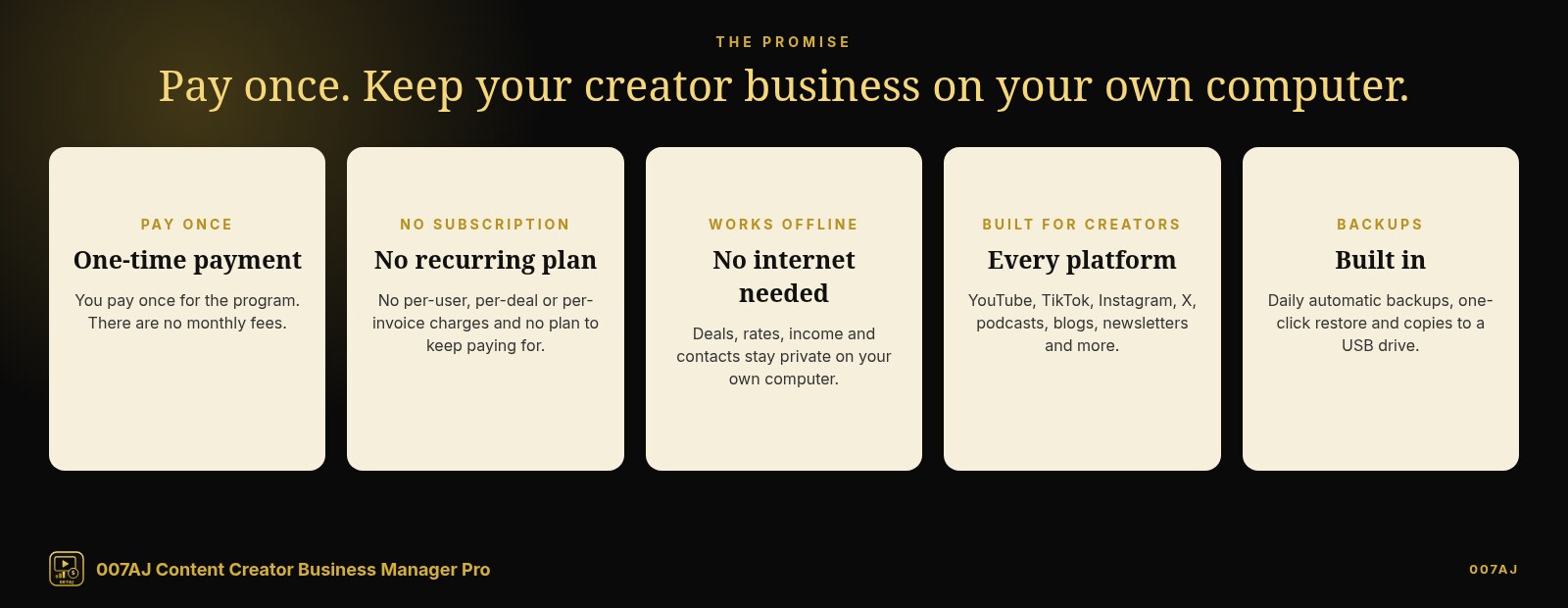
Pay once. No subscription. No internet needed.
Pay once
You pay once for the program. There is no subscription, no monthly fee and no charge per user, per deal or per invoice.
No internet needed
The program works offline. No online account is required. Your rates, deals and income stay on your own computer, and nothing is sent anywhere.
Your data stays yours
Everything is kept in one file on your computer. Daily automatic backups are made for you, and one-click copies go to a USB drive or a second folder.
Main features
Brand deals, sponsors, contracts, content calendar, income, expenses, invoices and reports — on one computer
Brand deal pipeline
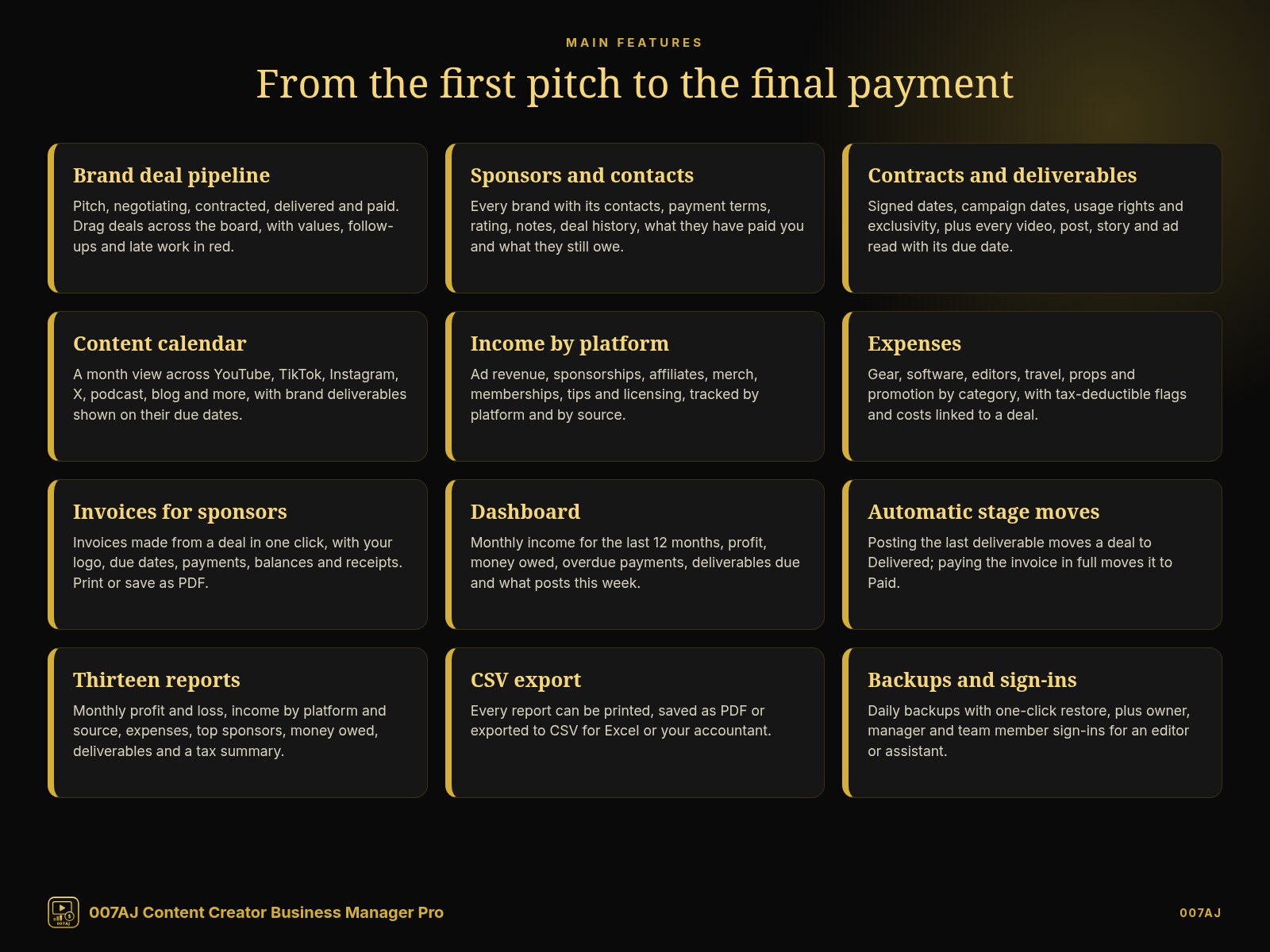
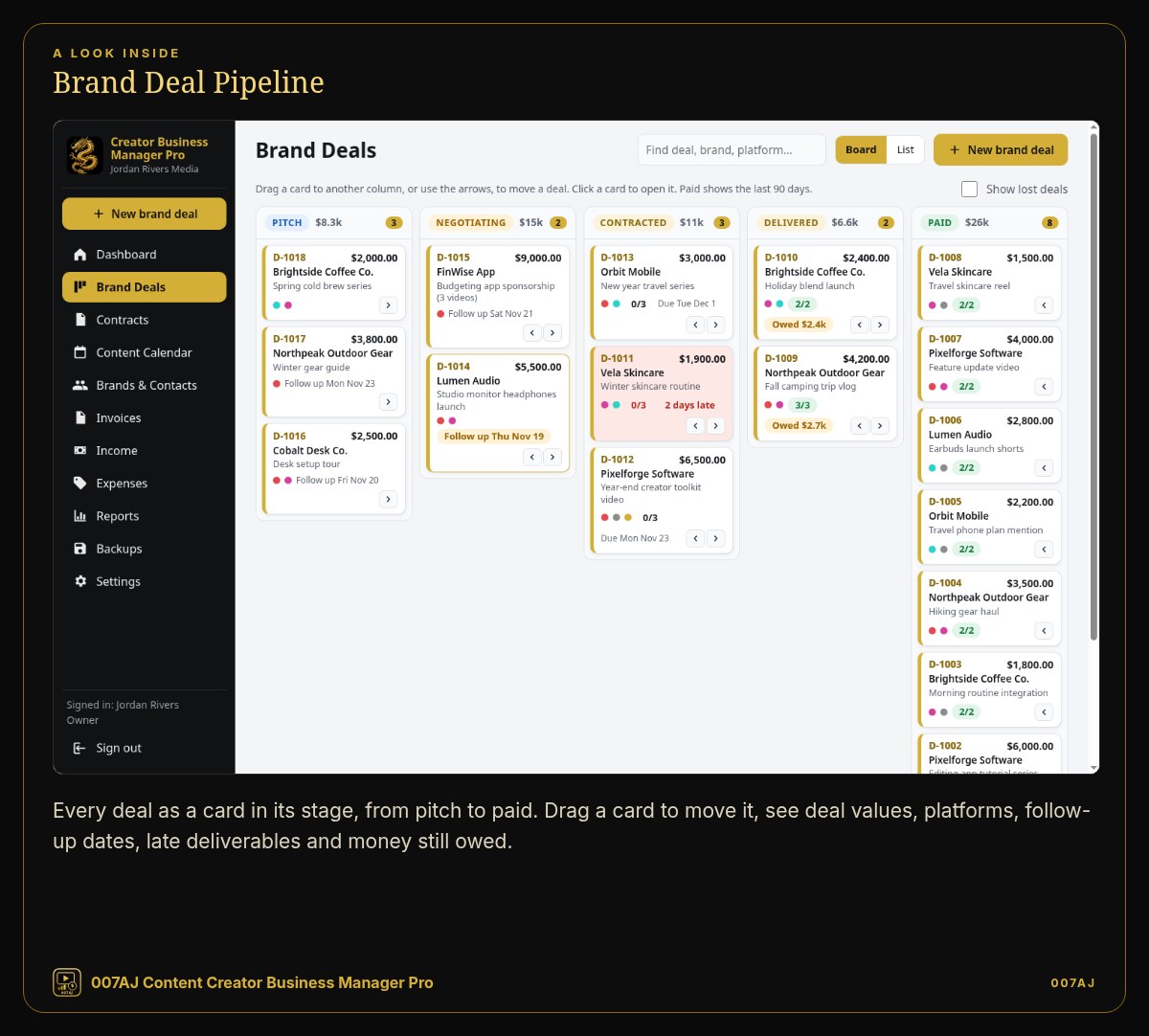
Every deal as a card in its stage: Pitch, Negotiating, Contracted, Delivered and Paid, plus deals you lost and why. Drag a card to another column or use the arrows. Cards show the deal value, the platforms, follow-up dates, late deliverables and money still owed. Deals are numbered automatically (D-1001, D-1002 and so on, with your own prefix).
Sponsors and contacts
Each brand with its industry, website, email, phone, address, payment terms, how the deal came in, a star rating and notes. Add the people you work with at each brand, mark the main contact, and set follow-up dates. Every brand shows its deal history, what it has paid you and what it still owes.
Contracts
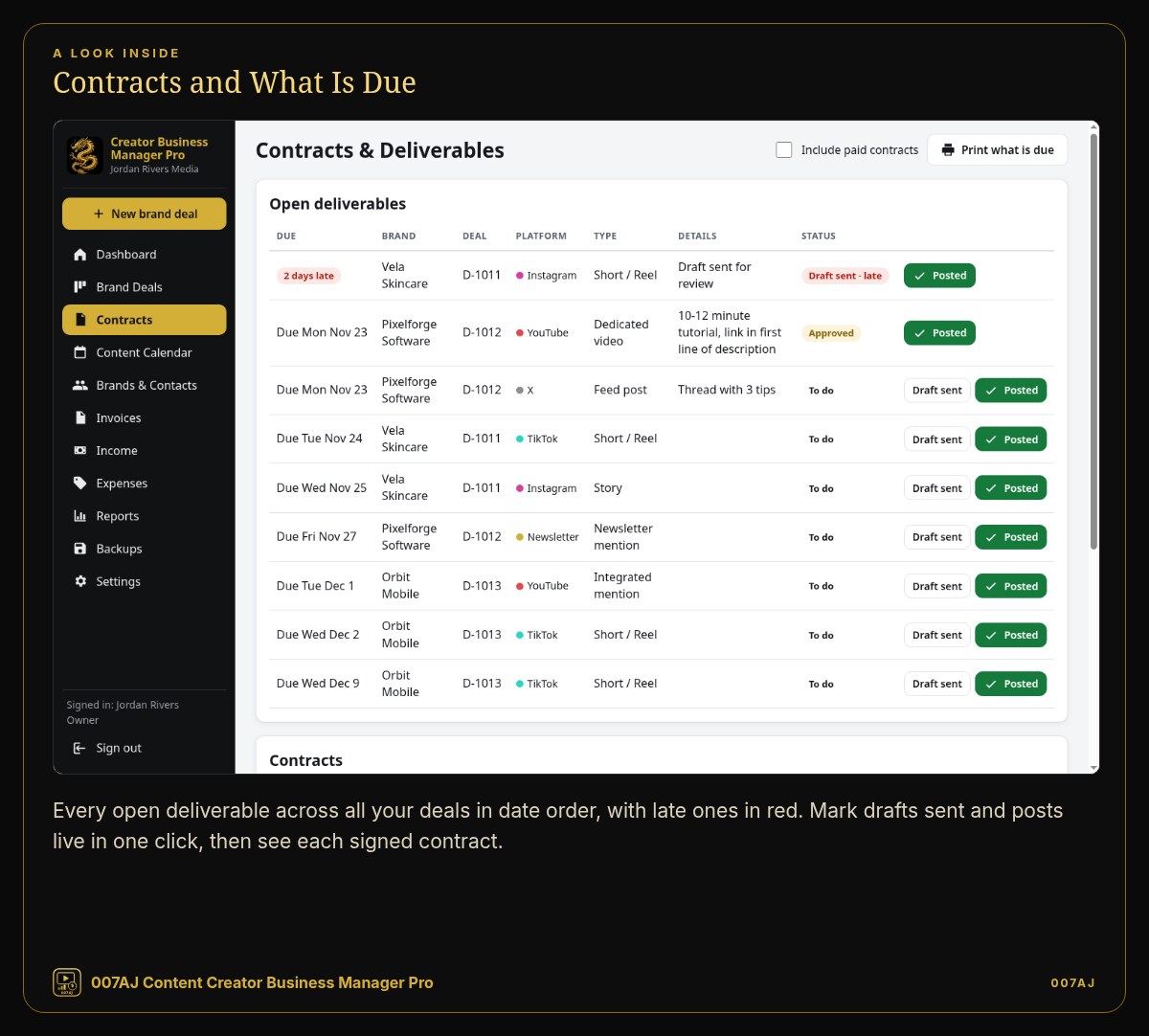
For each deal, record when the contract was signed, the campaign start and end dates, payment terms, usage rights, exclusivity and the contract reference. The Contracts screen lists every open deliverable across all your deals in date order, with late ones in red.
Deliverables with due dates
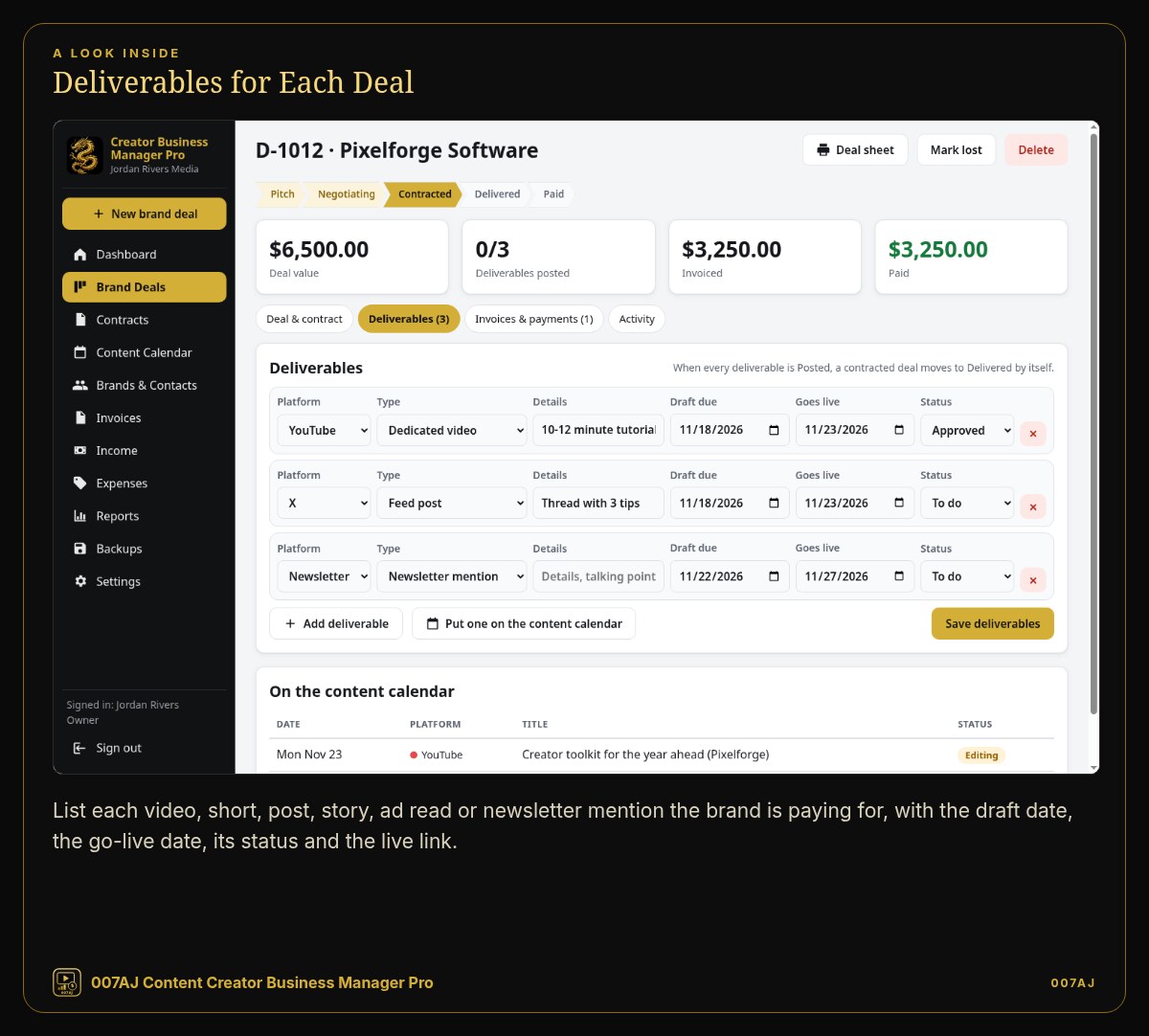
List each dedicated video, integrated mention, short or reel, story, feed post, livestream mention, podcast ad read, blog post, newsletter mention or usage-rights item the brand is paying for, on any platform, with the draft due date, the go-live date, its status (to do, draft sent, approved, posted) and the live link.
Content calendar
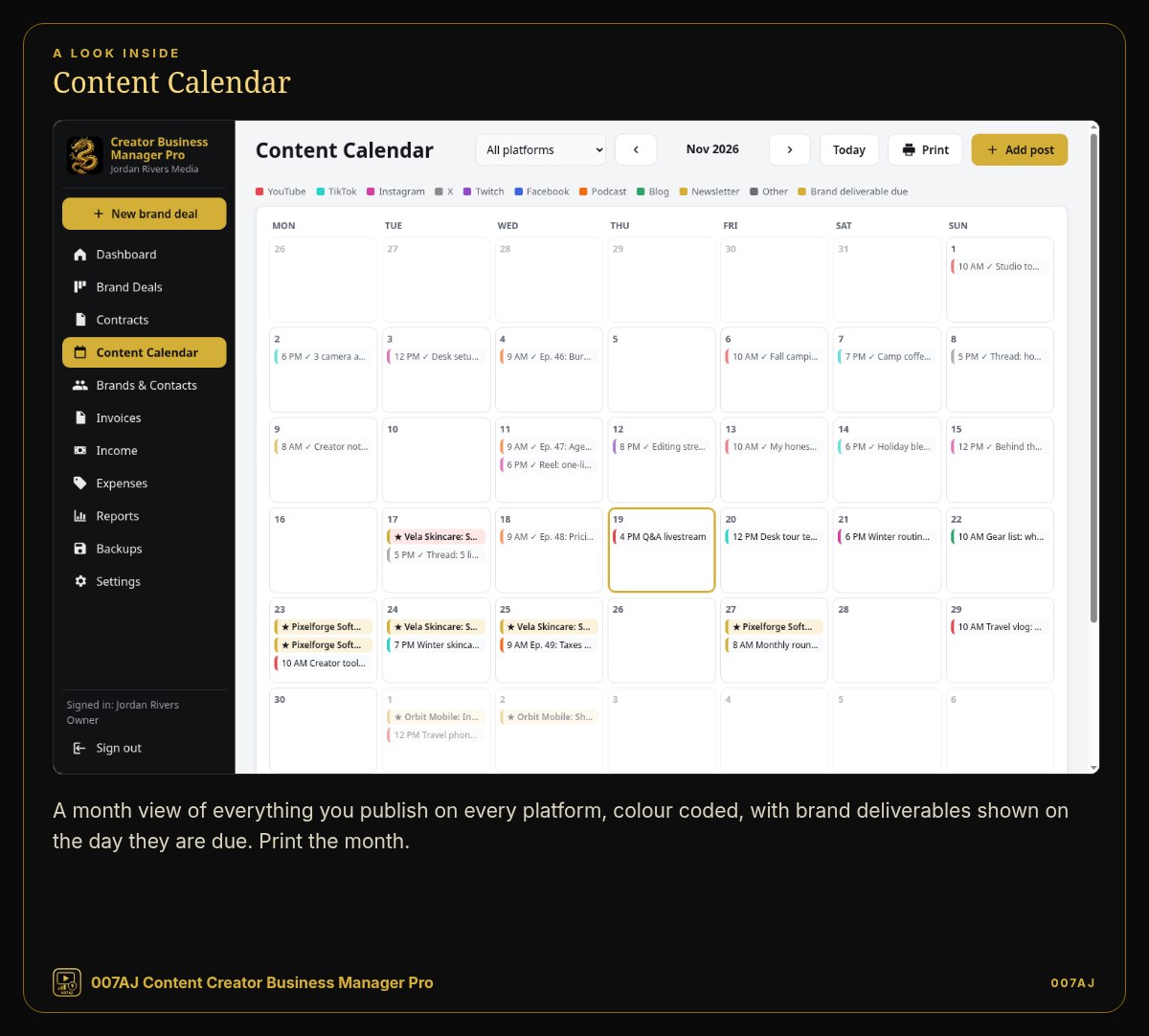
A month view of everything you plan to publish on YouTube, TikTok, Instagram, X, Twitch, Facebook, your podcast, blog or newsletter, colour coded by platform and moving from idea to scripting, filming, editing, scheduled and published. Brand deliverables show on the day they are due. Publishing a post linked to a deliverable marks the deliverable as posted.
Automatic stage moves
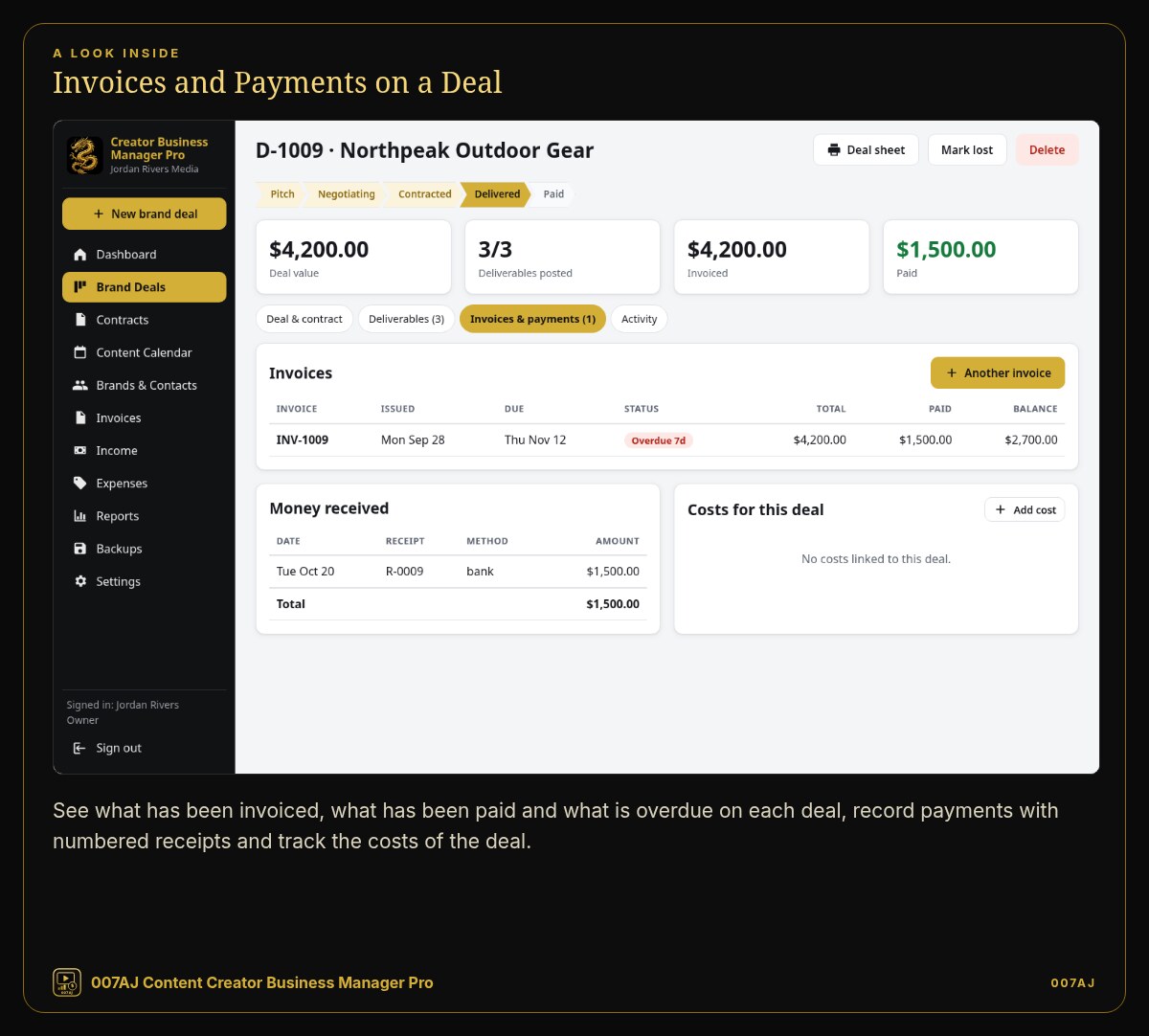
When the last deliverable is posted, the deal moves to Delivered. When its invoice is paid in full, it moves to Paid. Before you move a deal on by hand, the program warns you if no value is set, deliverables are not posted, no invoice has been made or money is still owed. You can still go ahead when you choose to.
Invoices for sponsors
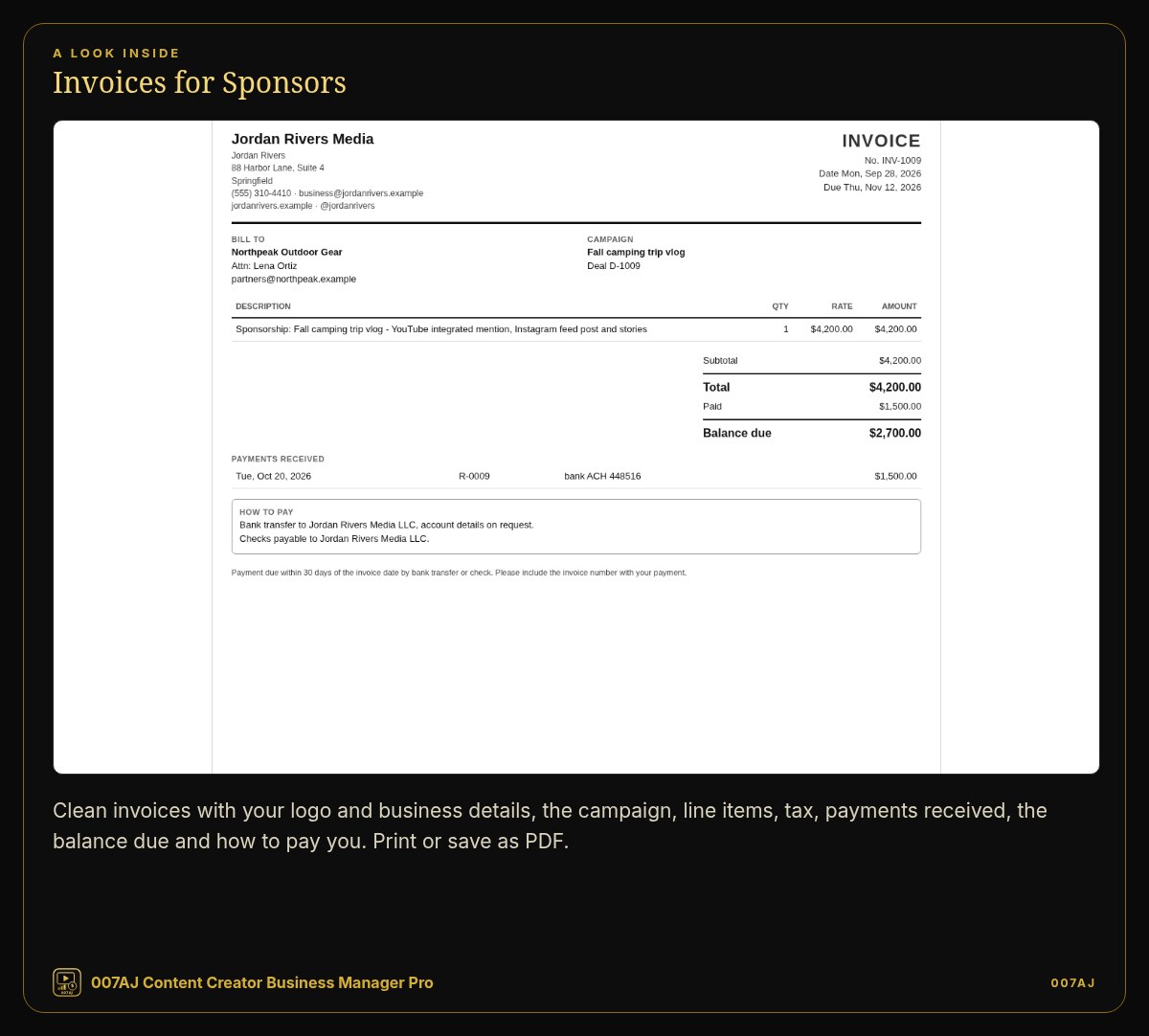
Make an invoice from a deal in one click, or write your own lines. Invoices carry your logo and business details, the brand, the campaign, a PO number, discount, tax, payments received, the balance due, your payment details and terms. Overdue invoices are marked. Print them or save them as PDF.
Payments and receipts
Record payments by bank transfer, check, online payment or platform payout with a reference. Each one gets a numbered receipt you can print, and it is added to your income as a sponsorship automatically.
Income by platform and source
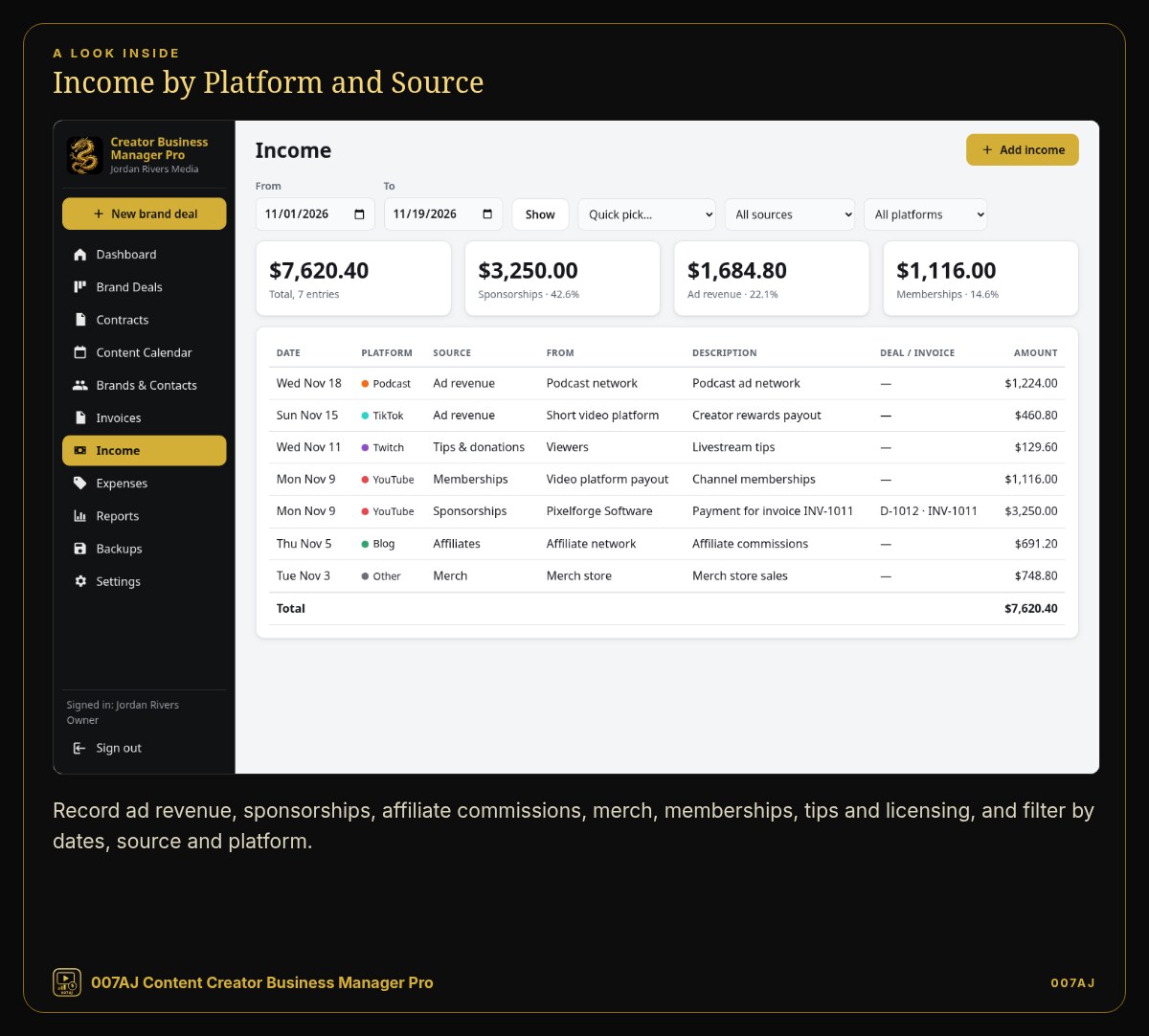
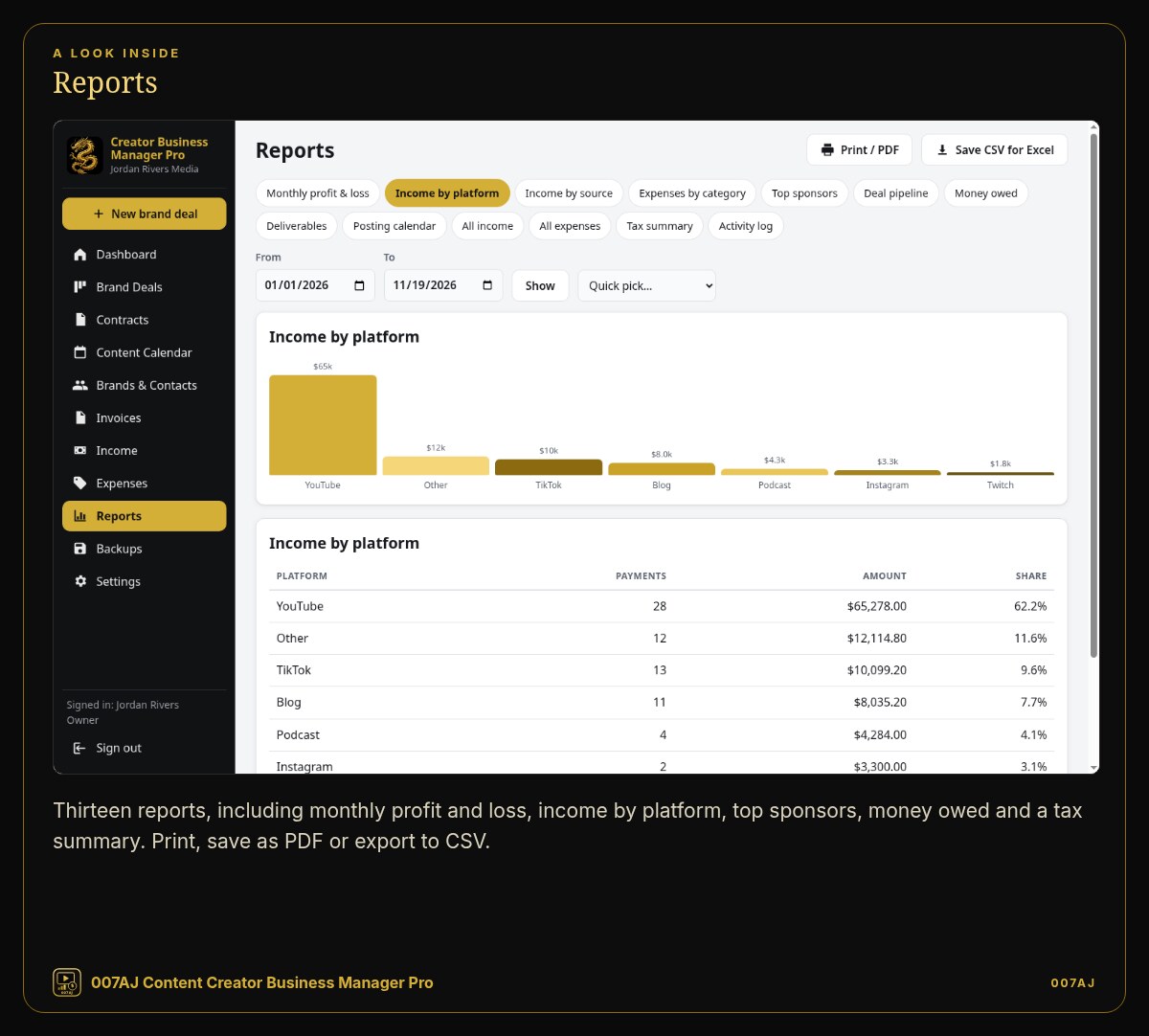
Record ad revenue, sponsorships, affiliate commissions, merch, memberships, tips and donations, content licensing, and services and speaking, each with its platform, payer and reference. Filter by dates, source and platform.
Expenses with categories
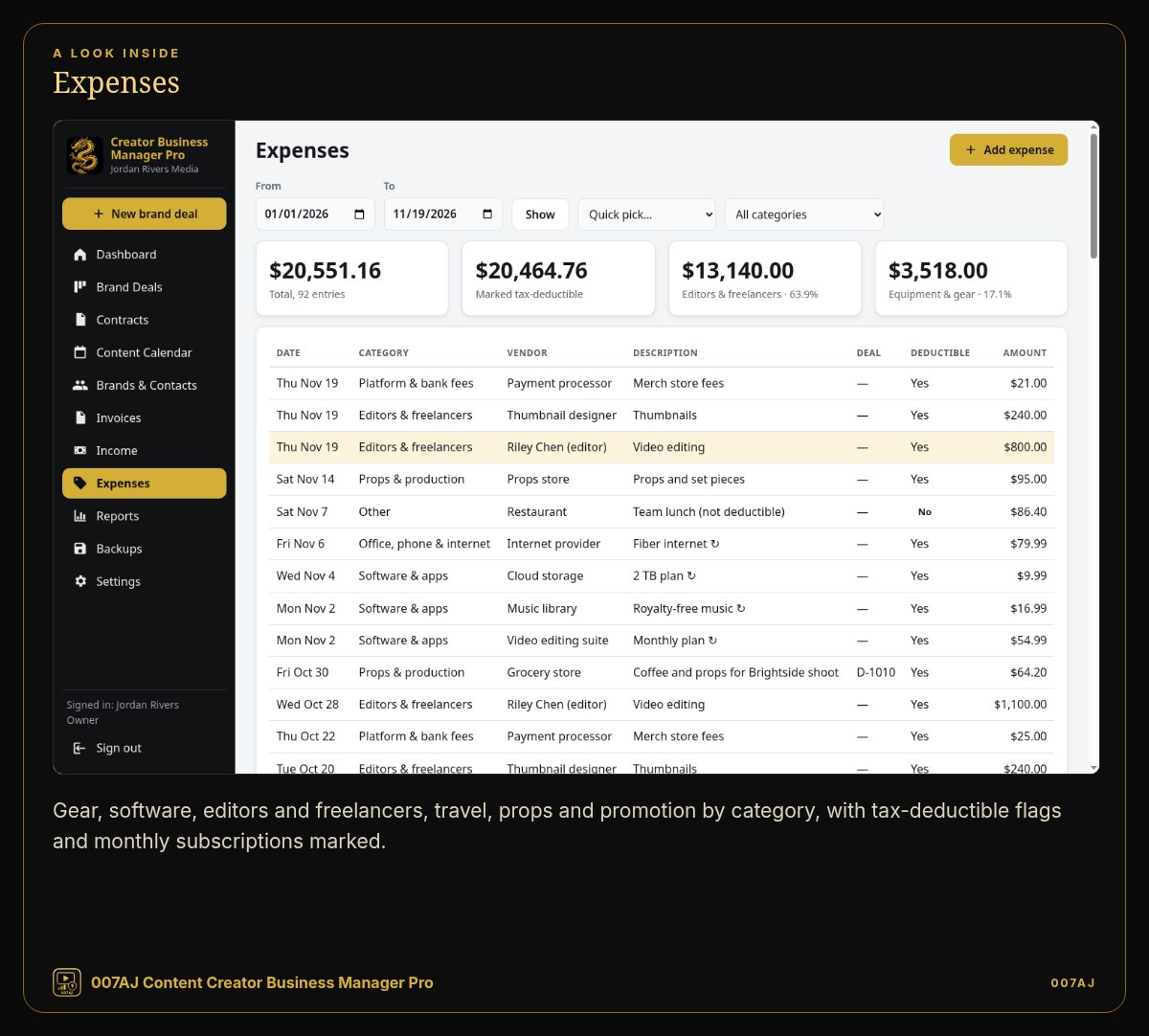
Equipment and gear, software and apps, editors and freelancers, props and production, travel, ads and promotion, office, phone and internet, courses, and platform and bank fees. Mark each expense tax-deductible or not, flag monthly subscriptions, and link costs to a deal or a platform.
Dashboard
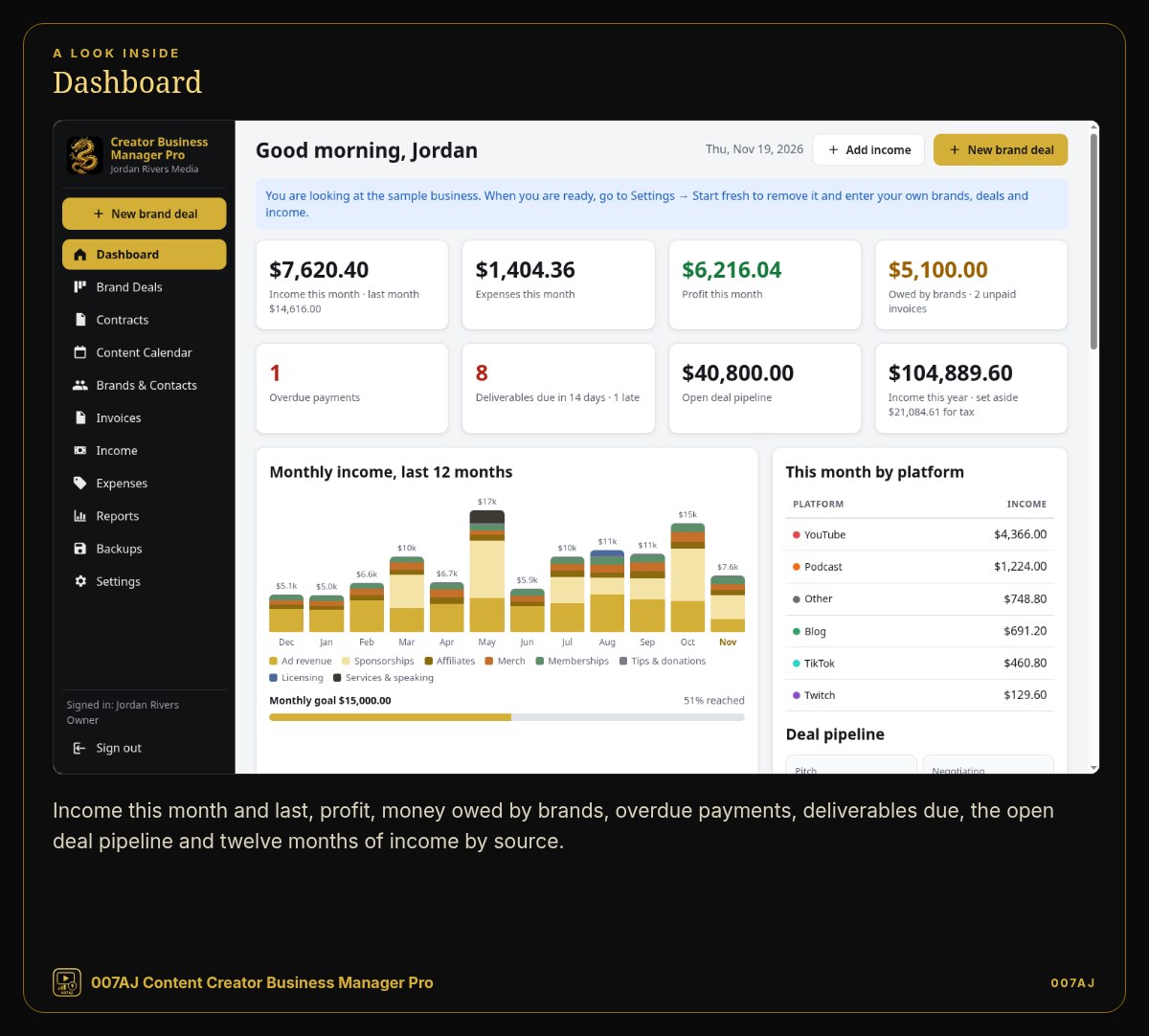
Income this month against last month and your monthly goal, profit, money owed by brands, overdue payments, deliverables due soon, what posts this week, follow-ups due, the open deal pipeline, and twelve months of income by source.
Thirteen reports
Income by platform, income by source, monthly profit and loss, expenses by category, income and expense lists, the deal pipeline, top sponsors, money owed with aging, deliverables on time and late, the content calendar, a tax summary and an activity log. Pick any dates, then print, save as PDF or export to CSV for Excel or your accountant.
A look inside
Everyday quality
Owner, manager and team member sign-ins
Everyone signs in with their own password. Team members, such as an editor or assistant, can add and update brands, deals, deliverables, posts, invoices, payments, income and expenses. Managers can also see reports, void invoices and remove records. Only the owner changes settings and sign-ins, restores a backup or starts fresh.
Backups built in
A backup is made automatically every day and when the program closes, keeping the last 14 (you choose). Daily backups can also be copied to a USB drive or a second folder. Restore any backup in one click; a safety copy of your current records is made first.
Your business, your numbers
Set your business name, logo, address, tax ID and social handle, your monthly income goal, the percent of profit to set aside for tax, the tax rate on invoices, payment days, deal and invoice number prefixes, payment details and the terms printed on invoices.
A timeline on every deal
Every deal keeps a timeline: created, stage changes, deliverables sent and posted, invoices and payments, with who did it and when.
Easy on the eyes
Large text and buttons, light and dark looks (or match Windows) and your own currency symbol.
Look around with a sample business first
On first start you can fill in a sample creator business with brands, deals in every stage, a content calendar, invoices, income and expenses, then choose Start fresh in Settings for your real records. A backup is made before anything is removed, and your settings, logo and sign-ins stay.
Simple to install
A normal Windows installer with desktop and Start menu shortcuts. It installs for the current Windows user, with no administrator rights needed.
Who it is for — and who it is not for
Who it is for
Independent creators, YouTubers, streamers, podcasters, short-form video creators, bloggers and newsletter writers, and small creator teams or managers with one computer. Creators who want brand deals, deliverables, a content calendar, income and invoices in one place without paying every month.
Who it is not for
Anyone who needs posts published or scheduled on the platforms themselves, platform earnings pulled in automatically, a brand portal, several computers sharing one live list, card processing inside the program, or a direct link to accounting software. It does not post content or take payments itself; you record what you publish and what you are paid.
Requirements
Windows 10 or Windows 11, 64-bit, on one PC. About 400 MB of free disk space. A screen of at least 1366 by 768 is recommended. Not for Mac, Linux, Chromebook, phones or tablets.
How you receive it
After checkout you get an instant download link for the signed Windows installer. Run it, follow the steps, and open 007AJ Content Creator Business Manager Pro from the desktop or the Start menu. Windows may ask you to confirm before running a newly downloaded program.
Support
Email admin@007aj.dev with any question about installing or using the program.
A record-keeping tool
007AJ Content Creator Business Manager Pro keeps your brand deals, contracts, content plans, income and expense records and works out totals from what you enter. It is not accounting, tax or legal advice, and it does not review contracts. The tax set-aside is a simple percent you choose. Check your taxes with your accountant.
Questions
Is this a subscription?
No. You pay once. There are no monthly fees and no charge per user, per deal or per invoice.
Which platforms does it cover?
YouTube, TikTok, Instagram, X, Twitch, Facebook, podcasts, blogs, newsletters and Other. You choose the platform for each deal, deliverable, post, income entry and expense.
Does it post my content or connect to my accounts?
No. It does not sign in to your platforms, post anything or pull in your earnings. You plan posts in the calendar and record what you publish and what you are paid.
How do deals move from stage to stage?
Drag a card or use the arrows. Posting the last deliverable moves a deal to Delivered, and paying its invoice in full moves it to Paid. You get a warning before moving a deal that is not ready, and you can still go ahead.
Can I put my logo on invoices?
Yes. Add your logo and business details in Settings, and they appear on invoices and receipts. Print them or save them as PDF.
Does it take card payments?
No. Brands pay you by bank transfer, check or online payment as usual, then you record the payment. The program keeps the receipt numbers and balances, and adds the payment to your income.
Can my editor or assistant use it?
Yes, on the same computer. Give them a team member or manager sign-in with their own password.
Does it work on more than one computer?
It runs on one PC and keeps its data on that PC. It does not share data over a network or sync to the cloud. Backups can go to a USB drive or a second folder, and can be restored on a new computer.
What computers does it run on?
Windows 10 or Windows 11, 64-bit, on one PC. It is not for Mac, Linux, Chromebook, phones or tablets.
Can I look around before adding my own records?
Yes. On first start, tick the sample business option to load made-up brands, deals, posts, invoices, income and expenses, then choose Start fresh in Settings when you are ready.
Where do I get help?
Email admin@007aj.dev.
Pay once. Works offline. Built for creators.
007AJ Content Creator Business Manager Pro is a Windows 10 and Windows 11 program that keeps your brand deals, sponsors, contracts, deliverables, content calendar, income, expenses and invoices on your own computer. Version 1.0.0. No subscription, no online account, and no internet needed. The program includes a 14-day free trial. The licence key emailed after purchase unlocks the full version.
Support: email admin@007aj.dev
007AJ Content Creator Business Manager Pro is published by 007AJ (007aj.dev).
Not affiliated with Microsoft, YouTube, TikTok, Instagram, X, Twitch or Facebook. Windows is a trademark of Microsoft Corporation. Platform names belong to their owners.