
Quote, Proof, Produce, Install and Invoice Every Print and Sign Job on Your Own Computer, With No Subscription
007AJ Print & Sign Shop Order Manager Pro is an offline Windows 10 and Windows 11 desktop program for print shops, sign shops, wrap shops and promotional printers. Take orders for banners, yard signs, rigid signs, decals and stickers, vehicle wraps, window graphics, posters, business cards and printed apparel. Build quotes priced by size, square foot, material, quantity and finishing, track every proof version until the customer approves it, move jobs across a production board from quote to pickup, book installs, take deposits and payments, and print estimates, invoices, job tickets and receipts. Customers, jobs, proofs, materials and payments stay together in one place, on your own computer.
You pay once. There is no subscription, no per-user or per-job charge, no online account, and no internet needed.
Instant download for Windows 10 and Windows 11. You get the signed Windows installer.
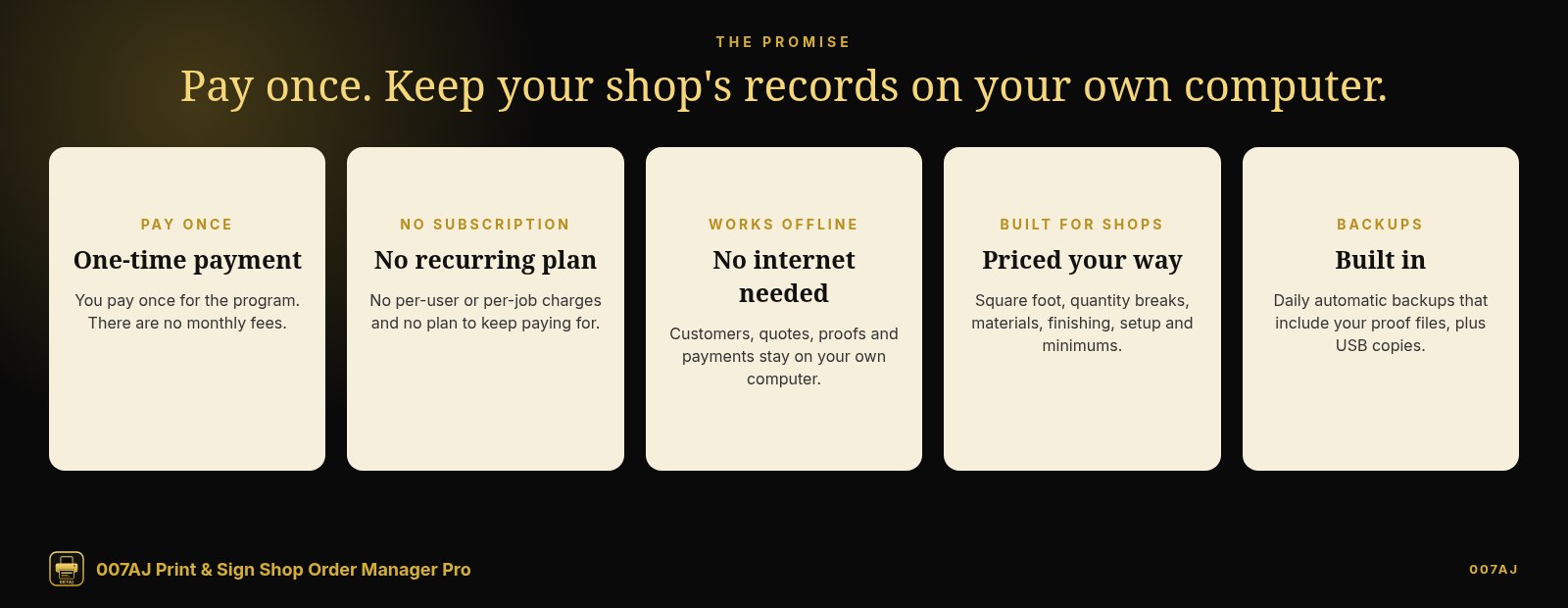
The promise
Pay once. No subscription. No internet needed.
Pay once
You pay once for the program. There is no subscription, no monthly fee and no charge per user or per job.
No internet needed
The program works offline. No online account is required. Your records stay on your own computer, and nothing is sent anywhere.
Your data stays yours
Everything is kept in one file on your computer, with your proof files beside it. Daily automatic backups include the proof files, and one-click copies go to a USB drive or a second folder.
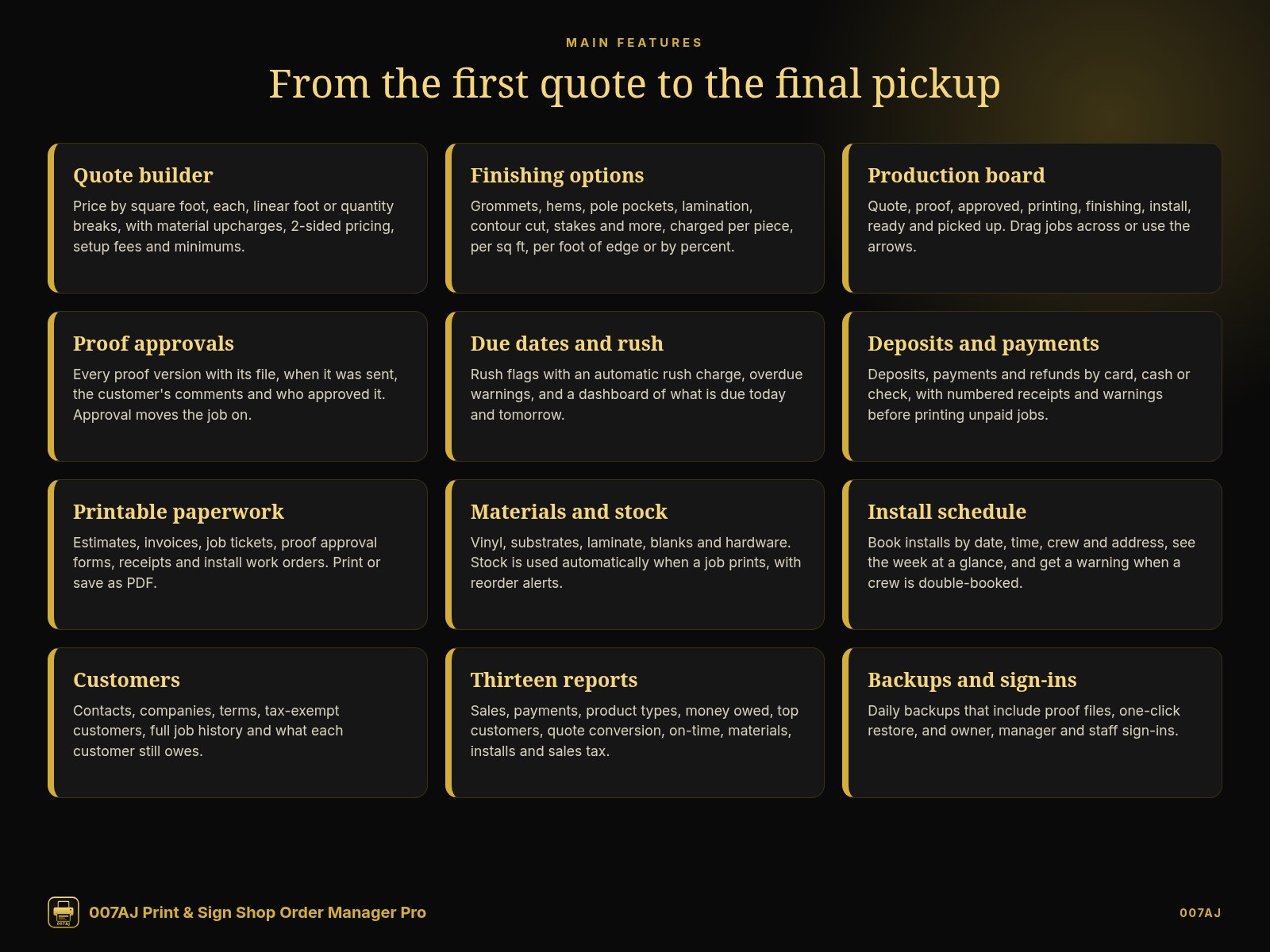
Main features
Customers, quotes, proofs, production, materials, installs, payments, paperwork and reports — on one computer
Customers
Contact name, company, phone, email, address, payment terms (due at pickup, Net 15, Net 30, prepaid), tax-exempt customers such as schools, churches and non-profits, notes, the full job history and the balance each customer still owes. Customers with past jobs are archived instead of deleted, so old records stay correct.
Job and order intake
Start a new job or quote in one click: choose or add the customer, give the job a title, due date, PO number and the person handling it, tick Rush or Needs installing, and add shop notes and notes for the customer. Jobs are numbered automatically (J-1001, J-1002 and so on, with your own prefix).
Quote builder
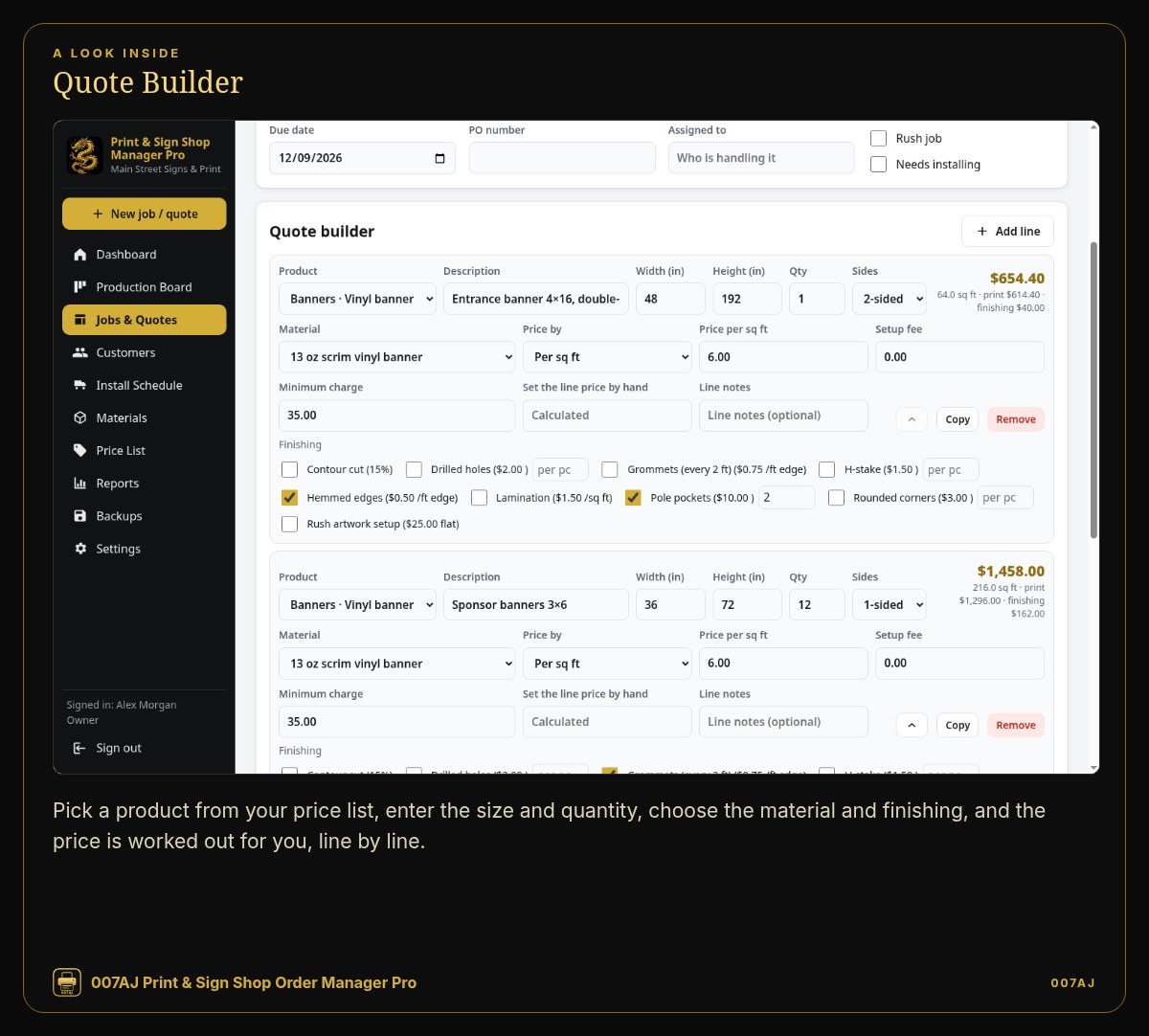
Add a line, pick a product from your price list, and enter the width, height and quantity. Each line is priced by the square foot, each, by the linear foot or with quantity price breaks, plus a material upcharge per square foot, a 2-sided multiplier, a setup fee and a minimum charge. You can still set any line price by hand. The quote shows the subtotal, discount, rush charge, sales tax, total and the deposit needed to start.
Finishing options
Grommets, hemmed edges, pole pockets, lamination, contour cut, H-stakes, rounded corners, drilled holes and artwork setup come ready to use, and you can add your own. Each one is charged per piece, per square foot, per foot of edge, as a percent of the print price, or as a flat amount.
Ready-made price list
A starting price list for vinyl banners, coroplast yard signs with quantity breaks, aluminium composite signs, cut vinyl lettering, printed stickers and decals, vehicle wraps, business cards, custom printed T-shirts, posters and design time. Change every price to match your shop.
Proof approvals with versions
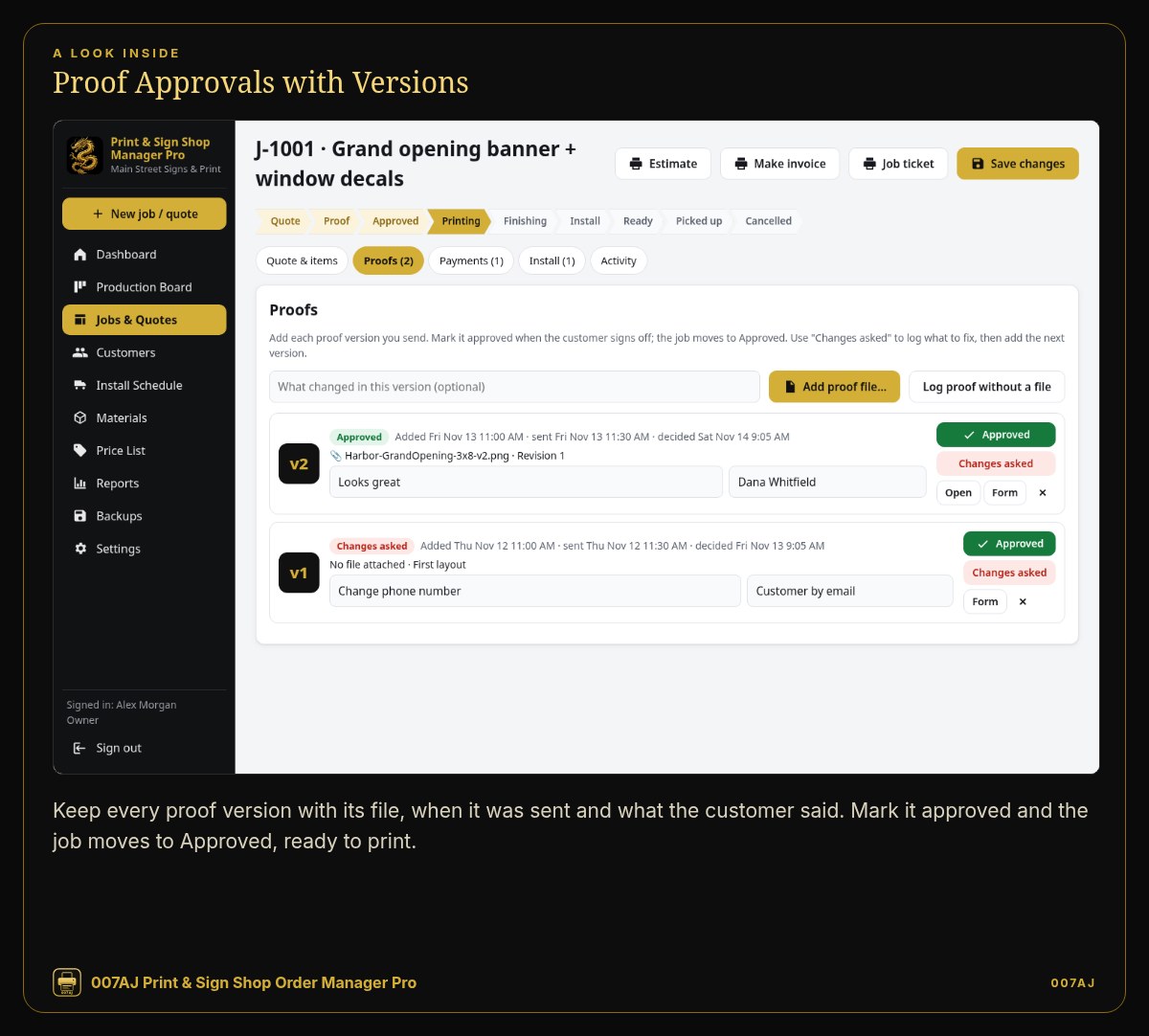
Add each proof you send as a new version (v1, v2, v3) with the artwork file attached, or log it without a file. Record when it was sent, what the customer asked to change, and who approved it and when. Approving a proof moves the job to Approved, and a printable proof approval form is ready for customers who sign in the shop.
Production board
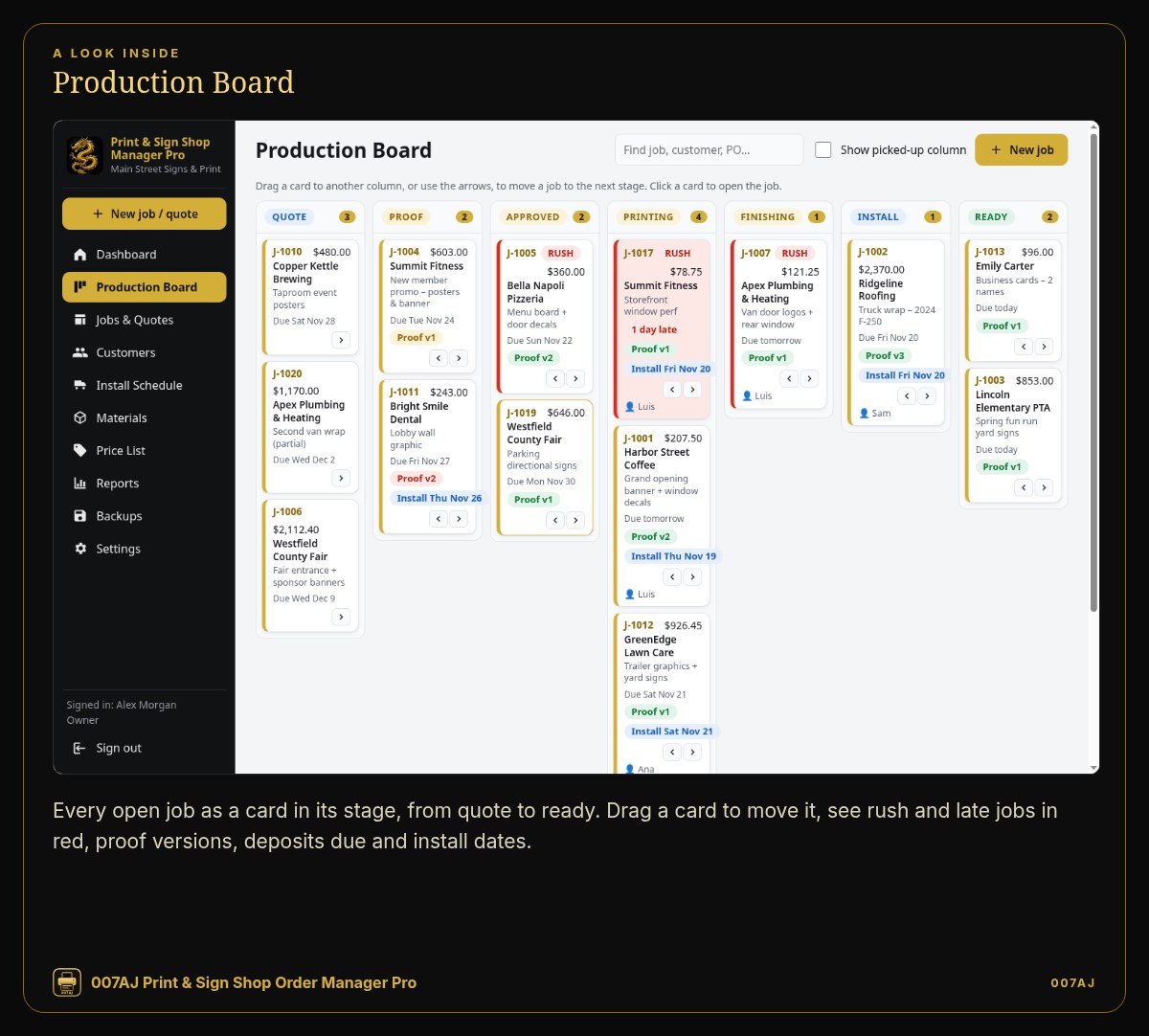
Every open job as a card in its stage: Quote, Proof, Approved, Printing, Finishing, Install, Ready and Picked up. Drag a card to another column or use the arrows. Cards show rush and late jobs in red, the latest proof version, deposits still due, install dates and who is assigned.
Due dates and rush flags
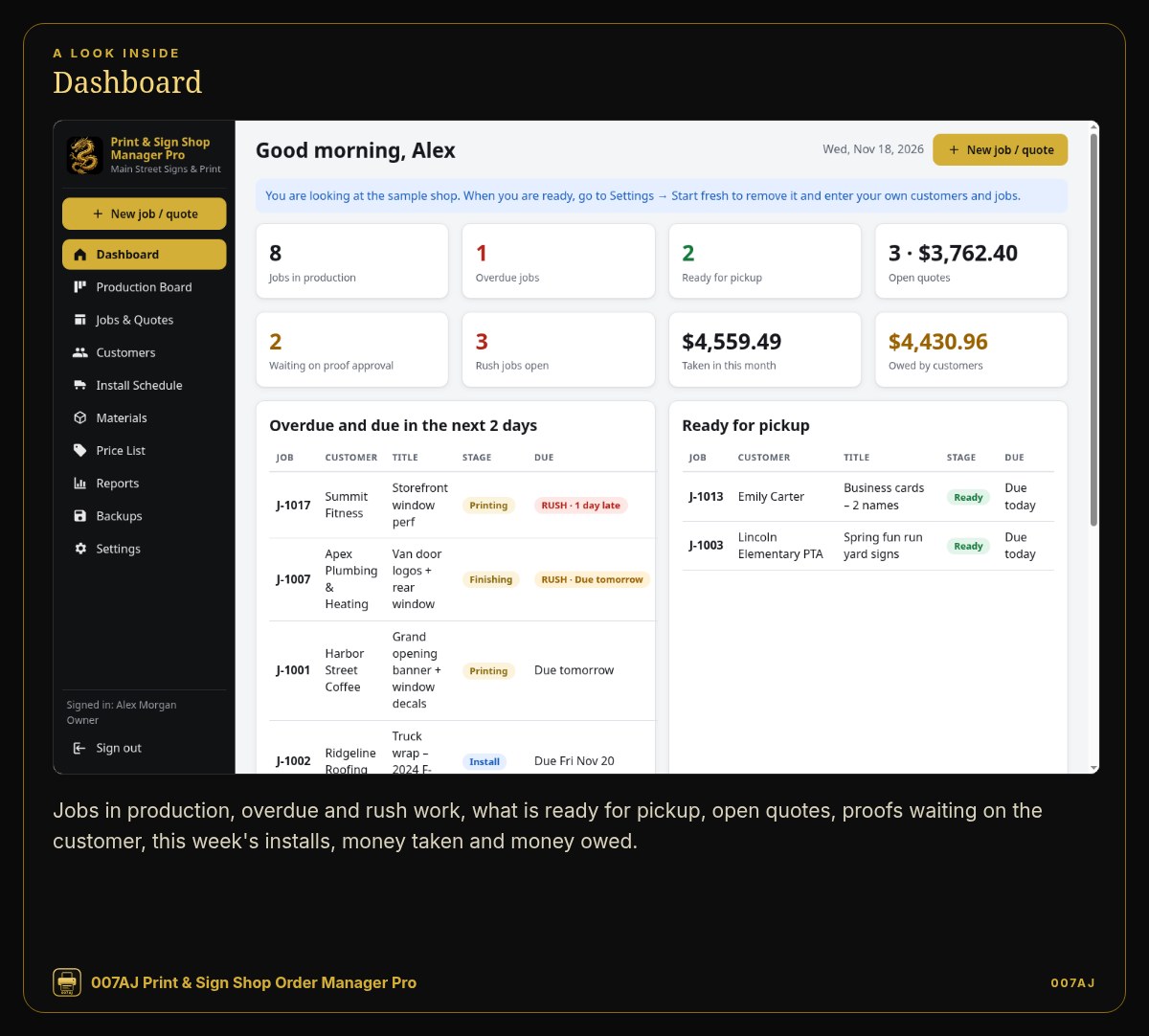
Every job has a due date. Rush jobs are flagged and get your rush charge automatically. Overdue jobs are marked, and the dashboard lists what is overdue and what is due today and tomorrow.
Shop rules that protect you
Before a job goes to Printing, the program warns you when no proof has been approved or the deposit has not been paid, and before pickup it warns you when money is still owed. You can still go ahead when you choose to.
Deposits and payments
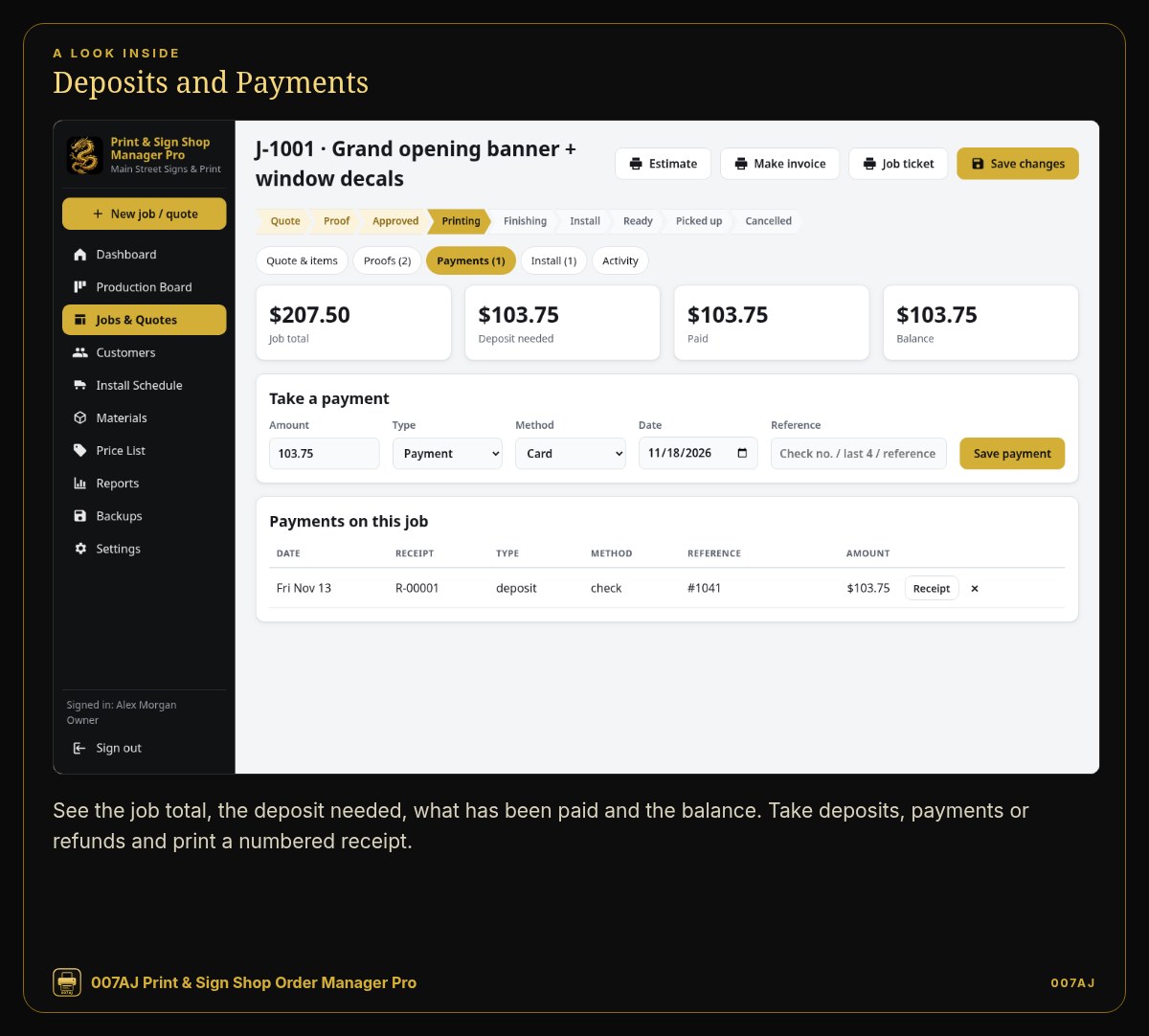
Take deposits, payments and refunds by card, cash, check, bank transfer or online payment, with a reference number. Each one gets a numbered receipt you can print. The job shows the total, the deposit needed, what has been paid and the balance.
Printable estimates and invoices
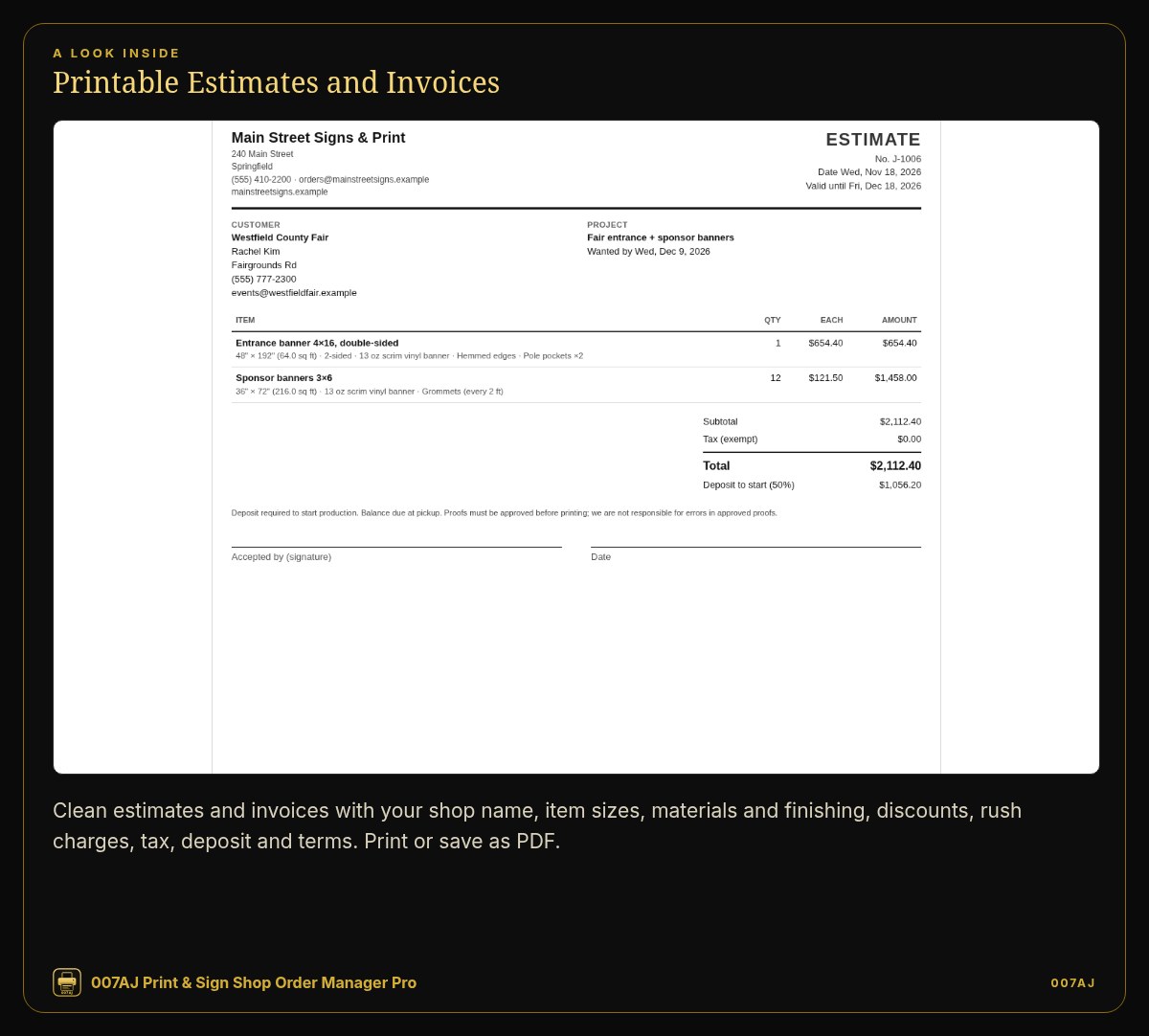
Clean estimates (with a valid-until date and an acceptance signature line) and invoices with your shop name and details, every item with its size, material and finishing, discounts, rush charges, sales tax, payments received, the balance due and your terms. Print them or save them as PDF.
Job tickets and work orders
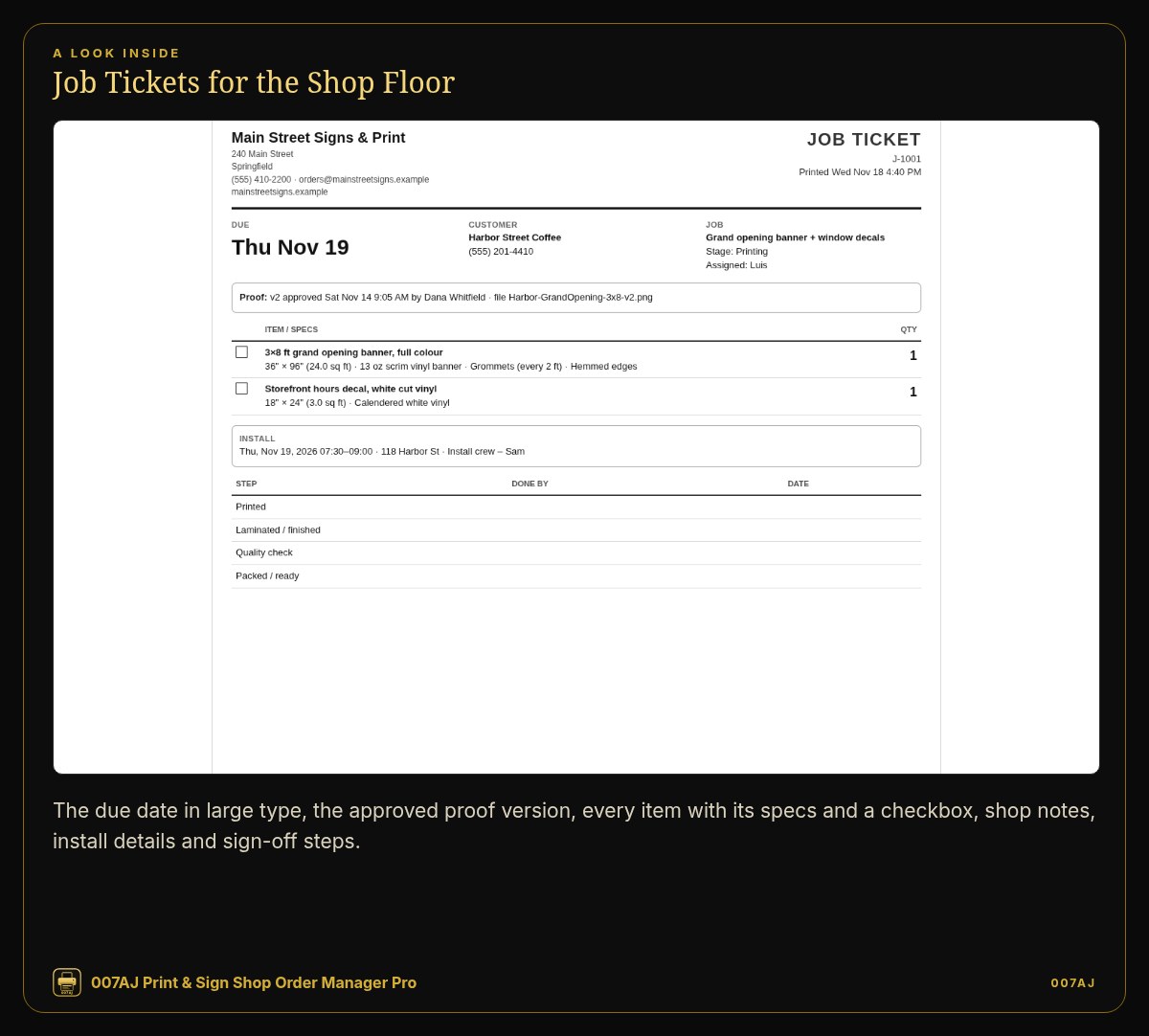
A job ticket for the shop floor with the due date in large type, the approved proof version, every item and its specs with a checkbox, shop notes, install details and sign-off steps. Install work orders list the site, contact, crew, items, a checklist and a customer sign-off line.
Materials and stock
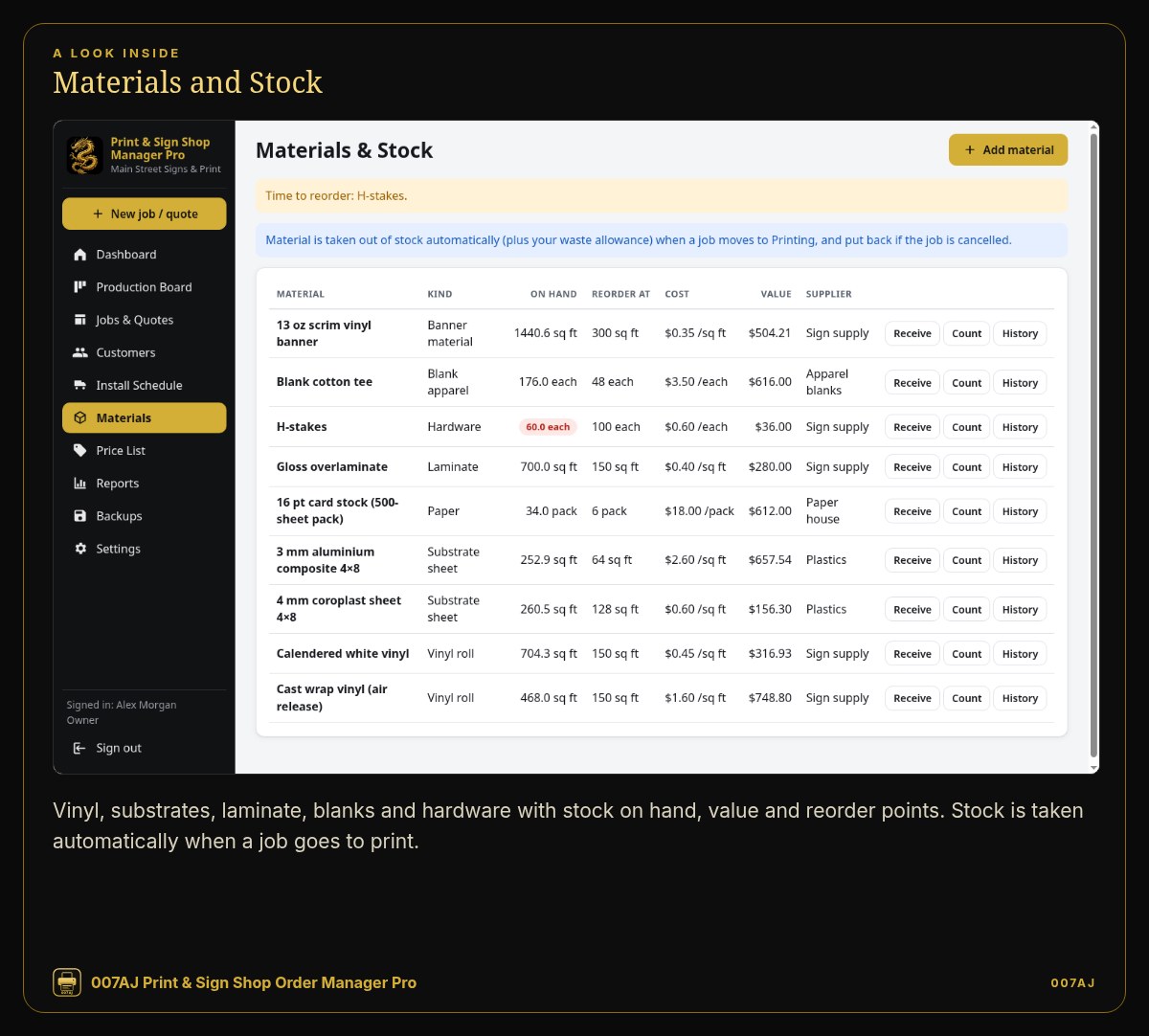
Track vinyl rolls, banner material, substrate sheets, laminate, paper, blank apparel and hardware with your cost, stock on hand, stock value, supplier and a reorder point. Material is taken out of stock automatically (plus your waste allowance) when a job moves to Printing, and put back if the job is cancelled. Receive stock, count it, and see the full history.
Install scheduling
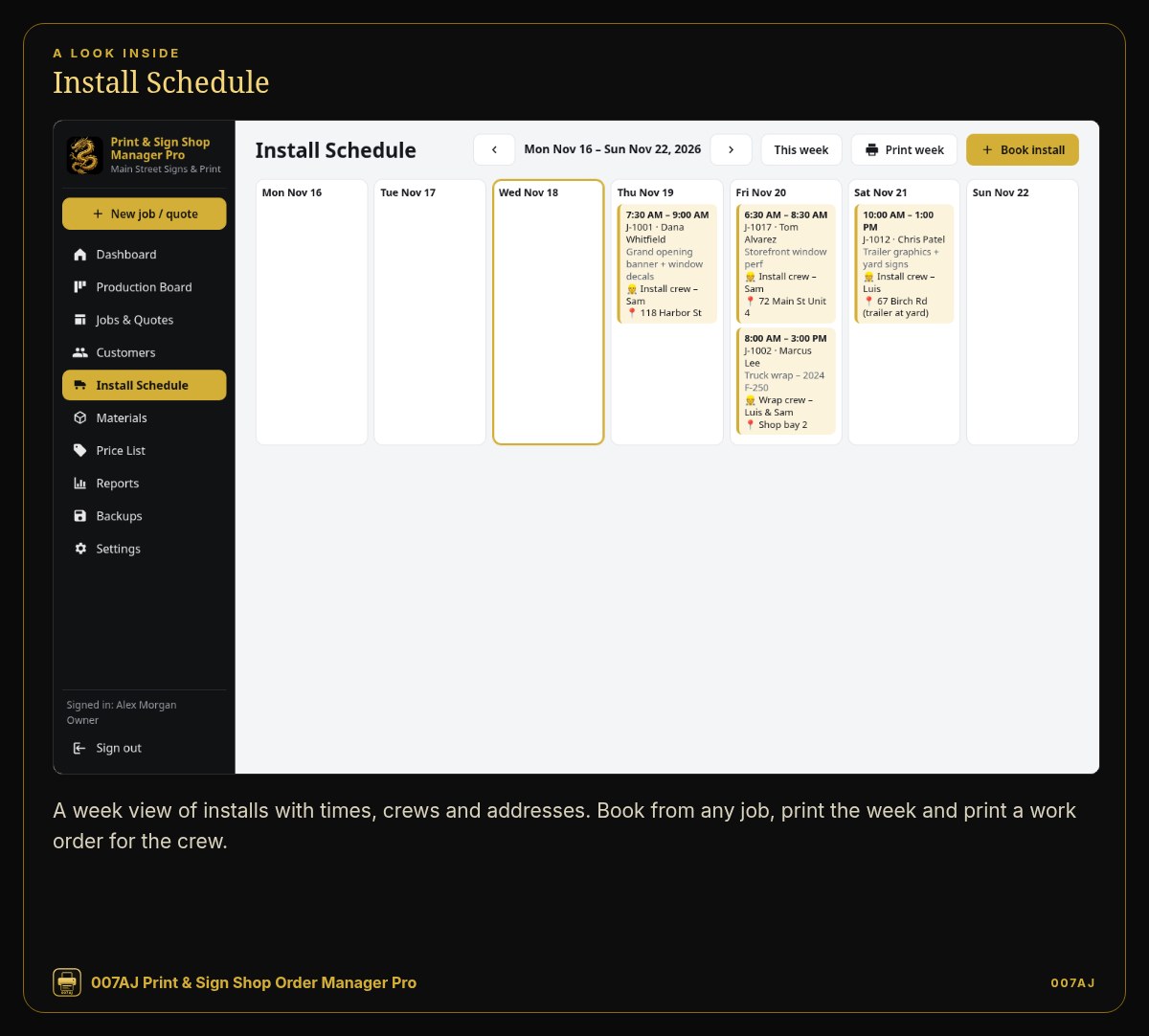
Book installs from any job with the date, start and end time, address, crew, on-site contact and notes. See the week at a glance, print the week, mark installs done, and get a warning when a crew is already booked at that time.
Thirteen reports
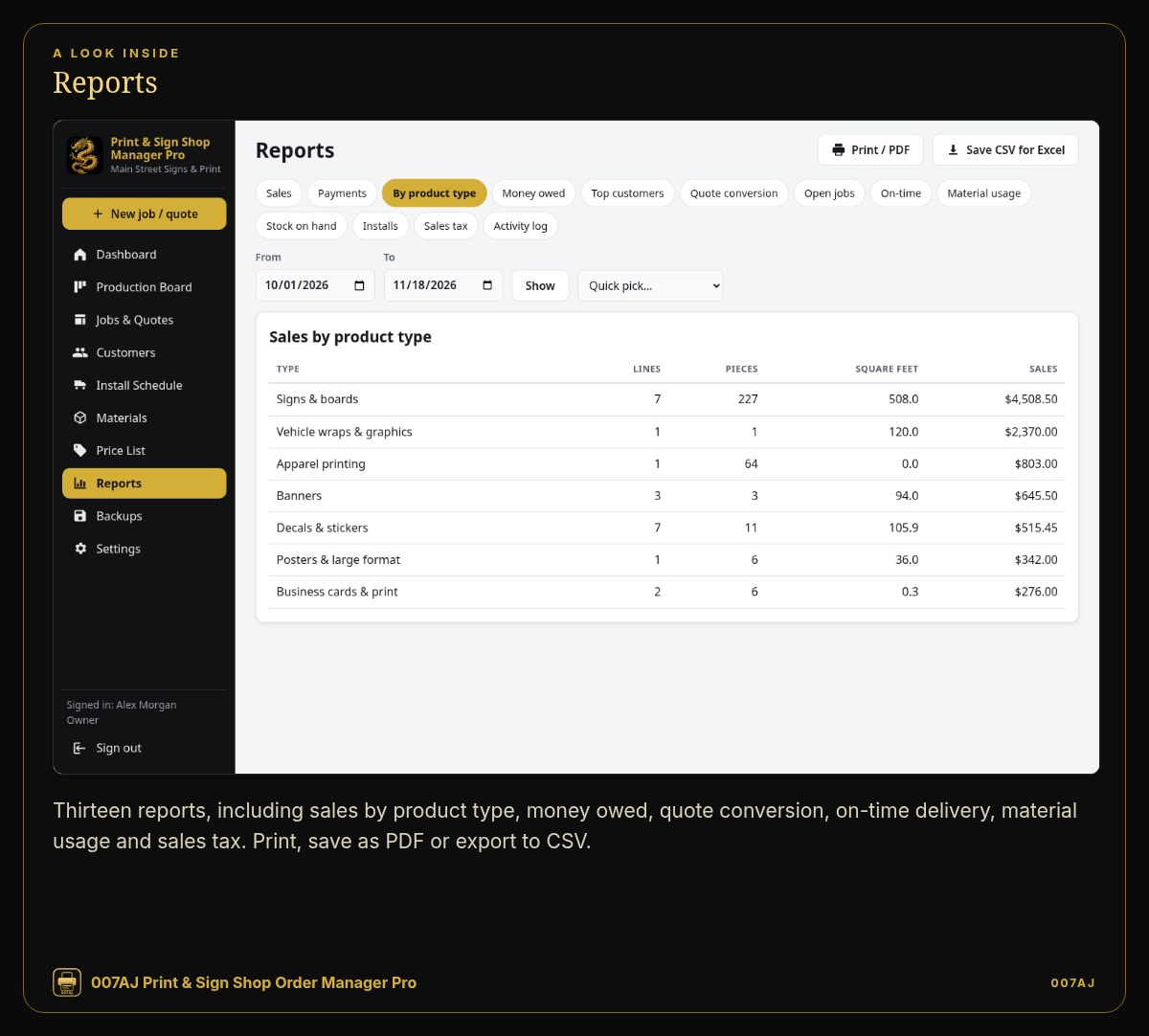
Sales, payments received, sales by product type with square feet, money owed with aging, top customers, quote conversion, open jobs by stage, turnaround and on-time delivery, material usage, stock on hand, installs, sales tax on invoiced jobs and an activity log. Pick any dates, then print, save as PDF or export to CSV for Excel.
A look inside
Everyday quality
Owner, manager and staff sign-ins
Everyone signs in with their own password. Staff take orders, build quotes, log proofs, take payments, book installs and move jobs. Managers can also change prices and materials, see reports and remove records. Only the owner changes settings and sign-ins, restores a backup or starts fresh.
Backups built in
A backup is made automatically every day and when the program closes, keeping the last 14 (you choose). Each backup holds every record and the proof files you attached. Daily backups can also be copied to a USB drive or a second folder. Restore any backup in one click; a safety copy of your current records is made first.
Your shop, your numbers
Set your sales tax rate, deposit percent, rush charge, 2-sided multiplier, material waste allowance, how long estimates are valid, your usual turnaround, job and invoice number prefixes, and the terms printed on estimates and invoices.
Activity on every job
Every job keeps a timeline: created, proof versions, approvals, stage changes, payments, installs and stock use, with who did it and when.
Easy on the eyes
Large text and buttons, light and dark looks (or match Windows) and your own currency symbol.
Look around with a sample shop first
On first start you can fill in a sample sign shop with customers and jobs in every stage, proofs, payments and installs, then choose Start fresh in Settings for your real customers. Your price list and materials stay.
Simple to install
A normal Windows installer with desktop and Start menu shortcuts. It installs for the current Windows user, with no administrator rights needed.
Who it is for — and who it is not for
Who it is for
Small and mid-size print shops, sign shops, vehicle wrap and graphics installers, banner and large-format printers, screen printers and promotional product shops with one counter computer. Owners who want quotes, proofs, production, installs and payments in one place without paying every month.
Who it is not for
Shops that need an online storefront or customer web portal, customers approving proofs online, several computers sharing one live job list, card processing inside the program, or a direct link to accounting software or to RIP and printer software. It does not take card payments itself; you record payments taken on your own terminal.
Requirements
Windows 10 or Windows 11, 64-bit, on one PC. About 400 MB of free disk space, plus room for your proof files. A screen of at least 1366 by 768 is recommended. Not for Mac, Linux, Chromebook, phones or tablets.
How you receive it
After checkout you get an instant download link for the signed Windows installer. Run it, follow the steps, and open 007AJ Print & Sign Shop Order Manager Pro from the desktop or the Start menu. Windows may ask you to confirm before running a newly downloaded program.
Support
Email admin@007aj.dev with any question about installing or using the program.
A record-keeping tool
007AJ Print & Sign Shop Order Manager Pro keeps your shop’s orders, quotes, proofs, payments and stock records and works out prices and totals from the prices and rules you set. It is not accounting, tax or legal advice. Check your sales tax rules with your accountant, and keep your own records of card transactions from your payment terminal.
Questions
Is this a subscription?
No. You pay once. There are no monthly fees and no charge per user or per job.
How does it work out a price?
Each line uses the product’s pricing: per square foot (width × height × quantity), each, per linear foot, or quantity price breaks. Then it adds the material upcharge, the 2-sided multiplier, finishing, the setup fee and the minimum charge. You can change any price on a single job or set a line price by hand.
Can I use my own products and prices?
Yes. Edit the starting price list or add your own products with their own pricing method, quantity breaks, setup fee, minimum charge, default size and material, and add your own finishing options.
How are proofs approved?
Add each proof version you send, with its file. When the customer replies, record their comments and mark it Approved or Changes asked. Approving a proof moves the job to Approved. Customers who approve in person can sign the printable proof approval form. Proofs are not sent from the program; you send them by your usual email.
Does it track my materials?
Yes. Each product can be linked to a material. When a job moves to Printing, the material used (plus your waste allowance) comes out of stock, and it goes back if the job is cancelled. You get a reorder list when stock runs low.
Can I print estimates, invoices and job tickets?
Yes. Estimates, invoices, job tickets, proof approval forms, receipts and install work orders can be printed or saved as PDF with your shop name and details.
Does it take card payments?
No. You take the payment on your own card terminal, cash drawer or bank as usual, then record it on the job. The program keeps the receipt numbers, deposits and balances.
Does it work on more than one computer?
It runs on one PC and keeps its data on that PC. It does not share data over a network or sync to the cloud. Backups can go to a USB drive or a second folder, and can be restored on a new computer.
What computers does it run on?
Windows 10 or Windows 11, 64-bit, on one PC. It is not for Mac, Linux, Chromebook, phones or tablets.
Can I look around before adding my own customers?
Yes. On first start, tick the sample shop option to load made-up customers and jobs in every stage, then choose Start fresh in Settings when you are ready.
Where do I get help?
Email admin@007aj.dev.
Pay once. Works offline. Built for print and sign shops.
007AJ Print & Sign Shop Order Manager Pro is a Windows 10 and Windows 11 program that keeps your customers, quotes, proofs, production board, materials, installs, payments and invoices on your own computer. Version 1.0.0. No subscription, no online account, and no internet needed. The program includes a 14-day free trial. The licence key emailed after purchase unlocks the full version.
Support: email admin@007aj.dev
007AJ Print & Sign Shop Order Manager Pro is published by 007AJ (007aj.dev).
Not affiliated with Microsoft. Windows is a trademark of Microsoft Corporation.