
Schedule Your Team, Run a PIN Time Clock and Export Payroll Hours on Your Own Computer, With No Subscription
007AJ Employee Tracker Pro is an offline Windows 10 and Windows 11 desktop program for small businesses with hourly staff: cafes, restaurants, shops, salons, cleaning crews, clinics, warehouses and offices. Build the weekly schedule, let employees clock in and out with their own PIN on a shared computer, record breaks, work out regular, overtime and double-time hours, approve timesheets, and save payroll files for your payroll service or accountant. Employees, schedules, punches, time off, pay rates and reports stay together in one place, on your own computer. It is not a payroll service: it does not pay employees, file taxes or work out deductions.
You pay once. There is no subscription, no per-employee charge, no online account, and no internet needed.
Instant download for Windows 10 and Windows 11. You get the signed Windows installer.
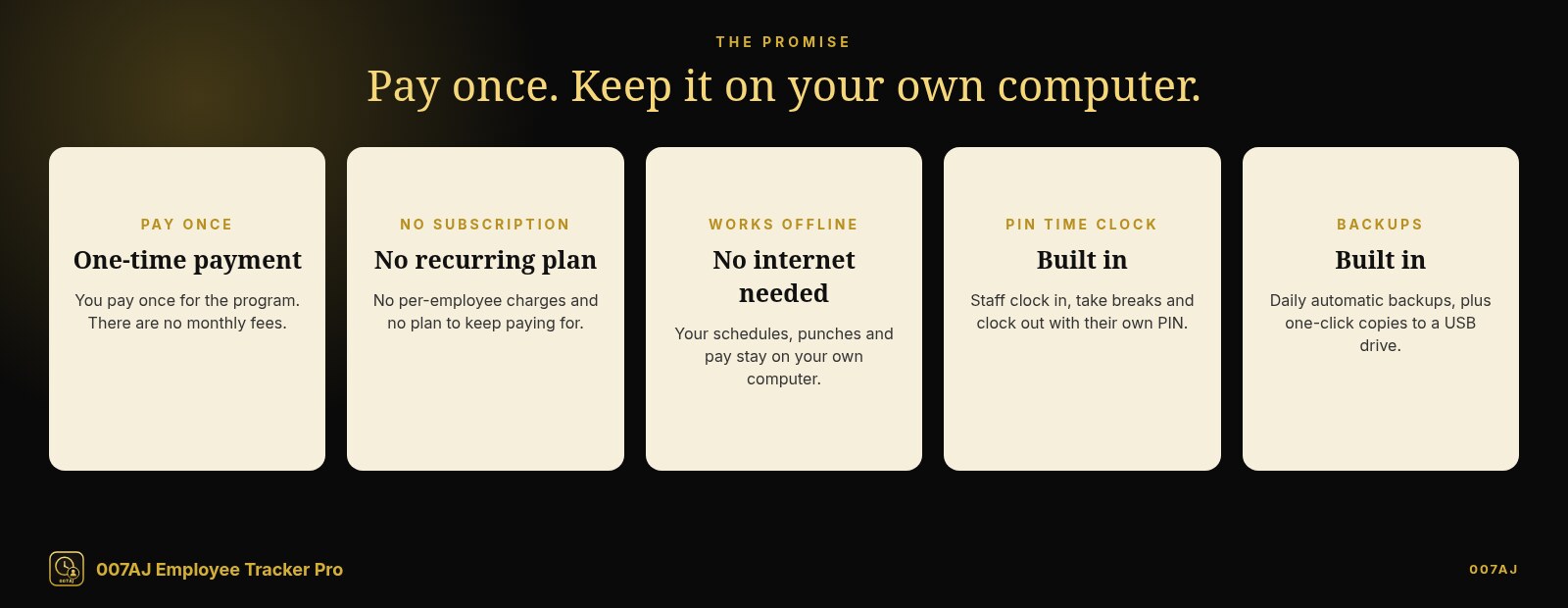
The promise
Pay once. No subscription. No internet needed.
Pay once
You pay once for the program. There is no subscription, no monthly fee and no charge per employee.
No internet needed
The program works offline. No online account is required. Your records stay on your own computer, and nothing is sent anywhere.
Your data stays yours
Everything is kept in one file on your computer, with daily automatic backups and one-click copies to a USB drive or a second folder.
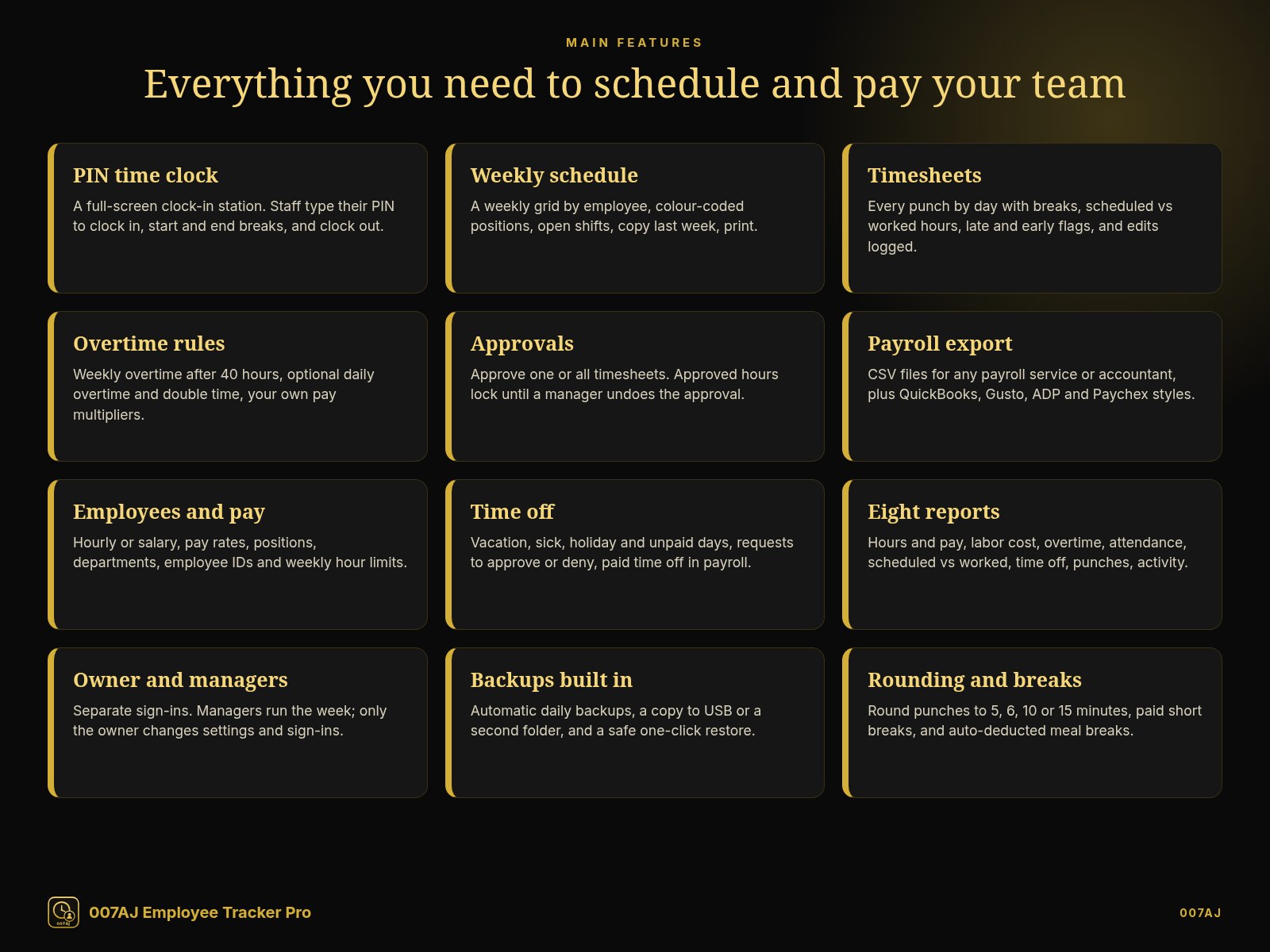
Main features
Schedule, time clock, timesheets, overtime, approvals, payroll export and reports — on one computer
PIN time clock
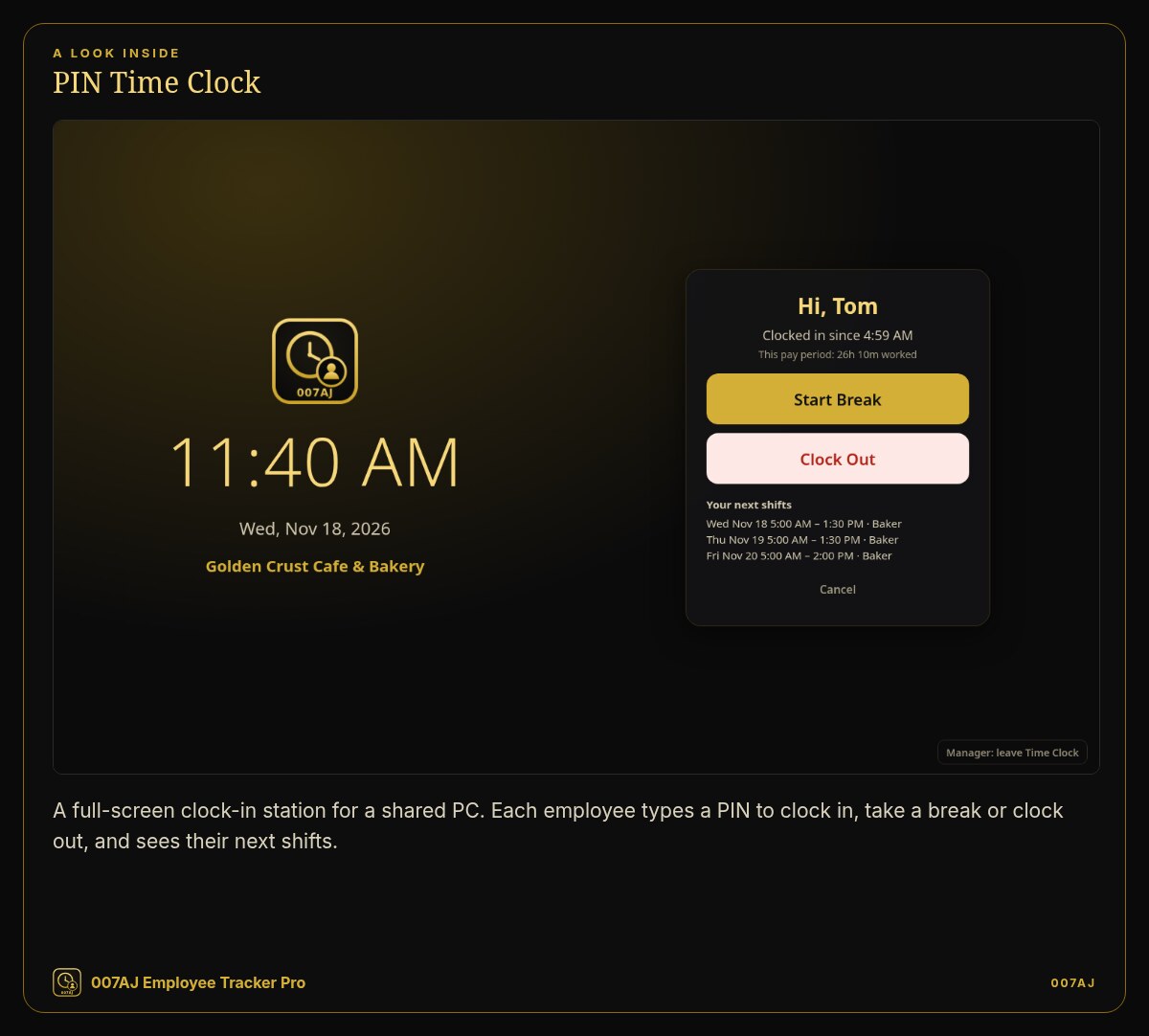
A full-screen clock-in station for a shared PC or tablet-style touchscreen. Each employee types a 4 to 8 digit PIN to clock in, start a break, end a break or clock out, and can see their hours for the pay period and their next shifts. Wrong PINs are slowed down after five tries, and an owner or manager password is needed to leave the time clock.
Weekly schedule
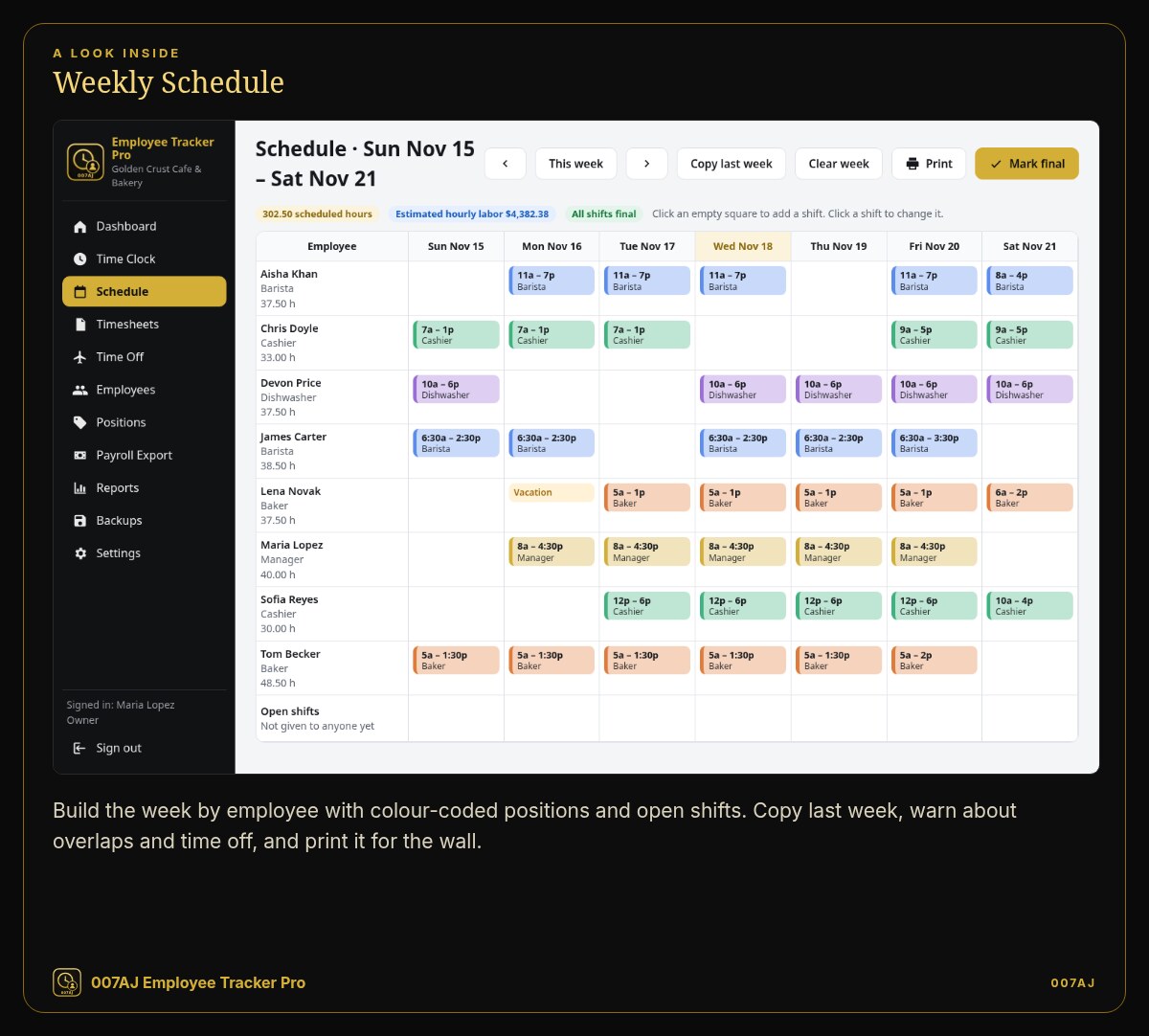
A weekly grid with a row for each employee and colour-coded positions. Click a square to add a shift with start, end and unpaid break, repeat it on other days, add open shifts, copy last week, clear a week, and mark the week final. It warns about overlapping shifts, approved time off and employees going over their most hours per week, and shows scheduled hours and estimated labor cost. Print the week for the staff room.
Timesheets
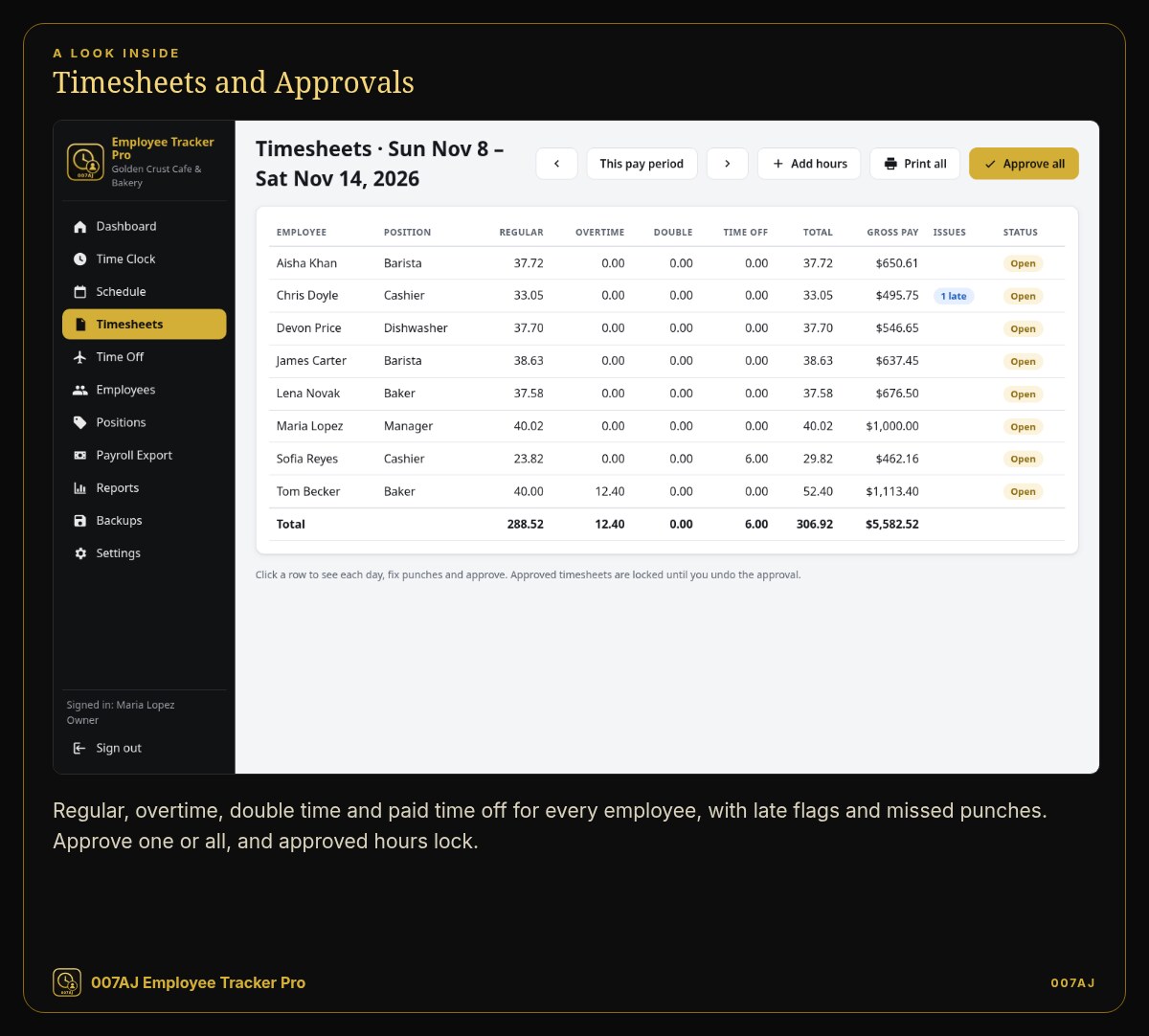
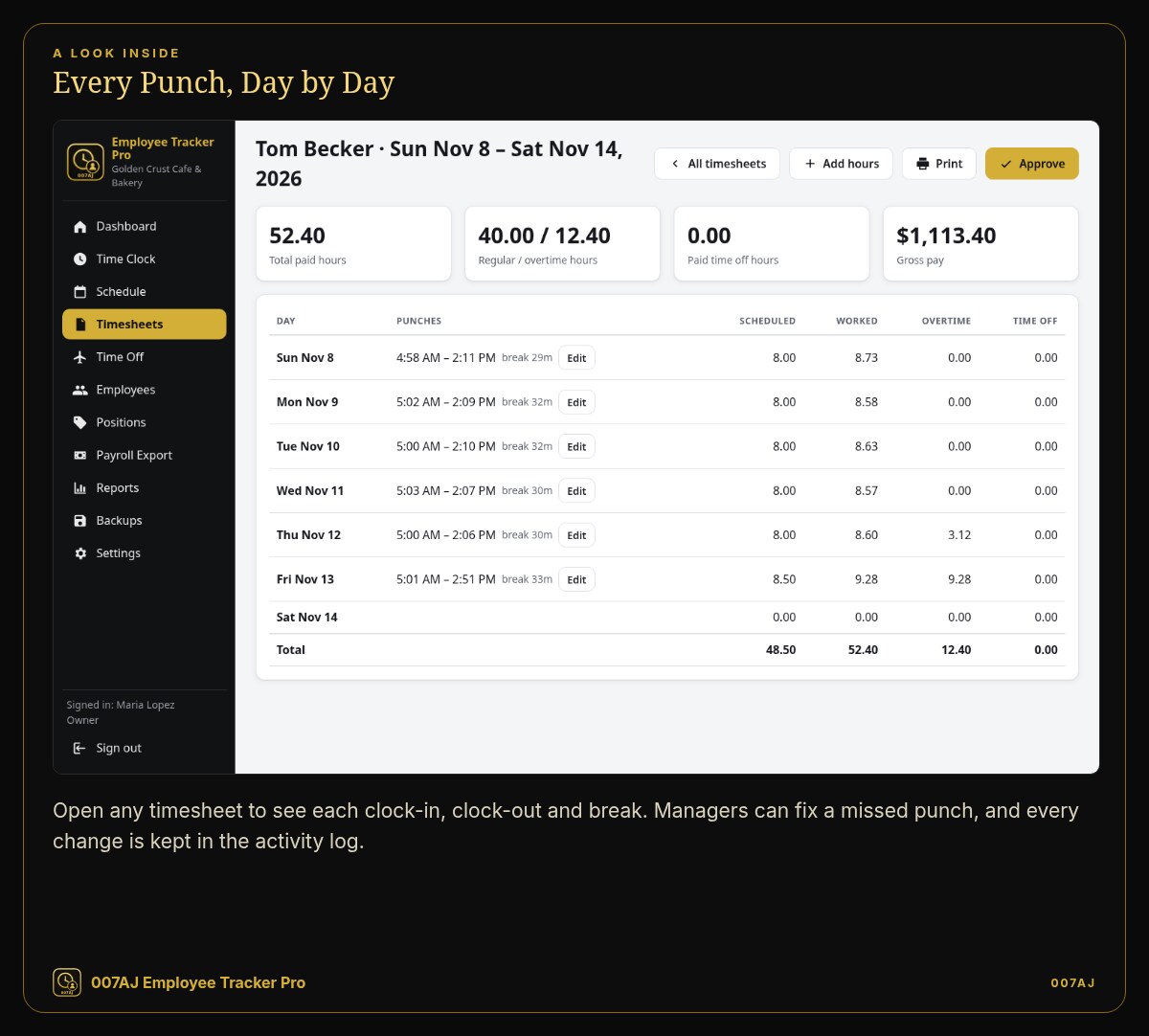
Each pay period shows every employee’s regular, overtime, double-time and paid time off hours with estimated gross pay. Open one to see every clock-in, clock-out and break, day by day, next to the scheduled hours, with late, left-early, no-show and missing clock-out flags. Managers can add hours, fix a missed punch or clock someone out, and every change is kept in the activity log.
Overtime rules
Weekly overtime after 40 hours (or your own limit), optional daily overtime and daily double time (for example 8 and 12 hours in California), and your own pay multipliers. Weekly overtime is worked out on the real work week, even when a pay period starts mid-week. Salaried and exempt employees are left out of overtime.
Rounding and breaks
Round punches to the nearest 5, 6, 10 or 15 minutes, or keep exact minutes. Short rest breaks can be paid, and a meal break can be deducted automatically when someone works a long shift without taking one.
Approvals
Approve one timesheet or all of them at once. Timesheets with a missing clock-out are held back until fixed. Approved hours are locked so they cannot change after payroll, until a manager undoes the approval.
Payroll export
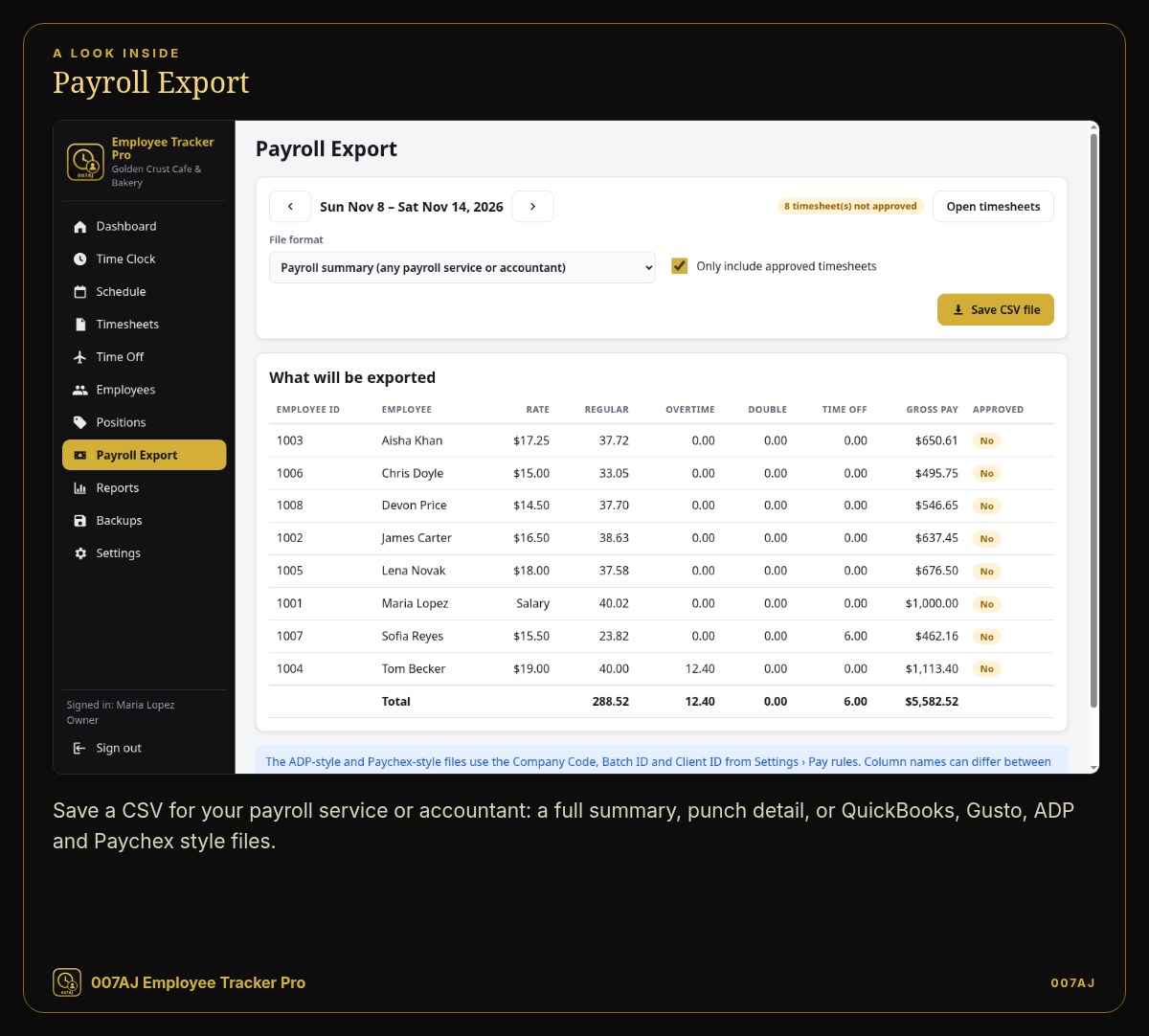
Save a CSV file for the pay period: a payroll summary for any payroll service or accountant, a detailed punch list, or QuickBooks-style time activities, Gusto-style hours, ADP-style batch (Company Code, Batch ID and File number) and Paychex-style hours files. Choose to export only approved timesheets.
Employees and pay
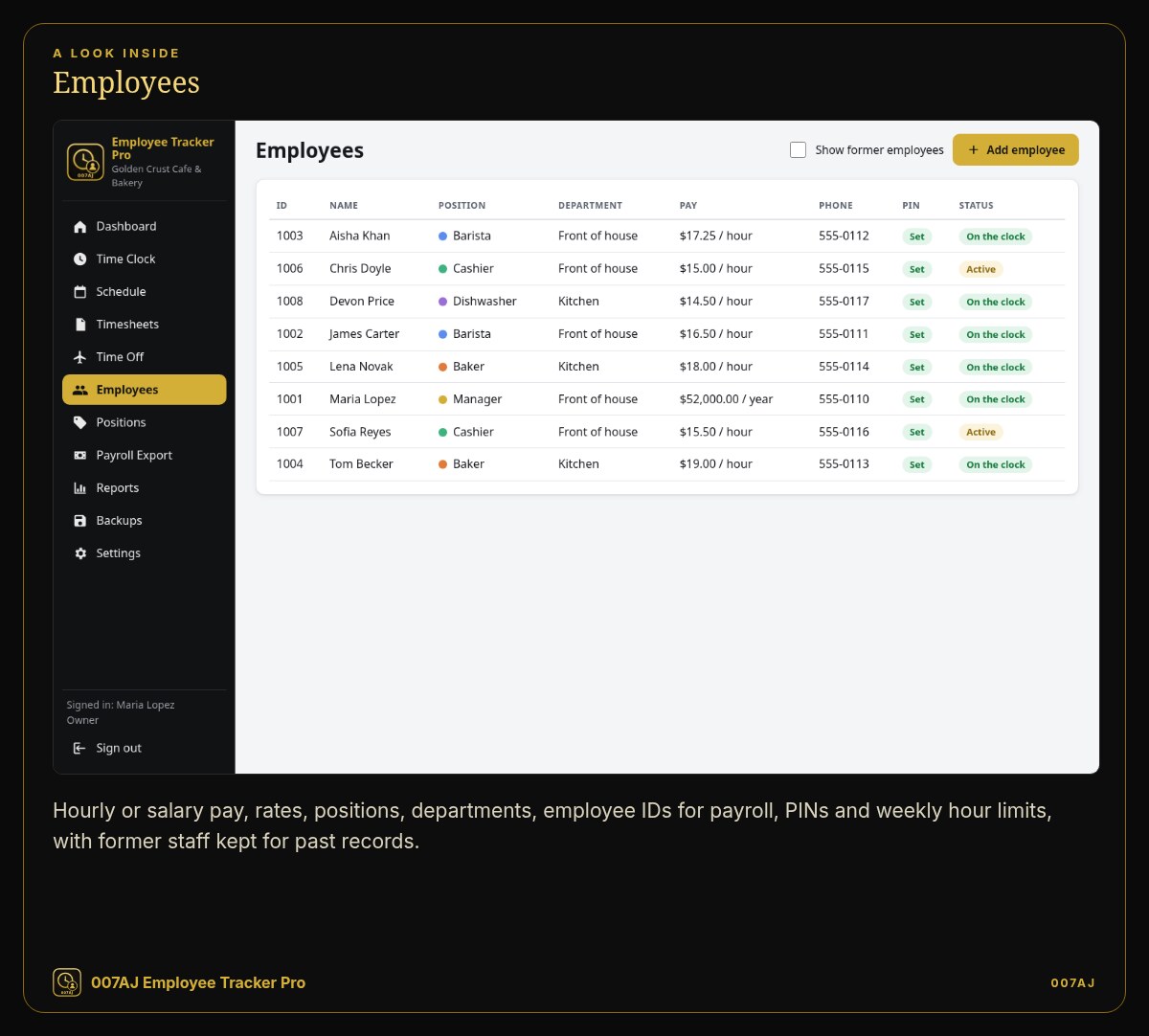
Hourly or salary pay, hourly rates, yearly salaries, positions, departments, employee IDs for payroll, phone, email, hire date, notes and a most-hours-per-week limit. Former employees are kept so past timesheets stay correct.
Positions
Positions such as Cashier, Cook or Manager colour the schedule, fill in a default hourly rate for new staff and group labor cost in reports.
Time off
Vacation, sick, holiday, other paid and unpaid time off by the day or over a date range (skipping weekends if you like). Record requests and approve or deny them later. Paid time off is added to timesheets and payroll files, and shows on the schedule.
Eight reports
Hours and pay by employee, labor cost by position and department, overtime, attendance exceptions, scheduled vs worked, time off, a punch log and an activity log. Pick a pay period, a month or any dates, then print, save as PDF or export to CSV for Excel.
Printing
Print or save as PDF the weekly schedule, one timesheet or every timesheet in the pay period (with employee and manager signature lines), and every report.
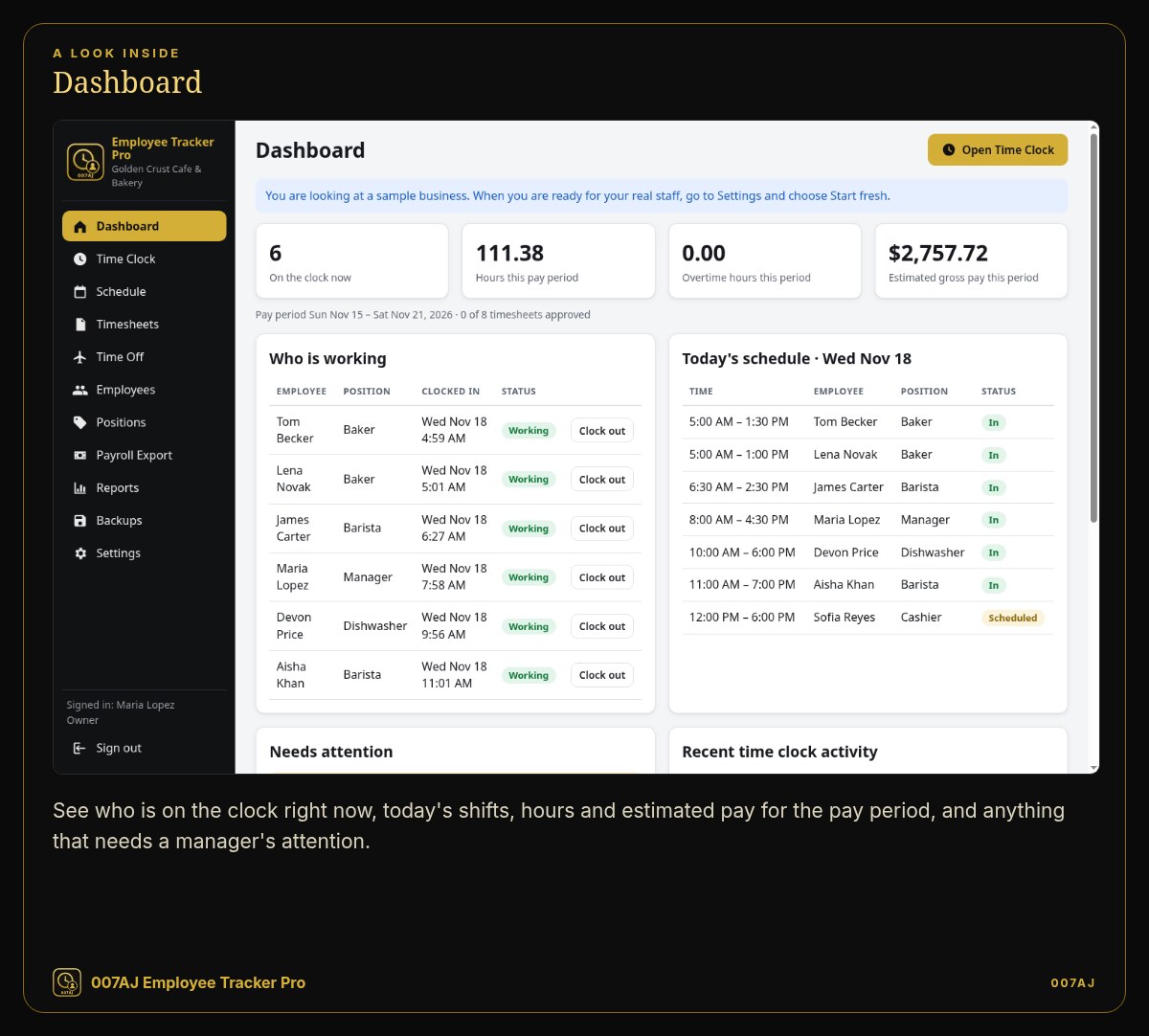
A look inside
Everyday quality
Owner and manager sign-ins
The owner and any managers sign in with their own password. Managers run schedules, timesheets, approvals, exports and reports. Only the owner can change settings and sign-ins, remove employees, restore a backup or start fresh. Employees only ever see the time clock.
Backups built in
A backup is made automatically every day and when the program closes, keeping the last 14 (you choose). Each daily backup can also be copied to a USB drive or a second folder. Restore any backup in one click; a safety copy of your current records is made first.
Easy on the eyes
Large text and buttons, light and dark looks (or match Windows), 12-hour or 24-hour times and your own currency symbol.
Try it on a sample business first
On first start you can fill in a sample cafe with eight staff, shifts, punches and time off to look around, then choose Start fresh for your real team.
Simple to install
A normal Windows installer with desktop and Start menu shortcuts. It installs for the current Windows user, with no administrator rights needed.
Who it is for — and who it is not for
Who it is for
Small businesses with roughly 2 to 50 hourly or salaried employees who clock in at one location: cafes, restaurants, bakeries, retail shops, salons, gyms, cleaning and landscaping crews that start at a shop, small clinics, warehouses and offices. Owners who want schedules, punches and payroll hours in one place without paying every month.
Who it is not for
Businesses that need a phone app for employees, GPS or photo clock-in, several locations sharing one live schedule, online shift swapping, or automatic payroll, tax filing and direct deposit. It does not connect to payroll services directly; you import the saved file.
Requirements
Windows 10 or Windows 11, 64-bit, on one PC. About 400 MB of free disk space. A screen of at least 1280 by 720 is recommended; a touchscreen works well for the time clock. Not for Mac, Linux, Chromebook, phones or tablets.
How you receive it
After checkout you get an instant download link for the signed Windows installer. Run it, follow the steps, and open 007AJ Employee Tracker Pro from the desktop or the Start menu. Windows may ask you to confirm before running a newly downloaded program.
Support
Email admin@007aj.dev with any question about installing or using the program.
A record-keeping tool
007AJ Employee Tracker Pro keeps time and attendance records and works out hours and estimated gross pay from the rules you set. It is not payroll, tax or legal advice. Check overtime, break and record-keeping rules for your state or country, and confirm the first payroll file with your payroll provider or accountant.
Questions
Is this a subscription?
No. You pay once. There are no monthly fees and no charge per employee.
How do employees clock in?
Open the Time Clock on the computer at your front counter or back office. Each employee types their own PIN and taps Clock In, Start Break, End Break or Clock Out. You can also add or fix hours yourself on the Timesheets page.
Can employees see pay or other people’s hours?
No. Employees only use the time clock, where they see their own status, their hours for the pay period and their next shifts. Schedules, timesheets, pay and reports need an owner or manager sign-in.
Does it handle overtime?
Yes. Weekly overtime after 40 hours by default, plus optional daily overtime and double time, with your own multipliers. Exempt and salaried employees are left out of overtime.
Which payroll services does it work with?
It saves CSV files: a general payroll summary that any payroll service or accountant can use, plus QuickBooks-style, Gusto-style, ADP-style and Paychex-style files. Column names can differ between payroll accounts, so check the first import with your provider.
Does it pay employees or file taxes?
No. It works out hours and estimated gross pay. Paying employees, taxes and deductions stay with your payroll service or accountant.
Does it work on more than one computer?
It runs on one PC and keeps its data on that PC. It does not share data over a network or sync to the cloud. Backups can go to a USB drive or a second folder, and can be restored on a new computer.
What computers does it run on?
Windows 10 or Windows 11, 64-bit, on one PC. It is not for Mac, Linux, Chromebook, phones or tablets.
Can I look around before adding my own staff?
Yes. On first start, tick the sample business option to load a made-up cafe with eight staff, shifts, punches and time off, then choose Start fresh in Settings for your real team.
Where do I get help?
Email admin@007aj.dev.
Pay once. Works offline. Built for small businesses with hourly staff.
007AJ Employee Tracker Pro is a Windows 10 and Windows 11 program that keeps your schedules, time clock punches, timesheets and payroll hours on your own computer. Version 1.0.0. No subscription, no online account, and no internet needed. The program includes a 14-day free trial. The licence key emailed after purchase unlocks the full version.
Support: email admin@007aj.dev
007AJ Employee Tracker Pro is published by 007AJ (007aj.dev).
Not affiliated with Microsoft, Intuit, Gusto, ADP or Paychex. Windows is a trademark of Microsoft Corporation; QuickBooks, Gusto, ADP and Paychex are trademarks of their owners.